
Acer Aspire 5 Review for 2026: Is It Worth Buying?
Disclosure: We may earn a commission when you buy through links on this page, at no extra cost to you. As an Amazon Associate I earn from qualifying purchases. Learn more

Acer Aspire 5 review covering processors, memory, screen and battery, with advice on which configuration to buy and who should skip it.
The Acer Aspire 5 is a 15.6-inch everyday laptop that sits in the middle of Acer's budget lineup, and this acer aspire 5 review covers what you actually get, where the many configurations differ and who should look elsewhere. It suits students, home offices and anyone who wants a full-size screen and a real keyboard without paying for gaming hardware.
Because Acer has sold the Aspire 5 with Intel and AMD chips across several generations, the exact model number matters more than the name. The product table lists the main variants, from a low priced Core i3 setup to newer Core i5 and Core i7 builds.


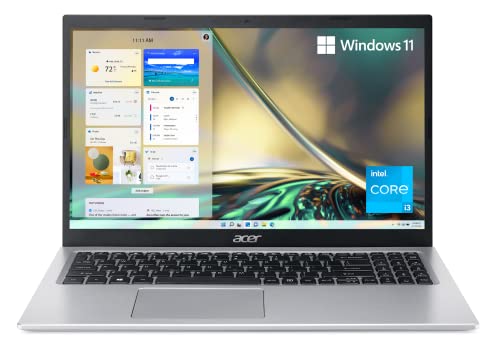
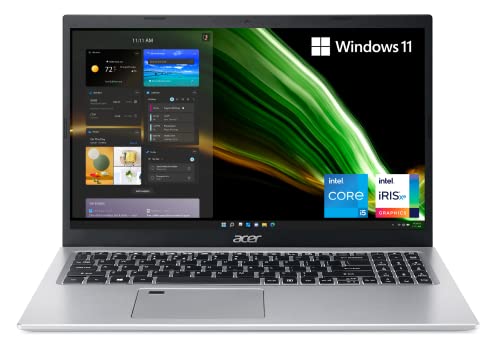
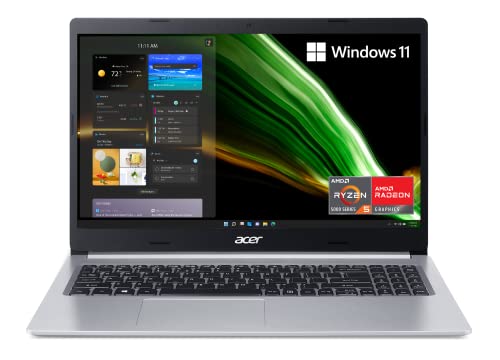


Acer Aspire 5 Review: What You Get
Most Aspire 5 listings share the same basics: a 15.6-inch Full HD (1920 x 1080) IPS screen with narrow bezels, a backlit or standard keyboard, Wi-Fi 6 or Wi-Fi 6E, and Windows 11 Home. The slimmer newer builds list a 0.70-inch body with an aluminum top cover, while older ones use a plastic shell.
Ports vary by generation. The A515-45 Ryzen model, for example, lists one USB 3.2 Type-C port, two USB 3.2 Gen 1 ports, one USB 2.0 port and HDMI 2.0, and a newer i7 build lists USB4 with Thunderbolt 4. Check the port line in the listing if you plan to connect a monitor or a fast external drive.
Performance by Processor
The Aspire 5 is a productivity laptop, and performance depends almost entirely on which chip you choose.
- Core i3-1115G4 (11th gen): the lowest priced option, a dual core chip with Turbo Boost up to 4.1GHz. Fine for browsing, documents and video calls, and tight if you keep many tabs open.
- Core i5-1135G7 and i7-1165G7 (11th gen): quicker for multitasking and light photo editing, with Intel Iris Xe graphics.
- Ryzen 5 5500U: a six core AMD chip with Radeon graphics, a good fit for multitasking at a middle price.
- Core i5-13420H and Core i7-1355U (13th gen): newer silicon, with the i7-1355U listing 16GB of LPDDR5 memory and a PCIe Gen 4 SSD.
None of these is built for modern 3D games. Light games, streaming and casual use are fine, but a laptop with a dedicated graphics card is the right choice if gaming is the goal. See our guide to the best laptop for options across budgets.
Memory and Storage: The Spec That Matters Most
The cheapest listings pair 8GB of DDR4 with a 128GB NVMe drive, and Acer notes a spare memory slot and a spare drive bay on that model. That is an advantage, because you can add storage later instead of buying a bigger laptop now.
For a laptop you plan to keep for years, aim for 16GB of memory and at least 512GB of storage. Modern Windows and browsers fill 8GB quickly, and a 128GB drive leaves little room after updates.
Display, Keyboard and Everyday Comfort
The IPS panel gives wide viewing angles and clear colors for the money, but it is a standard brightness office display, not a creator panel. Use it for documents, video and spreadsheets, and avoid color critical work.
Acer's hinge lifts the rear of the body, which tilts the keyboard for typing, improves airflow and helps the speakers. Backlit keyboards are common on the newer models, and the 1080p webcam on the latest builds comes with noise reduction for calls.
Battery and Portability
One A515-45 listing states up to 11 hours of battery life, which is a manufacturer figure, not a promise for heavy use. A 15.6-inch laptop is more of a desk and bag machine than an ultralight, so think about weight if you carry it daily. Slim aluminum builds feel better in a backpack than thicker plastic ones.
How to Pick the Right Aspire 5 Listing
Start with the model number in the title, such as A515-56, A515-45 or A515-58M, because it tells you the generation and the port layout. Then read the memory and storage line, since the same chassis appears with anything from 8GB and 128GB up to much larger setups.
Third party sellers sometimes list upgraded memory or storage on the same laptop, which can be good value, but confirm the warranty terms. Also check whether the listing says Windows 11 Home or Windows 11 Home in S mode, and whether it is a touchscreen version, since those details change the price more than the processor name does.
Pros and Cons
Strengths
The Aspire 5 offers a full-size Full HD IPS screen, a wide choice of processors, upgradeable memory or storage on some models, and a price that is often lower than thin and light rivals. Newer versions add Wi-Fi 6E, Thunderbolt 4 and a better webcam.
Weaknesses
Base models with 8GB of memory and a small drive feel limited. Some entry level versions ship with Windows 11 in S mode, which only runs apps from the Microsoft Store until you switch it off. The display and speakers are average, and the graphics are not meant for modern games.
Who Should Buy the Acer Aspire 5
Choose it if you need a reliable all-round laptop for school, remote work or family use, and you want a big screen at a fair price. Step up to a Core i5 or Ryzen 5 model with 16GB of memory if you multitask. Skip it if you want a dedicated graphics card, a color accurate screen or a very light travel laptop.
If you prefer a different brand in this class, our HP OmniBook 5 review and ASUS Zenbook A14 review cover two alternatives.
FAQ
Is the Acer Aspire 5 good for students?
Yes. A model with 8GB of memory is enough for notes, web research and video classes, but 16GB gives more headroom over several years.
Can the Acer Aspire 5 run games?
It can run light and older games on integrated graphics, but it is not designed for demanding titles. Choose a laptop with a dedicated graphics card for modern games.
Which Acer Aspire 5 configuration is best?
For most people a Core i5 or Ryzen 5 model with 16GB of memory and a 512GB SSD gives the best balance. Check the exact model number in the listing, since Acer sells many versions under the same name.
Does the Acer Aspire 5 have a touchscreen?
Some versions do and most do not. The listing title states whether it is a touchscreen model.
Final Verdict
This acer aspire 5 review comes down to choosing the right configuration: the platform is solid and affordable, but the chip, memory and storage decide how it feels in use. Compare the models in the table above and spend a little more for 16GB of memory if you can.


