
Laptops

Best And Affordable Laptops: Which One Fits the Way You Use It?

Best Laptops for Colleges: What Actually Matters Before You Buy

Best Affordable Gaming Laptops: Budget, Midrange, and Premium Picks

Best PC Tablets: Our 2026 Checklist and Top 3 Picks

Best Laptops and Notebooks for Every Need: How to Pick the Right One

Best Gaming Laptops in 2026: Refresh Rate, GPU, and Cooling That Actually Matter

Best AI Laptop for Business in 2026: Top Picks for Professionals

Best Laptop for AI Engineers in 2026: Built for Real ML Workloads

Best Budget Laptop for AI Development in 2026: Top Picks Under $1,000

Best Laptop For Ai Development in 2026: What You Actually Need
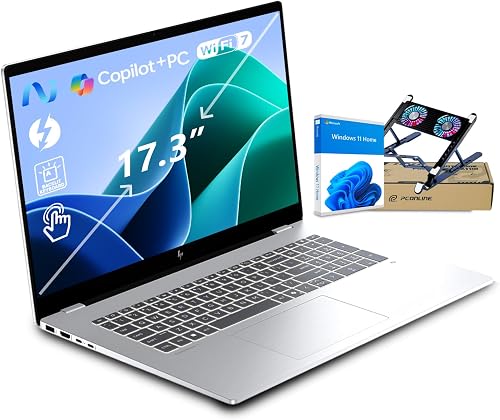
Best Laptop For Artificial Intelligence Students In 2026: The Complete Buying Guide

Best Ai Laptop In 2026: The Complete Buying Guide For Smart Shoppers
How to Choose the Right Laptop
Laptops involve more tradeoffs than desktops. Thinner designs often mean less cooling and lower sustained performance, while powerful machines tend to be heavier and drain batteries faster. Decide first whether portability, battery life, or raw performance matters most, then narrow your options from there.
Specs Worth Paying For
- Processor: recent Intel Core Ultra, AMD Ryzen, and Apple M-series chips all handle daily work well. Many now include a neural processing unit (NPU) for on-device AI features.
- Memory: 16GB is the practical minimum for most buyers. Developers and creators should consider 32GB, and memory is often soldered, so buy enough upfront.
- Graphics: integrated graphics suit office work and light editing. Gaming and machine learning call for a dedicated GPU with ample VRAM.
- Display: look at resolution, brightness, and refresh rate. A high refresh panel helps gamers, while color accuracy matters for creative work.
- Battery and charging: USB-C charging adds convenience, but gaming laptops usually still need a large power brick.
Laptop Types and Who They Suit
Gaming laptops pack strong GPUs and high refresh screens, though cooling design separates good models from loud, hot ones. Our gaming laptops guide explains what to look for. Business and ultraportable laptops prioritize weight, battery life, and security features. AI and developer laptops balance a capable GPU or NPU with generous memory for coding and model work.
Students working with machine learning have specific needs on a limited budget. The guide to a budget laptop for AI development covers sensible options, and engineers can compare heavier configurations in our laptop for AI engineers picks.
Screen size also shapes how you use a laptop. A 13 or 14 inch model is easy to carry all day, a 15 or 16 inch screen gives more room for coding and editing, and 17 inch machines often act as desktop replacements that rarely leave the desk.
Common Laptop Buying Mistakes
Buying too little RAM is the biggest one, since it cannot always be upgraded. Others include ignoring weight and charger size for travel, assuming a dedicated GPU is needed for office work, and overlooking port selection. Check for the USB-C, HDMI, and card reader ports you use daily to avoid living with dongles.
Laptops FAQ
How much RAM should a laptop have?
16GB is the sensible minimum for most people. Choose 32GB or more for software development, video editing, or machine learning, since laptop memory often cannot be upgraded later.
Do I need a dedicated GPU in a laptop?
Only if you play games, edit video, or train AI models. For office work, browsing, and streaming, modern integrated graphics are more than enough and improve battery life.
What is an NPU in a laptop?
A neural processing unit is a chip designed to run AI tasks efficiently, such as background blur and live captions. It handles light AI work while saving battery.
Why do gaming laptops have short battery life?
Powerful GPUs and high refresh screens use a lot of energy. Most gaming laptops perform best plugged in, and switching to integrated graphics helps when unplugged.
What laptop budget is reasonable for students?
Many capable student laptops sell for around $500 to $900. Students in engineering or AI programs may need a higher budget for more memory and a stronger GPU.