
Best Computer Processor for Laptops: Reviews and Buying Guide
Disclosure: We may earn a commission when you buy through links on this page, at no extra cost to you. As an Amazon Associate I earn from qualifying purchases. Learn more
Laptop chips explained, from Apple M4 and Intel Core Ultra to Ryzen AI and Snapdragon X, with three laptop picks by processor.
The processor is the heart of every laptop. It decides how quickly apps open, how smoothly you can multitask, how long the battery lasts and whether the fans spin up during a video call. Laptop chips from Apple, Intel, AMD and Qualcomm now use very different designs, and the naming schemes are confusing. This guide to the best computer processor for laptops explains how the main chip families compare, then highlights three laptops built around the strongest options.
The short answer: for most people, the best laptop processor is Apple's M4 for Mac users or an efficient Windows chip such as Intel Core Ultra 200V, AMD Ryzen AI 300 or Qualcomm Snapdragon X; these deliver fast everyday performance with all day battery life. Creators and power users should step up to Apple M4 Pro, Intel Core Ultra H or HX series or AMD Ryzen AI 9, while gamers need a performance chip paired with a dedicated GPU.




Our Top 3 Picks at a Glance
These three laptops from the product table above showcase the strongest processors for everyday use, value and demanding work.


Best Overall
The Apple MacBook Air 13 inch with the M4 chip, around $990, shows why Apple silicon leads laptop processors for everyday users. Its first strength is the M4's balance of speed and efficiency, delivering fast app launches, smooth multitasking and quick photo edits while staying completely silent in a fanless design. Its second strength is battery life that comfortably lasts a full day, combined with a built in neural engine that accelerates AI features.
The limitation is that the M4 runs macOS only, so Windows specific software and many PC games are not available.
Best Value
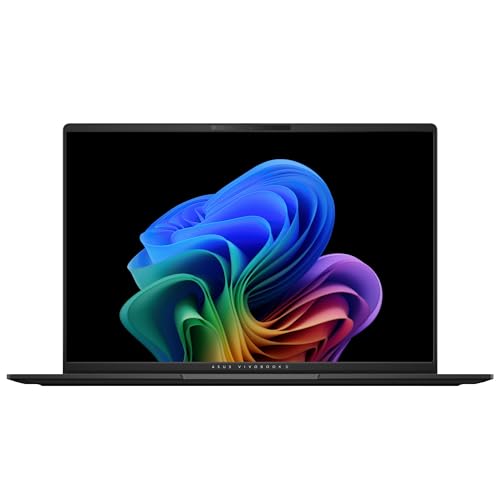
The ASUS Vivobook 14 with a Qualcomm Snapdragon X processor, around $650, offers the best value for efficient Windows computing. Its first strength is long battery life and instant wake, thanks to the ARM based Snapdragon X design. Its second strength is a capable configuration with 16GB of RAM and a 512GB SSD, enough for students, office work and streaming.
The limitation is Windows on ARM compatibility; some older apps, games and drivers may not run or may run through slower emulation.
Best Upgrade Pick
The Apple MacBook Pro 14 inch with the M4 Pro chip, around $2,000, is for creators and developers who need sustained high performance. Its first strength is the M4 Pro's 12 core CPU and 16 core GPU, which handle video editing, code compilation, music production and large photo libraries with ease. Its second strength is active cooling and a Liquid Retina XDR display, letting the chip run at full speed for long sessions.
The limitation is price; most everyday users will not need this much processing power.
How to Choose the Best Computer Processors: Buying Guide
Understanding a few key ideas makes it easier to pick the best computer processor for laptops.
Features That Matter for Laptops
Laptop processors balance performance, power use and heat. Efficiency matters as much as raw speed because it determines battery life and fan noise. Modern chips integrate the CPU, graphics, neural processing unit and media engines in one package. Look for at least 8 cores for multitasking, an integrated NPU for AI features and hardware video encoding and decoding for smooth streaming and calls.
Processor and Performance Tier
Each brand uses tiers. Intel Core Ultra 5, 7 and 9 and AMD Ryzen 5, 7 and 9 indicate entry, mainstream and high performance. Suffixes matter too: Intel U and V chips focus on efficiency, H chips on performance and HX chips on maximum power for gaming laptops. AMD HS and HX chips follow similar patterns. Apple uses M4, M4 Pro and M4 Max tiers, while Qualcomm offers Snapdragon X, X Plus and X Elite.
For office work and school, mainstream tiers are plenty. Creators and gamers benefit from higher tiers with more cores and stronger graphics.
Keyboard, Trackpad, and Build
The processor influences laptop design. Efficient chips enable thin, fanless or quiet laptops with aluminum builds and large trackpads. Performance chips need bigger cooling systems, resulting in thicker laptops with louder fans. Consider how the processor's heat affects comfort when the laptop sits on your lap.
Display Size, Resolution, and Brightness
High resolution and high refresh rate displays demand more from the processor and graphics. A 13 to 14 inch 1080p or 2K display pairs well with efficient chips, while 4K and 120Hz OLED displays benefit from stronger processors and graphics. Large, bright displays also drain batteries faster.
Operating System (Windows, macOS, ChromeOS)
Apple M series chips run macOS only. Intel and AMD chips run Windows and Linux with the broadest compatibility. Snapdragon chips run Windows on ARM, which offers great battery life but has some compatibility limits. ChromeOS devices use a mix of Intel, AMD and MediaTek chips and need less processing power.
Weight and Portability
Efficient processors enable lighter laptops with smaller batteries and chargers. Ultraportables with Apple M4, Snapdragon X or Intel Core Ultra 200V chips weigh around 2.7 to 3 pounds. Performance laptops with HX chips and dedicated GPUs often weigh 4.5 to 6 pounds with large power bricks.
Intel vs AMD vs Apple vs Qualcomm
Each processor family has strengths. Apple M series chips lead in performance per watt, delivering excellent speed, battery life and silent operation on Macs. Intel Core Ultra chips offer broad software compatibility, strong single core performance and, in the 200V series, impressive efficiency. Intel's H and HX chips power many gaming and workstation laptops.
AMD Ryzen AI chips combine strong multi core performance with capable integrated Radeon graphics, making them great for light gaming without a dedicated GPU. Qualcomm Snapdragon X chips deliver long battery life and instant wake on Windows, with growing app compatibility. Choose based on your operating system, software and how you balance performance and battery life.
Types of Computer Processors
Efficiency Chips for Ultraportables and 2 in 1s
Low power chips like Intel Core Ultra 200V, AMD Ryzen AI 300 U series, Snapdragon X and Apple M4 power thin and light laptops and 2 in 1 convertibles. They deliver all day battery life and quiet operation for office, school and travel.
Performance Chips for Creators and Gamers
Intel Core Ultra H and HX, AMD Ryzen HX and Apple M4 Pro and Max chips provide more cores and higher sustained power for editing, compiling and gaming. They need stronger cooling and drain batteries faster.
Budget Chips
Entry chips like Intel Core 3, Core i3, AMD Ryzen 3 and Intel N series processors appear in budget laptops and Chromebooks. They handle web browsing and documents but struggle with heavy multitasking.
How to Read Laptop Processor Names
Processor names look cryptic, but they follow patterns. Intel names like Core Ultra 7 256V include a brand tier, a number indicating generation and model and a suffix: V for efficient thin and light chips, U for low power, H for performance and HX for maximum desktop class power. Older Core i5 and i7 names follow a similar logic with generation numbers first.
AMD names like Ryzen AI 7 350 or Ryzen 7 8845HS show tier, generation and suffix, with HS and HX indicating performance chips. Apple uses simple names: M4 for mainstream, M4 Pro for professionals and M4 Max for the most demanding work. Qualcomm uses Snapdragon X, X Plus and X Elite, with model numbers indicating core counts and clock speeds. When comparing laptops, look past the tier number and check the suffix and generation, since a newer mainstream chip can outperform an older high end chip.
How Much to Spend on a Computer Processor for Laptops
You cannot buy laptop processors separately, so you are really choosing a laptop built around a chip. Around $500 to $800 buys laptops with Snapdragon X, Ryzen 5 and 7 or Core Ultra 5 chips, plenty for school, office work and streaming. Around $900 to $1,400 brings Apple M4, Core Ultra 7, Ryzen AI 7 and Snapdragon X Elite laptops with premium builds and strong battery life.
Above $1,500, laptops with M4 Pro, Core Ultra 9 HX or Ryzen AI 9 chips serve creators, developers and gamers who need maximum sustained performance. Spend on processor power only if your apps will use it; for most people, a mainstream efficient chip offers the best value.
Processors for Gaming Laptops
Gaming laptops combine performance processors with dedicated graphics cards. Intel Core Ultra 9 HX and AMD Ryzen 9 HX chips deliver high frame rates in CPU heavy games, while Ryzen 7 and Core Ultra 7 H chips pair well with midrange GPUs. The graphics card has the biggest impact on gaming performance, so balance the processor with an appropriate GPU rather than overspending on the CPU alone.
Setup and Care Tips
Keep the OS, drivers and BIOS updated to improve processor performance and efficiency. Use balanced or efficiency power modes on battery and performance modes when plugged in for heavy tasks. Clean vents with compressed air every few months to prevent thermal throttling. Avoid using the laptop on soft surfaces that block airflow, and consider a laptop stand for better cooling.
Understanding NPUs and AI Features
Neural processing units, or NPUs, are dedicated engines for AI tasks. They power features like background blur and eye contact correction in video calls, live captions, noise suppression and on device assistants while using less power than the CPU or GPU. Windows Copilot+ PCs require NPUs rated at 40 or more TOPS, available in Snapdragon X, Intel Core Ultra 200V and AMD Ryzen AI 300 chips. Apple's Neural Engine powers Apple Intelligence features on M series Macs.
For most buyers, an NPU is a useful bonus rather than a necessity, but it helps future proof your laptop as more apps add AI features.
Frequently Asked Questions
What features matter most in computer processors for laptops?
Efficiency, core count and integrated graphics matter most. Efficient chips extend battery life, more cores improve multitasking and strong integrated graphics help with photo editing and light gaming. An NPU adds AI acceleration.
Is a Chromebook processor enough for school?
Yes, Chromebook processors are enough for most school work. ChromeOS is lightweight, so even entry chips handle web apps, documents and video calls. Choose Intel Core or MediaTek Kompanio chips over older Celerons for smoother performance.
Should I buy a laptop or a tablet?
Buy a laptop if you need desktop software and multitasking, and a tablet for media and note taking. Laptop processors handle heavier workloads, while tablet chips focus on efficiency.
How long should a laptop processor stay relevant?
A modern laptop processor should stay capable for around four to six years. Mainstream and higher tier chips age better than budget chips. Pair the processor with 16GB of RAM to extend usable life.
How much RAM do I need with a modern processor?
Sixteen gigabytes of RAM pairs best with modern laptop processors. It prevents bottlenecks during multitasking. Creators and power users should choose 32GB.
Is a dedicated GPU worth it?
A dedicated GPU is worth it for gaming and heavy creative work. Integrated graphics in modern chips handle everyday tasks, streaming and light gaming. Dedicated GPUs increase weight and reduce battery life.
Is Intel or AMD better for laptops?
Both Intel and AMD make excellent laptop processors, and the best choice depends on the specific model. Intel Core Ultra 200V chips excel in efficiency, while AMD Ryzen AI chips offer strong multi core performance and integrated graphics. Compare real laptop configurations rather than brand names.
Wrapping Up
The right laptop processor depends on your operating system, software and priorities. Apple M4 leads for Mac users, efficient Intel, AMD and Snapdragon chips deliver strong Windows battery life and performance chips suit creators and gamers. Pair any processor with 16GB of RAM for a smooth experience.
Compare laptops built on the best computer processor for laptops in the product table above to find the right balance of speed, battery life and price.


