
Best 120Hz Laptops: Smooth Screens for Gaming, Creating and Everyday Work
Disclosure: We may earn a commission when you buy through links on this page, at no extra cost to you. As an Amazon Associate I earn from qualifying purchases. Learn more

Best 120Hz laptops explained: what a faster screen changes, how OLED and IPS compare, and what graphics and battery life mean for you.
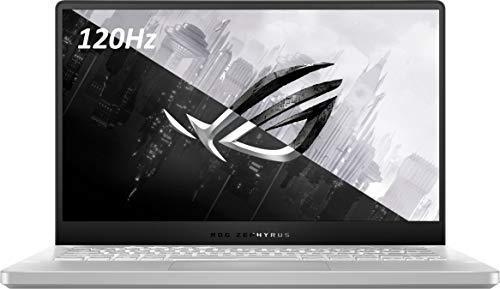
A 120Hz display redraws the picture 120 times every second, twice the rate of the standard 60Hz laptop screen. Scrolling feels fluid, cursor and pen movement look more connected, and fast games show less blur. The best 120hz laptops pair that screen with hardware that can actually use it.
This guide explains what a faster refresh rate changes in daily use, how panel types compare and why graphics power, battery and cooling matter just as much as the refresh rate itself. The product table above gathers gaming, creator and everyday models with 120Hz panels.



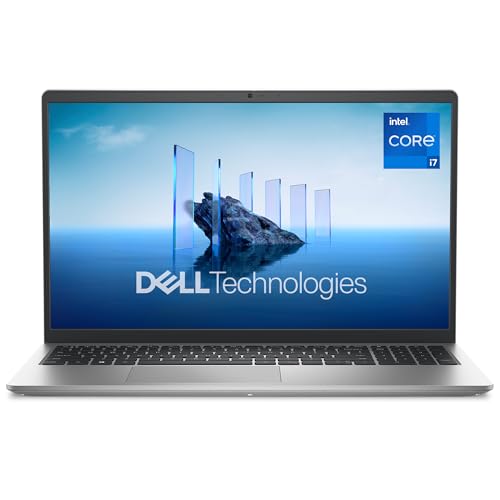


What 120Hz Actually Changes
The difference is easiest to see when things move. Web pages glide instead of stepping, window animations look smoother and text stays readable while you scroll. In games, a higher refresh rate lets you see more frames per second, which helps with tracking fast targets as long as the graphics card can deliver them.
For slow office work the benefit is subtle but pleasant. For pen input, the faster refresh reduces the lag between stylus and ink, which makes drawing feel natural. Many people find that after using 120Hz for a week, 60Hz screens look sluggish.
Panel Type: IPS, OLED and Mini-LED
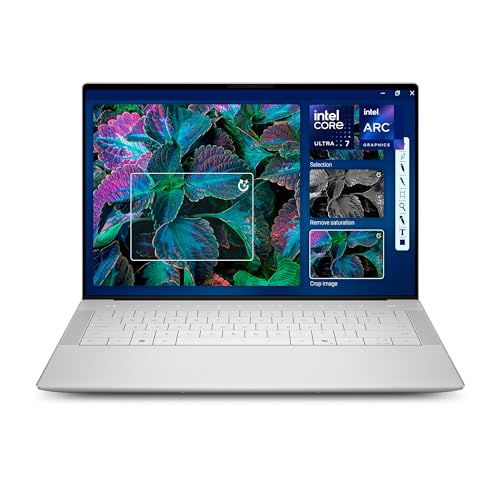
Most 120Hz laptops use IPS panels, which offer good color and brightness at fair prices. OLED panels add true black, vivid color and very fast pixel response, which suits movies, creative work and fast games, though they can cost more and may show burn-in risks over very long static use. Mini-LED panels reach high brightness for HDR content.
Pay attention to resolution too. A sharp panel looks better but demands more graphics power in games, so balance resolution with the laptop's graphics card. Look for the color coverage and brightness figures if you edit photos or work near windows.
Graphics Power Decides Gaming Results
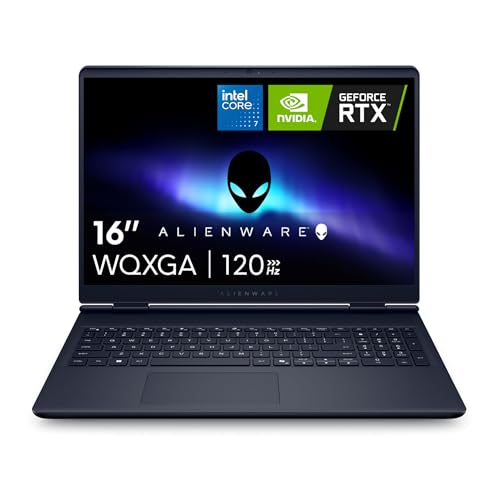
A 120Hz screen only helps in games if the laptop can produce that many frames. Entry-level graphics may hit the target in lighter titles but fall short in demanding ones. Check which graphics chip the laptop uses and compare it with the games you play. Our gaming laptop guide compares graphics options in detail.
Adaptive sync features remove tearing when the frame rate varies, so look for support in the specifications. Remember that graphics performance changes with the power limit set by the maker, so two laptops with the same chip can behave differently.
Battery Life and Variable Refresh
A faster refresh rate uses more power. Many laptops include a variable refresh rate option that drops to a lower rate for reading and video, which helps battery life. Others let you switch rates manually in settings.
If you work away from a socket, check for this feature and read buyer notes about real battery life. Gaming laptops drain quickly regardless of the screen, so expect to plug in when you play.
Cooling, Weight and Build
Fast screens often go into powerful laptops, and powerful laptops get warm. Look for a cooling design with good venting and check buyer comments about fan noise. Thin laptops stay lighter but may throttle under heavy load, while thicker gaming machines run cooler and louder.
Weight and size matter if you carry the laptop daily. Handle a model if you can, and compare listed weights with a laptop you already know. A sturdy hinge and keyboard are worth checking, as they affect daily comfort.
Ports, Memory and Storage
Check for the ports you use: a fast USB port, HDMI for an external display, an audio jack and card reader if you need one. Memory and storage are often upgradeable on gaming laptops but soldered on thin models, so decide how much you need at purchase.
For work and light gaming, plenty of memory keeps things smooth, while fast storage speeds up boot and load times. Confirm whether the listing states the exact configuration, since many models come in several variants.
Choosing the Best 120Hz Laptops by Budget
At the lower end, 120Hz arrives on mainstream models with modest processors, good for browsing, streaming and light games. In the middle of the range you find stronger graphics, better build quality and brighter panels. At the top come OLED screens, powerful graphics and premium materials.
If you mostly work or study, put money into the processor, memory and battery before the screen rate. If you play games, spend on the graphics card first. Our notebook laptop guide offers more ways to compare, and our note on the best time to buy a laptop may save you money.
Smart Buying Tips for 120Hz Laptops
Read the full listing for the display line, because some models in the same family have 60Hz panels in cheaper variants. Confirm that 120Hz is stated for the exact configuration you are buying, and check whether it is a fixed rate or a range.
Look at buyer feedback about screen quality, fan noise and hinge strength, which spec sheets never reveal. Plan to update drivers and display settings after unboxing, because the refresh rate sometimes defaults to a lower setting. Finally, keep the packaging until you are happy so a return stays simple.
Frequently Asked Questions
Is 120Hz worth it on a laptop?
For gaming, creative pen work and general smoothness, yes. For basic office tasks it is a nice extra rather than a necessity.
Will 120Hz hurt battery life?
It can, because the screen refreshes more often. Variable refresh rate or a manual switch reduces the impact.
Do I need a gaming laptop for 120Hz?
No. Several everyday and creator laptops include 120Hz panels, though only gaming models are built to hit those frame rates in demanding games.
OLED or IPS?
OLED for contrast and color, IPS for brightness and lower cost. Choose based on what you watch and how long the laptop stays on a static screen.
Does the refresh rate matter without a fast graphics card?
Only for scrolling and pen input. In games, the graphics card limits the frame rate you see.
Wrapping Up
Choose a 120Hz laptop for the smoothness you will notice every day, then make sure the graphics, battery and cooling support the way you use it. The best 120hz laptops match a quality panel with hardware that can keep up. Use the product table above to compare options and check the return policy before you buy.
Prices and availability can change, so check the product page before ordering.


