Best 14in Laptops in 2026: What to Check Before You Buy
Disclosure: We may earn a commission when you buy through links on this page, at no extra cost to you. As an Amazon Associate I earn from qualifying purchases. Learn more
What to check before choosing the best 14in laptops: operating system, memory, screen and battery for daily carry.
A 14 inch laptop is the sweet spot for people who carry their computer every day: large enough for comfortable work, small enough to slip into a bag without noticing. The best 14in laptops balance screen quality, weight, battery life and keyboard comfort, and that balance matters more than a longer list of numbers.
The 14 inch size covers everything from budget Windows laptops and Chromebooks to premium thin-and-light machines and compact creator laptops. This guide explains the differences so you can read the product table above and pick a model that fits how you work.
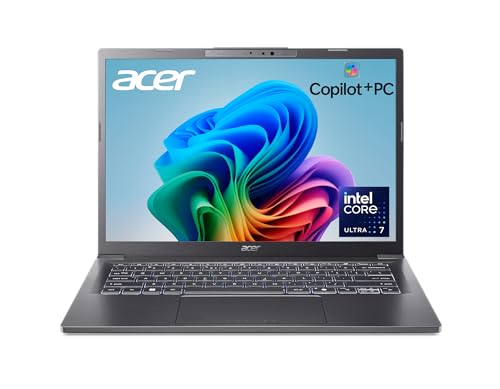
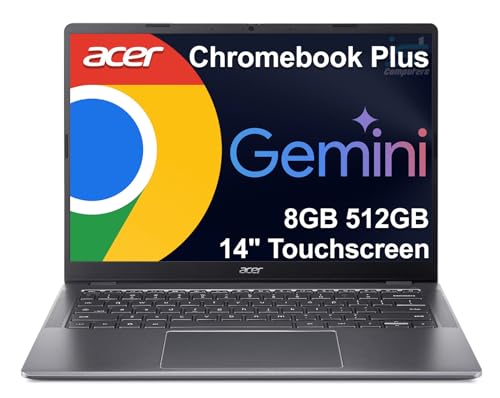

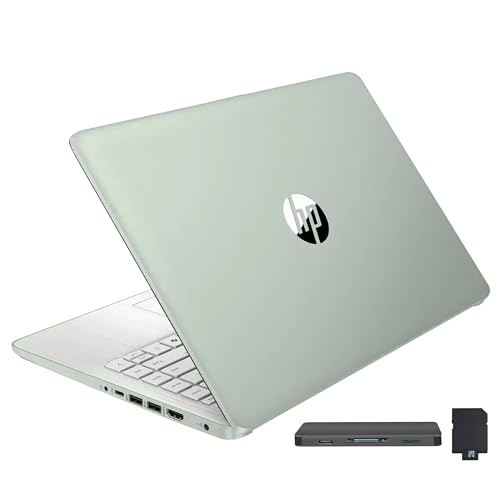


Why 14 Inches Works So Well
Thirteen inch laptops are very portable but can feel cramped for long sessions, and 15 inch models give more room but add weight and bulk. A 14 inch screen sits between them. It shows two windows side by side without squinting, and the body usually weighs little enough to carry all day.
The size is also popular with manufacturers for premium designs, which is why many of the best business and creator laptops come in 14 inches. You get a good keyboard and trackpad without the footprint of a larger machine.
Operating System: Windows, ChromeOS or macOS
Windows laptops offer the widest range of software and hardware choices, from budget to premium. Chromebooks are simple, secure and inexpensive, and suit browser-based work and school. MacBooks offer strong battery life and performance, with their own software ecosystem and a higher starting price.
Pick the operating system your apps need first. Software compatibility matters more than any hardware difference, especially for work tools and specialized programs.
Performance: Processor, Memory and Storage
For everyday tasks, a recent mid-range processor is plenty. Memory is the part people regret most: 8GB is the minimum for smooth use, while 16GB gives comfortable headroom for many tabs and apps. Storage should be a solid state drive, with 256GB the floor and 512GB more comfortable.
Check whether memory and storage can be upgraded. Many thin laptops solder the memory to the board, so the amount you buy is what you keep for the life of the machine.
Screen Quality Beyond Size
Resolution, brightness and panel type all shape daily comfort. A Full HD or higher IPS panel looks sharper and has better viewing angles than an entry-level display. A brighter screen is easier to use near windows, and a matte finish reduces reflections.
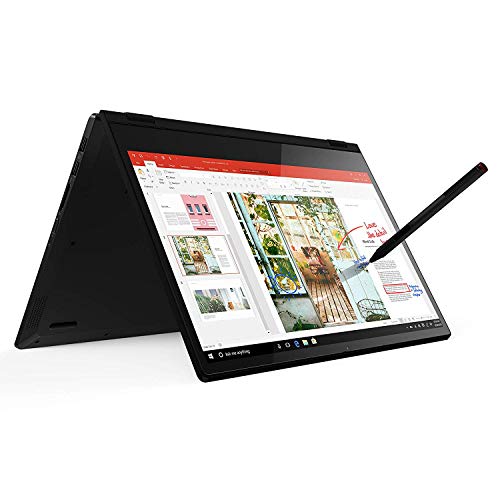
Touch screens and two-in-one designs add flexibility for note-taking and presentations, at some cost in weight and battery life.
Battery Life and Weight
For a laptop you carry daily, battery life and weight are central. Efficient processors and moderate screens give longer runtimes, while powerful graphics and bright displays shorten them. Look at real buyer comments about how long the laptop lasts on a typical day, not only the maker's claim.
A lighter laptop is easier to carry, but very thin designs sometimes sacrifice ports and cooling. Weigh convenience against the ports you need.
Keyboard, Trackpad and Ports
You will touch the keyboard and trackpad for hours, so they deserve attention. Look for comfortable key travel, a backlight if you work in dim spaces and a smooth trackpad. Buyer comments on typing feel are more useful than any specification.
- USB-C ports with charging and video support.
- At least one USB-A port for older accessories.
- HDMI for presentations and external monitors.
- A headphone jack and a card reader if you use them.
Different Buyers, Different Picks
Students benefit from light weight, long battery life and a reasonable price. Business users want a durable build, good webcam and security features. Creators need a color-accurate screen and enough graphics power. Casual users can pick a simple Windows laptop or Chromebook and save money.
Matching the laptop to your daily routine matters more than choosing the highest-priced model.
Budget, Midrange and Premium Tiers
Budget 14 inch laptops cover email, documents and video well, though they often have plastic bodies, dimmer screens and slower storage. Midrange models add better screens, metal or reinforced builds, faster processors and longer battery life, and are where most buyers find the best value. Premium models reach for lighter materials, brighter and sharper displays, and extras such as fingerprint readers and haptic trackpads.
The step from budget to midrange is usually the most noticeable. The step to premium adds polish and weight savings, which matter if you travel every day, but do not change how fast everyday tasks feel.
Mistakes People Make When Buying a 14 Inch Laptop
The biggest mistake is buying too little memory and storage, because they are hard or impossible to upgrade later. Another is focusing on the processor name while ignoring the screen, which is what you look at all day. A dim, low-resolution display makes even a fast laptop feel cheap.
People also forget about ports. A thin laptop with only two USB-C ports means carrying a hub, which adds clutter and cost. Check the port list against your devices before ordering.
Looking After Your Laptop
Keep the vents clear, avoid working on soft surfaces that block airflow and use the maker's battery care option if one is offered. Update the operating system and drivers regularly, and back up important files to the cloud or an external drive.
A padded sleeve protects the screen and body in a bag. Wipe the screen with a soft, slightly damp microfiber cloth and avoid spraying liquid directly onto the panel.
For related options, see our guides to best notebook laptops, best laptops for colleges and best reasonable laptops.
Frequently Asked Questions
Is 14 inches too small for work?
For most people, no. It is comfortable for documents and spreadsheets, and an external monitor can add space at a desk.
How much memory do I need?
Sixteen gigabytes is a comfortable target. Eight is enough for light use.
Windows, ChromeOS or macOS?
Choose the one that runs the software you need. Chromebooks suit browser-based work.
How long should the battery last?
Aim for a full workday of light use. Heavy tasks and bright screens reduce runtime.
Final Thoughts on the Best 14in Laptops
The best 14in laptops balance size, weight and performance for daily carry. Choose the operating system your software needs, check the ports and use the table above to compare current prices. Prices and availability can change, so check the product page before ordering.