
Best Battery Life Laptops: Complete Buying Guide
Disclosure: We may earn a commission when you buy through links on this page, at no extra cost to you. As an Amazon Associate I earn from qualifying purchases. Learn more

A buying guide to laptops that last all day, covering efficient chips, displays, weight and settings, with three short picks.
Few things are more frustrating than a laptop that dies halfway through a lecture, a flight or a client meeting. Battery claims on spec sheets are often optimistic, and real world runtime depends on the processor, screen, software and how you use the machine. This guide to the best battery life laptops explains what actually makes a laptop last all day, then highlights three picks that consistently deliver.
The short answer: the longest lasting laptops use efficient ARM or low power chips such as Apple M4, Qualcomm Snapdragon X or Intel Core Ultra 200V, paired with a modest resolution screen, 16GB of RAM and a battery of around 50 to 70 watt hours; expect 12 to 18 hours of real world web browsing and document work from the best models, which cost around $650 to $1,300.


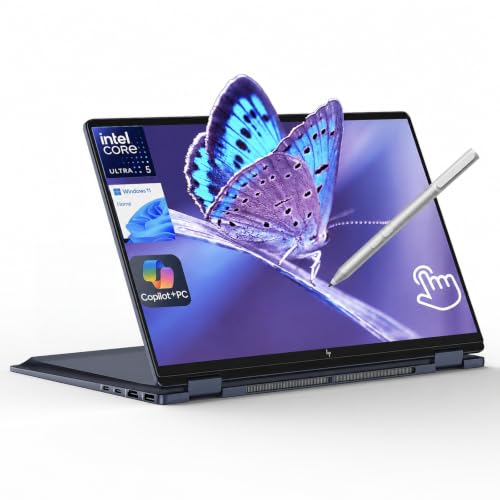
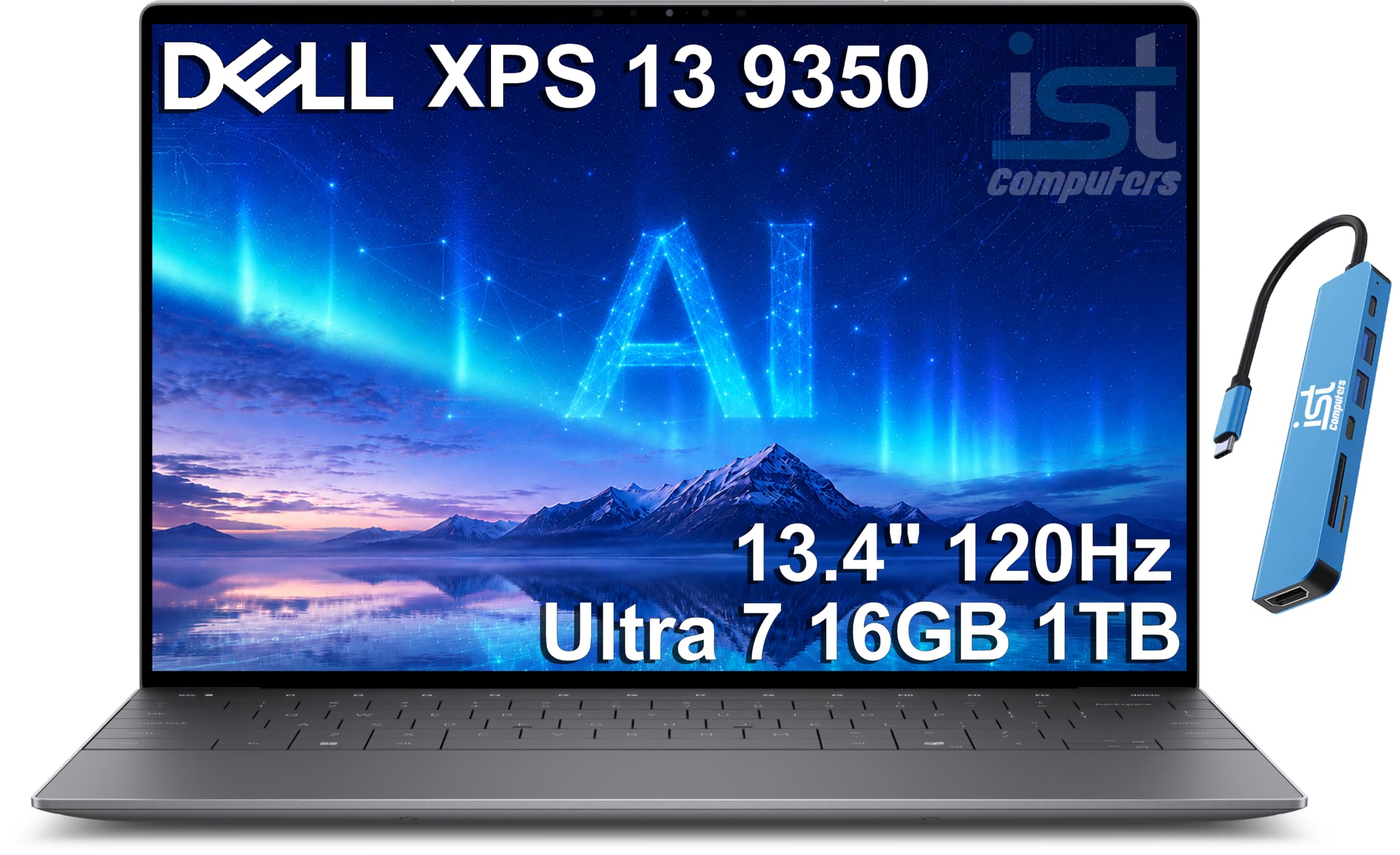

Our Top 3 Picks at a Glance
These three laptops from the product table above offer the best combination of runtime, performance and value.


Best Overall
The Apple MacBook Air 13 inch with the M4 chip, around $990, is our pick for anyone who wants a laptop that simply lasts all day. Its first strength is efficiency: Apple silicon delivers fast performance while drawing very little power, so the MacBook Air easily handles a full day of browsing, writing, video calls and streaming on one charge. Its second strength is a fanless design that runs completely silent, combined with a light aluminum body that slips into any bag and a sharp Liquid Retina display.
The limitation is limited ports and macOS compatibility; some Windows only software will not run, so check your essential apps first.
Best Value
The ASUS Vivobook 14 with a Snapdragon X processor, around $650, suits students and budget buyers who want long battery life on Windows. Its first strength is the efficiency of Qualcomm's ARM based Snapdragon X chip, which delivers long runtimes and instant wake like a phone. Its second strength is a practical configuration of 16GB of RAM and a 512GB SSD with a 14 inch WUXGA display, enough for school work, browsing and streaming.
The limitation is software compatibility; most modern apps run well on Windows on ARM, but some older programs, games and drivers may not.
Best Upgrade Pick
The Lenovo Yoga Slim 7 with Snapdragon X Elite, around $1,300, is for professionals who want premium build quality and top tier Windows battery life. Its first strength is the Snapdragon X Elite processor, which combines strong multi core performance with excellent efficiency for long workdays away from the charger. Its second strength is a 14.5 inch 3K touchscreen with a slim, premium chassis and 16GB of fast LPDDR5X memory.
The limitation is the same Windows on ARM compatibility caveat, plus a higher price than many buyers need.
How to Choose the Best Battery Life Laptops: Buying Guide
Battery life depends on more than battery size. Here is how to compare the best battery life laptops on the specs that matter.
Processor and Performance Tier
The processor has the biggest impact on battery life. Apple M series chips and Qualcomm Snapdragon X chips use ARM architectures designed for efficiency, delivering long runtimes with strong performance. Intel Core Ultra 200V chips, often called Lunar Lake, made big efficiency gains for x86 laptops, while AMD Ryzen AI chips balance performance and battery well.
High performance HX and H series chips in gaming and workstation laptops draw much more power, cutting battery life significantly. For all day use, choose efficiency focused processors.
Display Size, Resolution, and Brightness
The screen is one of the biggest power consumers. Larger, higher resolution and higher refresh rate screens drain batteries faster. A 13 to 14 inch display at around 1920 by 1200 resolution and 60Hz is the most efficient. OLED panels can save power with dark content but use more with bright white pages.
Brightness matters too; running at 100 percent brightness can cut runtime by several hours. Look for adaptive brightness and variable refresh rate features that save power automatically.
Weight and Portability
Long battery life matters most for laptops you carry. Ultraportables weighing around 2.7 to 3.2 pounds balance battery capacity and portability. Heavier laptops sometimes carry bigger batteries, but more powerful components often offset the gain. Choose a laptop that charges over USB C, so you can top up with a compact charger or power bank on the go.
RAM and Storage
Sixteen gigabytes of RAM keeps apps responsive without excessive swapping to storage, which also saves power. Efficient LPDDR5X memory used in many thin laptops draws less energy than standard DDR5. A fast NVMe SSD of at least 512GB is recommended; storage has a smaller impact on battery but affects overall experience.
Operating System (Windows, macOS, ChromeOS)
Software affects battery life significantly. macOS is tightly optimized for Apple silicon, giving MacBooks excellent runtime. Windows laptops vary more depending on drivers and background apps; Windows on ARM devices offer the best Windows battery life. ChromeOS is lightweight, so even inexpensive Chromebooks last a full school day.
Graphics (Integrated vs Dedicated GPU)
Integrated graphics use far less power than dedicated GPUs. Laptops with discrete graphics can switch between integrated and dedicated modes, but gaming or heavy creative work on battery drains it quickly. For long runtimes, choose integrated graphics unless you truly need a dedicated GPU.
Ports and Connectivity
USB C charging with Power Delivery lets you charge from compact GaN chargers, power banks and many monitors. WiFi 6E or WiFi 7 is more efficient than older standards. Fewer power hungry features, like always on keyboard backlights and bright RGB, also help battery life.
Types of Battery Life Laptops
Ultraportables and Thin and Light Laptops
Thin and light laptops with efficient chips, like the MacBook Air and Snapdragon powered Windows laptops, deliver the best runtimes. They suit students, travelers and professionals who work away from outlets.
2 in 1 Convertibles
Convertible laptops fold into tablet mode with touchscreens and pen support. Efficient models last most of a day, though touchscreens and pens add slight power draw. They suit note takers and creatives who want flexibility.
Tablets
Tablets with keyboard covers, such as iPads and Android tablets, often last all day for reading, streaming and light productivity. They are less capable for desktop software but excel at portability.
Chromebooks
Chromebooks run lightweight ChromeOS and often last 10 hours or more even with modest batteries. They are affordable and ideal for students and web based work.
Picking the Right Battery Life Laptops for Different Uses
Best Battery Life Laptops for Students
The best battery life laptops for students combine all day runtime, light weight and an affordable price. Prioritize efficient processors, 16GB of RAM and USB C charging. Options like the ASUS Vivobook 14 with Snapdragon X or the MacBook Air deliver long runtimes for classes, libraries and study sessions.
Best Battery Life Laptops under 1000
The best battery life laptops under 1000 include the MacBook Air M4 and Snapdragon X laptops from ASUS, Lenovo and HP. Look for efficient chips, 14 inch screens and 16GB of RAM. These deliver near premium runtimes without premium prices.
Best Battery Life Laptops under 300
The best battery life laptops under 300 are usually Chromebooks with efficient Intel N100 or MediaTek chips. ChromeOS keeps power draw low, letting models like the HP Chromebook 14 last through a school day. Expect modest screens and storage.
Best Light Battery Life Laptops
The best light battery life laptops weigh under about 3 pounds while lasting all day. The MacBook Air 13 and thin Windows ultraportables like the Dell XPS 13 combine low weight with efficient processors for travelers and commuters.
Best Battery Life Laptops with Touch Screen
The best battery life laptops with touch screen include the Microsoft Surface Laptop and convertible models like the HP OmniBook X Flip. Touchscreens add flexibility for note taking and navigation, with efficient chips keeping battery life strong.
How to Make Your Battery Life Laptop Last Longer
Lower screen brightness and enable adaptive brightness. Use battery saver or efficiency power modes when away from outlets. Close unused apps and browser tabs, and disable background apps that sync constantly. Turn off keyboard backlighting in bright rooms. Avoid running at 100 percent charge all the time by enabling battery care modes that cap charging around 80 percent. Keep the laptop cool, since heat degrades batteries over time, and update the OS and firmware for efficiency improvements.
Understanding Battery Life Claims
Manufacturer battery claims are measured under specific conditions, often local video playback at reduced brightness, which produces higher numbers than everyday use. Real world tasks like web browsing, video calls and multitasking drain batteries faster. As a rule of thumb, expect around 60 to 80 percent of the claimed video playback time for mixed productivity work.
Battery capacity, measured in watt hours, gives a useful comparison: 50 to 70 watt hour batteries are common in ultraportables, while larger laptops may carry 70 to 99 watt hours. Efficiency matters as much as capacity, which is why some laptops with smaller batteries outlast heavier machines.
Battery Life for Common Tasks
Different tasks drain batteries at very different rates. Writing documents, reading and light browsing are the easiest, and efficient laptops can last 15 hours or more doing them. Streaming video uses a bit more power, though hardware video decoding keeps it efficient on modern chips. Video calls are more demanding because the camera, microphone, display and network all stay active, often cutting runtime by a third or more.
Photo editing, software development and large spreadsheets push the processor harder, and gaming or video rendering can drain even efficient laptops in two to four hours. Plan your charger needs around your heaviest daily task rather than the best case figures in reviews.
Charging on the Go
USB C charging makes it easy to keep a laptop topped up. Compact GaN chargers around 65 watts charge most ultraportables quickly and fit in a pocket. Power banks with 60 to 100 watt USB C output can add several hours of runtime during flights or field work. Many laptops support fast charging, adding 50 percent or more in about 30 to 45 minutes.
Check airline rules for power banks, which usually allow batteries under 100 watt hours in carry on luggage. Pack a short USB C cable to charge from monitors, docks and airplane outlets.
Windows on ARM: What to Know Before You Buy
Snapdragon X laptops run Windows 11 on ARM processors, which is the main reason they last so long. Microsoft's Prism emulation layer runs most traditional x86 apps, and many popular programs, including Microsoft Office, Chrome, Edge, Spotify, Zoom and Adobe Photoshop, now run natively for the best speed and efficiency.
Some software still has limits. Older games with anti cheat systems, specialized drivers for printers, scanners or audio interfaces and certain VPN or enterprise security tools may not work. Before buying, check that your essential apps and accessories support Windows on ARM. If compatibility is critical, an Intel Core Ultra 200V laptop offers strong battery life with full x86 compatibility.
MacBook vs Windows Laptops for Battery Life
MacBooks with Apple silicon have set the standard for battery life, thanks to tight integration between hardware and macOS. A MacBook Air or MacBook Pro often lasts a full workday with heavy use and even longer with light tasks, and performance stays the same on battery as when plugged in.
Windows laptops have closed much of the gap. Snapdragon X and Intel Core Ultra 200V laptops now deliver all day runtimes, while offering touchscreens, 2 in 1 designs and broader hardware choice. Battery life varies more across Windows models, so check real world figures rather than manufacturer claims alone.
Settings That Extend Battery Life
A few settings make a big difference on any laptop. On Windows, use the best power efficiency mode in power settings, turn on energy saver when below a set battery level and let Windows manage refresh rate dynamically. On macOS, enable low power mode on battery and optimized battery charging.
In both systems, reduce screen brightness, disable keyboard backlighting when not needed and turn off Bluetooth if you do not use wireless accessories. Use browser efficiency features like sleeping tabs, and avoid leaving video calls or streaming apps open in the background. These habits can add several hours of runtime.
Frequently Asked Questions
Should I buy a laptop or a tablet for long battery life?
Buy a laptop if you need full desktop software, and a tablet if you mainly read, stream and take notes. Both can last all day. Efficient laptops like the MacBook Air and Snapdragon X Windows laptops now match tablet runtimes while offering full keyboards and apps.
How long should a laptop battery last over its lifetime?
A laptop battery typically retains about 80 percent capacity after 500 to 1,000 charge cycles. That usually means three to five years of good runtime. Battery care settings, moderate temperatures and avoiding constant full charge extend lifespan.
How much RAM do I need?
Sixteen gigabytes of RAM is the right amount for most people. It keeps apps responsive and reduces power hungry memory swapping. Eight gigabytes works for Chromebooks and light use, while 32GB suits heavy multitaskers and creative work.
Is a Chromebook enough for school?
Yes, a Chromebook is enough for most school work and offers excellent battery life. It handles Google Classroom, Docs and research easily. Check whether your school requires Windows or Mac software before buying.
Is a dedicated GPU worth it?
A dedicated GPU is worth it only for gaming and heavy creative work, and it shortens battery life. For all day use, integrated graphics are efficient and capable for everyday tasks, streaming and light editing.
Does fast charging damage a laptop battery?
No, fast charging from the manufacturer's charger does not significantly damage modern batteries. Laptops manage charging speed to protect the cells, slowing down as they fill. Heat is the bigger enemy, so avoid charging on soft surfaces that block vents.
Can I replace a laptop battery when it wears out?
Yes, most laptop batteries can be replaced, though many require professional service. Manufacturers and authorized repair shops offer replacements for around $80 to $200. Replacing a worn battery can restore near original runtime and extend the laptop's life by years.
Our Verdict
The longest lasting laptops combine efficient processors, sensible screens and well optimized software. Apple M4 MacBooks lead overall, Snapdragon X Windows laptops offer great runtimes at lower prices and Chromebooks deliver all day battery on tight budgets. Prioritize efficiency over raw power if battery life matters most.
Compare the best battery life laptops in the product table above to find the right balance of runtime, performance and price.


