Best 2x1 Laptops for 2026: Convertibles and Detachables Compared
Disclosure: We may earn a commission when you buy through links on this page, at no extra cost to you. As an Amazon Associate I earn from qualifying purchases. Learn more

The best 2x1 laptops, also sold as 2-in-1 convertibles: how flip and detachable designs differ, which suit notes and travel, and what to check first.
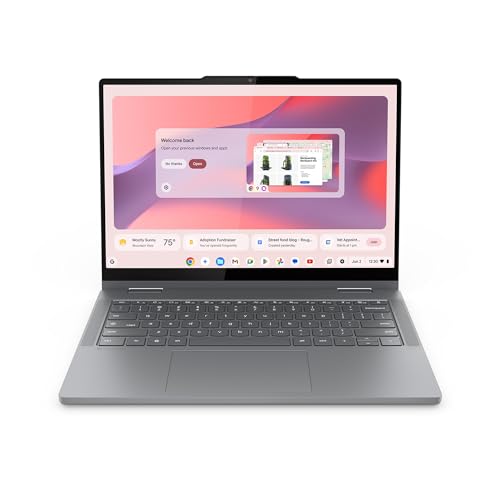
A 2x1 laptop, usually written 2-in-1, is a computer that works as a normal laptop and also folds or detaches into a tablet. The best 2x1 laptops suit people who want one device for typing, reading, sketching and watching video. The product table lists flip-style convertibles from several brands so you can compare sizes and prices.
Not every 2x1 is built the same way, and the differences matter more than the processor name. This guide covers the two main designs, screen size, pen use, operating system choice and the checks that save you from buying a tablet mode you never use.




Convertible or detachable?
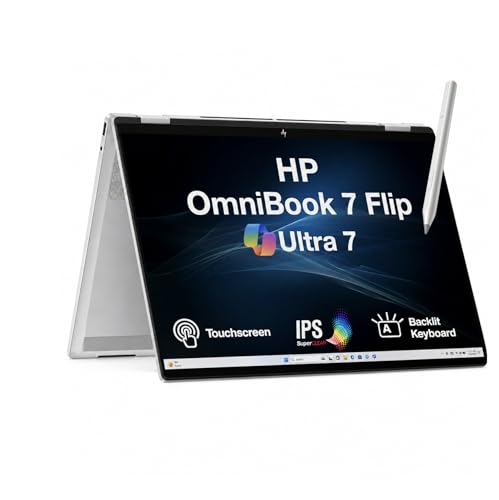
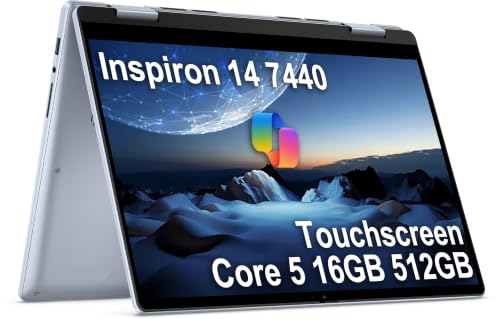
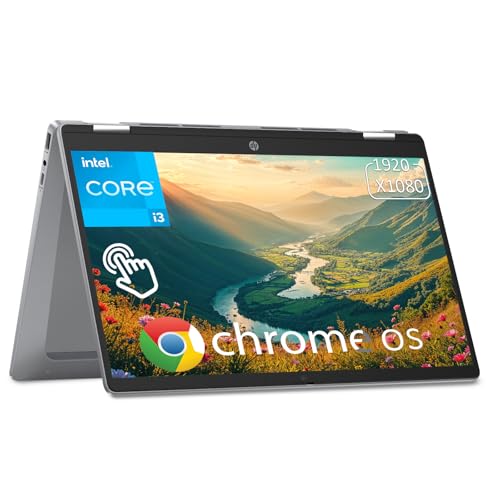
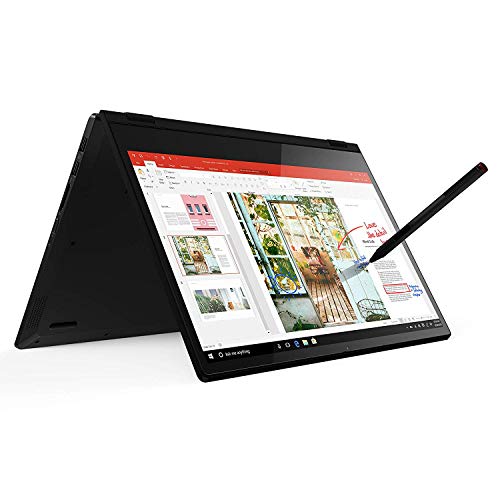
A convertible has a hinge that rotates the screen 360 degrees, so the keyboard folds behind the display. The keyboard stays attached, which means it is heavier as a tablet but feels like a normal laptop on your knees. A detachable has a removable keyboard and a kickstand or cover. It is lighter as a tablet, but the typing experience on the lap is usually less steady.
Most buyers who spend the day on documents, email and browsing are happier with a convertible. If you mostly read, draw or watch and type only occasionally, a detachable may suit you better.
Screen size and weight
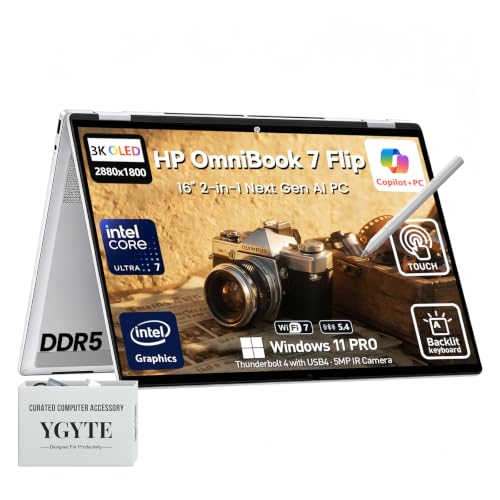
Sizes run from small ten inch minis to sixteen inch large screens, and the choice sets how you will use tablet mode. A 13 to 14 inch convertible is a common balance: it is big enough for work and light enough to carry. Sixteen inch models give a roomy display for editing or spreadsheets, but they are bulky to hold as a tablet and are better treated as a laptop with a flip screen.
Check the weight in the listing. A tablet that is heavy gets tiring after a few minutes, and a thin chassis with a strong hinge feels better than a thick one that wobbles.
Choosing among the best 2x1 laptops by use
- Students: a 13 to 14 inch convertible with a good keyboard, a long battery and pen support for notes
- Business travel: light weight, a bright screen and USB-C charging, with a sturdy hinge
- Creative work: a color accurate screen, pen support with pressure sensitivity and enough memory for large files
- Casual home use: a Chromebook style 2-in-1 is simple, quick to start and usually lower priced
Windows or Chromebook?
Windows 2-in-1s run full desktop programs, which suits office suites, creative tools and older software. Chromebook models run browser based tools and Android apps, start quickly and need little maintenance, and they usually cost less. Be honest about the programs you rely on before you choose, because that decides the answer more than any spec.
Tablet mode in practice
Tablet mode sounds exciting in a showroom, yet most owners use it for a few specific tasks. Reading long documents, signing forms, annotating a PDF, flipping through a recipe in the kitchen and watching video in a tent or stand shape are the common ones. If your tasks look like that, a convertible earns its place.
Pay attention to the stand and tent modes. A hinge that holds firm lets you set the screen up as a small display on a desk or a plane tray table, which is more useful than hand-holding a heavy tablet. Look at how the keyboard behaves when folded back. Good designs disable the keys in tablet mode and use a rubber edge or a shallow keyboard so that the back feels comfortable.
Performance and cooling
Thin convertibles often use lower power processors that keep the fan quiet and the battery long. That suits browsing, office work and video calls. If you plan on photo editing, light video work or coding with several programs open, look for a stronger processor and sixteen gigabytes of memory, and accept a slightly thicker body in return.
Fan noise and warmth matter when the device is in your hands. Fanless designs stay silent and are comfortable to hold, while performance models may warm up under load. Read buyer comments about temperature in tablet mode, since a hot back is awkward to hold.
Display quality and brightness
A glossy touch screen can reflect lights and windows, so brightness and coatings matter. OLED panels give deep blacks and rich color for media, though they can cost more and may use more power on bright content. IPS panels remain a safe, bright choice for office work. If you work near a window, choose a panel that is advertised as bright and read comments from buyers on readability.
Pen, touch and ports
If you plan to write or draw, check that the laptop supports a pen and whether the pen is included. Some models need a separate purchase. Look for a bright, glossy or well coated screen that stays readable in daylight, and a touch layer that does not lag.
Ports matter more on thin machines. Look for at least one USB-C port that handles charging and video, a headphone jack and a card reader if you move photos. If a model has only one port, plan to carry a small hub.
Memory, storage and battery
Sixteen gigabytes of memory is a comfortable level for a laptop you will keep for several years, while eight is enough for light use. A solid state drive is standard, and 256GB is the minimum that feels workable on Windows. Battery life claims depend on brightness and use, so read how buyers describe real day-to-day runtime, not only the headline number.
FAQ
Is a 2-in-1 laptop good for everyday work?
Yes. A good one types like a regular laptop and adds a touch screen for reading, markup and presentations.
Are 2x1 laptops durable?
The hinge is the part to watch. A well built hinge holds the screen steady and survives years of folding, so check how buyers describe it over time.
Do I need a pen?
Only if you write or draw. Many people use touch alone and never miss a pen.
Can a 2-in-1 replace a tablet?
For many people, yes, but a convertible is heavier than a pure tablet, so if you mainly read in bed a lighter tablet is more comfortable. Our guide to notebook laptops covers the standard clamshell option.
Final thoughts
The best 2x1 laptops balance weight, screen size and an honest view of how often you will use tablet mode. Start with convertible versus detachable, choose Windows or Chromebook based on your programs, then compare the models in the product table by weight, ports and pen support.
Prices and availability can change, so check the product page before ordering.