
Acer Nitro XV275K Review for 2026: Is the 4K Mini LED Worth It?
Disclosure: We may earn a commission when you buy through links on this page, at no extra cost to you. As an Amazon Associate I earn from qualifying purchases. Learn more

Acer Nitro XV275K review of the 27-inch 4K mini LED gaming monitor: 160Hz, HDR1000, wide color, ports and who should buy it.
The Acer Nitro XV275K is a 27-inch 4K gaming monitor that pairs a mini LED backlight with a 160Hz refresh rate, and this acer nitro xv275k review goes through what the panel offers, who benefits and what to check before ordering. It suits players with a strong graphics card who want sharp pictures and bright HDR, and creators who also care about wide color.
Monitor model numbers matter, because Acer sells many near identical Nitro 27-inch screens with different panels and prices. The XV275K is the 4K mini LED version, so confirm that exact name on any listing.
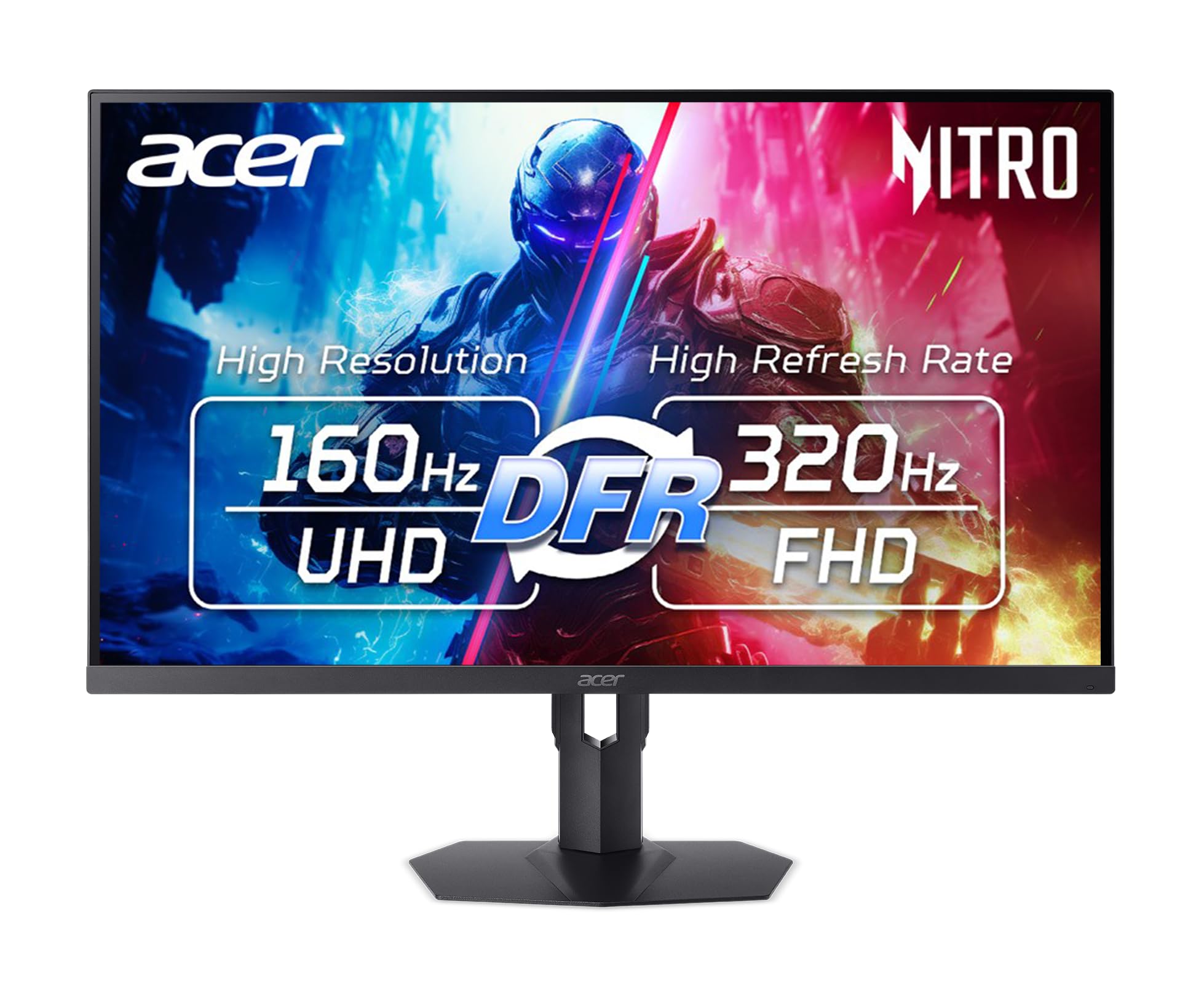


Acer Nitro XV275K Review: What the Panel Offers
The listing describes a 27-inch IPS panel at 3840 x 2160 resolution with a mini LED backlight. It supports 160Hz at full 4K and a dual frame rate mode that drops to Full HD at 320Hz, a useful trick for competitive games when speed matters more than sharpness. Response time is listed at 0.5ms, and AMD FreeSync Premium is supported for tear-free play.
The color claims are strong: 99% Adobe RGB and 97% DCI-P3. That makes the screen interesting for photo and video editing as well as for games, though you should still use a calibrated profile for color critical work.
Mini LED and HDR
Mini LED backlights use many small zones that dim or brighten separately. The result is deeper blacks and higher peak brightness than a normal edge-lit IPS screen. The listing mentions HDR1000, which means a peak brightness target of 1,000 nits for HDR content.
In real use, HDR looks best in dark rooms and in games that support it well. Bright highlights such as headlights and explosions stand out, while dark scenes keep more detail. Check that your graphics card and the game both support HDR, and enable it in Windows before you judge the picture.
Connections and Ergonomics
The monitor has two HDMI 2.1 ports and two DisplayPort inputs, which is helpful if you want to use a PC and a console. HDMI 2.1 matters for consoles that output 4K at high frame rates. The listing also mentions an ergonomic stand, so you can usually adjust height and tilt without buying a separate arm.
A 27-inch 4K screen has a pixel density that makes text crisp at normal desk distance. Use Windows scaling for readable menus, and keep the monitor about an arm's length away.
Gaming at 4K: What Your PC Needs
Running modern games at 4K and 160Hz asks a lot of a graphics card. A mid range card can reach high frame rates in esports titles, but demanding games at maximum settings need a high end GPU. Features such as DLSS or FSR upscaling help, and the dual frame rate mode gives you a lower resolution, faster mode without changing monitors.
If your graphics card is on the modest side, a 1440p monitor with a high refresh rate is the smarter buy. Acer's Nitro line has several of those, and our best gaming monitor guide compares them.
How It Compares With Other Nitro 27-Inch Monitors
Acer's Nitro 27-inch family is large, and the names look alike. The XV271U and XV272U series are QHD (2560 x 1440) IPS screens with refresh rates from 180Hz to 300Hz, priced well below a 4K mini LED panel. The VG270K models are 4K IPS monitors with dual frame rate modes, such as 160Hz at 4K with a faster mode at Full HD, but they lack the mini LED backlight and the HDR1000 target.
That means the XV275K's real advantage is the backlight: stronger contrast and brighter highlights in HDR. If you mostly play standard dynamic range games or work in bright rooms, a QHD or plain 4K Nitro gives you most of the experience for less.
Setup and Calibration Tips
Out of the box, wide gamut screens can look oversaturated for ordinary desktop content. Use the monitor's sRGB or standard mode for web and office work, and keep the wide gamut modes for HDR games and color managed editing. Set Windows to 160Hz in display settings, and confirm the cable is a DisplayPort or an HDMI 2.1 type so you actually reach that refresh rate.
If you use a console, switch the console to 4K at 120Hz where supported and enable VRR for smoother motion. Keep the monitor out of direct sunlight, since a mini LED panel shows its best contrast in a dimmer room.
Who Should Buy the Acer Nitro XV275K
Choose it if you have a powerful PC, you want a sharp 4K picture with strong HDR, and you value wide color for editing. It is a good match for single player games, mixed gaming and content work, and for owners of a current console who want 4K with HDMI 2.1.
Skip it if you play only competitive shooters on a modest PC, since a cheaper 1440p screen at a higher refresh rate costs less and runs more smoothly. Alternatives worth a look include the Samsung Odyssey G5 and the AOC Q27G3XMN.
Buying Checklist
- Confirm that the listing says XV275K and mini LED, since other Nitro 27-inch models use ordinary panels.
- Compare prices carefully: some marketplace prices look too low to be true, so check the seller and the return policy.
- Use a DisplayPort cable or an HDMI 2.1 cable to reach 4K at high refresh rates.
- Turn on HDR in Windows and in the game for the best picture.
FAQ
Is the Acer Nitro XV275K good for gaming?
Yes, if your PC can drive 4K. It offers a 160Hz refresh rate, a 0.5ms response time and FreeSync Premium, plus a Full HD mode at 320Hz for fast games.
Does it support HDR?
The listing mentions HDR1000, backed by a mini LED backlight, which gives much stronger HDR than a standard IPS monitor.
Can I use it with a console?
Yes. It has two HDMI 2.1 ports, which suit current consoles.
Is it good for photo editing?
The listed 99% Adobe RGB and 97% DCI-P3 coverage make it capable for editing, but calibrate the screen for accurate work.
Final Verdict
This acer nitro xv275k review shows a bright, sharp, wide gamut monitor for players with a strong PC. Confirm the model name and seller before ordering, and look at a 1440p monitor if your graphics card is not powerful enough for 4K.


