Alienware 18 Area-51 Review for 2026: Is It Worth It?
Disclosure: We may earn a commission when you buy through links on this page, at no extra cost to you. As an Amazon Associate I earn from qualifying purchases. Learn more

Alienware 18 Area-51 review covering the 300Hz screen, RTX 5070 and 5080 versions, cooling and who needs this large gaming laptop.
The Alienware 18 Area-51 is the largest and most powerful laptop in Dell's gaming range, with an 18-inch 300Hz display and RTX 50 series graphics, and this alienware 18 area-51 review explains who needs that much laptop. It suits players and creators who want a desktop replacement with a big screen and the strongest cooling Alienware offers, and who can pay between about $3,100 and $7,500 for it.
The listings differ mostly by graphics card, memory and storage, so each version is worth a careful look.


Alienware 18 Area-51 Review: Configurations
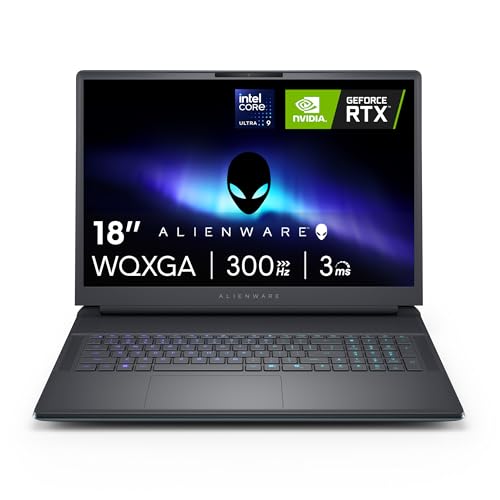
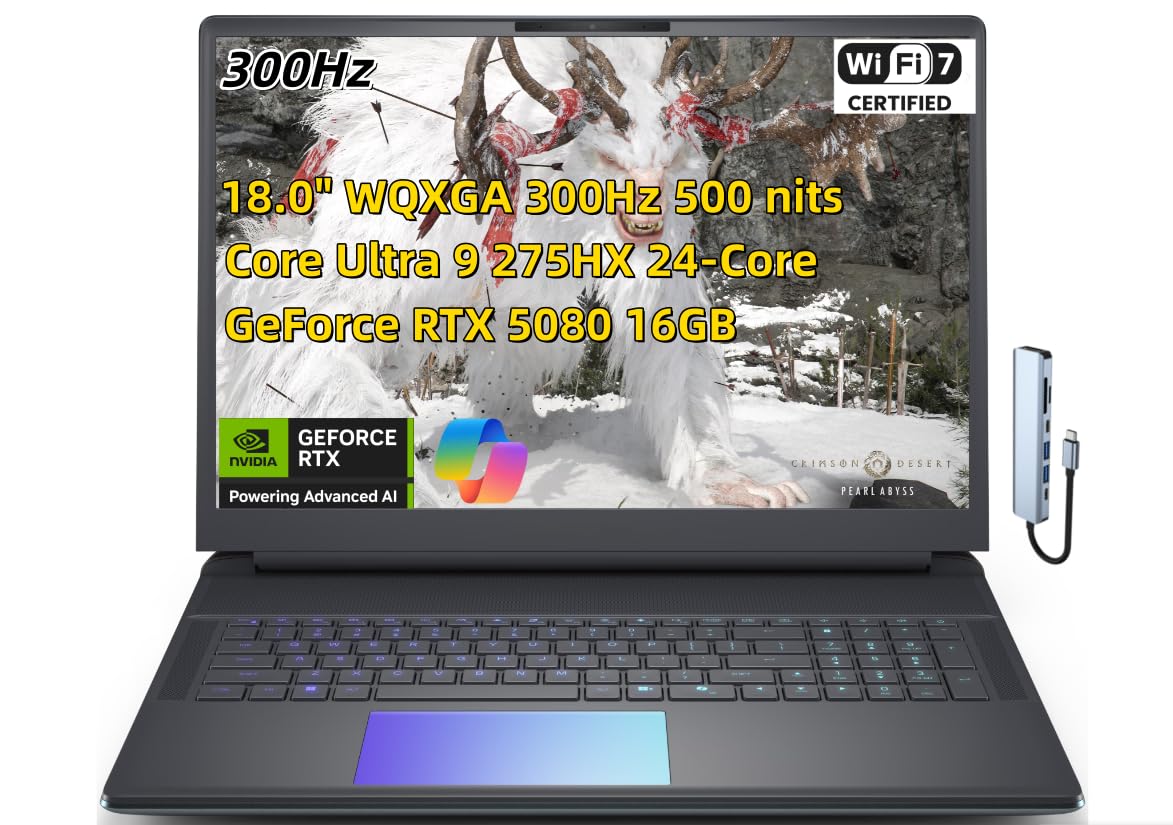
The Alienware-sold listing, model AA18250, lists an Intel Core Ultra 9 275HX, an NVIDIA GeForce RTX 5080, 32GB of DDR5 memory in two 16GB modules, a 2TB SSD, an 18-inch WQXGA display at 300Hz with a 3ms response time, and a 2MP FHD infrared camera. A lower priced version lists an RTX 5070 with 32GB of memory and a 1TB SSD, and a reseller version lists an RTX 5080 with an Intel Core Ultra 9 290HX near $4,900.
Prices on our hub range from around $3,130 for the RTX 5070 to around $4,180 for the RTX 5080 from Alienware, and up to about $7,500 on a customized reseller listing.
Cryo-Chamber Cooling and Power Limits
Dell describes the Area-51 as designed to enable higher graphics and processor power limits. The Cryo-Chamber at the bottom props the laptop up and increases the air intake, and a clear Gorilla Glass panel shows the AlienFX fans. The RTX 5080 listing mentions NVIDIA Max-Q, which Dell says optimizes battery life and performance.
An 18-inch body helps cooling a lot, because there is more room for fans and heat pipes. That is the main reason the 18 can sustain performance that a smaller laptop cannot.
The 18-Inch 300Hz Display
The WQXGA (2560 x 1600) panel at 300Hz is built for fast competitive play, with a 3ms response time listed on the 275HX model. The large panel gives immersive views for single player games, and 16:10 shape gives extra vertical room for editing timelines and web pages.
With an RTX 5080, you can push high frame rates at the native resolution in most games, and DLSS 4 helps in the heaviest titles. A 300Hz screen only pays off when the graphics card can feed it, so the RTX 5070 version is a better match for 144Hz to 200Hz targets.
Performance and Creative Work
The Core Ultra 9 275HX provides 24 cores and a built-in neural engine for AI features. Together with an RTX 5080, it handles 4K video editing, 3D rendering and AI workloads that strain smaller laptops. The 32GB of memory suits gaming, and 64GB is better for heavy creative work.
Size, Weight and Portability
This is a large laptop. An 18-inch body plus the Cryo-Chamber needs a big desk and a large bag, and accessories made for 15-inch laptops do not fit. Dedicated 18-inch backpacks and sleeves exist, such as cases listed for the Area-51 and similar 18-inch models.
Plan on using it plugged in most of the time. High performance laptops draw a lot of power, and unplugged performance drops sharply.
Service and Warranty
The Alienware listings include 1 year of onsite service, where Dell comes to your location for covered issues that cannot be solved remotely. Reseller versions may not carry the same terms, so verify the seller's policy.
Who Should Buy the Alienware 18 Area-51
Choose it if you want a no-compromise laptop that replaces a desktop, play at a high refresh rate, edit video or render 3D scenes, and can afford the price. Skip it if you travel often or want something light. A 16-inch gaming laptop or a desktop PC gives better value for most players.
For other choices, see the ASUS ROG Strix G16 review, the ASUS ROG Zephyrus G14 review and the best gaming laptop guide.
RTX 5070 or RTX 5080: Which to Choose
The RTX 5070 version at around $3,130 gives most of the experience for far less. It runs recent games well at the native 2560 x 1600 with DLSS, and it is a better match for a screen that tops out at 300Hz in esports games. The RTX 5080 at around $4,180 adds headroom for ray tracing, maximum settings and creative tasks, and it comes with 2TB of storage in the listed version. The jump from the 5070 to the 5080 costs more than $1,000, so pick the 5080 only if you will use the extra power every week.
Desk Setup and Accessories
A laptop this large works best on a desk with an external keyboard, mouse and headset. Add a hard-shell bag or backpack made for 18-inch laptops, and a stand to raise the screen to eye level. For heavier use, connect an external monitor and close the lid, which keeps the laptop cooler and the desk tidier. A surge protector with space for the large power brick is also a smart purchase.
Because the laptop is so large and expensive, consider an accident cover or an extended warranty from the seller, and keep the original box for transport or returns.
Strengths and Weaknesses
Strengths
Top-tier performance, a large 300Hz screen, strong cooling and onsite service.
Weaknesses
High price, heavy and bulky body, short unplugged runtime and costly accessories.
Buying Tips
- Match the graphics card and storage in the title to your budget, since the same laptop spans a $4,000 price range.
- Prefer the Alienware-sold listings if you want onsite service.
- Check the display line for 300Hz, 3ms and WQXGA to confirm the screen.
- Buy a bag sized for 18-inch laptops before the laptop arrives.
FAQ
Is the Alienware 18 Area-51 worth it?
It is worth it for those who need maximum laptop performance and a big screen. Others get better value from a smaller laptop.
What graphics card does it use?
Listings show the RTX 5070 and RTX 5080, and customized resellers list higher options.
What is the refresh rate?
The listed 18-inch screen runs at 300Hz.
Can I carry it in a normal backpack?
No. You need a bag made for 18-inch laptops.
Final Verdict
This alienware 18 area-51 review describes a large, powerful and expensive machine for dedicated gamers and creators. Compare the versions in the table above, check the graphics card and service terms and choose a smaller laptop if you value portability.