
Alienware AW2725DF Review for 2026: 360Hz QD-OLED Monitor
Disclosure: We may earn a commission when you buy through links on this page, at no extra cost to you. As an Amazon Associate I earn from qualifying purchases. Learn more

Alienware AW2725DF review covering the 360Hz QD-OLED panel, color accuracy, HDR, ports and burn-in care for competitive gamers.
The Alienware AW2725DF is a 26.7-inch QD-OLED gaming monitor with a 2560 x 1440 resolution and a 360Hz refresh rate, and this alienware aw2725df review explains what the panel does well, what to watch for with OLED screens, and who should buy it. It is aimed at competitive players who want near instant response and rich color, and who run a graphics card strong enough to feed a very fast screen.
Listings run from about $570 to $600, which is a fair price for a fast QD-OLED panel with a three-year warranty.
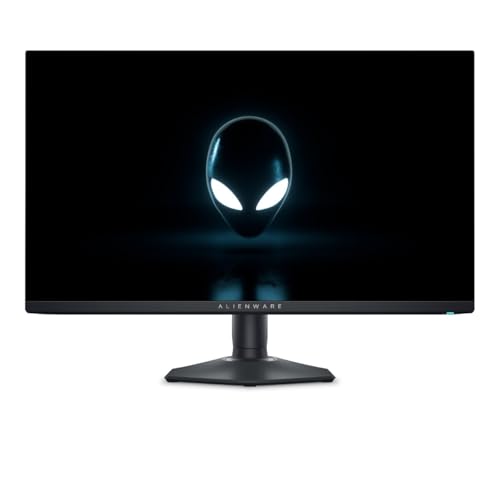


Alienware AW2725DF Review: Panel and Speed
The monitor uses a quantum dot OLED panel at QHD resolution. Alienware lists a 360Hz maximum refresh rate and a 0.03 millisecond gray-to-gray response time, which makes motion look sharper than on typical IPS panels and removes most ghosting. QHD at this size is a sweet spot: it looks sharper than 1080p without asking as much from the graphics card as 4K does.
AMD FreeSync Premium Pro and VESA AdaptiveSync keep the picture smooth, and NVIDIA owners can use adaptive sync through a DisplayPort connection. A frame rate near 360 only matters if your PC can produce it, so the screen suits esports titles such as shooters and fast arena games.
Color, Contrast and HDR
QD-OLED gives each pixel its own light, so black pixels turn fully off and the contrast ratio is described as infinite. The listing mentions 99.3% DCI-P3 coverage and a Delta E under 2, which indicates accurate, vivid color out of the box, and VESA DisplayHDR True Black 400 for HDR content.
The True Black 400 rating is modest for peak brightness, but on an OLED the deep blacks make HDR content look striking in a dim room. In a bright room, an LCD with a much higher peak may look punchier for HDR.
Ports, Stand and Design
The listing mentions USB-C, two DisplayPort inputs, an HDMI port and four USB ports, so you can connect a PC, a laptop and accessories. The stand adjusts for height, tilt, swivel and pivot. ComfortView Plus reduces blue light emission at the hardware level, which Alienware says lowers eye strain.
The design follows Alienware's familiar look with lighting and a clean cable path. If you like a minimal desk, check how the back lighting looks on your wall.
Caring for an OLED Gaming Monitor
OLED panels can show burn-in if the same bright image stays on screen for a very long time. Normal gaming and video rarely cause problems, but a static taskbar or a game HUD shown for many hours a day can. Keep the brightness moderate for desktop work, use a dark theme, enable the monitor's built-in pixel refresh cycles and a screen saver, and let the monitor run its maintenance routines when it is in standby.
The three-year warranty listed for this model gives peace of mind, and you should read what the warranty covers about burn-in before you buy.
Who Should Buy the Alienware AW2725DF
Choose it if you play fast competitive games, own a graphics card that can reach high frame rates at 1440p, and want the best motion clarity and contrast in a 27-inch monitor. It also suits mixed use, since the color accuracy handles photo and video work at a hobby level.
Skip it if your PC cannot reach high frame rates, if you want a 4K screen for text sharpness or if the desk is in a very bright room. Compare options in our best gaming monitor guide, the AOC Q27G3XMN review and the Samsung Odyssey G5 review.
How It Compares With Other Alienware Monitors
Alienware sells several 27-inch models. The AW2725DM uses a fast IPS panel at 180Hz for around $245 to $440 depending on the listing, which suits budget buyers. The AW2723DF is a 240Hz IPS screen around $290. The AW2725DF costs more than both but brings OLED contrast, faster response and wider color. If your budget is tight, an IPS Alienware is the sensible choice. If image quality and speed matter most, the OLED is worth the step up.
Settings That Suit a 360Hz OLED
Set the refresh rate to 360Hz in Windows display settings, turn on adaptive sync in the graphics driver and the monitor menu, and cap games a few frames below the maximum so the sync stays active. For competitive shooters, lower graphics settings to reach high frame rates, since motion clarity is the monitor's main strength. For single player games, enable HDR in Windows and in the game, and use the monitor's HDR mode in a dim room.
Use the sRGB or standard picture mode for desktop work, since wide gamut modes can make everyday apps look oversaturated.
Everyday Desk Use
A 27-inch QHD screen is a comfortable size for most desks. Text looks sharp enough for office work, and you can place the monitor at arm's length. The USB ports and USB-C input let you connect a keyboard, a headset or a laptop with one cable. If you share the screen between a gaming PC and a work laptop, the multiple inputs make switching easy.
Buying Checklist
- Confirm the model name AW2725DF in the title and check that the seller is Alienware or an authorized reseller.
- Check the warranty: the manufacturer listing mentions three years.
- Use a DisplayPort cable to reach 360Hz at QHD.
- Plan for a graphics card that can drive at least 240 frames per second in your main games.
FAQ
Is the Alienware AW2725DF good for gaming?
Yes. It combines a 360Hz QD-OLED panel with a 0.03ms response time, which is excellent for competitive games.
What resolution is it?
QHD, 2560 x 1440, on a 26.7-inch panel.
Does it have HDR?
Yes. It supports VESA DisplayHDR True Black 400.
Will it burn in?
Burn-in is a risk of any OLED if static images stay for many hours. Use screen savers and moderate brightness to lower the risk.
Final Verdict
This alienware aw2725df review shows a fast, vivid monitor for players who care about motion clarity and contrast. Confirm the seller and warranty, use a DisplayPort cable, and choose an IPS model instead if you want the lowest price.


