
AMD Radeon RX 9060 XT Review for 2026: 8GB or 16GB, Coolers and Fit
Disclosure: We may earn a commission when you buy through links on this page, at no extra cost to you. As an Amazon Associate I earn from qualifying purchases. Learn more

AMD Radeon RX 9060 XT Review: 8GB versus 16GB, partner cooler differences, power needs and what 1440p play looks like on this RDNA 4 card.
The Radeon RX 9060 XT is AMD's mid-range RDNA 4 card, aimed at players who want smooth 1440p gaming without paying for a flagship. This amd radeon rx 9060 xt review covers the choice that matters most (8GB or 16GB), how partner cards differ, and what your PC needs to run one properly.
The product table lists several partner cards in both memory sizes. Read the sections below first, so you know which version suits the games you play.


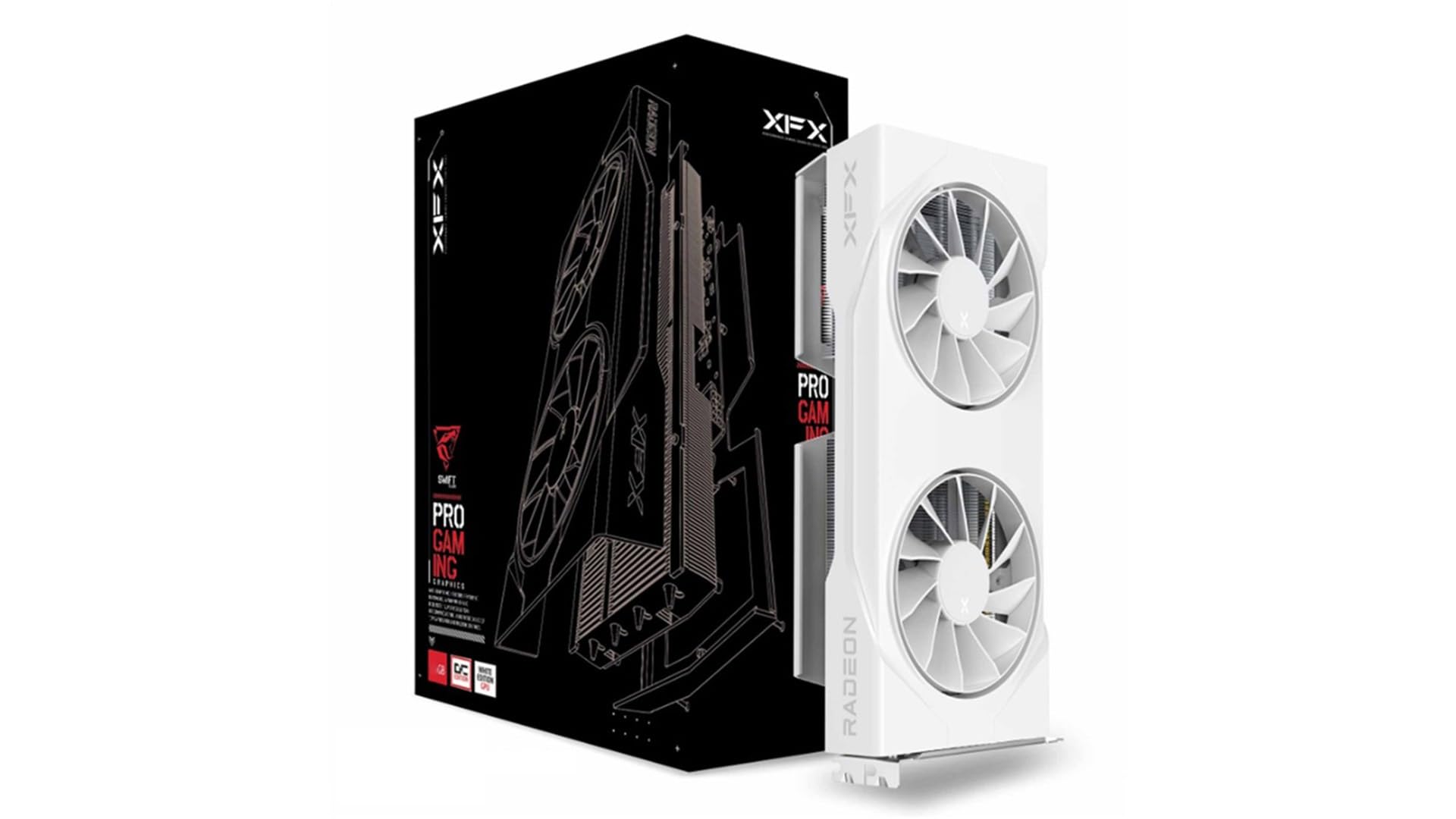


8GB or 16GB: The Biggest Decision
The same GPU ships in two memory sizes, and the catalog lists both with GDDR6. The 8GB cards cost noticeably less and handle 1080p well. The 16GB cards cost more but keep high-resolution textures in memory, which matters at 1440p with high settings and in newer games that use a lot of video memory.
If you plan to keep the card for several years, the 16GB version is the safer buy. If you mostly play esports titles or older games at 1080p, the 8GB model is enough and leaves budget for a better monitor or an SSD.
Amd Radeon RX 9060 XT Review: What You Get
The card is built on RDNA 4, with third generation ray tracing hardware and second generation AI accelerators, and it connects over PCIe 5.0. One partner listing describes 32 compute units, a 128-bit memory bus and 20 Gbps GDDR6. The card also supports DisplayPort 2.1a and HDMI 2.1b, so a modern high refresh monitor connects without adapters.
In practice this is a 1440p card with room for 1080p high refresh play. It can also run 4K with upscaling in lighter games, though that is not where it is happiest. Turn on AMD's upscaling when a game struggles, and keep ray tracing at moderate settings.
Partner Cards, Coolers and Noise
Every partner card uses the same chip, so cooling and build quality set them apart. Dual fan designs suit small and mid-size cases, while triple fan models run cooler at higher clocks and are usually longer. Many cards stop their fans at low load, which keeps a desktop silent during web browsing and video.
- Dual fan cards are easier to fit in compact cases.
- Triple fan cards often run quieter under long gaming sessions.
- White editions cost a little more and suit light colored builds.
- A dual BIOS switch lets you choose a quiet or a performance profile.
Case, Power and Platform Fit
Check dimensions before you click. One listed model is a two slot card about 249 mm long, and another is described as a 2.5 slot design, so thickness varies between brands. Measure the space between your motherboard and the front of the case, and confirm that the second PCIe slot below the card will not be blocked if you use a capture card.
Power needs are modest. The partner card described above asks for a single 8-pin connector and recommends a 550W power supply. Look at the exact model you plan to buy, because factory overclocked versions can ask for more headroom.
Gaming Expectations by Resolution
At 1080p, either memory size runs most games at high settings with plenty of frame rate to spare. At 1440p, the 16GB version holds an advantage in games that load large textures, and both versions benefit from upscaling. At 4K, expect to lower settings and rely on upscaling or frame generation in demanding titles.
Pair the card with a monitor that supports variable refresh rate. That feature smooths out frame rate dips and costs little extra on current 1440p panels.
Upscaling, Drivers and Software
AMD's Adrenalin software handles driver updates, per-game profiles and performance monitoring in one place. Features such as FSR upscaling, frame generation and Anti-Lag are built into the driver, so you can enable them without extra downloads. Support for these features depends on the game, so look at the options menu of titles you play most.
The card's AI accelerators also help with video encoding and some creative tools. Streamers and editors will find the encoder fast enough for 1080p and 1440p recordings, and the 16GB version leaves more room for large timelines.
Who Should Buy and Who Should Skip
It suits first time builders, upgraders from a card several years old, and anyone who wants a quiet, efficient 1440p system. The 16GB version also suits people who stream or edit video on the same machine.
It is less suited to buyers who want 4K at high settings or heavy ray tracing. In that case the step up to an RX 9070 class card makes more sense. If your power supply is old or very small, plan a replacement along with the card.
Common Mistakes to Avoid
The most frequent mistake is buying the 8GB card for a 1440p monitor and then running into texture stutter in newer games. The second is ignoring the case: a long triple fan card in a small tower can touch the drive cage or the front fans. A third is forgetting the cable, since a new card may need a PCIe power cable that an older supply does not include.
Buying Tips
Compare the price gap between the 8GB and 16GB versions of the same brand. When the difference is small, take the larger card. Check that the listing says new, read the warranty terms, and look at cooler and fan details rather than the factory clock number alone.
Related reading: the AMD Radeon RX 9070 XT Review, then the best graphics card guide.
FAQs
Is the RX 9060 XT good for 1440p gaming?
Yes, especially the 16GB version. It runs most current games at high settings at 1440p, and upscaling helps in the heaviest titles.
Which is better, the 8GB or the 16GB model?
The 16GB model lasts longer and handles high texture settings. The 8GB model is fine for 1080p and saves money.
What power supply do I need?
Follow the recommendation on your exact card. A partner card in the catalog recommends 550W and uses one 8-pin connector, which most modern supplies provide.
Will it fit a small case?
Many dual fan models will, but check length and thickness in the listing before you order.
Final Thoughts
This amd radeon rx 9060 xt review comes down to memory size, cooler and case fit. Choose the 16GB card if your budget allows, confirm the dimensions and power connector, and compare partner models in the table.


