
Anker Nebula Cosmos 4K SE Review for 2026: Brightness, Setup and Bundles
Disclosure: We may earn a commission when you buy through links on this page, at no extra cost to you. As an Amazon Associate I earn from qualifying purchases. Learn more

Anker Nebula Cosmos 4K SE Review: how bright 4K from a hybrid light source performs at home, what the setup features do and which bundle is worth buying.
The Nebula Cosmos 4K SE is a bright 4K home projector that mixes LED and laser light and runs Google TV without an extra streaming stick. This anker nebula cosmos 4k se review covers what the picture and setup features deliver, how the bundles differ, and which rooms suit a projector at this price.
The product table lists the projector alone and in bundles with a gimbal stand, a 100 inch screen and a travel case. The sections below help you decide which combination fits.
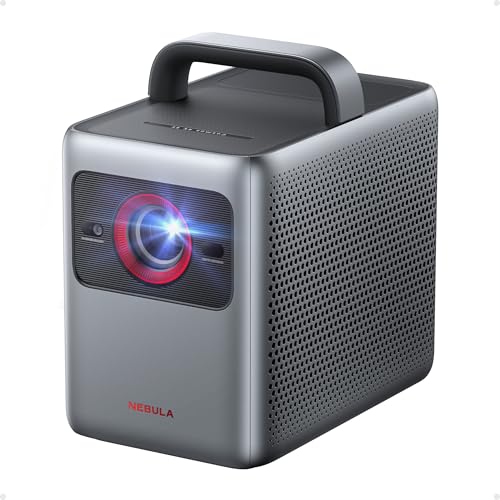

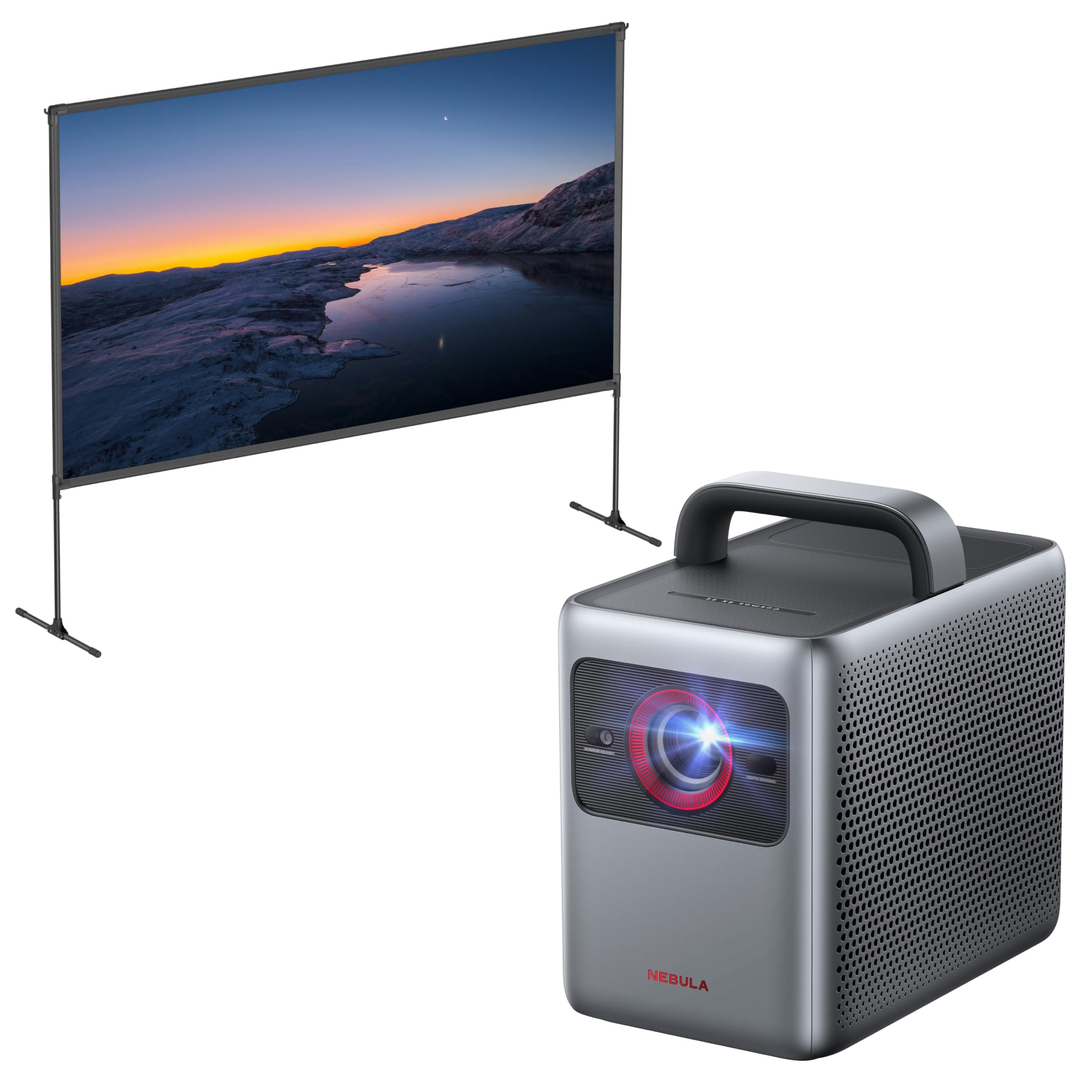

What the Cosmos 4K SE Offers
The listing describes a 4K projector with Dolby Vision, 1,800 ANSI lumens from a HybridBeam light source that combines LED and laser, 1.07 billion colors and a maximum screen size of 200 inches. It runs Google TV with 4K Netflix and is marketed for gaming, home theater and office use. The price sits near one thousand dollars for the projector alone.
The brightness figure is the headline. Projectors in the hundreds of lumens need a dark room, and an output near 1,800 lumens handles much more ambient light.
Anker Nebula Cosmos 4k Se Review: Picture and Brightness
With Dolby Vision support and a bright light source, the image has strong color and contrast for its class. A dim living room gives excellent results, and a lit room with curtains drawn still looks good. Direct sunlight washes out any projector, so plan your room with the light in mind.
The NebulaMaster image engine tunes color, contrast and grayscale. It cannot match a dedicated home cinema projector costing several times more, but it gives a large picture that a TV at the same price cannot match.
Smart Setup Features
The IEA 4.0 setup system handles autofocus, keystone correction, obstacle avoidance, screen fit, wall color adaptation and ambient light adaptation. In practice you place the projector, point it at a wall, and it adjusts itself. That saves time compared with older models, and it helps when you move the projector between rooms.
- Autofocus and keystone correction in seconds.
- Obstacle avoidance to keep the picture clear of objects.
- Wall color adaptation for non-white walls.
- Ambient light adaptation for changing rooms.
Gaming and Everyday Use
The listing mentions gaming use, and a large 4K picture suits console play, though projectors usually add more lag than monitors or TVs. If you are sensitive to lag, check the maker's input lag figures and use a game mode. For movies and shows, Google TV puts apps on the home screen without extra devices.
Bundles and Accessories
The catalog lists the projector with a gimbal stand, with a 100 inch screen and with a travel case. A stand lets you aim the picture at a ceiling or a wall, a screen improves contrast over a plain wall, and a case protects it during travel. Compare each bundle's price with the parts separately, because a bundle that adds a premium is no bargain.
Room Planning and Throw Distance
Measure the distance from the planned projector spot to the wall, and check the maker's throw ratio chart for the screen size you want. A 100 inch picture needs less distance than a 150 inch one, and you may be able to place the projector on a coffee table or a shelf behind the sofa. Think about the power cable's path too, so it does not cross a walkway.
Light control matters more than almost any other setting. Curtains, matte walls and a darker ceiling lift contrast far more than a software tweak.
Sound and Connections
Built-in speakers handle casual viewing, but movies deserve a soundbar or speakers connected by cable or Bluetooth. Check the available ports on the listing, since a projector that serves as a gaming display needs an HDMI input and a quick way to switch to a game mode. Wi-Fi handles streaming, and a wired connection helps if your network is weak.
Noise, Heat and Upkeep
A bright projector needs fans, so some noise is normal, especially in quiet scenes. Keep the vents clear and let the unit cool before moving it. Clean the air filter or vents with a soft brush, and keep the lens free of dust. Update the software now and then for fixes to the streaming apps and image settings.
Who Should Buy It
It suits movie fans who want a big picture without a dedicated theater room, small offices that present in rooms with some light and gamers who want a large screen. It is less suited to buyers who need the deepest black levels, who watch in a bright room without control of light or who want to mount a projector permanently in a dedicated cinema.
Alternatives to Compare
Nebula's Capsule 3 projectors are far cheaper and portable but much dimmer, and the Nebula X1 and X1S laser projectors cost far more with greater brightness. Other brands sell 4K projectors at similar prices, so compare lumens, input lag and the included screen or stand.
Buying and Warranty Tips
A projector at this price deserves a careful look at the seller and the return terms. Prefer a listing sold by the maker or an authorized store, check the warranty length and keep the packaging for the first weeks. If a bundle lists accessories, confirm each one in the description, since similar looking listings carry different parts.
Watch for unusually low prices that may point to refurbished or gray market units. A fair price from a clear seller is worth more than a small saving.
Related reading: the best projector guide.
FAQs
How bright is the Cosmos 4K SE?
The listing says 1,800 ANSI lumens.
Does it support Dolby Vision?
Yes, and it also runs Google TV with 4K Netflix.
Is it good for gaming?
It suits console gaming on a large screen, but check input lag if you play fast shooters.
Does a bundle include a screen?
One bundle lists a 100 inch screen. Read the title carefully.
Final Thoughts
This anker nebula cosmos 4k se review favors the projector for bright, large 4K viewing. Pick the bundle you need, plan your room for light control and compare the options in the table.


