
ASUS ROG Strix Scar 18 Review for 2026: Is the 18-Inch Flagship Worth It?
Disclosure: We may earn a commission when you buy through links on this page, at no extra cost to you. As an Amazon Associate I earn from qualifying purchases. Learn more

A buyer-focused asus rog strix scar 18 review: the big 18-inch ROG Nebula display, RTX 5090 and RTX 5080 options, ports, and who actually needs this much laptop.
The ASUS ROG Strix Scar 18 is the laptop for people who want desktop-class frame rates and a screen big enough to feel like a monitor. This asus rog strix scar 18 review looks at what the machine offers, which configurations are on sale right now, and which kind of player gets real value from it.
Prices sit at the very top of the gaming laptop market, so the useful question is not whether it is fast. It is whether the size, weight and cost fit your life. The product table below lists the current configurations so you can compare processor, graphics and display choices side by side.



What the ROG Strix Scar 18 Is Built For
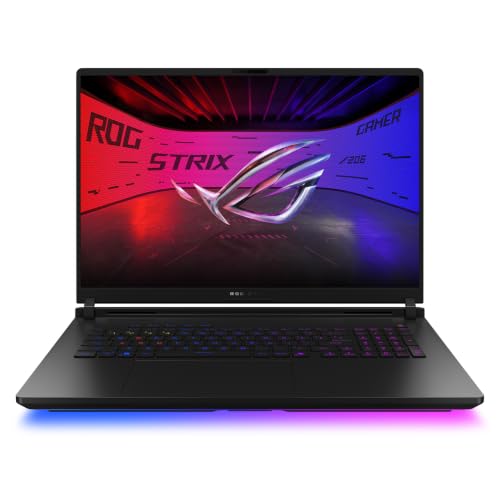
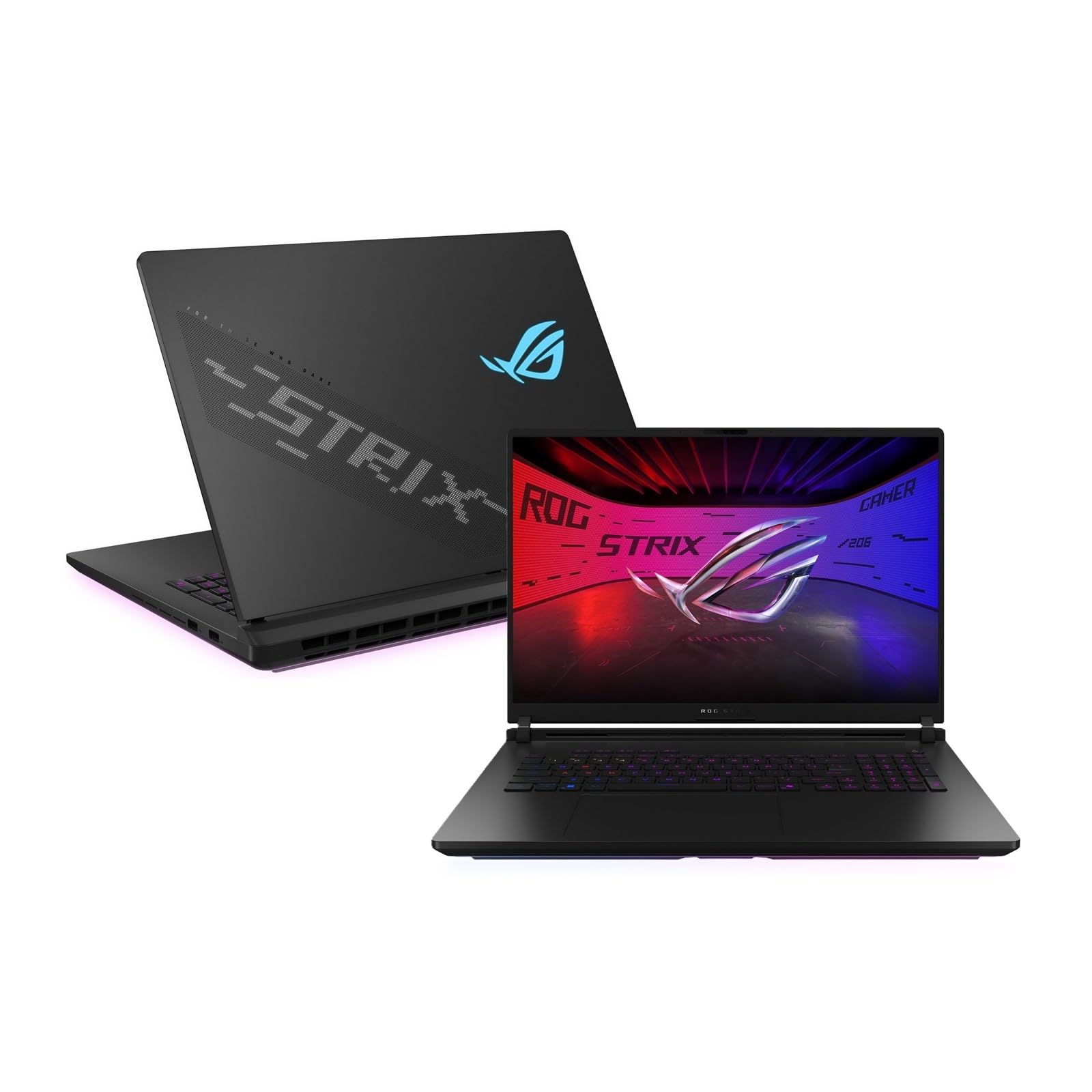
The Scar line is ROG's competitive flagship, and the 18-inch model is the largest and most powerful member. It uses a 16:10 ROG Nebula HDR panel with a 240Hz refresh rate and 3ms response time, which suits fast shooters and esports titles where every frame counts.
The chassis is designed around the top mobile graphics chips. Listings for this model pair an Intel Core Ultra 9 processor with either a GeForce RTX 5090 or an RTX 5080 laptop GPU, 32GB of DDR5 memory and a 1TB or 2TB PCIe Gen 4 SSD. That is a no-compromise parts list, and it explains the price.
Display and Visual Quality
The screen is the headline feature. Earlier configurations use an 18-inch 2.5K panel at 240Hz, while the newer 290HX Plus configuration moves to a 4K 240Hz Mini LED panel that ASUS describes as the first of its kind in a laptop. Both are 16:10, which gives more vertical room than a 16:9 screen for browsing, editing and strategy games.
Mini LED brings much brighter highlights than an ordinary laptop IPS panel, so HDR games and video look noticeably punchier. If you play mostly competitive titles, the 2.5K option is easier to drive at very high frame rates. If you play single-player games and want maximum sharpness, the 4K option is the better pairing for an RTX 5080 or 5090.
Performance, Cooling and Upgrades
A laptop this powerful lives or dies by its cooling. ASUS lists a larger end-to-end vapor chamber and a tri-fan design for this generation, with more airflow than the one before it. Expect the fans to be audible under a heavy load, which is normal for any 18-inch gaming laptop in this class.
One practical advantage is access. The listing describes a tool-less latch, so you can reach the RAM, SSD and fans without a screwdriver. That makes it easier to add storage later or clean out dust, two jobs that matter on a laptop you plan to keep for several years.
Connectivity is also generous: dual Thunderbolt 5 ports, Wi-Fi 7 and quad speakers with Dolby Atmos. Thunderbolt 5 matters if you plan to connect a fast external display or a dock at your desk.
Design and Everyday Use
The Scar 18 carries the ROG look: a full-surround RGB light bar and the AniMe Vision lid display, which can show text, animations or your own artwork. Stealth Mode turns the lighting off when you need a plainer look in a shared space.
Be realistic about portability. An 18-inch laptop with a flagship GPU is a desktop replacement that happens to have a battery. It moves between rooms and the odd trip easily enough, but you will want a large backpack and the full power brick, and battery life under gaming load is short.
How to Choose a Configuration
Start with the graphics card, because it sets both price and ceiling. The RTX 5090 versions cost far more than the RTX 5080 version and the gain is largest at 4K with demanding settings. For 2.5K play, the RTX 5080 is already a very strong match and leaves money for a good monitor, headset or dock.
Next, check the seller. Some listings come from ASUS directly, others from resellers that add software bundles or change the SSD. A reseller listing can be fine, but read the warranty line and make sure the model number matches the configuration you want.
- Pick the 4K Mini LED version for single-player and HDR gaming.
- Pick a 2.5K version when you chase very high frame rates in competitive games.
- Check RAM and SSD size, since 32GB and 2TB are comfortable for most libraries.
- Confirm condition is new and the warranty is clearly stated.
Who Should Buy It and Who Should Skip It
Buy the Scar 18 if you want a single machine that replaces a gaming desktop, you value a large high-refresh screen, and you accept the weight. It also suits streamers and creators who want strong graphics and a roomy display in one device.
Skip it if you travel often, care about quiet operation, or play mostly lighter games. A smaller ROG model such as the ROG Strix G16 or the thinner Zephyrus G14 gives up some power but is far easier to carry. Our best gaming laptop guide covers the wider field.
Frequently Asked Questions
Is the ASUS ROG Strix Scar 18 good for competitive gaming?
Yes. The 240Hz display, fast response time and top-end graphics options are aimed squarely at high frame rate play in shooters and esports games. Pair it with a good mouse and a wired network connection for the best results.
Does it support Wi-Fi 7 and Thunderbolt 5?
The configurations in the table list Wi-Fi 7, and the product description mentions dual Thunderbolt 5 ports. Confirm both on the specific listing before you order, since resellers sometimes change details.
Can I upgrade the RAM and storage later?
The description highlights tool-less access to the RAM, SSD and fans, which makes upgrades and cleaning simpler. Check the warranty terms if you plan to change parts.
Which version should I choose?
Choose by display and graphics card first. The 4K Mini LED version suits sharp single-player games, while a 2.5K model is a sensible pick for fast competitive play.
Final Verdict
The Scar 18 is one of the most capable gaming laptops you can buy, and it makes sense for players who want maximum performance and a huge screen in one device. If that describes you, this asus rog strix scar 18 review suggests it is worth the investment. If it does not, a smaller laptop will serve you better and cost much less. Prices and stock change, so check the current listing before you order.


