
ASUS ROG Zephyrus G14 Review for 2026: Compact OLED Gaming Laptop
Disclosure: We may earn a commission when you buy through links on this page, at no extra cost to you. As an Amazon Associate I earn from qualifying purchases. Learn more

This asus rog zephyrus g14 review explains the 14-inch 3K OLED screen, Ryzen AI 9 HX 370 chip, RTX 5080 to 5060 options and who should buy it.
The ASUS ROG Zephyrus G14 is the laptop that proved a 14-inch machine can play modern games well. This asus rog zephyrus g14 review looks at the current versions, what the OLED screen and AMD processor bring, and how to pick the graphics level that suits your budget and your bag.
The table lists several configurations, from an RTX 5060 model to an RTX 5080 flagship. They share a design and screen, so the choice is mostly about graphics power, memory and price.


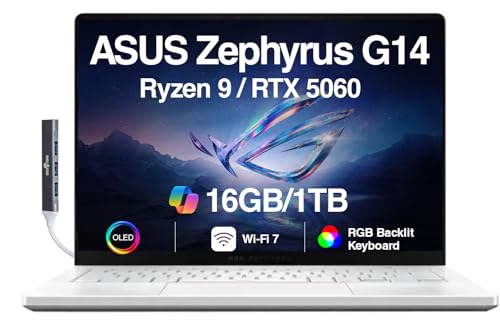


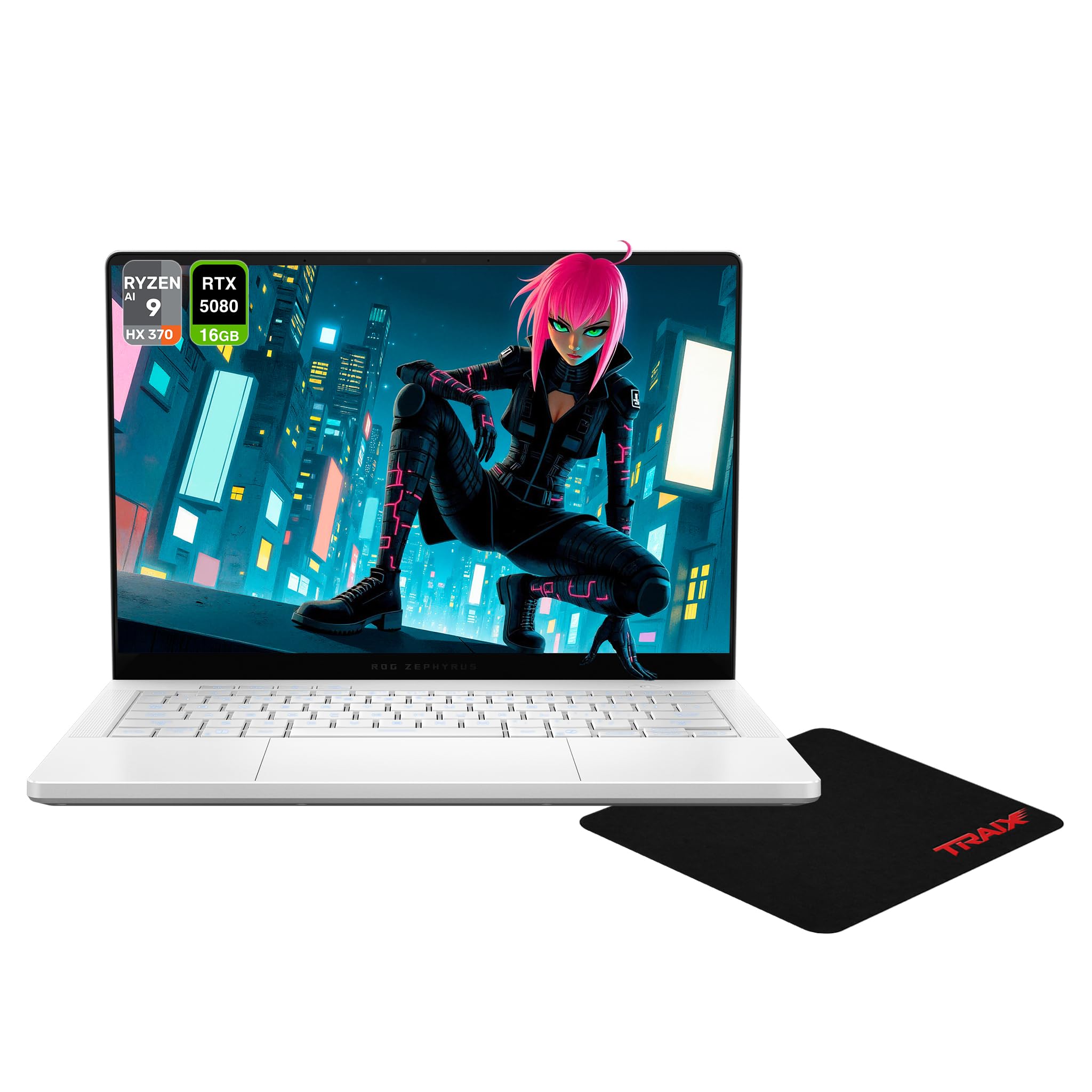
A Compact Chassis With a Premium Finish
The G14 uses a CNC-machined aluminum body in a Platinum White finish on many listings, and it stays far smaller than the usual 15 or 16 inch gaming laptop. That size makes it a rare gaming machine you can slide into an ordinary backpack, and it works as a daily laptop for classes or the office as well.
The design is understated for a gaming laptop. There is little RGB on the lid, and the keyboard offers backlighting, so the look fits a meeting room as easily as a LAN party.
The 3K OLED Display
The display is the star. Listings describe a 14-inch OLED panel with a 2880 x 1800 resolution, a 120Hz refresh rate and a 0.2ms response time, certified to ROG Nebula standards with NVIDIA G-SYNC. OLED gives deep blacks and vivid color, and the high pixel density makes text crisp on such a small screen.
A 120Hz refresh rate is a good balance between smooth play and battery life. Competitive players who want 240Hz will need a larger model, but for most games the G14's screen feels excellent.
Processor, Memory and Graphics
The top versions use an AMD Ryzen AI 9 HX 370 with 12 cores and 24 threads, plus up to 50 TOPS of AI performance for Copilot+ features. The lower RTX 5060 versions list a Ryzen 9 270. Memory is soldered LPDDR5X, usually 32GB on high-end models and 16GB on the entry model, so choose carefully because you cannot expand it later.
Graphics options in the listings run from the RTX 5060 through the RTX 5070 Ti to the RTX 5080. The RTX 5060 versions suit 1080p and 1440p gaming at good settings, while the 5070 Ti and 5080 versions are for high settings, ray tracing and creative work.
Battery Life and Portability
A thin laptop with an efficient AMD chip and an OLED panel gives the G14 better battery life than most gaming laptops, although gaming drains any battery quickly. For browsing, video and office use, you can expect a good part of a day. Pack the charger for gaming, because performance is best when plugged in.
Which Configuration Should You Buy?
Pick the RTX 5060 versions if you want a portable all-rounder and care about price. Pick an RTX 5070 Ti or 5080 version if you want strong performance in a small body and you are happy to pay a high premium for it. Pay attention to storage, since 1TB fills fast and 2TB gives breathing room.
- RTX 5060: portable and affordable, best for 1080p and 1440p.
- RTX 5070 Ti: balanced high performance.
- RTX 5080: maximum power in a compact body.
Where It Falls Short
The G14 runs hotter and louder under heavy load than a larger chassis, because there is less room for cooling. The soldered memory means no later upgrade, and prices climb quickly with the graphics level. Some listings are resold with added software or accessories, so look closely at the seller and warranty.
Who Should Buy It
Students, creators and travelers who want one laptop for work and games are the target. If you want a larger screen and more cooling, see the Zephyrus G14 vs G16 comparison, or the G14 vs Strix G16 guide. For other brands, see the Zephyrus G14 alternatives and our best gaming laptop page.
What Gaming Performance to Expect
A 14-inch laptop cannot match a desktop-replacement machine at the same graphics name, because power limits are lower in a thin body. Even so, an RTX 5060 or RTX 5070 Ti in the G14 plays current games at high settings on its 2880 x 1800 screen, especially with upscaling and frame generation turned on. Competitive titles run at very high frame rates, and demanding single-player games look spectacular on the OLED panel.
If you want to push resolution higher, connect an external monitor. The laptop then drives a larger screen while you keep its portability for the rest of the week.
Heat, Noise and Power Modes
Small laptops need their fans to work harder, and the G14 is no exception. In a quiet room you will hear the fans during gaming, so a headset helps. ASUS gives you quieter and louder profiles in its software, and a balanced setting is usually the best compromise between frame rate and noise. For video calls and office work the laptop stays calm.
Use a flat desk or a stand that lets air reach the intake, and clean dust from the vents when you notice temperatures rising. Good habits like these keep a compact laptop performing for years.
Seller and Warranty Notes
The G14 appears under many listings, and some resellers add accessories, change the storage or install a different Windows edition. Those details are fine as long as you know what you are buying. Check that the condition is new, read the warranty statement and compare the model code on the listing with the configuration you want. A listing from the manufacturer or an established retailer is the safest option, since warranty claims are simpler.
Frequently Asked Questions
Does the Zephyrus G14 have an OLED screen?
The current listings describe a 14-inch 3K OLED display at 120Hz with a 0.2ms response time.
Can I upgrade the memory?
The listings describe LPDDR5X memory, which is normally soldered, so choose the size you need at purchase.
Is it good for video editing?
Yes. The OLED panel and the stronger RTX models handle creative work well, and the portable size is a bonus.
Which version is best value?
The RTX 5060 versions give the lowest entry price, while the RTX 5070 Ti is a balanced upgrade.
Final Verdict
The Zephyrus G14 remains the best-known compact gaming laptop. For buyers who value size and a superb screen, this asus rog zephyrus g14 review says it is a strong choice. Confirm the exact configuration, seller and warranty before you order.


