Best 11 Inch Chromebook: Small Chromebooks for School, Travel and Light Work for 2026
Disclosure: We may earn a commission when you buy through links on this page, at no extra cost to you. As an Amazon Associate I earn from qualifying purchases. Learn more

A small Chromebook is easy to carry and simple to use. See what to check on update dates, screens, keyboards and storage in the best 11 inch chromebook.
An 11-inch Chromebook is the classic backpack laptop: light, quick to start and built around the browser. It suits students, travelers and anyone who wants a simple second computer. This guide to the best 11 inch chromebook options explains what to check before you buy, especially the update date that decides how long the machine stays secure.
The table above lists current 11-inch models, including laptops, convertibles and a rugged school model. Read the sections below to find the type that matches your use.


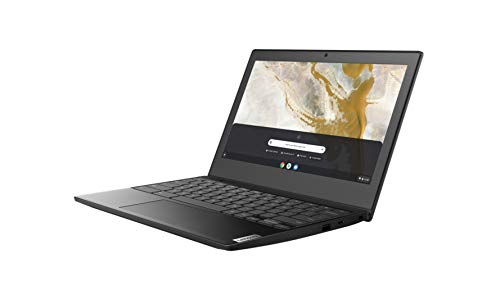
Why Choose an 11-Inch Chromebook
The small screen keeps the weight and the size down, so the machine fits in a school bag or on a train tray table. Chrome OS is simple to maintain, updates itself and needs little storage because most work happens in the browser and in cloud apps. Many models also run Android apps and offline documents.
The trade-off is that a small screen shows less on a page and gets cramped with several windows. If you do long writing sessions or lots of side-by-side work, a larger screen or an external monitor helps.
Check the Update Date First
Chromebooks receive automatic updates for a fixed period, after which they stop getting security and feature updates. The end date, called the automatic update expiration, differs by model and is published on Google's support pages. An older Chromebook that is cheap today may stop updating soon, so look up the model number before you buy and prefer one with several years left.
How to Choose the Best 11 Inch Chromebook
Screen Quality
Many 11-inch models have a basic HD panel. They are fine for documents and video calls but look dim outdoors. Touchscreens are useful for tablet mode, and IPS panels give better viewing angles. Check whether the listing states the panel type.
Keyboard and Trackpad
You will type on it every day, so read feedback on key travel and trackpad accuracy. Smaller keyboards can feel cramped on some models, and a good one makes a big difference in daily comfort.
Processor, Memory and Storage
Entry-level processors handle browsing, documents, video and classroom tools. Four gigabytes of memory is common and works for light use, while more memory helps when you keep many tabs open. Storage is usually small and expandable by cards on some models. Rely on cloud storage for files.
Convertible or Traditional
Convertible models flip to a tablet or a tent for reading and drawing, which is useful for younger students. Traditional clamshells are lighter and sturdier at the hinge, which suits heavy daily travel.
Durability
School models often add rubber bumpers, spill-resistant keyboards and reinforced hinges. If the Chromebook will live in a child's backpack, these features are worth looking for.
Battery Life and Charging
Check the claimed battery life and the charging method. USB-C charging lets you use a phone charger or a power bank, which is handy when traveling.
Ports and Wi-Fi
Check for USB-C and USB-A ports, a headphone jack and an SD card slot. Newer Wi-Fi standards make video calls more reliable at home.
Who Benefits Most
- Students in school or college who need a light machine for notes and assignments.
- Travelers who want a small, inexpensive laptop for the road.
- Families who need a shared machine for browsing and video calls.
- Remote workers who use web apps and want a simple backup machine.
What It Cannot Do Well
Heavy video editing, large games and professional software are better on a more powerful computer. Some Windows-only programs do not run on Chrome OS. If you depend on a specific program, check that a web or Android version exists before you buy.
A Packing List for Daily Carry
A padded sleeve protects the screen from keys and books in a backpack. A small USB-C charger and a short cable keep you powered, and a pair of wired or wireless earbuds help in class or on a trip. Add a mouse if you work at a desk, since a trackpad on a small machine is slower for precise tasks. A cable lock helps in libraries and cafes.
Setting Up for School
Sign in with the school account if one is required, then check which apps your teacher expects you to use. Install them before the first class, check the camera and the microphone at home and set up cloud folders for each subject. Turn on automatic updates and a screen lock. For younger children, create a supervised account and set time limits and site filters.
If you plan to use the Chromebook for exams that require a locked browser, ask the school about requirements first, since some tools only work on certain models.
Getting Started
Sign in with a Google account, and your apps and bookmarks appear. Keep files in cloud storage, update the system regularly and use a screen protector and a padded sleeve for the daily commute. Set up parental controls through the family tools if the Chromebook is for a child.
Spotting a Weak Listing
Listings sometimes bury the details that decide the experience. Look for the exact model number, the screen type, the memory and storage figures and whether the keyboard is spill-resistant. Be careful when the title promises features such as a stylus, a lot of cloud storage or an office suite that seems out of place at the price: those are often limited trials. If the listing hides the processor name, assume it is a basic one.
11 Inch Chromebook: Your Questions Answered
How long will a Chromebook last?
Hardware often lasts many years, but the update date decides how long it stays secure. Check the model's expiration date before you buy.
Can an 11-inch Chromebook run Android apps?
Many current models do. Check the listing and Google's support page for the model.
Is 4 GB of memory enough?
For basic browsing, documents and video, yes. If you keep many tabs open, more memory feels smoother.
Do I need a touchscreen?
It is useful in tablet mode and for younger students, but not essential for typing and browsing.
Final Thoughts
An 11-inch Chromebook is about portability and simplicity. The best 11 inch chromebook for you has an update date that will outlast your needs, a keyboard you like and a build that suits where it will be used. Compare the models in the table above and check the update date before you order.