
Best 14 Inch Chromebook: Basic or Plus, and Which Specs Matter in 2026
Disclosure: We may earn a commission when you buy through links on this page, at no extra cost to you. As an Amazon Associate I earn from qualifying purchases. Learn more

Choose the best 14 inch chromebook by screen, memory and update support, and learn when a Chromebook Plus is worth the extra cost.
The best 14 inch chromebook gives you a roomier screen than the 11 and 12 inch school models without growing into a heavy, expensive laptop. At this size you get a full size keyboard, space for two browser windows side by side, and a body that still slides into a backpack without notice.
ChromeOS machines are simple, quick to start and easy to keep secure, but the models differ more than the names suggest. This guide covers what separates a basic Chromebook from a Chromebook Plus, how to read the processor and storage in a listing, and where each price band lands. The product table after the introduction lists in-stock 14 inch options.


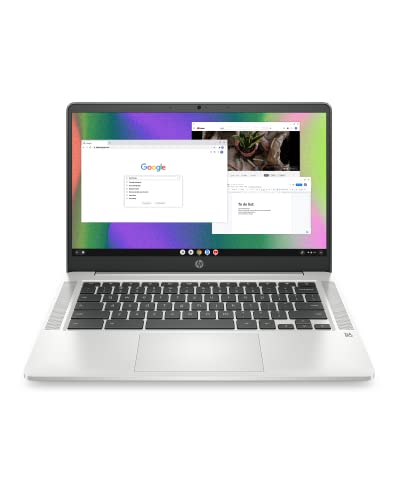


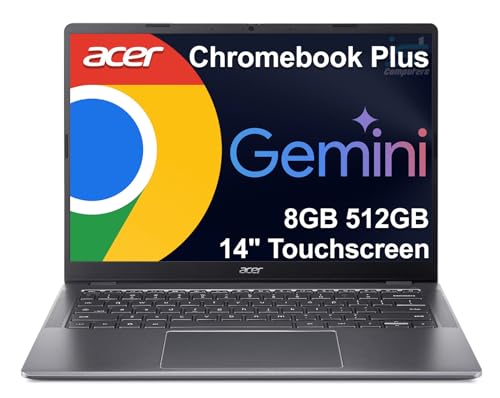
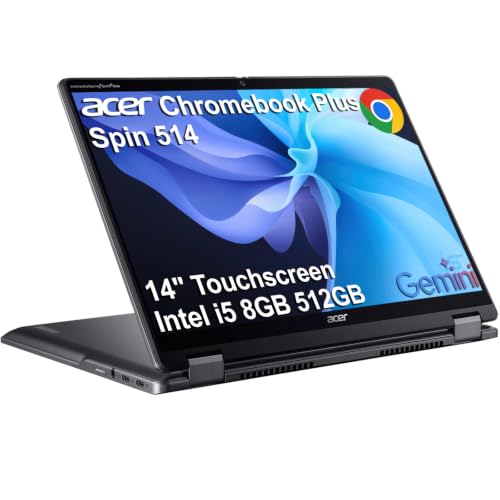

Basic Chromebook or Chromebook Plus
Google uses the Plus name for Chromebooks that meet a higher minimum for processor, memory, storage and webcam. In a listing, that usually means a Core i3 class or better chip and 8GB of memory, compared with entry level models that run on a Celeron, an N series Intel chip or a MediaTek processor with 4GB. The difference shows up in the number of open tabs, the speed of video calls and how long the machine stays smooth over several years.
A basic model is fine for web apps, streaming, email, Google Docs and online classes. Choose Plus when you keep many tabs open, run Android apps or Linux tools, edit photos in the browser or want a machine that keeps up for longer. The price jump is real, so decide on the workload first.
Screen, Touch and Form Factor
HD or Full HD display
Cheaper 14 inch Chromebooks often use an HD panel, which looks soft when text is small. A Full HD or WUXGA panel costs a little more and makes documents and web pages noticeably sharper. If you will read or write for hours, the sharper screen is the upgrade most people appreciate.
Clamshell or 2-in-1
Convertible models fold flat into tablet or tent mode and usually include a touch screen. They are handy for reading, drawing with a stylus and sharing a screen across a table. Clamshell models are lighter and cheaper, so skip the hinge if you never use touch.
Keyboard and trackpad
Because ChromeOS lives in the browser, the keyboard and trackpad are what you touch most. Look for a backlit keyboard if you work in dim rooms, and read buyer comments about trackpad feel and flex in the base.
Storage, Memory and Update Support
Most 14 inch Chromebooks ship with 64GB or 128GB of storage, and that is enough because documents live in the cloud. Memory matters more than storage here. Four gigabytes is workable for light use, while 8GB gives breathing room for a busy browser. Faster UFS or SSD storage feels quicker than older eMMC chips when apps open.
Every Chromebook has an automatic update expiry date set by Google, after which it stops receiving ChromeOS updates. Newer models last longer, while old stock still on sale can run out sooner. Check the maker's update policy before paying for an older listing, even when the price looks tempting.
Prices and What You Get
Listings in the product table run from roughly $190 for older entry models to well over $500 for premium Plus and 2-in-1 designs. The sweet spot for most buyers sits in the middle, around $250 to $450, where you find Full HD screens, 8GB of memory in many models and reliable build quality from the well known brands. Below that you accept slower processors and plastic bodies. Above it you are paying for thin metal bodies, bright screens and faster chips.
When two models cost the same, prefer the one with more memory, a sharper screen and a longer update window. For a closer comparison with other options, see best touchscreen Chromebook or the broader best Chromebook guide.
Who Should Skip a Chromebook
A Chromebook is not the right tool for every job. Heavy desktop software such as full Adobe apps, specialized engineering programs or Windows only business tools will not run natively. If you are unsure, the Chromebook vs iPad comparison and your own software list will settle the question quickly. Gamers can stream from the cloud or use Android titles, but demanding PC games need a Windows laptop.
Ports, Battery and Everyday Details
Check the ports before you buy, because a Chromebook rarely has spares. Two USB-C ports let you charge on either side and connect a monitor, while a USB-A port saves you from carrying adapters for older drives and mice. A headphone jack and a microSD slot are small extras that school and travel users miss when they are gone.
Battery life on ChromeOS is generally strong because the system is light, and many 14 inch models get through a school day without a charger. A dim, low resolution screen helps that number, while a bright touch screen trims it, so match the claim to the screen you are buying. Look for fast charging over USB-C and keep the packaging for the first few weeks so a swap stays simple if the keyboard or hinge does not feel right. When you compare the best 14 inch chromebook candidates, these small details often decide between two similar prices.
FAQs
Is a 14 inch Chromebook good for students?
Yes. The larger screen helps with split screen work, such as a document beside a research tab, and the full size keyboard is kinder on long essays than a small model.
How much memory do I need?
Four gigabytes covers basic browsing. Pick 8GB if you keep many tabs open, join video calls while working or plan to use the machine for several years.
Can a Chromebook work offline?
Yes, to a degree. Google Docs, Gmail and many Android apps can be set up for offline use, but you need to enable them before you travel.
Do Chromebooks need antivirus?
ChromeOS has built in protection and updates itself, so most owners do not install extra antivirus software. Keep the system updated and be careful with browser extensions.
Final Verdict
The best 14 inch chromebook for you balances a sharp screen, enough memory and a long update window against your budget. Take a basic model for everyday browsing and school, step up to a Plus model for heavier multitasking, and use the product table to compare prices before you order.
Prices and availability can change, so check the product page before ordering.


