Best 32 Inch Smart TVs by Budget: Smart Picks
Disclosure: We may earn a commission when you buy through links on this page, at no extra cost to you. As an Amazon Associate I earn from qualifying purchases. Learn more

32 inch smart TVs from around $110 to $600 sorted by tier, with three picks and the features worth paying for in small rooms.
A 32 inch smart TV is the go to choice for bedrooms, kitchens, dorm rooms, RVs and small apartments, and prices range from barely over $100 to around $600 for design focused models. With so many similar looking sets, it is hard to tell where extra money actually improves the experience. This guide to the best 32 inch smart tvs breaks the market into budget, midrange and premium tiers so you know what each price delivers.
The short answer: most people should choose a 1080p Full HD 32 inch smart TV with a built in Roku, Google TV or Fire TV platform, HDR support and decent speakers, which costs around $130 to $180; cheaper 720p models work for kitchens and guest rooms, while spending more buys premium design, QLED color or art style frames rather than dramatically better picture quality at this size.


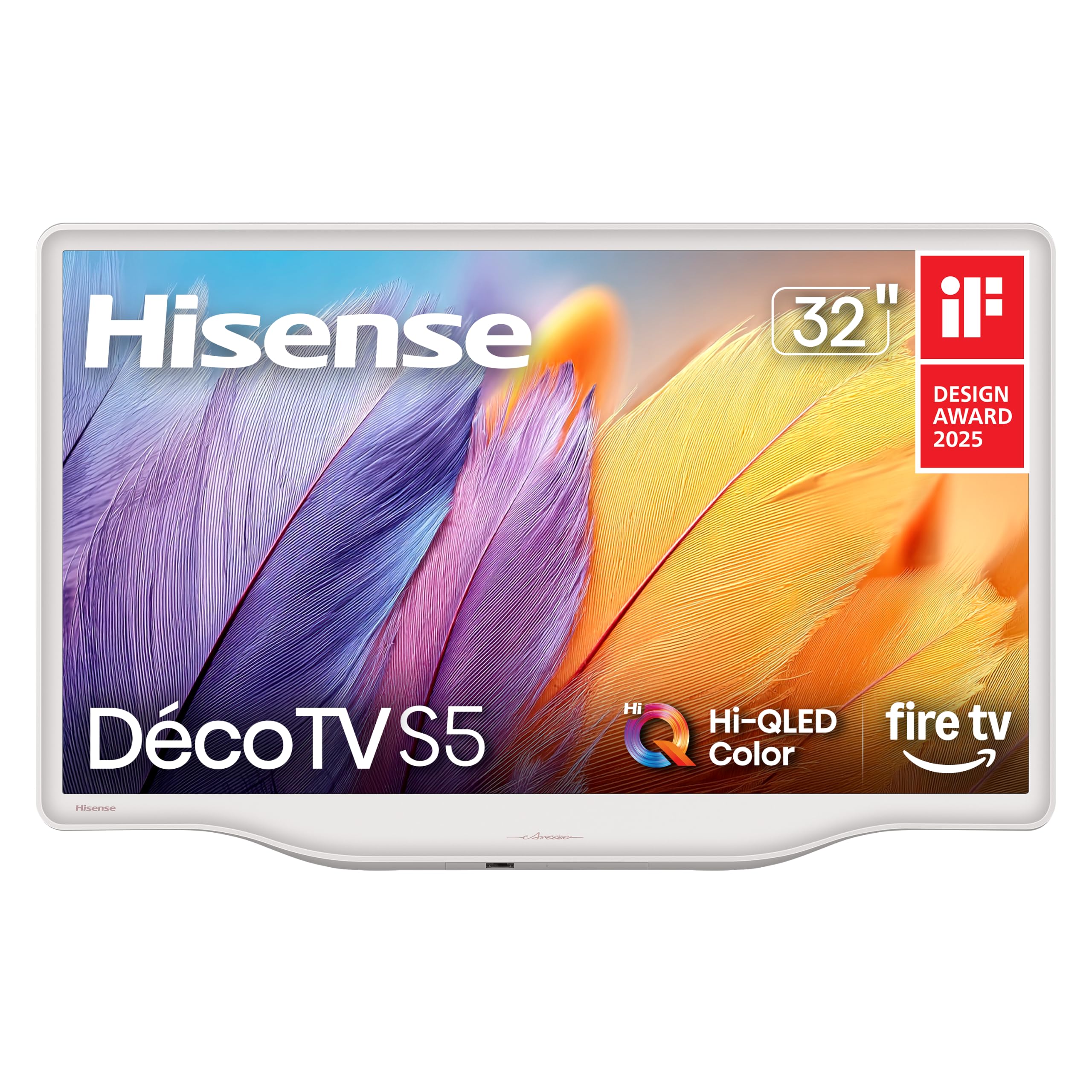
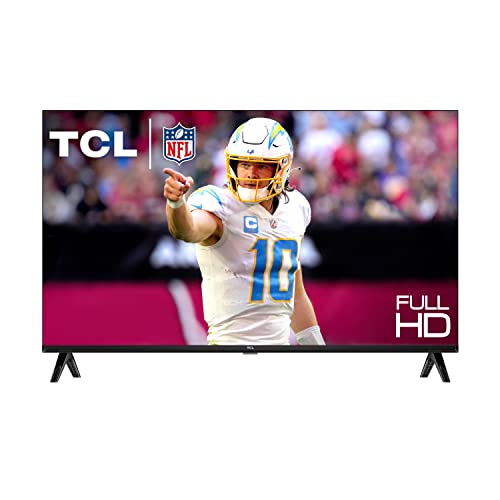
Top 3 Picks by Budget
Each pick below comes from the product table above and offers the best value at its price level.
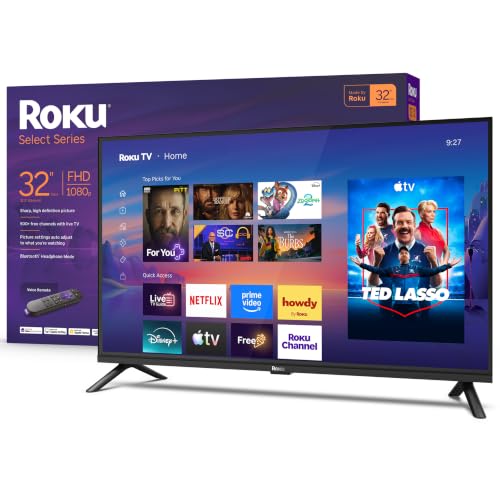


Best Budget Pick
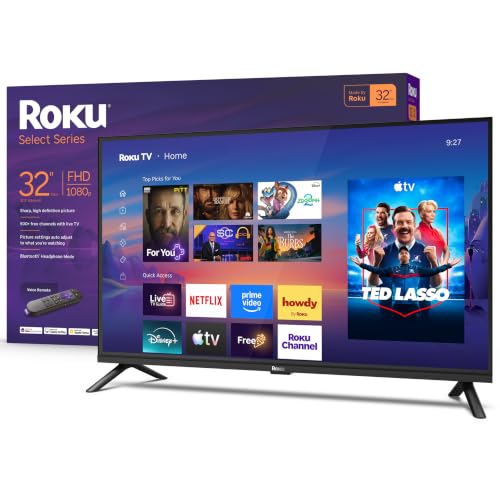
The Roku 32 inch Select Series 1080p, around $130, suits bedrooms, dorms and kitchens where you want a simple, reliable streaming TV for little money. Its first strength is Full HD 1080p resolution, which looks noticeably sharper than the 720p panels common at this price. Its second strength is the built in Roku platform, with a simple home screen, thousands of streaming apps, free live channels and a voice remote, all made by the company that designs the TV.
The limitation is basic sound and modest brightness, so it works best in rooms without strong sunlight and for casual viewing.
Best Midrange Pick
The Samsung 32 inch F6000 Full HD Smart TV, around $180, is for buyers who want a polished smart platform and slightly better picture processing. Its first strength is a 1080p panel with HDR support and Samsung's picture processing, which keeps colors balanced and motion smooth for streaming and sports. Its second strength is Samsung's Tizen smart platform with Samsung TV Plus free channels and Knox security, plus Object Tracking Sound Lite, which makes audio seem to follow action on screen.
The limitation is price; it costs more than similar 1080p TVs from Roku, Hisense and TCL without major picture gains.
Best Premium Pick
The Samsung 32 inch The Frame, around $600, is for people who want a small TV that doubles as wall art in living spaces, offices or dens. Its first strength is a QLED panel with Quantum HDR, delivering richer color than standard LED TVs. Its second strength is Art Mode, which displays paintings and photos when you are not watching, plus an anti reflection matte display that reduces glare.
The limitation is that you pay mainly for design; picture quality is good but not three times better than budget models.
What Your Money Gets You at Each Price Tier
32 inch smart TVs follow clear price tiers on Amazon.
Budget Tier: What to Expect
Budget 32 inch smart TVs cost around $100 to $140. Many use 720p HD panels, though a few, like the Roku Select 1080p, offer Full HD. You get a built in smart platform, a basic remote, two or three HDMI ports and simple speakers. Trade offs include lower brightness, narrower viewing angles and limited picture adjustments. These TVs suit kitchens, guest rooms, garages and kids' rooms.
Midrange Tier: The Sweet Spot for Most Buyers
Midrange models cost around $150 to $220. Nearly all are 1080p, many add QLED or Hi QLED color, HDR support, voice remotes and better processing. Smart platforms like Google TV and Samsung Tizen offer more features, including casting and AirPlay. For most bedrooms and dorms, this tier delivers the best mix of sharpness, color and smart features.
Premium Tier: When Spending More Pays Off
Premium 32 inch TVs cost around $300 to $600 or more. They focus on design, such as art frame TVs and decor styled models, or specialized features like portable touchscreens and smart monitor functions. Spending more pays off if the TV sits in a visible living space where looks matter, or if you need extra features like a matte anti glare screen.
Features Worth Paying For (and Ones to Skip)
When comparing the best 32 inch smart tvs, focus on features that matter at this screen size.
Refresh Rate and Response Time
Most 32 inch TVs use 60Hz panels, which is fine for streaming, news and casual gaming. Higher refresh rates are rare at this size and add little for typical uses. Game modes that reduce input lag help when playing consoles. Do not pay extra for marketing terms like motion rate, which overstate real refresh rates.
Resolution and Screen Size
Resolution matters at 32 inches when you sit close. 720p looks acceptable from across a kitchen, while 1080p looks noticeably sharper at bedroom and desk distances. 4K is rare and unnecessary at this size, since the extra detail is hard to see. A 1080p TV is worth the small premium over 720p for most buyers.
HDR and Brightness
Many 32 inch TVs list HDR support, but limited brightness means HDR effects are modest. QLED and Hi QLED models produce brighter, more vibrant colors than basic LED panels. In bright rooms, choose a model with higher brightness or an anti glare finish. Do not expect cinema style HDR at this size and price.
Stand, Mounting, and Ergonomics
Small TVs often go on dressers, kitchen counters or walls. Check stand width, since some models use feet at the edges that need a wide surface. VESA mounting holes allow wall mounts and swivel arms, popular in kitchens and RVs. Lightweight designs make mounting easy for one person.
Panel Technology (LED, QLED, VA, IPS)
Most 32 inch TVs use LED backlit LCD panels. VA panels offer better contrast for dark rooms, while IPS style panels have wider viewing angles for kitchens and shared spaces. QLED adds quantum dots for richer color. OLED is not available at this size from major TV brands.
Features You Can Skip
Premium audio branding, 4K marketing and high motion rate numbers rarely improve the experience on a small TV. Spend instead on 1080p resolution, a smart platform you like and a soundbar if audio matters.
Choosing 32 Inch Smart TVs for Your Situation
Best Inexpensive 32 Inch Smart TVs
The best inexpensive 32 inch smart tvs prioritize three things: 1080p resolution, a reliable smart platform and enough HDMI ports. Roku, Hisense and TCL lead this category, often under $140. The Roku Select 1080p model shows how much you can get for a modest budget.
Best for Gaming
Gamers using consoles in a bedroom should choose a 1080p TV with a game mode and low input lag. Pair it with headphones or a soundbar for better audio.
Best for Kitchens and RVs
Kitchens and RVs benefit from lightweight TVs with wide viewing angles, VESA mounting and 12 volt compatibility where needed.
Long Term Costs to Factor In
Small TVs have modest ongoing costs, but a few extras add up. A wall mount costs around $20 to $50, and a compact soundbar around $80 to $150 improves audio significantly. Streaming subscriptions are the biggest recurring expense; choosing a platform with free ad supported channels can reduce costs. Smart platforms eventually stop receiving updates, but a streaming stick can keep the TV current for years.
Energy use is low, typically under 50 watts, so electricity costs are minimal. Extended warranties are rarely worth it for budget TVs, since replacement costs are low.
Choosing the Right Smart Platform
The smart platform shapes daily use as much as the screen. Roku TV offers a simple, neutral interface with thousands of apps and a free channel guide. Google TV recommends shows across services and supports Chromecast casting from Android phones. Fire TV integrates closely with Alexa and Prime Video. Samsung Tizen and LG webOS offer polished interfaces with their own free channel services, and some support Apple AirPlay.
Choose the platform that matches your phone, voice assistant and favorite apps. If you already own a Roku stick or Fire TV device, buying a matching TV keeps the interface familiar. Remember that you can always add a streaming stick later if the built in platform slows down.
Setting Up a 32 Inch Smart TV
Setting up a small TV takes only a few minutes. Attach the feet or mount the TV, connect it to power and plug in any devices like a game console or cable box. Follow the on screen steps to connect to WiFi, sign in to your streaming accounts and install updates. Many platforms let you set up using a phone app, which speeds up typing passwords.
Next, adjust picture settings. Switch from vivid or dynamic mode to movie, standard or calibrated mode for natural colors, and lower motion smoothing for films. Turn on game mode for consoles to reduce input lag. In bright kitchens, raise backlight levels; in dark bedrooms, lower them to reduce eye strain. Finally, mount or place the TV so the center of the screen sits close to eye level from your usual viewing position.
Improving Sound on a Small TV
Thin, small TVs have limited space for speakers, so audio often sounds thin. A compact soundbar is the easiest upgrade, connecting through HDMI ARC or optical for clearer dialogue and fuller sound. Many affordable soundbars fit under a 32 inch TV without overhanging the stand.
For private listening in bedrooms or shared spaces, connect Bluetooth headphones if your TV supports them, or use the private listening feature in Roku and other mobile apps. Enabling dialogue enhancement or clear voice settings also helps when watching news and dramas.
32 Inch Smart TVs: Your Questions Answered
Is 720p or 1080p better for a 32 inch TV?
1080p is better for most 32 inch TVs, especially when viewed from close range. It delivers sharper text and detail than 720p, which helps in bedrooms, dorms and offices. 720p is acceptable for kitchens and rooms where you sit farther away, and it saves a little money.
Does refresh rate matter for non gamers?
Refresh rate matters little for non gamers on a 32 inch TV. Most models use 60Hz panels, which handle streaming, news and shows well. Gamers benefit more from low input lag game modes than higher refresh rates at this size.
How long do 32 inch smart TVs last?
Most 32 inch smart TVs last around five to eight years. The panel and backlight often last longer than software support. When the smart platform slows down or loses apps, a streaming stick can extend the TV's useful life.
What size TV should I get for my room?
A 32 inch TV suits viewing distances of about 4 to 6 feet. It fits bedrooms, kitchens, dorms and small apartments. If you sit farther away, consider 40 or 43 inches for a more comfortable view.
Is 4K worth it on a 32 inch TV?
4K is rarely worth it on a 32 inch TV. At this size and typical distances, 1080p looks nearly as sharp, and 4K models cost more. 4K becomes worthwhile at 43 inches and larger.
Can I use a 32 inch smart TV as a computer monitor?
Yes, a 1080p 32 inch smart TV can work as a basic computer monitor. Connect it with HDMI and enable PC or game mode for sharper text and lower lag. For long work sessions, a dedicated monitor offers better text clarity and ergonomic stands.
Do 32 inch smart TVs need an antenna?
No, smart TVs stream over WiFi, but an antenna adds free local channels. Plug an indoor HD antenna into the coaxial input and run a channel scan to watch local news and sports without a subscription.
Are QLED 32 inch TVs worth the extra cost?
QLED 32 inch TVs are worth a small premium for brighter, more vivid color. They look better in sunny rooms and with colorful content. If you mainly watch news or use the TV in a dim bedroom, a standard 1080p LED model offers nearly the same experience for less.
Final Thoughts
The right 32 inch smart TV balances resolution, smart platform and price. Choose 1080p for sharper images, pick a platform that fits your phone and apps and spend more only for design or special features. Budget buyers can get excellent value around $130, most people will be happy with a midrange 1080p model and design focused buyers can choose an art style frame TV.
Compare the best 32 inch smart tvs in the product table above to find the right TV for your room and budget.