ASUS
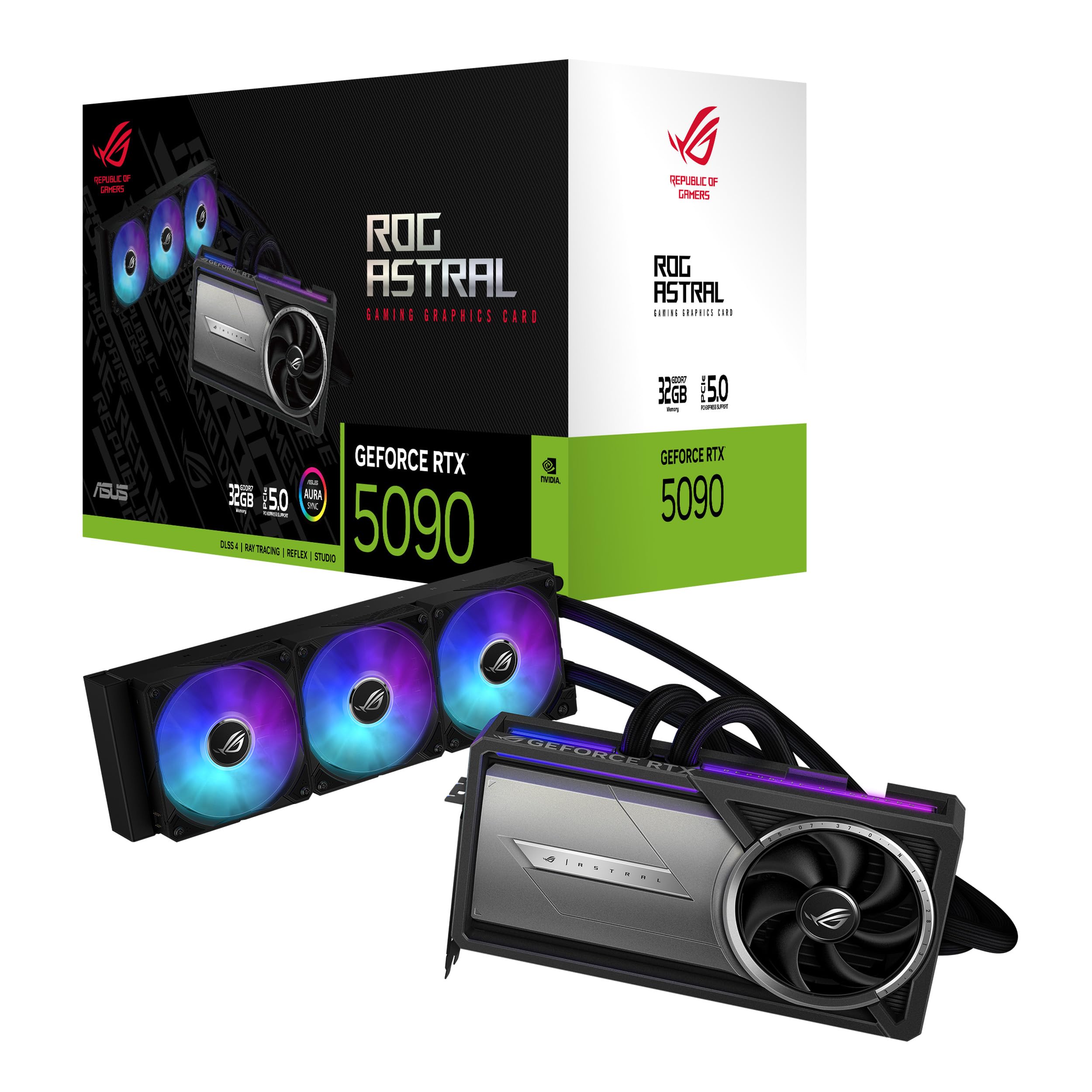
ASUS ROG Astral GeForce RTX 5090 32GB GDDR7 OC Edition Gaming Graphics Card (Nvidia GeForce RTX5090, Four Fans, 3.8 Slot Design, PCIe 5.0, 2X HDMI 2.1b, 3X DisplayPort 2.1a)
Disclosure: We may earn a commission when you buy through links on this page, at no extra cost to you. As an Amazon Associate I earn from qualifying purchases. Learn more
Highlights
- This graphics card uses a four-fan design to keep the GPU cool in even the most demanding conditions: benefit from up to 20 percent increased airflow and pressure
- Thanks to the Vapor Chamber with milled heat spreader, this gaming graphics card stays cool even at maximum load: enjoy lower GPU temperatures and improved performance
- The RTX 5090 relies on a phase change GPU thermal pad for optimal heat dissipation: experience improved performance and reliability thanks to lower GPU temperatures
- This ASUS ROG RTX 5090 is equipped with a massive 38-slot cooler: the optimised airflow of the four axial tech fans ensures outstanding cooling performance
- Rely on the secure GPU protection of this graphics card: GPU Guard technology protects the corners of the GPU, while the sturdy mount ensures secure mounting
Why You'll Love It
- Four axial fans help move more air through the cooler during demanding graphics workloads
- Vapor chamber and milled heat spreader help manage GPU temperatures under heavy loads
- Phase change thermal pad supports heat transfer away from the GPU
- Four-fan airflow design offers up to 20 percent increased airflow and pressure
- GPU Guard protects the GPU corners, while a sturdy mount helps keep the card securely supported
Pros
- +Four-fan cooling design
- +Vapor chamber heat management
- +Milled heat spreader
- +Phase change GPU thermal pad
- +GPU Guard corner protection
Cons
- -Cooling-focused design may require careful space planning
Detailed Review
The ASUS ROG Astral RTX 5090 graphics card is aimed at gamers and PC builders who want a graphics solution with substantial attention given to cooling. Its standout feature is a four-fan cooling arrangement designed to move air through the cooler while helping manage heat during demanding workloads. That makes its cooling hardware a central part of the buying decision, particularly for someone planning a gaming-focused desktop build.
The four axial fans work together to provide increased airflow and pressure, with ASUS claiming improvements of up to 20 percent. The practical appeal is a cooling arrangement designed to keep air moving around the graphics card when the GPU is working hard. Rather than relying on a single cooling element, the design combines multiple fans with additional heat-management components. Buyers who place importance on GPU cooling will likely find this approach particularly relevant.
There is more to the thermal design than the fans. A vapor chamber works alongside a milled heat spreader to help transfer and manage heat, with the stated goal of keeping GPU temperatures lower under demanding conditions. The card also uses a phase change GPU thermal pad to support heat dissipation. These components give the cooling system several complementary elements, rather than making airflow the only consideration. Together, they form the main technical attraction of this model.
Physical support and protection also receive attention. GPU Guard is designed to protect the corners of the GPU, while a sturdy mount provides additional support for the card. This is a useful consideration for builders who want the graphics card's physical support to be part of the overall design. However, the four-fan arrangement and substantial cooling hardware make checking the intended installation space an important part of planning.
Verdict: Choose this graphics card if you want a gaming-focused GPU with an elaborate cooling system, multiple heat-management components, and dedicated GPU corner protection. If your priority is a simpler cooling arrangement or a build with particularly restrictive space, consider a different graphics card design instead.
Who Should Buy It
A great fit if you:
- You are planning a gaming desktop and want a graphics card with cooling hardware designed for demanding workloads.
- You value multiple cooling elements working together, including fans, a vapor chamber, and a dedicated thermal pad.
- You want additional attention paid to the physical support and protection of the GPU during installation.
- You prefer a graphics card whose cooling design is a major part of its overall appeal.
Consider something else if you:
- Your desktop has limited room for a substantial cooling assembly, making a more compact graphics card a better choice.
- You prefer a simpler graphics card with a less elaborate cooling arrangement rather than a multi-fan design.
Before You Buy
Confirm on the listing:
- Check the complete physical dimensions and clearance requirements, then compare them with the available space in your intended desktop build.
- Confirm that the card's connection requirements match your existing system and the components you plan to use with it.
- Review the complete package contents so you know which mounting components and other accessories are included.
- Check the installation guidance and any stated power requirements before committing to the purchase.
How to compare your options: For a gaming graphics card, consider cooling design, heat-management components, physical support, and compatibility with your intended build. This ASUS model combines four fans, a vapor chamber, a milled heat spreader, and a phase change GPU thermal pad. Compare those features with the cooling arrangements of other options, while giving equal attention to physical fit and the requirements of your existing system.
Getting the Most From It
Start with your desktop build rather than treating the graphics card as an isolated purchase. Check the available installation space and review the card's mounting guidance before beginning. If the manufacturer provides installation instructions, follow them when positioning and supporting the card.
Pay attention to the cooling arrangement when planning the surrounding components. The four axial fans are intended to move air through the cooler, so consider how your overall build accommodates airflow. Avoid assuming that the cooling system's design alone determines the thermal conditions of the entire desktop.
Make use of the card's intended support features. GPU Guard is designed to protect the GPU corners, while the sturdy mount provides additional support. Follow the manufacturer's guidance for using these features rather than improvising an installation approach.
For ongoing care, follow the manufacturer's cleaning and maintenance recommendations. Keep the cooling components in the condition recommended by the instructions, and review any guidance concerning the vapor chamber, heat spreader, and thermal pad. A consistent care routine helps you look after the cooling hardware as part of the complete graphics card.
FAQ
How many fans does the ASUS ROG Astral RTX 5090 have?
It has four axial tech fans. Their design is intended to increase airflow and pressure, supporting the card's overall cooling system.
Does this graphics card use a vapor chamber?
Yes, it uses a vapor chamber alongside a milled heat spreader. These components are designed to help manage GPU temperatures under demanding conditions.
What type of thermal pad does it use?
It uses a phase change GPU thermal pad. This component is intended to support heat dissipation and help maintain lower GPU temperatures.
Does the card have GPU protection?
Yes, GPU Guard protects the corners of the GPU, and a sturdy mount provides additional support. Both features contribute to the card's physical support and protection design.
What should I check before installing it?
Confirm the card's physical dimensions, system compatibility, mounting requirements, and power requirements on the product listing. Its four-fan cooling arrangement makes checking the available space particularly important.
Product Details
| Brand | ASUS |
| ASIN | B0DTHV8THW |