Logitech
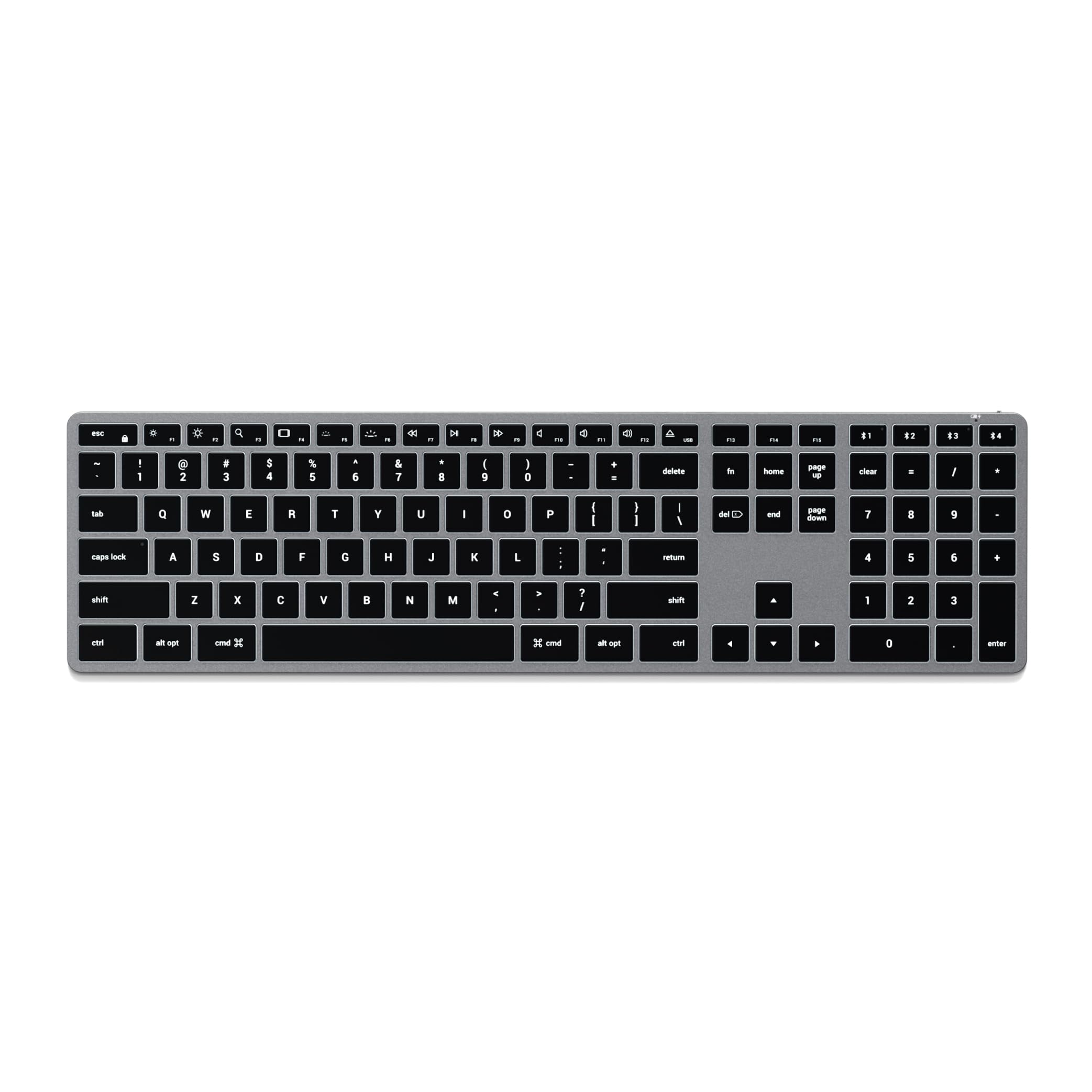
Logitech MX Keys Mini for Mac Minimalist Wireless Keyboard - Space Grey
Disclosure: We may earn a commission when you buy through links on this page, at no extra cost to you. As an Amazon Associate I earn from qualifying purchases. Learn more
Highlights
- Mastered for Mac: MX Keys Mini for Mac is optimized for macOS, iPadOS(2), and iOS(2) and features a keyboard with a layout for Mac for maximum productivity
- Designed for Mac: Compatible with Apple MacBook Pro, MacBook Air, iMac & iPad models
- Perfect Stroke Typing with Smart Keys (1): Type on keys shaped for your fingertips, with voice to text Dictation (4), Mic Mute/Unmute, and Emoji keys
- Mini Size, Mighty Powerful: A layout designed for effortless precision, with a minimalist form for an ergonomic keyboard that's portable and can travel wherever you get work done
- Smart Illumination: The wireless keyboard's backlit keys light up the moment your hands approach, and automatically adjust to suit changing lighting conditions
- Multi Mac Connectivity: Pair MX Keys Mini for Mac compact keyboard with multiple Mac computers and iPads via Bluetooth Low Energy and switch between them seamlessly
- USB-C Rechargeable: MX Keys Mini for Mac Bluetooth keyboard stays powered up to 10 days on a full charge or up to 5 months with the backlighting turned off(3)
- Plastic parts in MX Keys Mini for Mac include certified post consumer recycled plastic (Pale Gray: 12%(5)); product carbon footprint: 9.96 kg CO2e;
Why You'll Love It
- Mac focused key layout supports familiar workflows across compatible Apple computers and mobile devices
- Fingertip shaped keys and dedicated dictation, microphone mute and emoji controls support everyday tasks
- Proximity activated backlighting illuminates keys and adjusts automatically as surrounding lighting changes
- Bluetooth Low Energy pairing lets you switch between multiple Mac computers and iPads
- USB C recharging provides up to 10 days of power with backlighting or up to 5 months with it off
- Compact construction includes certified post consumer recycled plastic in its plastic parts
Pros
- +Mac focused keyboard layout
- +Automatic adjustable backlighting
- +Dedicated dictation and microphone controls
- +Bluetooth pairing across multiple devices
- +USB C rechargeable power
Cons
- -Compact layout may not suit every typing preference
- -Battery life varies with backlighting use
- -Designed primarily around Apple device compatibility
Detailed Review
The Logitech MX Keys Mini is a compact wireless keyboard for Mac users who want a dedicated typing setup without committing to a larger keyboard layout. Its Mac focused arrangement is intended to support familiar workflows across compatible Apple computers and mobile devices, while its smaller form makes it easier to consider for a desk shared with other work or for moving between work locations. The main appeal is the combination of Mac specific controls, automatic backlighting and the ability to connect to multiple devices.
The typing design centers on keys shaped to fit fingertips, which Logitech pairs with a set of practical shortcut controls. Dedicated keys for voice to text dictation, microphone mute and unmute, and emoji access bring common actions directly to the keyboard. These features may be particularly useful for someone who alternates between writing, voice input and video calls, or who frequently uses emoji in everyday communication. The emphasis is on convenient access to these functions rather than requiring every action to begin elsewhere.
Backlighting is another important part of the design. The keys illuminate when your hands approach, and the lighting adjusts automatically as conditions change. That arrangement is intended to make the keyboard more accommodating as the lighting around your workspace varies, without requiring you to manage every adjustment manually. Its minimalist, compact form also supports portability, so it can suit a setup that changes location rather than remaining permanently arranged in one place.
Connectivity and charging round out the practical features. Bluetooth Low Energy allows pairing with multiple Mac computers and iPads, with switching between connected devices designed to be straightforward. The rechargeable battery is rated for up to 10 days on a full charge with backlighting, or up to 5 months with backlighting turned off. These figures give shoppers two distinct expectations to consider, depending on whether illuminated keys are part of their normal routine. USB C charging provides the stated way to replenish the battery.
The key trade off is the compact layout itself. A smaller keyboard can be a sensible choice when desk space and portability matter, but shoppers who strongly prefer a larger arrangement should consider whether this format matches their typing habits. The emphasis on Apple compatibility also makes device choice important, while the battery estimate depends on backlight use. Verdict: This wireless keyboard is a strong fit for Mac users who value a compact layout, dedicated productivity controls, adjustable backlighting and switching between multiple Apple devices. If you prefer a larger keyboard arrangement or need a layout tailored to a different device ecosystem, consider a more suitable alternative before buying.
Who Should Buy It
A great fit if you:
- You work across a compatible MacBook or iMac and want a separate keyboard with a Mac focused layout.
- You regularly switch between writing, dictation, microphone controls and emoji, and want dedicated keys for those tasks.
- Your workspace changes location, and a compact keyboard is more practical for you than a larger layout.
- You use multiple Mac computers or iPads and want to pair them over Bluetooth Low Energy.
- You often work as surrounding light changes and value backlighting that activates near your hands and adjusts automatically.
Consider something else if you:
- You prefer more room across your keyboard, in which case a larger keyboard model may suit your typing habits better.
- You primarily need a keyboard for a device outside the listed Apple compatibility focus, in which case a model matched to that device may be a better choice.
Before You Buy
Confirm on the listing:
- Check the exact Apple device you intend to use and confirm its compatibility with this Mac focused keyboard, particularly if you rely on a specific iPad or computer model.
- Consider the compact layout against your normal typing habits and measure your available desk space if the keyboard needs to fit a particular work area.
- Check what is included in the box, including any charging cable or other accessories you expect to receive.
- Review the charging and connection instructions so you understand how to pair your devices and recharge the keyboard for your intended routine.
How to compare your options: Start with layout, device compatibility and connection needs. The MX Keys Mini for Mac emphasizes a compact Mac focused arrangement, Bluetooth Low Energy connections to multiple Mac computers and iPads, and dedicated productivity keys. Next, compare the importance of automatic backlighting against your preferred battery routine, since the stated battery life changes with backlight use. Finally, consider the rechargeable power design and whether the compact format is the right fit for your workspace. Prioritize the features you will use regularly rather than choosing by appearance alone.
Getting the Most From It
Start by pairing the keyboard with the Apple devices you intend to use. Follow the supplied setup instructions if available, and confirm that each intended device is compatible before making the keyboard part of your daily workflow. If you plan to move between multiple Mac computers and iPads, organize your pairing routine around those devices so switching is easy to manage.
Make the dedicated controls part of your normal workflow where they are useful. Dictation can support voice input, the microphone mute and unmute key gives you direct access to that control, and the emoji key can help when your messages regularly include emoji. Learning which of these functions fits your routine can make the compact arrangement more useful.
Let the automatic illumination feature handle changing light conditions, and decide whether backlighting is worth keeping active for your usual workspace. The stated battery life is up to 10 days with backlighting and up to 5 months with it off, so your choice affects charging expectations. Recharge over USB C as needed, following the product instructions.
Keep the keyboard in a place that suits your work routine, particularly if you plan to carry it between locations. For cleaning and general care, follow the manufacturer's guidance rather than assuming a particular method or cleaning product is appropriate.
FAQ
Will the Logitech MX Keys Mini work with a MacBook?
Yes, it is designed for Mac and is listed as compatible with Apple MacBook Pro, MacBook Air and iMac models. Confirm compatibility for your particular device before purchasing.
Can I connect it to an iPad?
Yes, the keyboard is optimized for iPadOS and supports Bluetooth Low Energy connections to multiple Mac computers and iPads. Check that your specific iPad is compatible with the model you plan to buy.
How long does the battery last?
The stated battery life is up to 10 days on a full charge with backlighting, or up to 5 months with backlighting turned off. Your choice of illumination therefore affects the advertised charging interval.
Does it have backlit keys?
Yes, the keys illuminate when your hands approach, and the lighting adjusts automatically as surrounding conditions change. This is useful if your workspace lighting varies throughout the day.
What comes in the box, and how do I clean it?
The listing does not state the complete box contents or give specific cleaning instructions. Check the current product listing for included accessories and follow the manufacturer's care guidance for cleaning.
Product Details
| Brand | Logitech |
| ASIN | B0CVFHYLBN |