
8BitDo Ultimate 2 Alternatives: Comparable Controllers in 2026
Disclosure: We may earn a commission when you buy through links on this page, at no extra cost to you. As an Amazon Associate I earn from qualifying purchases. Learn more

8bitdo ultimate 2 alternative controllers compared: what to look for in sticks, triggers, connectivity and docks, and who each suits.
Shoppers looking for an 8bitdo ultimate 2 alternative usually want the same ingredients for less money, or a different mix of features on a pad that fits their console better. The Ultimate 2 combines magnetic stick sensors, switchable triggers, back paddles and a charging dock, so any real rival has to match several things at once. The product table right after this introduction lists wireless and wired controllers worth comparing.
The guide below explains which features matter, which kinds of controller compete, and how to avoid paying for extras you will not use.
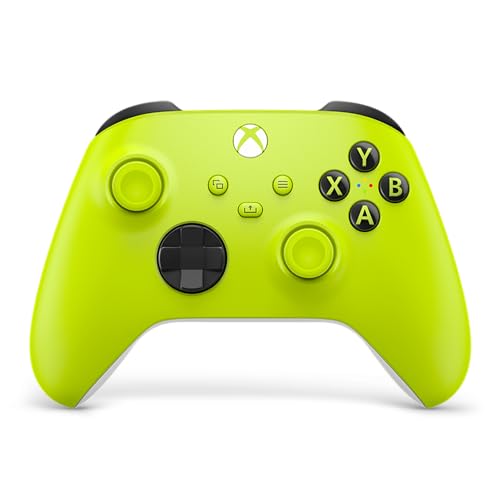


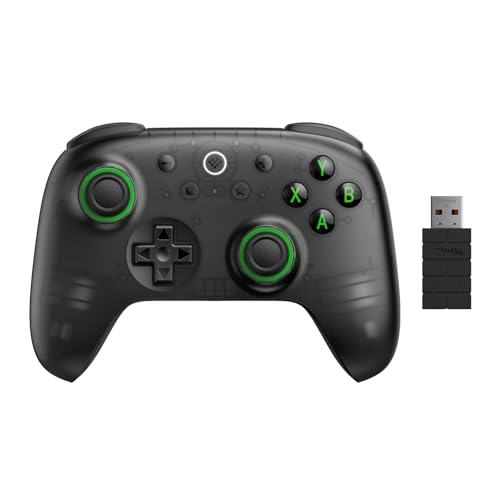
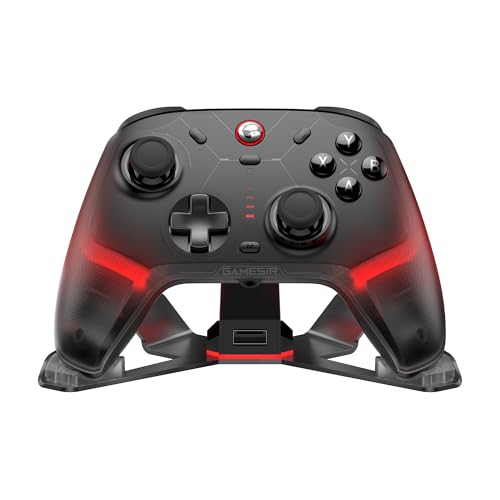


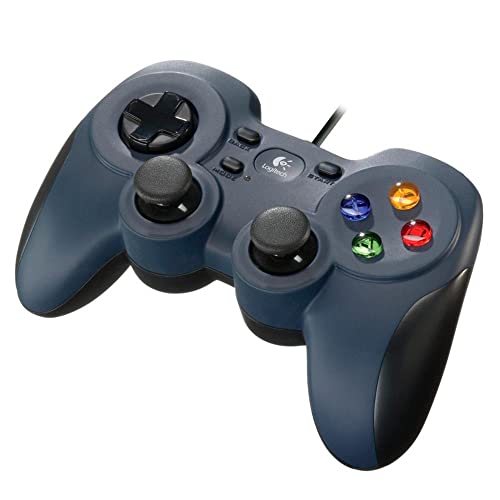
What You Are Trying to Match
Start by listing what you like about the Ultimate 2. The listing highlights TMR joysticks, Hall or tactile trigger modes, a fast 2.4G connection with a 1000Hz polling rate, motion control, two pro back paddles, extra bumpers and a dock. Not all of these matter equally to everyone, and ranking them narrows the field quickly.
If drift resistance is your main concern, look for Hall Effect or TMR sticks. If you play competitive games, back buttons and fast polling matter most. If you like to charge and forget, a dock is the feature to hunt for. A pad that meets your top two needs is usually a better buy than one that ticks every box.
- Sensors: Hall Effect or TMR sticks for drift resistance.
- Triggers: analog Hall, switchable modes, or trigger stops.
- Extras: back buttons or paddles, dock, motion control, app support.
Cheaper Pads With Modern Sensors
The biggest change in recent years is that Hall Effect sticks have reached low-priced controllers. Several wireless pads at half the price of the Ultimate 2 offer drift-resistant sticks and a 1000Hz connection, and some add two back buttons and trigger locks. You give up the dock or the premium finish, but the core experience is close.
The sibling Ultimate 2C is the nearest cheaper option, with Hall sticks and triggers at a lower price. Other makers sell comparable pads with Hall sticks, microswitch buttons and 2.4G dongles, and they are worth a look if the budget is tight. Read what the pad lacks as carefully as what it has.
Premium and Console-Focused Options
If you play mainly on a console, a pad built for that system may suit you better. Xbox-style wired controllers with Hall sticks are common and reliable, and wireless Xbox controllers from Microsoft work on PC and Android too. For Switch owners, Pro-style controllers with motion and rumble are the closest match.
Premium pads such as the one in our DualSense Edge review add interchangeable parts and deep customization at a higher price, and the Nintendo Switch 2 Pro Controller review covers the console maker's own option. They do not copy the Ultimate 2 but compete for the same buyers.
Wired or Wireless
A wired pad has no battery, no latency worries and no pairing, and costs less. For a desktop player who sits at the same spot every day, it is hard to beat. Wireless gives freedom for couch play and handheld setups, but needs charging and a dongle or Bluetooth link.
Many wireless pads also work wired, so you can plug in during long sessions. If you pick a wireless model, check what the connection type is. 2.4G dongles are the lowest-latency choice for PC, and Bluetooth is better for phones, tablets and Switch.
Comfort, Layout and Build
Controller shape is personal. Some players prefer the Xbox layout with offset sticks, others the symmetrical PlayStation style. Size and weight vary too, and a heavy pad can tire small hands. Check the dimensions, and look at user comments about grip and button feel.
Build quality shows over time. Look at the warranty, whether replacement parts are available and how other buyers describe the first few months of use. A pad that feels slightly cheap but lasts is better than a premium one with loose buttons.
Price Tiers at a Glance
Entry-level pads cost very little and often skip modern sensors. The mid-range, where most alternatives sit, brings Hall or TMR sticks, back buttons and wireless support at a fair price. The top tier adds docks, interchangeable parts and extra polish.
For most buyers, the mid-range is the sweet spot. It captures most of the benefit, and the premium pads give smaller improvements per dollar. Our best PC controller list sorts options by budget.
Questions to Ask Before Buying a Rival
Ask which platform you will use most, since compatibility is the main reason for returns. Ask whether you want a dongle, Bluetooth or a cable, because each suits different setups. Ask how much of the extra feature list you would really use, and be honest about it. A buyer who never uses motion control or back paddles gains nothing from paying for them.
Finally, ask what happens if the pad fails. Look at the warranty length and how simple a replacement is. A controller is a part you handle daily and it wears with use, and a maker that stands behind its product is worth a small premium.
Caring for Your Controller
Whichever pad you choose, simple care extends its life. Wipe it with a slightly damp cloth, keep drinks away from it, and avoid forcing the sticks past their travel. Store it in its dock or a case, and update the firmware when the maker releases fixes.
8bitdo ultimate 2 alternative: How to Choose
Pick a close match if you
- Want the same sensor technology and a dock for less.
- Play on PC and Android and like 2.4G wireless.
- Value back buttons and custom profiles.
Pick something different if you
- Play mainly on a console and want a first-party pad.
- Prefer a wired pad with no battery to manage.
- Want maximum customization and are willing to pay for it.
The maker's own 8BitDo Ultimate 2 review shows what the original offers, which helps you judge what to keep and what to drop.
FAQ
Is there a cheaper pad with the same sticks?
Many mid-priced pads offer Hall Effect sticks. TMR sticks are newer and mostly appear on higher-priced models.
Do I need a dock?
No, but it makes charging easy and keeps the dongle safe.
Are wired controllers a good alternative?
Yes, for desktop play they are reliable and cost less.
Which feature matters most?
Sticks that resist drift are the most valuable for long-term satisfaction, followed by comfort.
When hunting for an 8bitdo ultimate 2 alternative, decide which features you truly use, choose a pad with drift-resistant sticks, and put the savings toward games.


