
8BitDo Ultimate 2 Review for 2026: Buying Guide
Disclosure: We may earn a commission when you buy through links on this page, at no extra cost to you. As an Amazon Associate I earn from qualifying purchases. Learn more

8bitdo ultimate 2 review: TMR sticks, Hall or tactile triggers, a charging dock and back paddles, and who it suits.
This 8bitdo ultimate 2 review looks at a wireless controller built for PC players who want modern stick technology, switchable triggers and a charging dock without paying for a first-party pad from a console maker. It targets Windows, Steam, Android and Apple devices, with extras like back paddles and motion control that budget pads usually skip. The product table right after this introduction lists the Ultimate 2 family and related controllers.
Here is what the controller offers, where it shines, where it asks for compromises and who should buy it.


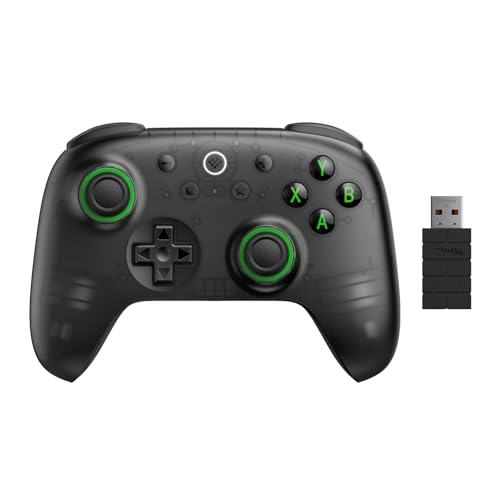


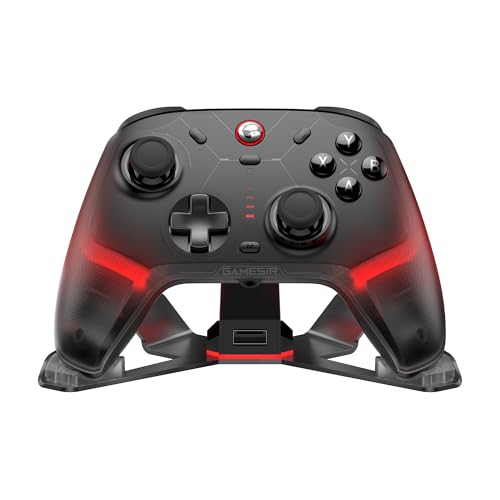
What You Get
The Ultimate 2 wireless model, according to its listing, uses TMR joysticks, which the maker says offer higher sensitivity, greater precision and better durability than older sensor types. The triggers can switch between linear Hall Effect action and a more traditional tactile feel, so one pad can suit racing games and shooters alike.
Connectivity centers on the maker's 2.4G wireless system, called 8Speed, which promises latency under one millisecond, a range of about ten meters and a polling rate of 1000Hz in both 2.4G and wired modes. The package includes a multifunctional charging dock and a USB-C adapter, and the pad adds a six-axis motion sensor, rumble and a turbo function.
- TMR sticks and switchable Hall or tactile triggers.
- Two pro back paddles plus extra R4 and L4 bumpers.
- Charging dock, RGB ring lighting, motion control, rumble.
Design and Comfort
The layout follows the familiar twin-stick pattern, with bumpers and a D-pad described as tactile for faster response. The extra buttons on the back sit where your middle fingers rest, which makes it easy to remap jumps and reloads without moving your thumbs from the sticks.
The RGB ring around the joysticks adds a bit of flair that you can turn off if you prefer. The dock keeps the controller charged and ready, and the wireless dongle can live in it, which helps with travel and tidy desks. Comfort depends on your hands, so read the dimensions and check the return policy.
Sticks and Triggers in Daily Use
Stick drift is the common complaint with older pads, where the cursor creeps without input. Hall Effect and TMR sensors use magnetic sensing instead of physical contact, so there is less wear to cause drift. That is the main reason people look for pads like this, and it is a real selling point for anyone who has replaced a worn controller.
The trigger mode switch lets you pick smooth analog travel for driving and flight games, or a shorter, clicky style for quick fire in shooters. Having both on one pad is convenient, since you do not need separate controllers for different genres.
Software and Customization
The Ultimate Software V2 lets you remap buttons, adjust stick and trigger response, and set up profiles. It is available for PC and handles firmware updates too, which matter for compatibility with new consoles and operating systems. A bit of time in the software lets you tune the dead zones and sensitivity to your taste.
Profiles can be stored in the controller, so your settings follow you between devices. If you rarely customize, the defaults work well, and the software is optional rather than required.
Compatibility
The wireless model lists support for PC, Apple, Steam and Android. A related Bluetooth version is offered for Switch and Windows, and a version for Switch 2 notes that the controller and adapter need a firmware update. Always confirm which version fits your device, since the listings differ.
It is not a controller for Xbox or PlayStation consoles, so look elsewhere if that is your main platform. For PC players who also use a handheld or a phone, the broad compatibility is one of its strengths. For wider comparisons, see our best PC controller guide.
Value and Alternatives
At its price, the Ultimate 2 sits above budget pads and well below premium pro controllers. For the money you get a dock, back paddles and modern sensors that are usually found on pricier models. If you want a cheaper entry to the same family, the Ultimate 2C trims features and cost, and our 8BitDo Ultimate 2C review covers it.
For a different approach, premium pads like the one in our DualSense Edge review add more buttons and polish at a higher price, and the Nintendo Switch 2 Pro Controller review covers the console-first option.
Battery Life, Charging and Travel
A wireless pad is only as good as its battery habits. The included dock makes charging a matter of setting the controller down after play, so it is always topped up when you return. That routine suits a desk or a living-room shelf, and the dock also holds the dongle so it does not get lost in a bag.
For travel, pack the controller with the USB-C adapter and a short cable. Many players keep the controller charged by cable during long sessions anyway, because wired mode keeps the same polling rate and removes any worry about a flat battery in the middle of a match.
Strengths and Weak Spots
The strongest points are the sensor technology, the trigger flexibility and the complete package with dock, paddles and software. The weak spots are the lack of native support for the big consoles, a feature list that can feel like more than a casual player needs, and a price above the simplest pads.
The motion sensor is useful for some games and ignored by most players. Check which of your games support it before counting it as a reason to buy. If you enjoy tuning controls, the software gives plenty to play with.
8bitdo ultimate 2 review: Who Should Buy It
Buy it if you
- Play on PC or Steam and want a feature-rich wireless pad.
- Want drift-resistant sticks and switchable triggers.
- Like a dock that doubles as a dongle holder.
Skip it if you
- Mostly play on an Xbox or PlayStation console.
- Prefer a very simple pad and do not need extras.
- Are on a tight budget where a cheaper pad suffices.
Setting It Up
Plug the dongle into a USB port, switch the controller to the 2.4G mode and hold the pairing button if needed. Windows should recognize it as a standard gamepad, and Steam Input can use it for games without native support. Install the software to update firmware first, then adjust triggers and sticks.
Keep the dongle close to the controller, since walls and other 2.4G devices can interfere. If you see lag, move the dongle to a front port or use a short extension cable.
FAQ
Does it work with Steam?
Yes, the listing names Steam among the supported platforms.
What are TMR sticks?
A magnetic sensing technology that aims to reduce drift and improve precision.
Can I use it wired?
Yes, it supports wired use over USB with the same polling rate as the wireless mode.
Does it include a charging dock?
Yes, the package lists a multifunctional charging dock.
Overall, this 8bitdo ultimate 2 review points to a well-equipped PC controller for players who want modern sticks, switchable triggers and a dock at a fair price, and a poor fit for console-first players.


