
A1 vs A2 microSD Cards: Which Is Better in 2026?
Disclosure: We may earn a commission when you buy through links on this page, at no extra cost to you. As an Amazon Associate I earn from qualifying purchases. Learn more

a1 vs a2 microSD cards: what the app performance rating means, which gadgets gain from A2, and when A1 is enough.
The labels on a microSD card can look like alphabet soup, and a1 vs a2 is one of the most misunderstood pairs. Both are application performance classes that describe how quickly a card handles small random reads and writes, the kind of work apps and games do when run from the card. A2 is the faster class, but it only matters on devices that can use it. The product table right after this introduction lists cards rated A1 and A2.
The guide below explains what the ratings measure, which devices benefit, and when a plain card is all you need.


What the A Ratings Measure
The A in A1 and A2 stands for application performance. It tells you how well a card handles random access, which is the pattern of loading and saving many small pieces of data. That is very different from sequential speed, which measures large file transfers and is what the "up to 160MB/s" numbers on the packaging describe.
A2 cards are required to meet a much higher bar for random reads and writes than A1 cards. In practice this means apps stored on the card open faster and games installed on it load with fewer pauses. A listing for one A2 card describes the benefit simply as faster loading and in-app performance.
A1 vs A2 in Plain Terms
- A1: the older, lower class, fine for light app use and basic storage.
- A2: the higher class, built for apps and games run directly from the card.
- Neither says anything about video recording speed, which is a separate rating.
Think of A ratings as a measure for using the card like a small hard drive, and of the other ratings as a measure for filling it with photos and video.
Which Devices Benefit
Android phones and tablets that use the card as extra storage for apps are a classic case. Handheld gaming PCs and consoles that install games on a card benefit as well, since loading screens depend on random read speed. Single-board computers such as Raspberry Pi boards also run an entire operating system from the card, where random performance makes a big difference.
Cameras, drones and dash cams do not care much about A ratings. They write long video streams, so they rely on video speed classes such as U3 and V30, and on sustained write speed. Buying an A2 card for a camera brings little advantage over a good U3 card.
Host Support Matters
An A2 card delivers its best only when the device supports the features that A2 uses, such as command queuing. Many modern phones and handhelds do, but some older devices and card readers do not. On those, an A2 card may perform like an A1 card, and in rare cases can be slower, so the extra cost brings no reward.
Check your device's documentation for A2 support. If it does not list it, an A1 card or a quality U3 card is a safe, cheaper choice. For readers on a PC, performance depends on the reader too, and a basic USB reader may not show a card's full potential.
Speed Classes You Still Need to Read
The A rating sits beside several other labels. U1 and U3 show the minimum sustained write speed in the UHS speed class, and V30 and similar labels give the minimum video write speed. The Class 10 mark is older. The UHS-I label shows the bus type, with a ceiling of about 104MB/s, so premium cards labeled UHS-I cap out well below faster cards on newer buses.
When you shop, read all of these together. A card might be A2, U3 and V30, which suits both apps and 4K video. Another may be A1 and U1, which suits basic storage. Match the label set to what you plan to do.
Capacity, Brand and Fakes
Higher capacities usually cost more per card but less per gigabyte. Pick the size by what you store and consider spreading data across more than one card for safety. Stick with known brands and reputable sellers, since fake and relabeled cards with inflated capacity exist and fail when they fill up.
Our best microSD card guide lists reliable options, and our SanDisk Extreme microSD review covers a popular A2 card. For a faster class of cards, see the SanDisk microSD Express review and the Samsung P9 Express review.
Price and Value
A2 cards cost a little more than A1 cards of the same brand and capacity, and the gap is often small. If your device supports A2, the extra amount is worth it for app and game use. If not, spend the difference on capacity or a better brand.
Watch for multipacks, which lower the cost per card, and for bundles with action cameras that include a card of unknown quality. A separately bought card from a trusted brand is usually a better choice.
Getting the Best Out of a Card
A few habits keep a card quick and reliable. Format it in the device that will use it, since the device picks a suitable file system and cluster size. Avoid filling it completely, because performance and lifespan both suffer when no free blocks remain. Safely eject the card before removing it to prevent corruption.
For apps and games, install to the card only the titles that benefit, and keep the largest, most demanding ones on internal storage if the device has room. Back up photos and saves regularly, since small cards can fail without warning.
How the Labels Look on a Card
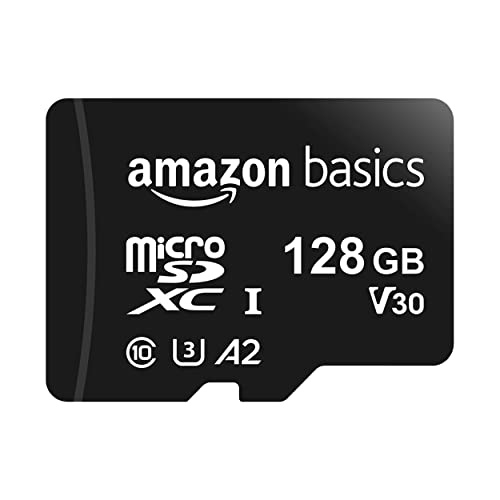
Cards print a row of symbols: the capacity mark such as SDXC, the UHS bus symbol, a U with a number, a V with a number and an A with a number. The A symbol is a small letter inside a rounded shape, easy to overlook. Read the product title as well, since sellers usually spell out the ratings.
a1 vs a2: Which Should You Choose?
Choose A2 if you
- Run apps or games from the card on a phone, tablet or handheld.
- Use a single-board computer that boots from the card.
- Know your device supports A2 features.
Choose A1 if you
- Use the card for photos, music and general storage.
- Have an older device that may not support A2.
- Want the lowest price for basic use.
FAQ
Is A2 faster than A1?
Yes, for random reads and writes, which is what apps and games use, as long as the device supports it.
Does A2 help with video recording?
No. Video depends on the U and V speed classes, not the A rating.
Will an A2 card work in an old device?
Yes, but it may perform like an A1 card or slower if the device lacks A2 support.
Which is better for a handheld?
A2, if the device supports it, because games load from random reads.
The simple verdict on a1 vs a2 is that A2 helps when apps and games run from the card on a supporting device, and A1 or a good U3 card is enough for everything else.


