
Acer Nitro vs Predator: Which Gaming Laptop Line Is Better in 2026?
Disclosure: We may earn a commission when you buy through links on this page, at no extra cost to you. As an Amazon Associate I earn from qualifying purchases. Learn more

Acer Nitro vs Predator compared on graphics, display, cooling and price, with a clear pick for budget gamers and power users.
Acer sells two gaming laptop lines, and the acer nitro vs predator question comes down to budget against power. Nitro laptops target players who want modern graphics at a lower price, while Predator laptops use faster processors, better screens and stronger cooling for demanding games and creative work.
This guide explains how the lines differ in graphics, display, memory, cooling and price, and which one fits your use.


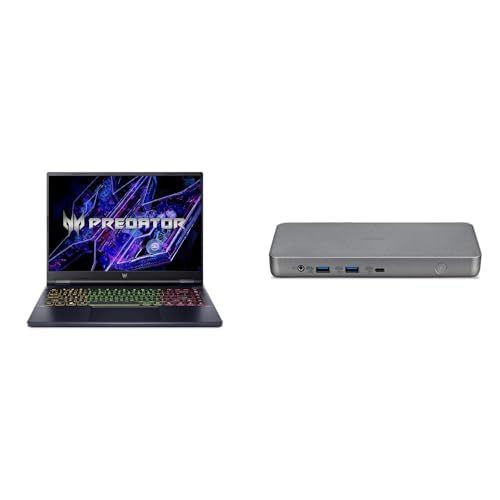

Acer Nitro vs Predator: The Main Differences
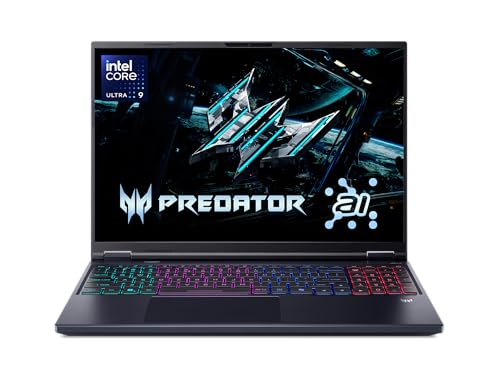
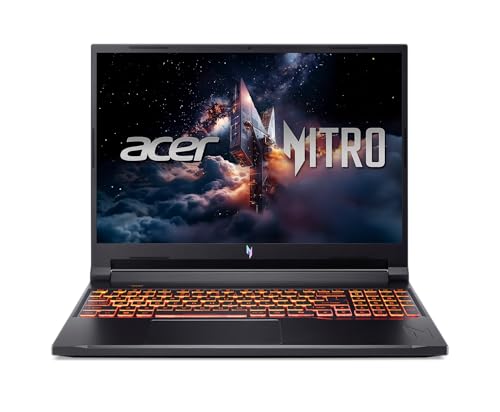
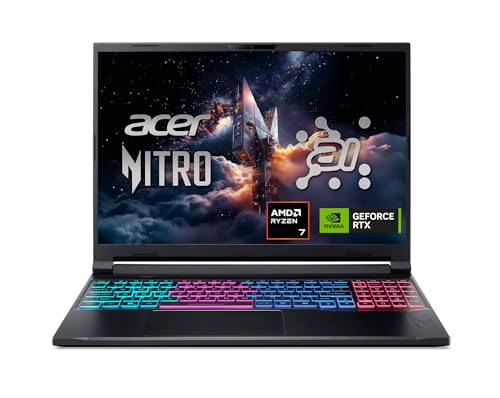
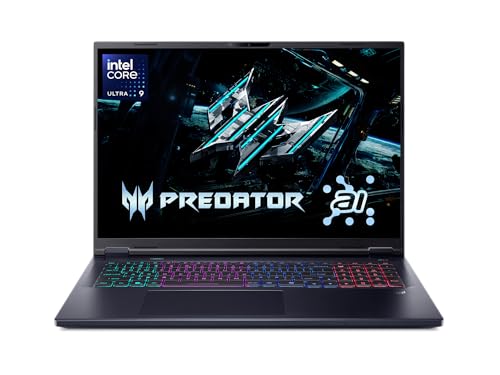
Nitro is Acer's value line. Current listings include the Nitro V 15 and the Nitro V 16 family with Intel and AMD processors and RTX 4050, RTX 5050 and RTX 5060 graphics. Predator is the premium line, represented in our table by the Predator Helios Neo 16 and 18 models with Intel Core Ultra 9 275HX chips and RTX 5070 Ti graphics, plus a smaller Neo 14.
In short, Nitro buys good 1080p or 1200p gaming for around $950 to $1,400. Predator buys high refresh, high resolution gaming for around $2,000 and up.
Graphics and Processor
A Nitro V 15 listing pairs a Core i5-13420H with an RTX 4050 or RTX 5050. The Nitro V 16S steps up to an AMD Ryzen 7 260 with an RTX 5060 and 572 AI TOPS. Predator Helios Neo listings use the Intel Core Ultra 9 275HX with an RTX 5070 Ti, which Acer describes as desktop-level performance and lists at 992 AI TOPS.
The RTX 5070 Ti is a clear step above the RTX 5050 and RTX 5060 for resolution and settings. If you want to play at 1440p with high settings, or use the laptop for rendering, the Predator is the better match.
Display and Build
Nitro screens are mainly 1080p or 1200p IPS panels with 144Hz to 180Hz refresh rates. The Nitro V 16S lists a 16-inch WUXGA 180Hz display with 100% sRGB coverage.
Predator Helios Neo models use 16 or 18-inch WQXGA panels at 240Hz with G-SYNC, a 16:10 shape, up to 100% DCI-P3 color and a 3ms response time, and one 16S listing adds an OLED panel. These screens look noticeably sharper and more accurate, which matters for creative work and for fast competitive games alike.
Cooling, Memory and Upgrades
Nitro V 15 listings describe dual fans and an exhaust system. Predator Helios Neo 18 listings go further with a custom 5th generation AeroBlade 3D metal fan and liquid metal thermal compound, which helps the stronger chip hold higher speeds.
Memory also scales up. Nitro listings run from 8GB to 32GB of DDR5, with two slots on the Nitro V 16S. The Predator Helios Neo 18 lists 32GB of DDR5 at 6400MHz with room for 64GB, a 2TB Gen 4 SSD, Killer Ethernet and Wi-Fi 6E. Check storage slots on each listing, since the Neo 18 shows no free M.2 slot in the version listed.
Price and Value
Nitro V 15 models start around $950 to $1,000 and reach about $1,300 with stronger configurations. The Nitro V 16S sits near $1,400. Predator Helios Neo 16 and 18 models run from about $2,000 to well over $2,500, and loaded versions go higher.
That gap is large, so decide first on resolution and the games you play. A Nitro with an RTX 5060 covers most gamers, and a Predator is worth the money only if you need the extra power.
Games and Workloads Each Line Suits
Esports titles, such as shooters and MOBAs, run at very high frame rates on a Nitro, and a 144Hz to 180Hz screen is enough to show them. Big single player games run well at 1080p or 1200p with DLSS enabled. Modding, streaming while gaming and high resolution play start to favor the Predator, which has more processor cores and stronger cooling to handle two jobs at once.
For video editing, 3D work and AI tools, the Predator's RTX 5070 Ti and 24-core class processor save real time. A Nitro can do those jobs, but renders take longer.
Buying Tips for Either Line
- Read the full model number: Nitro V and older Nitro 5 names look similar but sit a few generations apart.
- Choose 16GB of memory or more, and a 1TB SSD if you install several large games.
- Compare resellers carefully, since the same laptop appears with different RAM and storage options.
- Check the display line for refresh rate and resolution before looking at price.
Size, Portability and Battery
Nitro V 15 is the more portable choice with its 15.6-inch screen, while the Nitro V 16 models and the Predator Helios Neo 16 move up to 16 inches and the Neo 18 is a true big-screen machine. Larger laptops carry bigger chargers, so check the power adapter in the listing if you plan to travel with the laptop.
Whatever the line, a gaming laptop runs on battery only for light tasks. Plan to plug in for games, since performance drops when the laptop runs unplugged.
Who Should Choose Nitro and Who Should Choose Predator
Choose Nitro if
You play at 1080p, want a first gaming laptop, share the laptop with school or work and care about price. It is the sensible choice for most players.
Choose Predator if
You want a 240Hz QHD screen, the strongest graphics available, strong cooling for long sessions or heavy creative work such as video editing and 3D rendering.
Other Gaming Laptops to Compare
Acer is not the only choice. The ASUS ROG Zephyrus G14, the ASUS ROG Strix G16 and the Lenovo Legion 5i compete on both sides of the price gap, and the best gaming laptop guide ranks them together.
FAQ
Is Acer Predator better than Nitro?
Predator is faster and has better screens and cooling, but it costs much more. Nitro offers better value for 1080p gaming.
Can a Nitro laptop play modern games?
Yes. Nitro V models with RTX 4050, 5050 or 5060 graphics run current games well at 1080p.
Is Predator worth the extra money?
Only if you use the screen resolution, refresh rate or creative power. Many players are happier saving the difference.
Which is better for school and gaming?
A Nitro V 15 is cheaper and easier to carry, so it suits a mixed use laptop better.
Final Verdict
The acer nitro vs predator choice is a budget decision: Nitro is the smart buy for most gamers and Predator is for players who want the best screen and graphics. Compare the models in the table above and pick the line that matches your resolution and budget.


