
Alienware vs Razer: Which Gaming Laptop Is Better in 2026?
Disclosure: We may earn a commission when you buy through links on this page, at no extra cost to you. As an Amazon Associate I earn from qualifying purchases. Learn more
Alienware vs Razer compared on gaming laptop design, displays, cooling, upgrades and price, with a clear pick for different buyers.
The alienware vs razer comparison puts Dell's gaming brand against Razer's premium laptops, and the choice mostly comes down to power versus portability and how much you care about screen quality. Alienware offers larger, higher-power laptops with strong cooling and a broad price range. Razer builds thin aluminum laptops with OLED screens and a more premium price.
This guide compares design, performance, displays, cooling, upgrades, service and price, and finishes with a clear pick for different buyers.

Alienware vs Razer: The Short Answer
Choose Alienware if you want a wide choice of prices, strong cooling with high power limits and onsite service. Choose Razer if you want the thinnest, most polished laptop with an OLED display and you accept a higher price for the same graphics card.
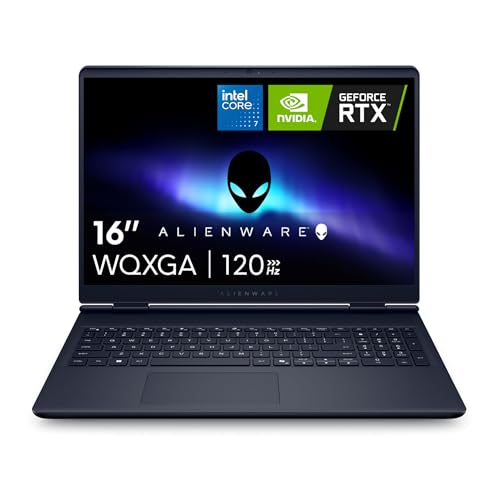
Prices tell the story. An Alienware 16 Aurora starts near $1,300, while the Razer Blade 16 with an RTX 5070 Ti lists near $3,500 and the RTX 5080 version lists near $4,700.
Design and Build
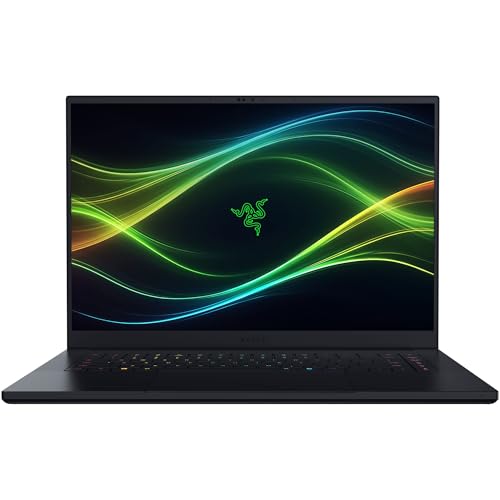
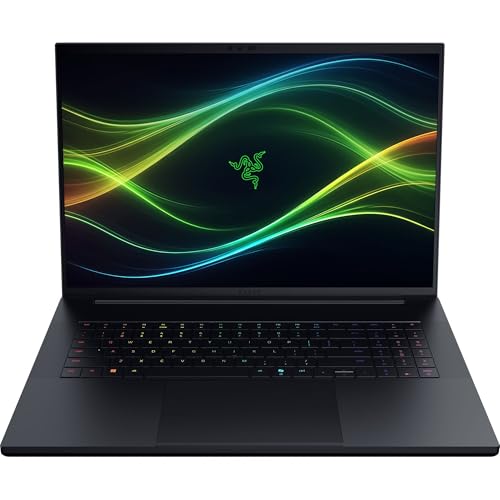
Razer Blade laptops use a CNC aluminum unibody. The latest Blade 16 lists a thin 14.9 mm body, and the Blade 18 lists 7.06 pounds with a fingerprint-resistant coating, a per-key RGB Chroma keyboard and a glass touchpad. The result looks and feels like a premium ultrabook.
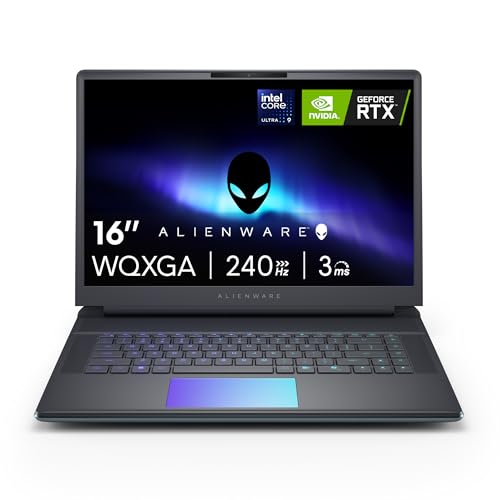
Alienware laptops are thicker, with a design built around airflow. The Area-51 uses the Cryo-Chamber, which props up the laptop and enlarges the air intake, and adds ambient AlienFX lighting. They are bulkier, but they also run cooler under heavy load.
Displays
Razer wins on display quality. The Blade 16 lists a 16-inch 2560 x 1600 OLED panel at 240Hz with a 0.2 ms response time, 16:10 shape, VESA DisplayHDR TrueBlack 1000 with up to 1,100 nits and 100% DCI-P3 color verified by Calman. The Blade 18 lists a dual-mode 18-inch screen that switches between UHD+ at 240Hz and FHD+ at 440Hz.
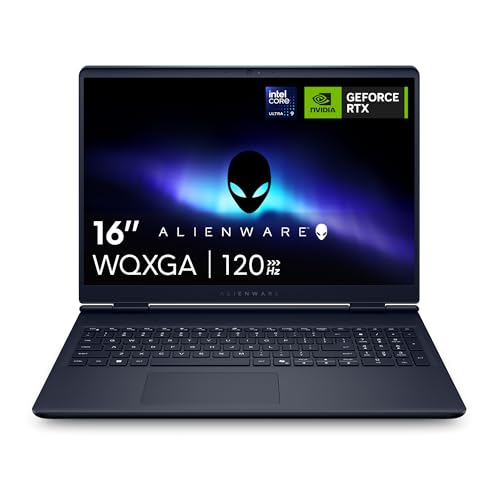
Alienware's displays are strong but different: the Area-51 16 lists a 2560 x 1600 panel at 240Hz, the 18 Area-51 lists a 300Hz panel with a 3ms response time, and the 16 Aurora lists a 120Hz WQXGA panel at 300 nits. The Razer OLED is better for color and contrast, and the Alienware panels favor high refresh rates.
Performance and Cooling
Both brands use the latest Nvidia RTX 50 series graphics and Intel processors. The Blade 16 pairs an Intel Core Ultra 9 386H with an RTX 5070 Ti at up to 140W, or an RTX 5080 at up to 165W. The Blade 18 pairs a Core Ultra 9 290HX with an RTX 5090 at 175W. Alienware's Area-51 16 pairs the Core Ultra 9 275HX with an RTX 5070 Ti and higher, and the Area-51 18 reaches RTX 5080.
Razer uses vapor chamber cooling to keep a thin body cool, and Alienware relies on larger air intakes and fans. In practice, thicker laptops hold their speeds longer, while thin ones throttle sooner under very long loads.
Memory, Storage and Upgrades
This is a notable difference. The Blade 16 lists LPDDR5X memory that is not upgradeable, with two M.2 slots for storage up to 8TB total. The Blade 18 lists upgradeable DDR5 up to 128GB and dual M.2 slots. Alienware listings use DDR5 memory in most models, and some resellers sell upgraded versions with 32GB or 64GB. Check each listing for memory type if you plan to upgrade.
Service, Software and Ecosystem
Alienware-sold laptops list 1 year of onsite service from Dell. Razer's warranty terms depend on the listing, so read them before buying, and the brand offers Razer Synapse for lighting and settings. Alienware's Command Center is the matching tool on that side.
Razer's wider ecosystem of peripherals, headsets and keyboards integrates well with Chroma lighting, which appeals to people who want one look across their desk.
Price and Value
For the same graphics card, Razer costs far more because of the OLED screen, thin body and brand. Alienware gives more performance per dollar and a bigger price ladder. If you need a thin laptop to carry daily, the Razer premium may be worth it. If you mostly game at a desk, an Alienware offers better value.
For other options, read the ASUS ROG Strix G16 review, the ASUS ROG Zephyrus G14 review, the Lenovo Legion 5i review and the best gaming laptop guide.
Travel, Battery and Daily Carry
If the laptop leaves the house every day, weight and thickness matter more than any spec. The Blade 16 is built to travel, with a slim aluminum body and a USB-C and Thunderbolt 5 port set that lets one cable handle a dock, monitor and charging at a hotel desk. Alienware's laptops are bulkier and heavier, and their charger bricks are larger. Neither is a battery champion, since gaming laptops draw a lot of power, but lighter workloads such as browsing and video last longer on a thin machine with an efficient processor.
Gaming and Creative Use
For games, both brands deliver high frame rates at 1600p with DLSS, and the OLED screen on the Razer makes dark games and HDR content look richer. For creative work, Calman-verified color on the Blade and the strong GPUs in both lines suit editing and 3D tasks. The choice then depends on whether you value the best screen or the most cooling headroom, since a thinner laptop cannot sustain the same long renders as a thick one.
Which Should You Choose
Choose Alienware if
You want strong cooling, a wide price range, onsite service and desktop-like power in a laptop.
Choose Razer if
You want a thin, polished laptop with an OLED display for gaming and creative work, and can afford the premium.
FAQ
Is Razer better than Alienware?
Razer is better for design and display quality, and Alienware is better for power, cooling and value.
Which is cheaper?
Alienware, especially at the entry level with the 16 Aurora.
Which is more portable?
Razer. The Blade 16 lists a 14.9 mm body.
Can I upgrade the memory?
The Blade 18 can, and the Blade 16 cannot. Check each Alienware listing for the memory type.
Final Verdict
The alienware vs razer decision favors Alienware for value and sustained power and Razer for style and OLED screens. Compare the laptops in the table above, check the memory and warranty details and choose the brand that matches how you carry and use your laptop.


