
APC vs CyberPower UPS Comparison: Which Is Better in 2026?
Disclosure: We may earn a commission when you buy through links on this page, at no extra cost to you. As an Amazon Associate I earn from qualifying purchases. Learn more

APC vs CyberPower: how the two UPS brands differ on sine wave output, runtime, displays and replacement batteries.
Walk down the UPS aisle and two names dominate: APC and CyberPower. Both build battery backups that keep a computer alive through a short blackout, so the real decision in the APC vs CyberPower debate is about waveform, runtime, software and replacement batteries, not about which brand is generally better.
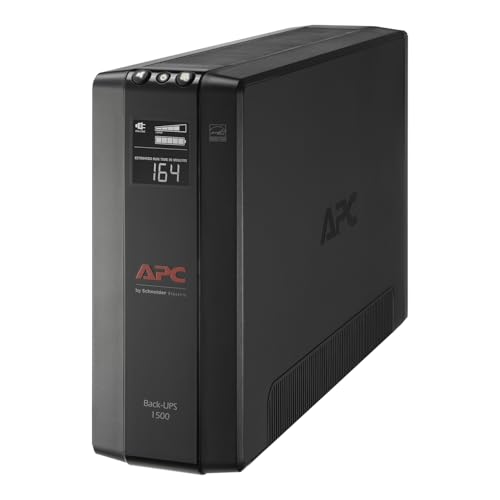
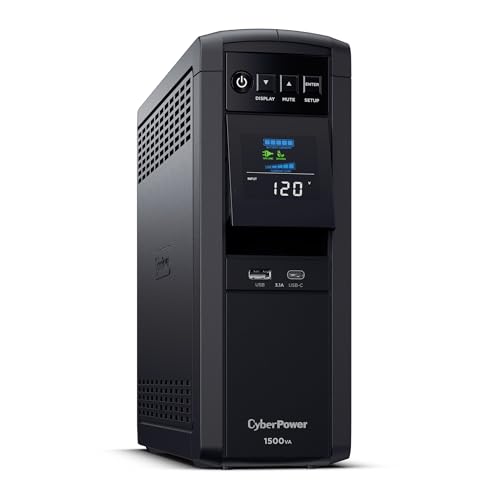
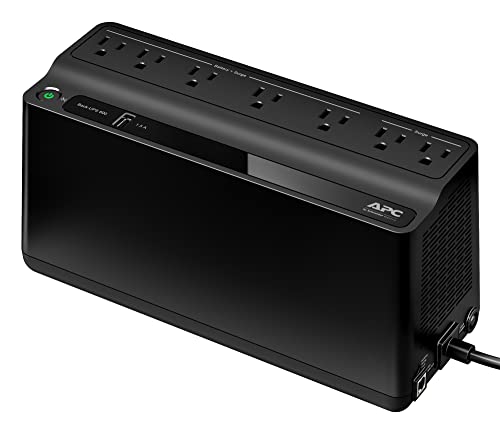
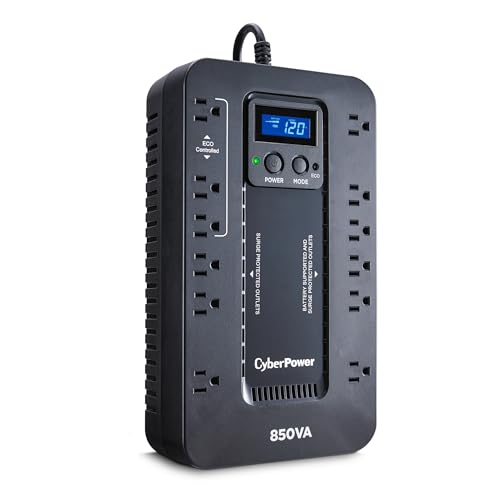
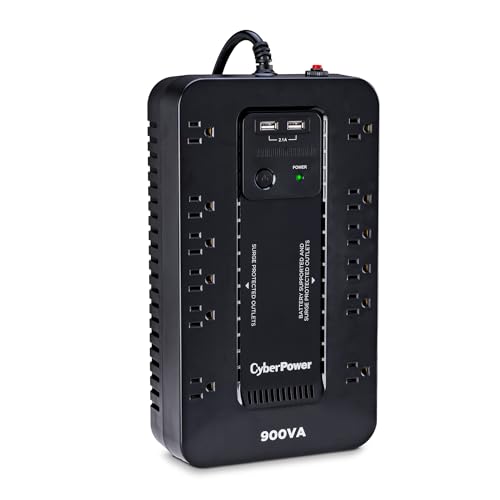
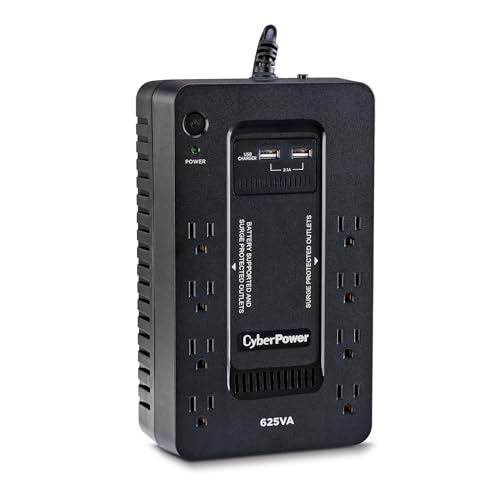
The product table above lists popular models from both brands, from small 600VA units for a router to larger 1500VA models for a gaming desk. Use it for current prices and read below for the differences that matter.



The Two Brands in Brief
APC, part of Schneider Electric, built its name on the Back-UPS line and has the widest range of replacement batteries in the market. CyberPower is known for strong value and a heavy emphasis on pure sine wave models with LCD panels at fair prices, which appeals to gamers and home-lab owners.
Both brands cover the full ladder, from entry-level standby units to rack-mount smart UPS systems for server rooms.
Simulated Versus Pure Sine Wave
This is the biggest practical difference. Entry-level units from both brands output a stepped wave on battery that works with most PCs. Modern power supplies with active power factor correction can shut down on a stepped wave, so gamers and creators usually pick a pure sine wave model.
CyberPower sells pure sine wave units at lower prices, with the PFC Sinewave line as a popular example. APC's equivalent is its Back-UPS Pro and Smart-UPS ranges, which cost more but add refinements.
Runtime and Capacity
Do not shop by VA alone. Check the watt rating, then compare the runtime chart in the listing for your actual load. Two 1500VA units from different brands can have different watt ratings and quite different runtimes.
Add up the wattage of your PC, monitors and network gear, and buy a UPS whose watt rating exceeds that total by a comfortable margin. A UPS running near its limit gives a short runtime and wears its battery faster.
Outlets, Ports and Displays
Look at how many outlets are battery-backed and how many are surge-only. Spacing matters because large power bricks block neighbors. LCD displays, found on many CyberPower and higher-end APC units, show load, runtime and battery status, which makes tuning a setup much easier than relying on beeps.
USB data ports let the computer shut down automatically. Both brands provide software, though APC's PowerChute is more polished while CyberPower's PowerPanel offers more detail on the cheaper models.
Batteries and Service
APC has a strong network of replacement batteries, including its RBC cartridge series, and they are easy to find. CyberPower batteries are also available, but exact sizes vary, so check the model number before buying. A replaceable battery extends a UPS life far beyond the original cells.
Warranties are similar, and both brands include a connected-equipment guarantee with conditions. Read the terms, and register the unit if the maker offers it.
Noise and Heat
Small units are generally quiet, but fans and relays on larger models can click or hum. If the UPS sits in a bedroom or recording room, read buyer comments about noise before ordering. Always keep ventilation clear to protect the battery.
Sizing a UPS for Common Setups
A router, modem and a small network switch need very little power, so a compact unit gives hours of runtime. A typical desktop PC with one monitor sits in the middle, and a 1000 to 1500VA class unit usually gives a few minutes, which is exactly the time you need to save and shut down. Gaming PCs with a power-hungry graphics card and several screens need a larger watt rating, and pure sine wave output is strongly recommended.
If you want to ride out long outages, a UPS is the wrong tool. Its job is to bridge short cuts and enable a clean shutdown. For hours of runtime, look at a portable power station or a home battery system instead.
Common Mistakes to Avoid
The most common mistake is plugging in a laser printer or space heater, which overloads the battery outlets. The second is ignoring battery age: a five-year-old unit that has never been replaced may drop out immediately in a real outage. The third is buying on VA alone without reading the watt rating.
Also remember to check the unit. A monthly self-check, or a planned pull of the plug during a quiet moment, confirms that the battery still works and that your PC shuts down as expected.
APC vs CyberPower: Which Should You Buy
Choose APC if you want a simple, widely supported Back-UPS for a router, small PC or home office, and expect to replace batteries over a long life. Choose CyberPower if you want pure sine wave output, an LCD and strong value for a gaming PC or workstation. In the mid-range the two are close, so compare current prices and watt ratings.
For deeper reading, our best UPS battery backup guide covers more models, and the CyberPower CP1500PFCLCD review and CyberPower CP1500AVRLCD3 review look at two popular units. If you need longer runtime, the EcoFlow River 3 review covers a portable alternative.
Where to Place Your UPS
Put the UPS on the floor or a sturdy shelf near the computer, with air space on every side. Avoid carpets that trap dust, and keep it out of direct sun. Run cables neatly so that nothing is pulled loose when you move the desk, and label which outlets feed which devices, so that guests or family do not unplug the router by accident.
FAQs
Is APC better than CyberPower?
Neither wins across the board. APC is stronger on support and battery availability, while CyberPower often gives more features for the money.
Do I need pure sine wave?
If your computer has an active PFC power supply, or you run sensitive audio gear, it is the safer choice.
What size UPS should I buy?
Add up the watts you plan to protect and choose a unit with a comfortable margin above that, then check the runtime chart for your load.
Can I use a UPS with a laser printer?
Avoid it. Laser printers draw heavy bursts of power and can overload the battery outlets.
Final Verdict
The APC vs CyberPower comparison favors whichever model matches your load and your waveform needs. APC leads on ecosystem and support, and CyberPower leads on sine wave value. Compare watt ratings and runtimes in the product table, and buy the model that gives you a few minutes of safe shutdown time with room to spare. If this apc vs cyberpower comparison still leaves you torn, shortlist your favorite and rely on the return window.
Prices and availability can change, so check the product page before ordering.


