
Apple Magic Keyboard Alternative Options for 2026: Mac-Friendly Keyboards Compared
Disclosure: We may earn a commission when you buy through links on this page, at no extra cost to you. As an Amazon Associate I earn from qualifying purchases. Learn more

Not sold on Apple's keyboard? This apple magic keyboard alternative guide compares slim, mechanical and budget Mac keyboards.
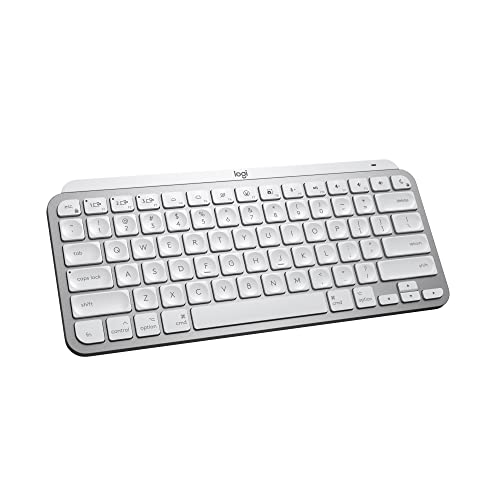
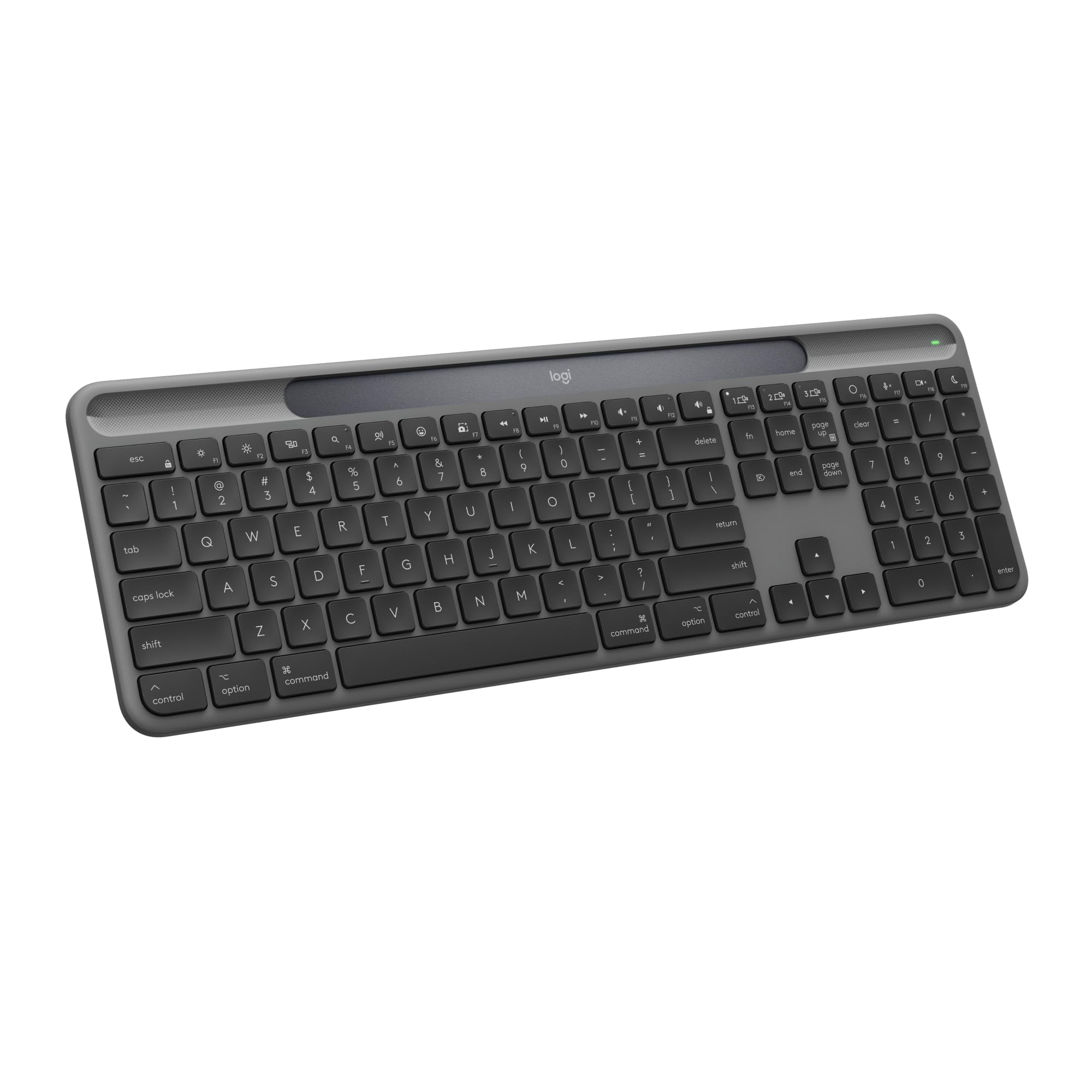
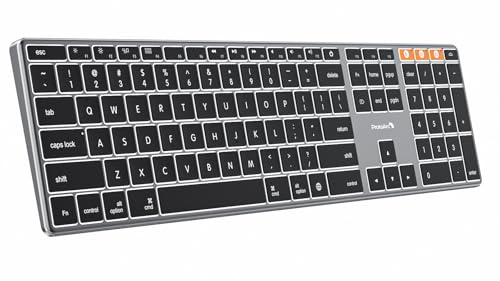
Apple's Magic Keyboard is slim and tidy, but it is also pricey, limited in features and not very kind to heavy typists. If you want an Apple Magic Keyboard alternative, the keyboards above from Logitech, Keychron, Macally, ProtoArc and others offer better typing feel, more features or lower prices.
The product table lists Mac-friendly keyboards in several styles. Compare prices there, then read below to decide which type fits your desk.






Why Look Beyond the Magic Keyboard
Apple's keyboard has shallow keys, no backlight on most versions, a fixed layout and no multi-device switching. Touch ID models are convenient but costly. Many alternatives offer backlighting, deeper key travel, multi-device pairing and better ergonomics.
Best Overall Alternatives From Logitech
Logitech's MX Keys S for Mac is a favorite: low-profile keys with a satisfying feel, smart backlighting, USB-C charging and easy switching between three devices. The MX Keys Mini is the compact version for small desks. Both are well made and widely sold, and they are often cheaper than Apple's Touch ID model.
Apple Magic Keyboard Alternative: Slim and Quiet Options
If you like the Magic Keyboard's thin profile, the Logitech Signature Slim K950 and K980 give you a similar look with a quiet typing feel. The K980 uses solar charging, which reduces battery worries. They are good choices for open offices where noise matters.
Mechanical Keyboards for Mac
The Keychron K8, Logitech MX Mechanical Mini and similar boards give the clicky or tactile feel that many typists love. Keychron's Mac layout, with hot-swappable options on some models, suits enthusiasts who like to customize. They are thicker and louder than Apple's design, so consider the environment where you will use them.
Budget Picks
Macally, ProtoArc and TECKNET make keyboards that cost much less than Apple's, with Mac key mapping and Bluetooth connectivity. Build quality and key feel are plainer, but for students and occasional use they are excellent value. Some include a numeric keypad for spreadsheets.
- Best all-rounder: Logitech MX Keys S for Mac.
- Best compact: Logitech MX Keys Mini.
- Best mechanical: Keychron K8 or Logitech MX Mechanical Mini.
- Best budget: Macally, ProtoArc or TECKNET.
Compatibility With Mac
Look for Mac-specific key legends or a switch that swaps Windows and Mac layouts. Check that the keyboard connects over Bluetooth, since a USB receiver may need an adapter for modern Macs. Touch ID is exclusive to Apple's keyboards and will not work on third-party models.
Typing Feel and Ergonomics
If you type for hours, key travel and layout matter more than looks. Low-profile keys like Apple's are quiet but shallow, while Logitech's MX range offers a slightly deeper, more cushioned feel and a gentle curve in each keycap. Mechanical boards give a firmer, more distinct press that many writers and coders prefer, and some offer tactile or linear switches so you can tune the sound.
Ergonomic layouts, wrist rests and tilt legs help comfort too. If you have wrist discomfort, try a split or wave-shaped keyboard and talk to your doctor or an occupational therapist about your setup.
Multi-Device and Connectivity
If you switch between a Mac, an iPad and a phone, choose a keyboard with quick device switching. Logitech's MX and K380 range let you pair three devices and change with a single key. Most models in the table use Bluetooth, while a few include a USB receiver for desktops. Check that the receiver is compatible with USB-C-only Macs, or buy a small adapter.
Power and Battery Life
Rechargeable keyboards can last weeks on a charge with the backlight off, and months with solar panels such as Logitech's K980. Models that use replaceable batteries last similar periods and are easy to refresh. Check the charging port, which should be USB-C on modern keyboards, and whether the keyboard keeps working while it charges.
Compact, Full-Size and Numeric Keypad
Full-size keyboards include a number pad that suits spreadsheets and accounting. Compact models save desk space and bring the mouse closer, which reduces shoulder strain. Decide how often you use the numeric keypad before choosing a size, and remember that some compact keyboards remove arrow keys or function rows.
Care and Longevity
Wipe the keys with a slightly damp cloth, avoid eating over the keyboard and keep it away from liquids. Mechanical keyboards allow key caps to be pulled off and cleaned, which extends life. Rechargeable batteries wear after several years, so check the warranty and the availability of spares.
What to Check Before Buying
Consider the layout, the presence of a numeric keypad, battery life and the type of charging port. Check whether the keyboard supports multiple devices and whether the keys are backlit. Read comments about typing feel, since personal taste matters.
See our Apple Magic Keyboard review, Logitech MX Keys S review, Logitech K380 review and best keyboard guide for more detail.
Common Mistakes When Choosing
The most common mistake is buying a Windows layout keyboard without checking the Mac key legends. The command and option keys sit in different positions, and a mislabelled keyboard is frustrating. Another is ignoring the battery type, which leaves you with a dead keyboard at a bad moment. A third is picking a very loud mechanical switch for a shared room or a call-heavy job.
Take a minute to read recent comments for connection problems, especially sleep and wake behavior on Mac, since some Bluetooth keyboards need a key press to reconnect.
Setting Up a New Keyboard on Mac
Pair the keyboard in System Settings, then open the keyboard pane to confirm that the command and option keys behave correctly. If a Windows layout is detected, swap the modifier keys in the settings. Turn on backlight timeouts to save battery, and label device slots if the keyboard supports several computers.
FAQs
Do third-party keyboards work with Mac?
Yes, most Bluetooth keyboards work. Look for a Mac layout.
Can I use Touch ID with another keyboard?
No. Touch ID works only with Apple's keyboards.
Which keyboard is quietest?
Slim scissor-switch keyboards such as the Logitech Signature Slim are the quietest.
Are mechanical keyboards good for Mac?
Yes, and many offer Mac layouts, but they are louder.
Final Verdict
The best Apple Magic Keyboard alternative depends on what you dislike about Apple's design. Choose Logitech for polish, Keychron for mechanical feel and Macally or ProtoArc for savings. Compare prices in the product table before buying. If this apple magic keyboard alternative list still leaves you torn, shortlist two models and use the return window to decide.
Prices and availability can change, so check the product page before ordering.


