
ASUS Vivobook S 14 Review for 2026: Slim OLED Laptop for Work and Play
Disclosure: We may earn a commission when you buy through links on this page, at no extra cost to you. As an Amazon Associate I earn from qualifying purchases. Learn more

This asus vivobook s 14 review compares the Intel Core Ultra and AMD Ryzen AI versions, the 14-inch OLED display, battery and ports, and who should buy it.
The ASUS Vivobook S 14 is a slim, light laptop that pairs a 14-inch OLED screen with the latest AI-ready processors. This asus vivobook s 14 review explains what the laptop does best, how the current versions differ and which kind of buyer will be happiest with it.
It is not a gaming laptop, but it fits the same desk as a gaming PC: a lightweight machine for school, work and travel that can still run light games. The product table lists several processor versions, because ASUS has refreshed the Vivobook S 14 several times.

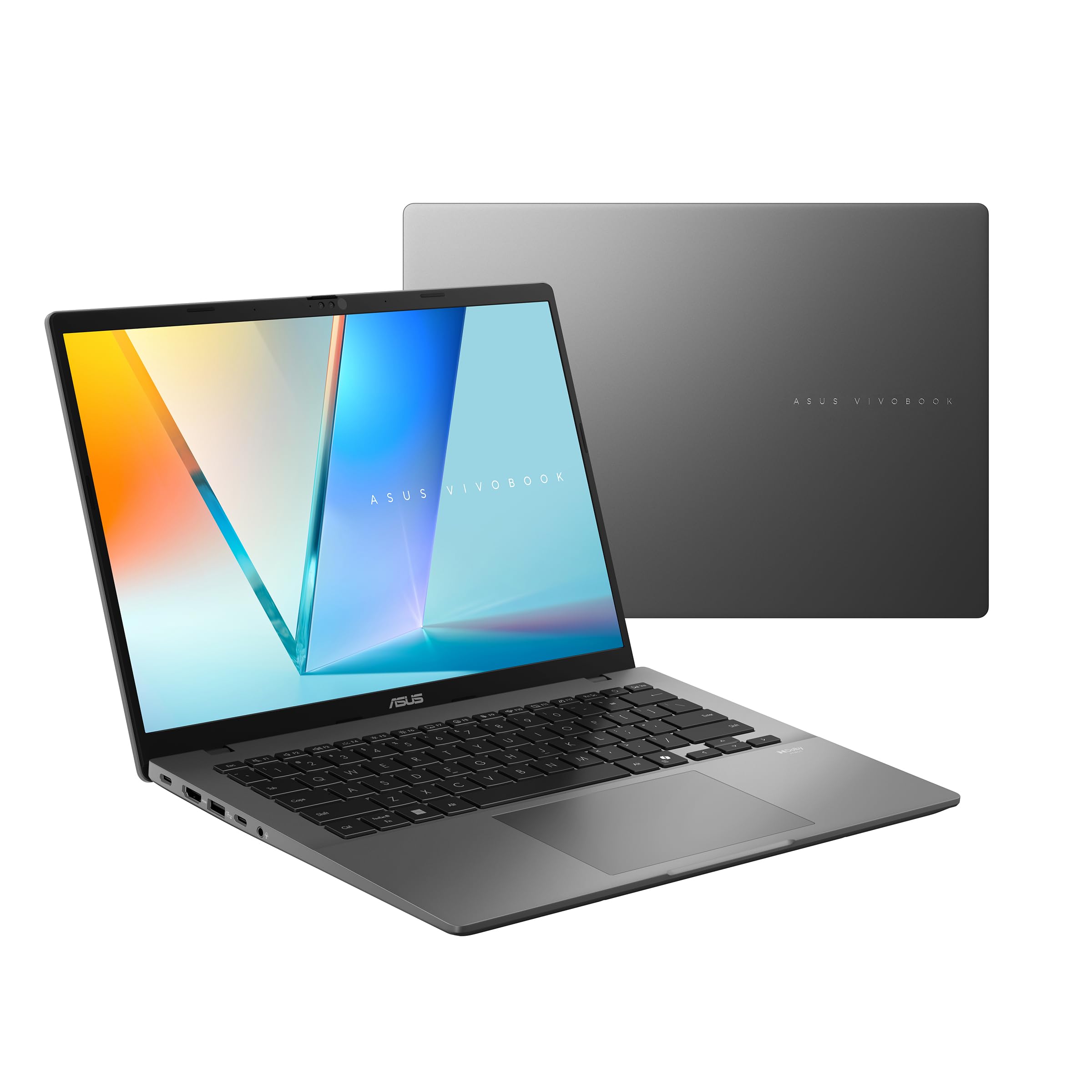


Slim Design and Portability
The S series is the more premium side of the Vivobook range, with a thin body and clean styling aimed at professionals and students. A 14-inch size is the sweet spot for carrying: big enough for comfortable work, small enough to slip into any bag. Listings describe an ultra-slim and light design with a high-capacity battery.
The 14-Inch OLED Display
The key feature is the display. Listings describe a 14-inch OLED panel with a WUXGA 1920 x 1200 resolution, a 16:10 shape, 100 percent DCI-P3 color and 400 nits of brightness. OLED gives richer color and deeper blacks than a standard laptop panel, and the 16:10 ratio adds vertical room for documents, spreadsheets and browsing.
It is a pleasure for watching video and editing photos. In bright rooms or outdoors, a matte IPS panel is easier to read, so consider your environment.
Processor Choices
Current listings include the Intel Core Ultra 7 258V with Intel Arc graphics, the newer Core Ultra 7 355, the AMD Ryzen AI 9 365 and older Intel Core Ultra 9 185H versions. The newer Core Ultra and Ryzen AI chips are designed for efficiency and AI features, which helps battery life, and ASUS markets them as Copilot+ PCs.
For office work, browsing and video, any of them is quick. For light gaming, integrated graphics handle older and esports titles at low settings, but this is not a laptop for demanding games.
Memory, Storage and Ports
Versions range from 16GB to 32GB of memory and from 512GB to 2TB of SSD storage. A highlighted listing shows two Thunderbolt 4 ports, two USB-A ports, HDMI 2.1, a microSD reader and a combo audio jack, with Wi-Fi 7 and Bluetooth 5.4. Memory is generally not upgradeable on thin laptops, so pick the capacity you need.
Battery Life
The listing quotes a 75Wh battery and a very long maximum run time. Treat such numbers as a best case. In everyday use, an efficient chip and an OLED screen lasting through a full workday is realistic if you keep brightness moderate and avoid heavy tasks.
Which Version Should You Buy?
Choose the Core Ultra 7 or Ryzen AI 9 versions for the best battery life and AI features. Older Core Ultra 9 185H versions may offer a lower price and stronger raw performance, but they use more power. Match memory and storage to your needs, and check the seller, because several listings add storage upgrades.
- Choose 32GB if you multitask heavily.
- Choose 1TB or larger for a growing photo and game library.
- Check the warranty on every listing.
Who Should Buy the Vivobook S 14
Students, remote workers and travelers who want a premium screen and long battery life should consider it. If you want a laptop that also plays modern games, look at gaming models such as the Zephyrus G14. Our best laptop guide, the Zenbook A14 review and the HP OmniBook 5 review cover other thin options.
Day-to-Day Experience
A slim OLED laptop shines in routine use. Documents look crisp, video looks vivid and the 16:10 screen gives more of a page than a widescreen display. Quick wake-up, a backlit keyboard and a camera that supports facial sign-in on some versions make daily use pleasant. Choose a dark theme to keep brightness low and to extend battery life, and you will get more of the day out of the charge.
Light Gaming and Creative Work
Integrated graphics have improved a lot, and the newer chips can play older games and esports titles at modest settings. Creative tasks such as photo editing and light video work run smoothly, and the OLED screen shows accurate color. For heavier work, an external graphics solution or a dedicated gaming laptop is a better fit. If you play occasionally in the evening, the Vivobook S 14 is a capable travel companion.
Seller Notes and Warranty
Several listings come from resellers who upgrade memory or storage and add their own warranty. That can be fine, but read the details carefully: one listing discloses that the sealed laptop was reopened to upgrade the SSD and carries a one-year seller warranty. Compare that with a listing that keeps the manufacturer warranty, and decide whether the extra storage justifies the difference in coverage.
Accessories Worth Considering
A slim sleeve protects the laptop in a bag, and a compact USB-C charger with enough wattage keeps it powered on the move. A small external drive adds space for photos and games, and a lightweight mouse makes long work sessions more comfortable. If you connect to a monitor at home, a Thunderbolt dock turns the laptop into a desktop in one cable.
How It Compares With Gaming Laptops
Gaming laptops give you much more graphics power but weigh more, run hotter and drain their batteries faster. The Vivobook S 14 gives up that power for a lighter body and longer time away from a charger, which is a better trade for many people who only play casually.
Frequently Asked Questions
Does the Vivobook S 14 have an OLED screen?
Yes. The listings describe a 14-inch 1920 x 1200 OLED display with 100 percent DCI-P3 color.
Is it good for gaming?
It handles light and older games with integrated graphics, but it is built for productivity rather than demanding games.
Can I upgrade the memory?
Thin laptops usually use soldered memory, so choose the capacity at purchase.
Does it support Wi-Fi 7?
One listing mentions Wi-Fi 7 and Bluetooth 5.4. Check the specific version you plan to buy.
Final Verdict
The Vivobook S 14 is a polished, light laptop with an excellent screen. This asus vivobook s 14 review recommends it for work, study and travel. Check the version, seller and warranty before you order.


