
Best 120mm CPU Coolers: Compact Air Towers and Single-Fan Liquid Coolers
Disclosure: We may earn a commission when you buy through links on this page, at no extra cost to you. As an Amazon Associate I earn from qualifying purchases. Learn more

Best 120mm CPU cooler options compared: single-tower air and 120mm liquid designs, socket support, clearance, noise and cooling headroom.
A 120 millimetre CPU cooler is the compact choice for most mainstream builds. It uses a 120mm fan on a tower heatsink or a 120mm radiator with a small liquid loop, and it fits cases where a giant cooler would not. The best 120mm CPU cooler keeps your processor in its comfort zone without drowning out the rest of the PC.
This guide compares air and liquid designs, explains how to check socket and clearance compatibility, and shows how noise, load and budget interact. The product table above lists a spread of both types.
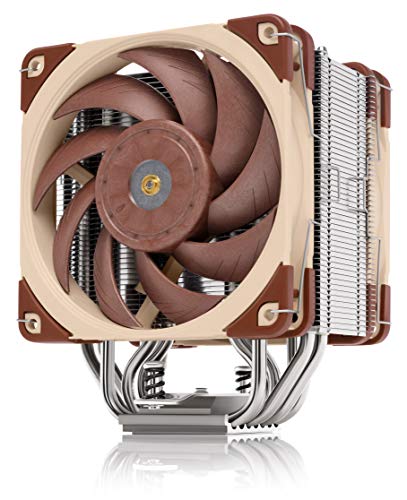


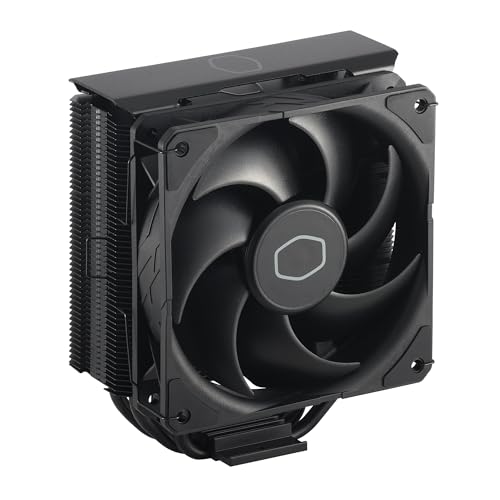


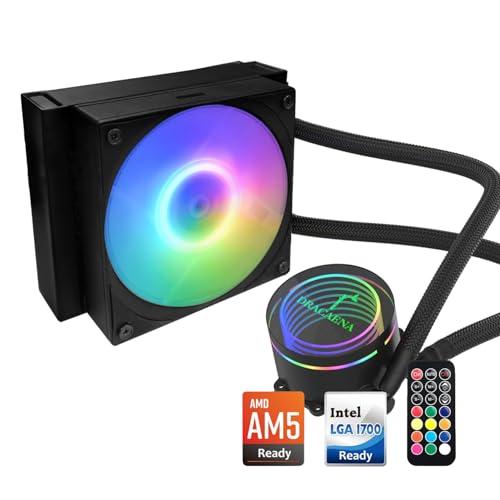
Air Tower or 120mm Liquid Cooler
Single-tower air coolers use metal fins and heat pipes with a fan to pull heat away. They are simple, reliable and quiet, and there is no pump or liquid to fail. A 120mm liquid cooler uses a pump block on the processor, tubes and a single radiator with a fan.
Air coolers usually win on value and longevity. Liquid coolers can look neat and clear space around the socket, but a single 120mm radiator offers limited capacity. For larger radiators and more cooling, our AIO CPU cooler guide and liquid CPU cooler guide explain the options, while the air CPU cooler guide covers bigger towers.
Check Socket Compatibility
Every cooler lists the sockets it supports. Confirm that your processor socket, whether Intel or AMD and which generation, appears in the list, and that the mounting kit is in the box. Some older coolers need adapters for newer sockets, and some listings are vague.
If you plan to upgrade the processor later, choose a cooler with a broad compatibility list. Retention brackets differ by platform, so check that the bracket clears motherboard components.
Clearance: Height, Memory and Case Width
Tower coolers must fit inside your case. Check the cooler's height against the case's stated maximum, and remember that side panels can bulge. Tall memory modules may collide with the fan, so look at memory clearance or choose a cooler that lets you raise the fan.
For liquid coolers, check that the radiator mounts at the rear, top or front of your case and that the tubes reach. A radiator that fits poorly can put strain on the hoses or block graphics card slots.
Cooling Power and Processor Load
Coolers state a thermal design power rating, which describes the processor heat they can handle. A budget processor needs little, while a high-end one that boosts hard needs more. Pick a cooler with headroom, because a cooler running near its limit gets loud.
A single 120mm cooler suits mainstream processors and moderate workloads. If you run heavy rendering, gaming and overclocking together, consider a larger cooler instead.
Noise and Fan Quality
Fan quality and curve matter more than the cooler's size. A good PWM fan idles quietly and ramps smoothly. Look for coolers that allow fan swaps or include a quality fan, and check buyer feedback on noise at load.
Pump noise is a factor for liquid coolers, and some produce a faint hum or gurgle. Air coolers avoid that. Rubber pads and vibration dampers improve quiet running.
Installation and Thermal Paste
Install the cooler before the motherboard goes into the case when possible, since it makes mounting easier. Apply a small amount of thermal paste to the processor, fit the cooler evenly and tighten screws in a cross pattern. Connect the fan to the processor fan header.
Most coolers include paste, but a good paste can lower temperatures a little. Remove any plastic film from the base plate before mounting.
Choosing the Best 120mm CPU Cooler by Budget
Budget towers give surprisingly good cooling for modest processors and often outperform stock coolers. Mid-range models add more heat pipes, better fans and refined finishes. Premium coolers add very quiet fans, strong mounting hardware and long warranties.
Liquid coolers add cost for the pump and radiator, so think about whether you value the look or the cooling. For most people, a good air cooler is the better value.
Pairing the Cooler With Your Case Airflow
A cooler only works as well as the air around it. Make sure the case has a clear path for cool air in at the front and warm air out at the rear, and keep cables away from the cooler's fan. In a small case, check that the cooler's exhaust direction does not blow hot air straight at the graphics card.
Tower coolers can orient their fan to push air toward the rear exhaust, which keeps the airflow tidy. For liquid coolers, mounting the radiator as exhaust at the top or rear generally keeps the case air fresher, though mounting at the front brings in cooler air to the radiator.
Problems to Watch For
If temperatures are high after a fresh install, check the mounting pressure and make sure the plastic film is off the base. A rattling noise may mean the fan is touching a cable, and a whine can mean a poorly set fan curve. Heat spikes at idle often come from software, not the cooler.
If a liquid cooler's pump is silent or temperatures jump, shut down immediately and check the connection. Keep warranty details handy in case a replacement is needed.
Frequently Asked Questions
Is a 120mm cooler enough for gaming?
For most mainstream processors, yes. High-end processors under heavy load may need a larger cooler.
Air or liquid for a 120mm cooler?
Air is simpler and cheaper. A 120mm liquid cooler suits builds where tidy looks or limited space matter.
Do I need thermal paste?
Most coolers include some. You can apply a better paste if you wish.
Will it fit my case?
Check the cooler height or radiator mount against your case specifications.
How often should I clean it?
Clear dust every few months to keep temperatures down and fans quiet.
Wrapping Up
Choose air or liquid based on your case and budget, confirm socket and clearance, and give your processor some cooling headroom. The best 120mm CPU cooler stays quiet, fits your parts and handles your usual workload. Use the product table above to compare options and check the return policy.
Prices and availability can change, so check the product page before ordering.


