
Best 12GB Graphics Cards: When 12GB of VRAM Matters and What to Pair It With
Disclosure: We may earn a commission when you buy through links on this page, at no extra cost to you. As an Amazon Associate I earn from qualifying purchases. Learn more

Best 12GB graphics card advice: when 12GB of VRAM helps, how older and newer cards differ, plus power, size and driver checks.
Video memory decides how much detail a graphics card can hold ready at once, and twelve gigabytes sits in a comfortable spot for modern gaming. It gives breathing room for high-resolution textures and ray tracing without the price of top-tier cards. The best 12GB graphics card pairs that memory with a chip fast enough to use it.
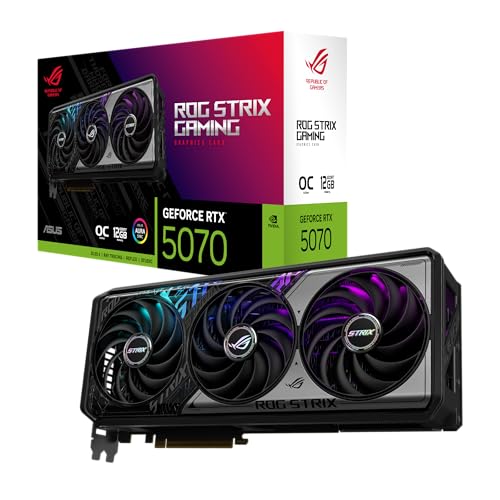
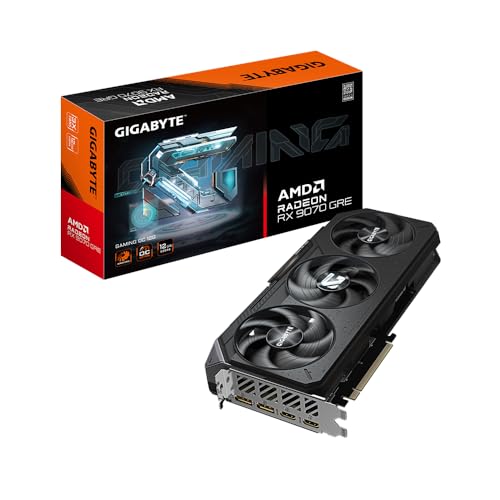
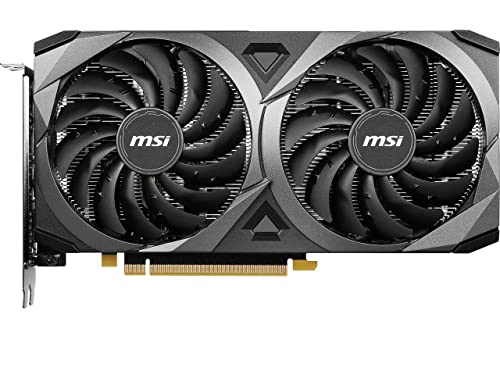
This guide explains when 12GB of VRAM helps, how cards from different generations compare, and what to check on power, case fit and drivers. The product table above lists a spread of 12GB cards from different price tiers.







Why 12GB of VRAM Matters
Games load textures, shadows and effects into video memory. When memory runs out, the card spills data to slower system memory, which causes stutters and drops in frame rate. Recent games at higher resolutions and quality settings use more memory than older titles did.
Twelve gigabytes handles most current games at 1080p and 1440p with high settings, and it gives headroom for the next few years. Eight gigabytes can struggle in the newest titles, while sixteen and above suits 4K or heavy creative work. Our graphics card overview explains where 12GB sits.
The Chip Matters More Than the Memory
Memory capacity does not make a slow chip fast. A 12GB card with an older, weaker processor can be outpaced by a newer card with less memory. Compare the graphics chip's tier and generation first, then use VRAM as a tie-breaker.
Read reviews that compare frame rates in your games. Two cards with 12GB can differ greatly, especially when one is several generations newer and supports modern upscaling features.
NVIDIA Or AMD
Both makers offer capable 12GB cards. NVIDIA cards often lead in ray tracing and in features such as frame generation, while AMD cards often compete on price and raw performance in traditional games. Our NVIDIA versus AMD comparison breaks down the trade-offs, and the best AMD graphics card guide covers that side in detail.
Upscaling technology also differs. See DLSS versus FSR to understand how each boosts frame rates by rendering at a lower resolution and rebuilding the image.
Power, Connectors and Your Supply
Graphics cards draw significant power, and cards in this class need a capable power supply and the right cables. Check the manufacturer's recommended supply wattage and the connectors required. Newer cards may use a newer power connector or an adapter.
Do not rely on the smallest supply that technically works. A supply with headroom runs cooler and quieter, and it protects against crashes under load.
Size, Cooling and Case Fit
Cards vary from compact two-fan designs to enormous triple-fan models. Measure the space in your case for length, thickness and height, and check that the power connector will fit. A heavy card may need a support bracket to prevent sag.
Larger coolers usually run quieter at the same temperature, while compact cards suit small cases but run louder. Check airflow in your case, because a hot case undermines even the best cooler.
Display Outputs and Extras
Check that the card has the video ports your monitor uses, such as DisplayPort and HDMI. High-refresh and high-resolution displays benefit from recent versions of these ports. Some cards include extras such as a dual BIOS switch or software tuning tools.
Look at warranty length and the maker's support reputation. A card represents a large share of a PC budget, so support matters.
Choosing the Best 12GB Graphics Card by Budget
Older 12GB cards can be the value play, offering the memory at a modest price, though they lack newer features. Mid-range current cards bring modern upscaling and efficient power use. Higher-end 12GB cards deliver excellent 1440p and capable 4K play.
Decide your target resolution and frame rate, then buy the cheapest card that meets it. Avoid paying for cooler designs or lighting if they do not suit your case.
Installing and Updating Drivers
Uninstall old graphics drivers before fitting a new card from a different maker, then install the latest drivers from the manufacturer. Keep drivers current for game fixes and stability. Our graphics driver update guide walks through the steps.
After installing, check the display settings to confirm the refresh rate, and monitor temperatures during a long play session.
Resolution, Ray Tracing and Settings
Your monitor decides how hard the card works. A full HD display is easy on a 12GB card, and a 1440p display is the sweet spot where the memory and chip work well together. At 4K, memory use and processing load both rise, and you will rely more on upscaling.
Ray tracing adds realistic lighting at a steep performance cost and uses more video memory. Turn it on selectively, and use the in-game memory meter to see how close you are to the limit. If you hit the ceiling, lower texture quality one step before reducing other settings.
Thermals, Noise and Long-Term Care
Watch temperatures during your first long session. A card that runs hot may need better case airflow or a tuned fan curve. Clean dust from the cooler and case filters every few months, and reapply nothing yourself unless you are comfortable voiding the warranty.
Keep the card supported in the slot, and avoid moving a heavy PC with the card installed if the case lacks a support bracket. Store the original box in case of warranty claims.
Frequently Asked Questions
Is 12GB enough for gaming now?
For 1080p and 1440p, yes. For 4K at the highest settings, more memory helps.
Is a newer 8GB card better than an older 12GB card?
It depends on the games. A much faster chip can outperform extra memory, but memory limits can cause stutter.
Do I need a new power supply?
Check the card's recommended wattage and connectors. Many modern cards need a capable supply.
Does VRAM help with creative work?
Yes. Large projects, 3D scenes and video effects can use a lot of video memory.
Will it fit my case?
Compare the card's length and thickness with your case's stated limits.
Wrapping Up
Pick a card whose chip matches your target resolution, check your supply and case, and update drivers after installing. The best 12GB graphics card balances memory, speed and price for your games. Use the product table above to compare options and check the return window.
Prices and availability can change, so check the product page before ordering.


