
Best 140mm Case Fans: Airflow, Pressure and Noise in 2026
Disclosure: We may earn a commission when you buy through links on this page, at no extra cost to you. As an Amazon Associate I earn from qualifying purchases. Learn more

Which are the best 140mm case fans for your build? Check mounts, pressure versus airflow designs, PWM and noise first.
The best 140mm case fans move more air than a 120mm fan at a lower speed, which is why they are popular in quiet and high airflow builds. A bigger blade can turn slower for the same airflow, so the fan sounds softer, and many modern cases include 140mm mounts on the front, top and rear.
Not every case supports them, and not every 140mm fan suits every position. This guide explains how to check your case, what separates airflow fans from static pressure fans, and which features are worth paying for. The product table after the introduction lists in-stock 140mm fans and multi packs.


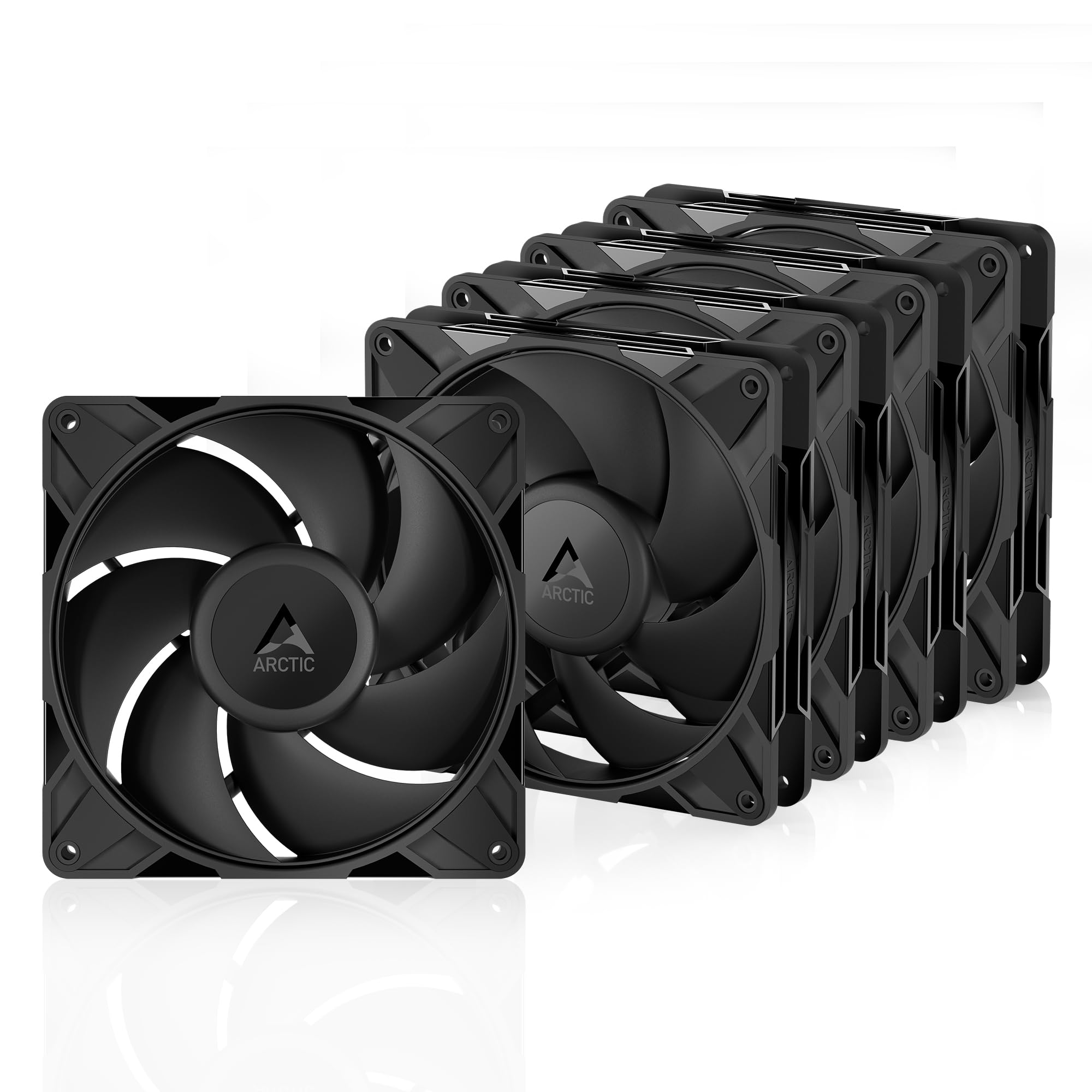


Check That Your Case Takes 140mm Fans
Look at the fan mounts in your case. Slots with elongated mounting holes usually fit both 120mm and 140mm fans, while mounts with only 120mm hole spacing do not. Check the case specifications for the number and position of 140mm slots; front panels and top panels vary a lot. Radiator clearance matters too if you plan to mount a liquid cooler beside the fans.
Remember that 140mm fans are taller as well as wider. Allow room for the fan frame behind the dust filter and make sure the top fans do not collide with tall memory or a heatsink. If your case has only 120mm mounts, the best 120mm case fans guide is the better place to look.
Airflow Fans Versus Static Pressure Fans
The two types are built differently. Airflow fans have wide blades and are best for open spaces with little restriction, such as a mesh front panel or a rear exhaust. Static pressure fans have blades and a frame designed to push air through resistance such as dust filters, tight grilles and radiators. For a case with a solid front and filter, a pressure optimized fan is usually the better pick, and for a mesh front an airflow fan is quieter. The article on static pressure vs airflow fans goes deeper into the physics.
Many fans claim to do both, and several do reasonably well, but the label on the box usually shows the main design goal. Look at the rated speed range as well: a wide range lets a motherboard slow the fan nearly to silence at idle and speed it up under load.
Features That Matter
PWM control
A four pin PWM fan can change speed smoothly based on a signal from the motherboard. A three pin fan changes speed by voltage and has a narrower range. PWM is the better choice for any fan you want to tune.
Bearings and noise
The bearing type affects life and noise. Fluid dynamic and similar designs are quiet and last long, while basic sleeve designs are cheaper and wear sooner. Buyers' comments about a clicking or rattling start are very useful, since they show how a fan behaves after months.
Lighting and daisy chain cables
ARGB fans add color and need a header on the motherboard or a controller. Some multi packs also include splitter cables or daisy chain connectors that reduce clutter. If you want a clean build, favor fans with a single cable and look for rubber pads or anti vibration mounts.
Single fans or multi packs
A three or five pack costs less per fan, so buy a pack if you are filling a front panel. For a single exhaust, a single fan is enough. Pairing fans from one maker keeps the sound consistent.
Placement and Balance
Good airflow is about balance. Place fans so that air enters at the front and base and leaves at the rear and top, giving a clear path past the graphics card and processor. Slightly more intake than exhaust, called positive pressure, helps keep dust out because air leaves through gaps instead of entering through them. Clean filters regularly; clogged filters raise temperatures more than a missing fan.
Installation and Cable Tips
Before you screw anything in, note the airflow arrow on the frame. Most fans have arrows that show the direction of air and of the rotation, and mounting them the wrong way round is a common mistake. Fit the fan so air flows into the case at the front and out at the rear, and use all four screws or the supplied rubber pegs to limit vibration.
Connect PWM fans to a case fan header on the motherboard and set a gentle curve in the BIOS so they stay slow when the system is idle. A splitter lets several fans share one header, but check the header's power limit first. Keep cables behind the motherboard tray where you can, since loose wires near the blades make a buzzing noise and block airflow. If you are comparing the best 140mm case fans against the ones already in your case, listen at idle and under load for a week before you decide whether the new fans improve the noise level.
Price Guide
Single quality 140mm fans start near $7 to $15 and premium models reach $30 to $45. Multi packs run from about $18 to $50. Lower priced Thermalright and Arctic fans are strong budget picks, while premium models add finer control, better bearings and quieter operation. For a quiet build, see the best quiet case fans guide.
FAQs
Is a 140mm fan better than a 120mm fan?
For quiet cooling, usually yes, because it moves similar air at a lower speed. But a 120mm fan fits more cases and is often easier to find in pressure optimized forms.
Can I mix 120mm and 140mm fans?
Yes, if the mounts allow it. Pick the same brand where you can, to keep noise consistent.
How many case fans do I need?
Two to three well placed fans are enough for most builds. Add more if your case is restricted or the components run hot.
Do RGB fans cool better?
No. Lighting does not change airflow, so choose by airflow, noise and mounting design first.
Final Verdict
The best 140mm case fans for you fit your case mounts, match your filter and radiator setup and stay quiet at idle. Use the product table to compare PWM control, pack sizes and price, and pick pressure optimized models if your case front is restrictive.
Prices and availability can change, so check the product page before ordering.


