
Best 140mm CPU Cooler: Towers and 280mm Liquid Options in 2026
Disclosure: We may earn a commission when you buy through links on this page, at no extra cost to you. As an Amazon Associate I earn from qualifying purchases. Learn more

Compare tower and 280mm liquid choices for the best 140mm cpu cooler, and check case, memory and socket fit first.
A best 140mm cpu cooler search usually starts with one goal: more cooling at lower noise than a 120mm cooler can give. Coolers built around 140mm fans move more air per revolution, so the fans can spin slower, and this suits both large tower coolers and 280mm liquid coolers that carry two 140mm fans.
The trade is size. These coolers are big, they need clearance for memory and the case, and not all work with every socket. This guide explains the two main designs, the fit checks to do first and the features worth paying for. The product table after the introduction lists in-stock tower coolers and 280mm liquid coolers that use 140mm fans.

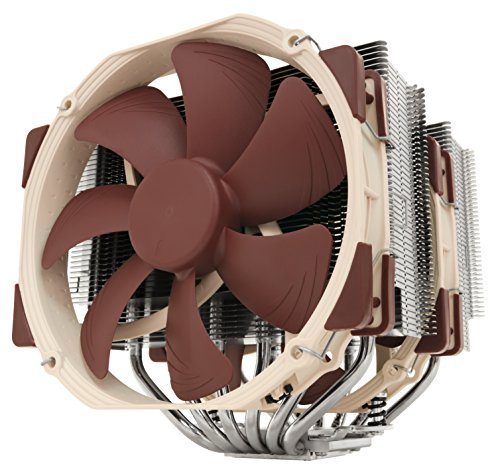


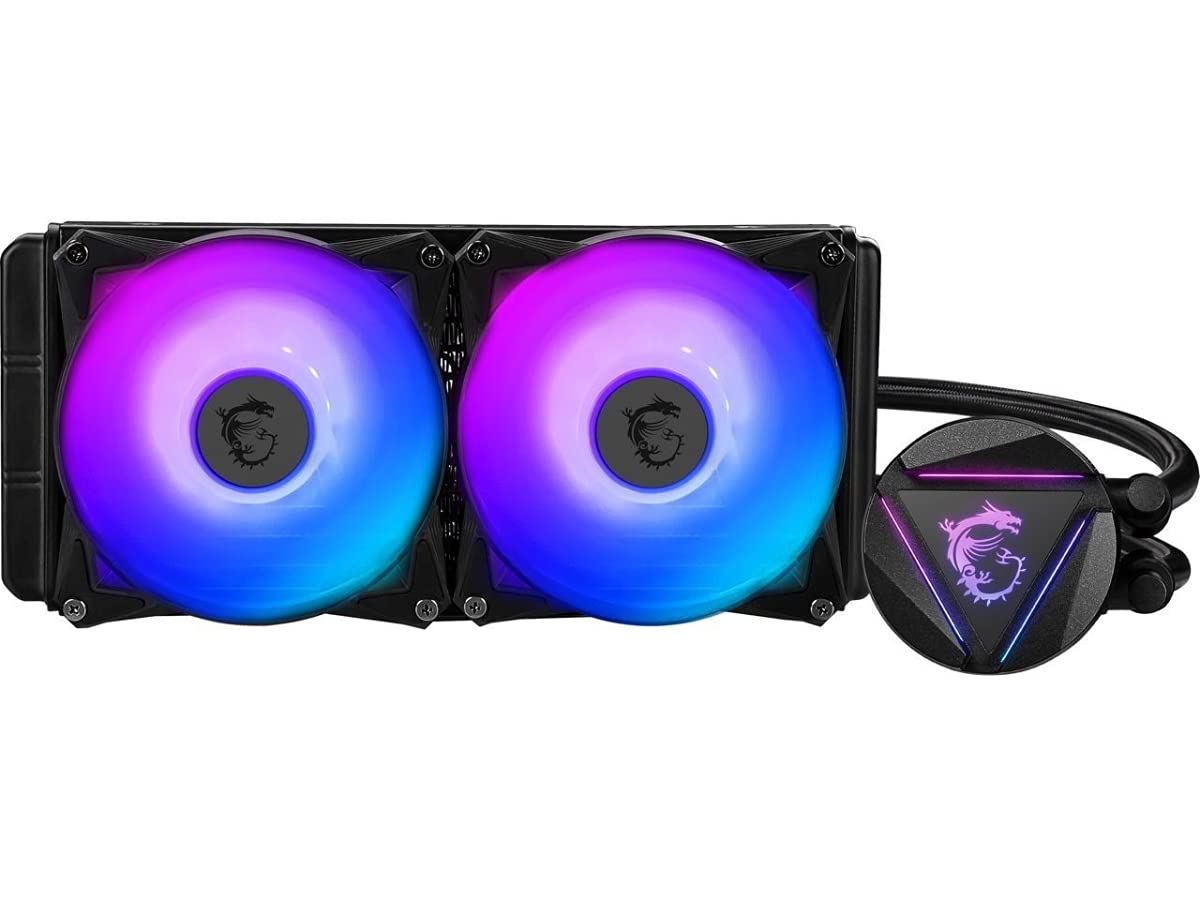
Tower Air Coolers or 280mm Liquid Coolers
A dual tower air cooler uses a block of heat pipes and fins with one or two 140mm fans. It has no pump, a long life and a simple install, and it can match the cooling of many liquid coolers for less money. Its downside is size and weight, which can affect tall memory and small cases.
A 280mm liquid cooler places a radiator with two 140mm fans on the case top or front and a small pump block on the processor. It frees space around the socket and can look cleaner. It costs more and has a pump that can fail eventually. If you are weighing the two, read air cooler vs AIO for a clear comparison, and the best air CPU cooler guide for tower models.
Fit Checks Before You Buy
Case clearance
Measure the space between the processor socket and the side panel. Tall dual tower coolers need a lot of width and height, and a mid tower with a narrow gap will not close. Compare the cooler's listed height to the case's maximum cooler height.
Memory and slot clearance
Wide towers can cover the first memory slot or the top graphics card slot. Look for coolers that offer offset or raised fan positions, or choose memory with low heatsinks. Check the maker's compatibility notes for your memory model.
Socket support
Confirm that the mounting kit supports your socket, whether Intel LGA 1700, LGA 1851 or AMD AM5. Some models need a separate bracket for newer sockets, and some workstation coolers are built for specific server sockets only.
Radiator space for liquid coolers
A 280mm radiator needs a case with a 280mm mount, plus clearance for the fans on the front or top of the case. Be careful with top mounts above tall memory.
Cooling Power and Noise
Look at the cooler's rated TDP and compare it to your processor's power draw. A high end processor under full load needs a high capacity cooler, while a mid range chip stays cool with a medium model. Noise depends on how fast the fans must spin. A larger cooler can use lower fan speeds for the same temperature, which is the main benefit of 140mm designs.
The fans themselves matter. Look for PWM control, good bearings and a wide speed range. Fan clips let you swap or add fans later, and some towers include a second fan to improve cooling at no extra cost.
Other Features
- Finish: black coatings look clean in a windowed case but do not change cooling.
- Warranty: a long warranty is common on premium tower coolers.
- Thermal paste: most coolers include a tube, which is fine for first installs.
- Mounting: toolless or simple backplate systems save time on install.
- Lighting: ARGB blocks and fans add style but are optional.
Installing and Maintaining the Cooler
Install the cooler before you put the motherboard into a tight case if you can, because the backplate and mounting screws are much easier to reach on a bench. Apply a small pea sized amount of paste to the processor, lower the cooler straight down and tighten the screws in a cross pattern so the pressure is even. Plug the fan into the processor fan header, and for a liquid cooler connect the pump to the header the manual names.
Maintenance is light. Dust gathers on fins and fan blades, so blow it out with compressed air every few months and keep your case filters clean. For a liquid cooler, check that the pump is running and watch for rising idle temperatures, which can signal a problem. When you compare a tower with a radiator for the best 140mm cpu cooler in your build, think about how often you plan to open the case; an air cooler asks for less attention over the years.
One more point is memory and graphics card interaction. A cooler that blocks the first memory slot forces you to leave a slot empty, which can reduce memory bandwidth on some boards. Checking this on the maker's compatibility list takes two minutes and avoids a frustrating return.
Price Guide
Quality 140mm air coolers run from about $90 to $170, with the flagship dual tower designs at the top. Liquid coolers with 280mm radiators range from roughly $100 to $230, with screen equipped models at the high end. Thermalright and Arctic coolers with 120mm fans offer good value, but if you specifically want 140mm fans, the tower and 280mm models in the table are the right class. For a broader look at options, see the best CPU cooler guide.
FAQs
Is a 140mm cooler quieter than a 120mm one?
Often yes. The larger fan can move the same air at a lower speed, which reduces noise.
Will a 140mm tower fit my case?
Not always. Check the case's maximum cooler height and the cooler's listed height before you order.
Do I need a liquid cooler?
No. A good air cooler matches many liquid coolers and has fewer parts that can fail.
How often should I replace thermal paste?
Every few years, or when you remove the cooler. Clean the old paste with isopropyl alcohol and apply a small pea sized dot.
Final Verdict
The best 140mm cpu cooler fits your case, supports your socket and cools your processor quietly. Use the product table to compare dual tower air coolers with 280mm liquid coolers, and start with the fit checks above before you choose on price.
Prices and availability can change, so check the product page before ordering.


