
Best Mid Range 4K TVs for 2026: Mini LED Backlights, HDR Brightness, and Buyer Guide
Disclosure: We may earn a commission when you buy through links on this page, at no extra cost to you. As an Amazon Associate I earn from qualifying purchases. Learn more

Shopping for a 55 to 75 inch TV on a budget? Compare the best mid range 4k tvs by Mini LED dimming, HDR brightness, 120Hz HDMI 2.1 and price.
If you want a 55 or 65 inch screen in the $500 to $1,000 range without settling for a dim, blotchy panel, this guide is for you. Not long ago that budget meant an edge lit LCD that turned dark movie skies into gray clouds and capped console gaming at 60 hertz. Today's best mid range 4k tvs add quantum dot color layers, Mini LED backlights with hundreds of dimming zones, HDR peaks well above 1,000 nits, and native 120Hz or 144Hz panels, often for far less than flagship sets. The picks in the table below show how current mid tier models compare side by side.
Because nearly every TV box says "4K UHD HDR," it helps to know which specifications really control contrast and motion clarity. Knowing them keeps you from paying extra for marketing labels. The sections below explain the hardware, the price tiers, the right screen size for your couch, and the setup mistakes that make a good picture look bad.
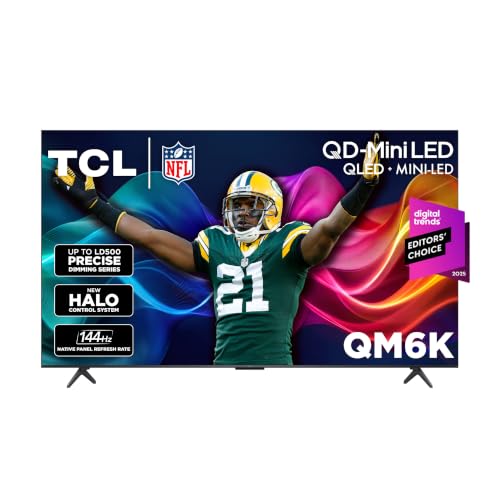
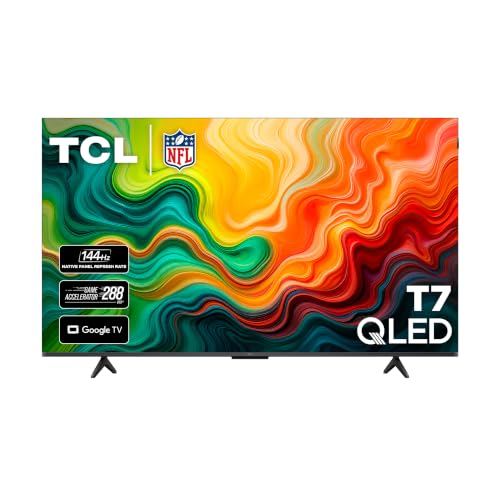

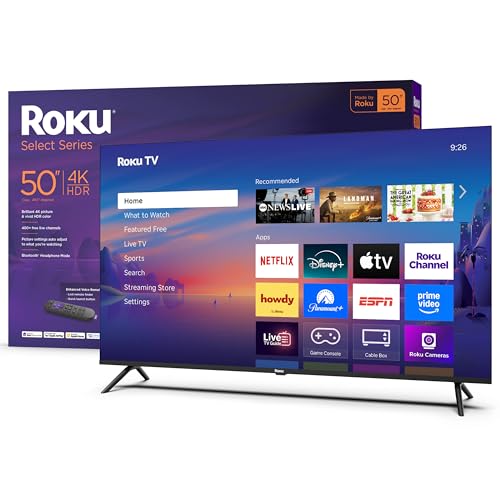
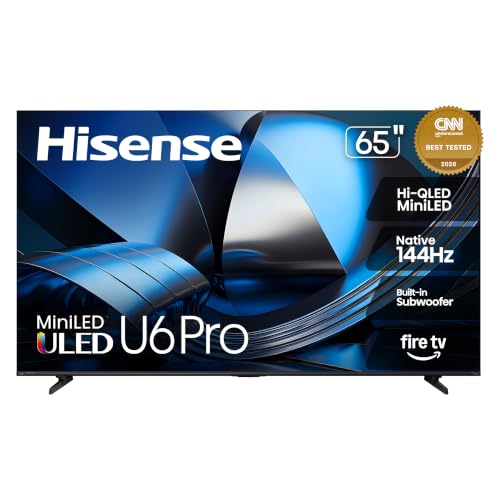
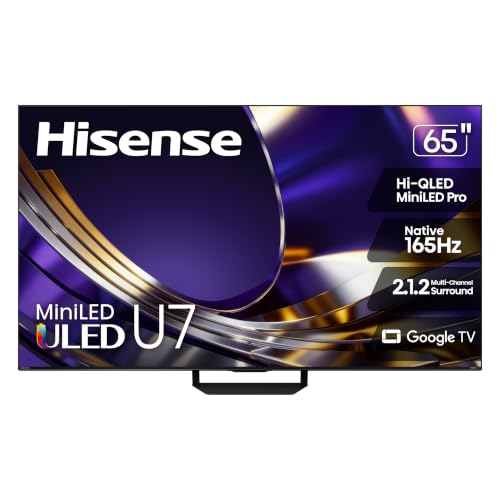
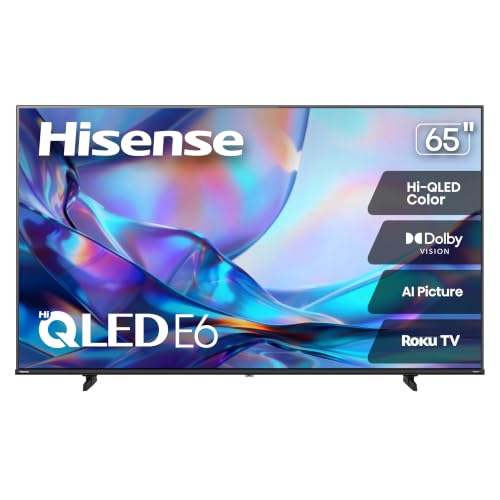
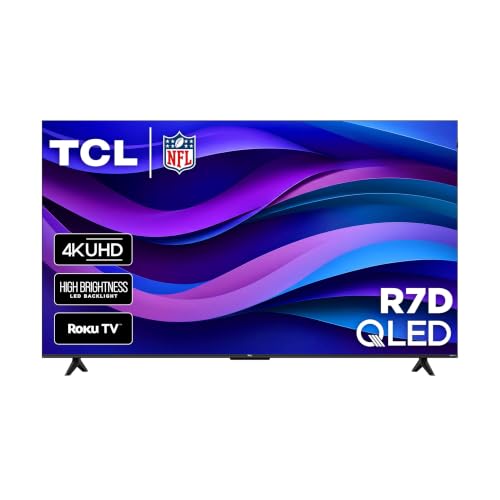
Who Should Buy Which Mid Range 4K TV?
The right set depends mostly on the room it lives in and what you watch. Bright rooms favor Mini LED, dark rooms favor OLED or high zone count Mini LED, and gamers should prioritize a native high refresh panel.
Bright Living Rooms With Daytime Sun and Sports
For a family room with large windows or overhead recessed lights, a Mini LED QLED set in the $550 to $1,000 tier is usually the strongest match. These TVs pair a high contrast VA (Vertical Alignment) panel with a quantum dot film and full array local dimming. Peak brightness often runs from 1,000 to 2,000 nits or more, which helps the picture hold up against window reflections during Sunday football without washing out colors.
Look for an anti reflective or low reflectivity screen coating if the room gets direct afternoon sun. A matte finish cuts glare better than a glossy one, although it can slightly soften black levels in a dark room.
Dark Room Cinema Fans and Entry OLED Buyers
If you watch 4K Blu rays and HDR dramas at night with the lights low, you care most about black levels and haloing around white subtitles. In the upper mid range ($900 to $1,300 for 55 or 65 inch models on promotion), you can choose between a high zone count Mini LED (roughly 500 to 1,000+ zones) or an entry 4K OLED. On an OLED, each of the 8.3 million pixels lights itself and switches fully off for true black.
OLED also keeps colors steady from wide seating angles, so a wide sectional looks as good as the center seat. The trade off is lower peak brightness than the best Mini LED sets, so it suits rooms where you can control the light.
PS5, Xbox Series X, and PC Couch Gamers
Console and PC gamers should avoid a 60Hz television for fast action games. Look for a native 120Hz or 144Hz panel, at least two full bandwidth 48 Gbps HDMI 2.1 ports, and Variable Refresh Rate support (HDMI Forum VRR, and ideally AMD FreeSync Premium Pro or G Sync compatibility). Published input lag figures under about 10 milliseconds at 4K 120Hz are a good sign, and many gaming focused models list figures near 5 milliseconds.
Also check for an Auto Low Latency Mode (ALLM) setting, which switches the TV to its fastest game picture mode when a console turns on. A dedicated game bar that shows frame rate and VRR status is a handy extra.
Open Plan Kitchen and Living Spaces
A TV in an open plan room needs a little extra care. Steam and cooking grease drift toward electronics, so keep the screen well away from the cooktop and ventilate the space. Choose a TV with decent glare handling too, since under cabinet lights and pendant fixtures can reflect off a glossy screen.
Key Display Technologies That Separate Great 4K TVs From Dim Budget Panels
Four specifications do most of the work: backlight type, quantum dot color, true refresh rate, and panel alignment. Understanding them lets you read a spec sheet in a couple of minutes.
Backlight Architecture: Mini LED vs Direct Lit vs Edge Lit
The way the LEDs behind the screen are arranged has more effect on picture quality than almost any other spec. Every non OLED 4K television shines an LED backlight through a liquid crystal grid, and the layout decides how well it can show dark and bright areas at the same time.
- Edge lit or direct lit without local dimming (avoid in this price range): A few dozen large LEDs light the whole screen at once. When a bright star appears in a dark sky, the black bars turn into glowing gray rectangles.
- Standard full array local dimming (roughly 30 to 120 zones): The backlight is split into a grid of zones that dim behind dark areas and brighten behind highlights. It is a clear step up, though large zones can leave visible halos.
- Mini LED full array local dimming (roughly 200 to 1,500+ zones): Much smaller LEDs allow hundreds or thousands of dimming zones. Finer control reduces the "blooming" glow around streetlights and white text and gives HDR more punch.
A higher zone count is not the whole story, since the processing that controls the zones matters too. Still, within the same price, more zones usually means less blooming.
Quantum Dots (QLED) and Wide DCI P3 Color
QLED means a quantum dot layer sits in front of blue LEDs to produce purer reds and greens, giving a wider and more saturated color range. Standard white LEDs rely on color filters that can look muddy at high brightness. Quantum dot sets commonly claim around 90 to 98 percent coverage of the DCI P3 cinema color space, compared with much lower coverage on basic panels, which is what 4K HDR movies are mastered for.
When you read a spec sheet, look for "QLED" or "QD Mini LED." Be aware that some makers use "quantum" in branding for sets that rely on ordinary color filters, so check for a stated DCI P3 coverage figure.
Native 120Hz or 144Hz vs Fake "Motion Rate 120 or 240"
A native 120Hz panel physically refreshes 120 times per second, while labels like "Motion Rate 120" or "Clear Motion 240" are often marketing numbers on a 60Hz panel that flashes the backlight. A true 60Hz panel cannot show 120 frames per second from a PlayStation 5 or Xbox Series X. It must also use "3:2 pulldown" to show 24 frame per second movies, which causes a subtle judder during slow camera pans.
Because 24 divides evenly into 120 (five times) and into 144 (six times), a true 120Hz or 144Hz panel plays cinema content without that judder. It also unlocks 4K 120fps gaming. Check the spec sheet for "native refresh rate" rather than the marketing motion number.
VA Panels vs IPS/ADS Panels
VA panels give deeper blacks, while IPS or ADS panels hold color better from the side. VA panels block backlight leakage well, reaching a native contrast ratio of roughly 5,000:1 to 7,000:1 before local dimming does anything, though colors fade a little when viewed from a sharp angle. IPS and ADS panels keep colors accurate across wide seating arrangements, but their native contrast is lower (around 1,200:1) unless a high zone count Mini LED backlight compensates.
If most viewers sit directly in front of the screen, VA is typically the better value. If your couch is wide or people sit off to the side, an IPS model or an OLED may serve everyone better.
HDR Formats: Dolby Vision and HDR10+
HDR formats tell the TV how bright each scene should be, and the best choice is a set that supports both Dolby Vision and HDR10+. Netflix, Disney+, Apple TV+ and many 4K Blu rays favor Dolby Vision, while Amazon Prime Video, Hulu and some studios use HDR10+. Several mid range brands now support both, plus HLG for broadcast, so you do not fall back to basic static HDR10 in any app.
Comparing Mid Range 4K TV Panel Types Side by Side
The panel type that fits you best depends on room light and seating width. The table below gives typical ranges, which vary by model.
| 4K Panel Technology | Peak HDR Brightness | Dark Room Black Levels | Burn In Risk | Best Room Match |
|---|---|---|---|---|
| QD Mini LED (VA Panel) | 1,000 to 2,500+ nits | Very deep (minimal blooming) | Very low (inorganic LEDs) | Bright living rooms, sports, & mixed cinema |
| Entry / Mid 4K OLED | 700 to 1,000 nits | Infinite (pixel level black) | Low (avoid static news tickers) | Dark home theaters, movies, & wide seating |
| QLED with Standard FALD | 600 to 900 nits | Good (some subtitle haloing) | Very low | Bedrooms and budget family rooms |
| Direct Lit 60Hz QLED | 350 to 500 nits | Moderate (grayish dark scenes) | Very low | Casual daytime cable and streaming under $450 |
Price Tiers for 55" to 65" Mid Range 4K TVs
Prices change often with promotions, so think in tiers rather than exact numbers. Each step up buys a clear, checkable improvement.
Entry QLED and Local Dimming Starters (Around $400 to $600)
Around $400 to $600 buys an entry QLED panel with full array local dimming for a 55 or 65 inch screen. You get wide quantum dot color, Dolby Vision or HDR10+ support, and often a 120Hz gaming mode at reduced resolution. These sets suit bedrooms, dens, and secondary rooms where you control the light.
The compromise is brightness and zone count. Expect fewer dimming zones and HDR that looks good but not dazzling.
The Core Mini LED 120Hz/144Hz Sweet Spot (Around $600 to $950)
Around $600 to $950 is the sweet spot for most households. In this tier, 55 and 65 inch QD Mini LED sets commonly list 300 to 1,000+ dimming zones, 1,200 to 2,000 nits of peak HDR brightness, a native 120Hz or 144Hz panel, and two 48 Gbps HDMI 2.1 ports. Many also add a built in 2.1 channel speaker system, though a soundbar is still a worthwhile upgrade.
Upper Mid Range 75" Mini LEDs and 55"/65" OLEDs (Around $950 to $1,450 and Up)
From roughly $950 to $1,450 and up, you choose between size and perfect black. A 75 inch Mini LED gives a wall scale picture for a large living room, while a 55 or 65 inch 120Hz OLED gives pixel level contrast and very fast response times. Decide first whether your room is bright or dark, because that usually settles the question.
Smart Platform, Ports, and Audio: The Details Buyers Overlook
Features outside the panel affect daily use as much as the picture. Check them before you buy.
- Smart platform: Google TV, Roku, Fire TV, webOS and Tizen all cover the major streaming apps. Pick the interface you find easiest, since you will use it daily.
- HDMI layout: Count how many ports are true HDMI 2.1 and which one carries eARC for a soundbar. Some models give only one or two full speed ports.
- Tuner and antenna: If you use an antenna for local channels, make sure the TV has an ATSC 3.0 tuner or at least a standard ATSC tuner.
- Speakers: Built in speakers on thin sets are usually modest. Budget around $100 to $200 for a soundbar if dialogue clarity matters.
- Stand and mounting: Check stand width against your furniture, and confirm the VESA pattern if you plan to wall mount.
5 Setup Mistakes That Make a Great 4K TV Look Blurry
Most disappointing pictures come from default settings, not bad hardware. These five fixes cost nothing.
- Leaving motion smoothing on for movies (the soap opera effect): Many TVs ship with motion interpolation that invents extra frames, making films look like cheap daytime video. Switch to Filmmaker Mode or Movie Mode right away.
- Using the "Vivid" or "Dynamic" store demo preset: Vivid mode pushes sharpness too high, adds white outlines around faces, and shifts white balance toward blue. Filmmaker or Movie Mode targets the industry D65 white point, so skin tones look natural.
- Plugging a console or soundbar into the wrong HDMI port: On many mid range sets only two of the four ports are full speed HDMI 2.1, and one carries eARC audio. Read the labels on the back so you do not waste a 4K 120Hz port on a device that does not need it.
- Forgetting to enable the enhanced HDMI signal format: Some TVs default their HDMI ports to a legacy compatibility mode. Open the TV's input or external device settings and switch the port to its enhanced or full bandwidth option for 4K 120Hz and Dolby Vision.
- Mounting the TV too high above a fireplace: Looking up at a steep angle strains the neck and reduces VA panel contrast. Aim for the center of the screen near seated eye level, often about 42 to 48 inches off the floor, or use a pull down mantel mount.
Viewing Distance and Screen Size Guide
A good rule is to multiply the screen diagonal by 1.0 to 1.3 to find a comfortable seating distance in inches. Because 4K has four times the pixels of 1080p (3840 by 2160), you can sit closer to a large screen without seeing individual pixels.
- 6 to 7.5 feet away: 55 inch 4K TV.
- 7.5 to 9.5 feet away: 65 inch 4K TV, the most popular living room size.
- 9.5 to 11.5 feet away: 75 or 77 inch 4K TV.
- 11.5 feet or more: 85 inch 4K TV.
Measure your wall and furniture before ordering. A 65 inch TV is about 57 inches wide, and a 75 inch is about 65 inches wide, so confirm the cabinet and wall space beforehand.
Frequently Asked Questions
Is Mini LED better than QLED in a mid range 4K TV?
They are not competitors, because they do different jobs. QLED describes the quantum dot layer that produces vibrant reds and greens, while Mini LED describes the tiny backlight LEDs that control brightness and contrast. A QD Mini LED TV combines both, giving deeper blacks, less blooming, and brighter HDR than a standard QLED without Mini LED.
Should I buy a Mini LED 4K TV or an entry OLED for $1,000?
Choose Mini LED if your room is bright, you watch daytime sports or news with static logos, or you want a 65 to 75 inch screen at this price. Choose OLED if you watch mostly in a dim room, have wide seating, and want no blooming around stars or subtitles. Both are strong picks, so room lighting is the deciding factor.
Do I need a 120Hz 4K TV if I do not play video games?
A native 120Hz panel helps even if you never game. Since 24 frames per second divides evenly into 120, movies play at their native cadence without 3:2 pulldown judder. Fast sports camera pans also show less motion blur.
Why do 4K streaming movies look dark on some cheap 4K TVs?
HDR movies are mastered for screens that reach roughly 600 to 1,000 nits or more, and a dim panel cannot show that range. When a 300 nit TV receives an HDR stream, its tone mapping compresses the image so highlights do not clip, and the whole picture looks dim. A Mini LED model with 1,000 nits or more shows HDR much closer to what the director intended.
How long do mid range 4K Mini LED TVs last?
Makers commonly rate LED backlights for tens of thousands of hours, often 50,000 to 100,000 hours to half brightness. At five hours of viewing a day, that is well over a decade of use. Inorganic LED backlights also avoid the permanent burn in risk that OLED panels have with static banners, though real lifespan depends on the power supply and other components.
Final Thoughts
Choosing from the best mid range 4k tvs comes down to three hardware priorities: a Mini LED full array backlight (or an OLED panel), a quantum dot color layer, and a native 120Hz or 144Hz refresh rate with HDMI 2.1. Match the panel to your room light, size the screen to your seating distance, and set the picture mode to Filmmaker or Movie as soon as it is plugged in. Compare the picks in the table above to upgrade your living room without paying flagship prices.


