
Best Virtual Reality Headsets: Every Type Explained Side by Side
Disclosure: We may earn a commission when you buy through links on this page, at no extra cost to you. As an Amazon Associate I earn from qualifying purchases. Learn more

Standalone, PC, console and phone VR headsets compared, with buying advice for gamers, kids, fitness and movies.
Virtual reality has moved from expensive, cable tethered rigs to wireless headsets you can pull out of a box and play within minutes. Today you can choose between standalone headsets that run games on their own, PC VR headsets that tap into a gaming computer's power, console VR and simple phone based viewers for 360 degree videos. Each type has very different costs, comfort and game libraries. The best virtual reality headsets match the device you already own, the kind of experiences you want and how long you plan to wear it.
This guide explains every type side by side, covers what to compare and matches headsets to different users. Compare current models in the product table above.






Types of Virtual Reality Headsets Compared
VR headsets fall into four main types: standalone, PC VR, console VR and phone based viewers. Here is how they differ.
Standalone Headsets
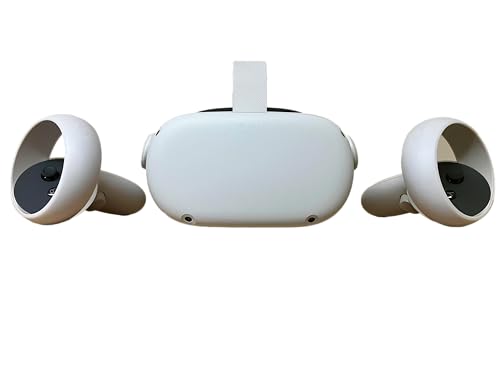
Standalone headsets, such as the Meta Quest 3 and Quest 3S, have their own processor, battery, storage and tracking cameras built in, so they work without a PC, console or phone. They are the most popular choice because they are wireless, easy to set up and affordable, with large game stores and fitness apps. Many also support mixed reality, blending virtual objects with a color view of your room through passthrough cameras. Most can connect to a gaming PC through a cable or WiFi to play PC VR games, giving you the best of both worlds. Their limits are battery life, usually about two to three hours, and less graphics power than a high end PC.
PC VR Headsets
PC VR headsets connect to a gaming computer, which handles all the rendering. That unlocks the most detailed graphics, the highest resolutions and demanding simulation games like flight and racing sims. Dedicated PC headsets often use external base stations or inside out tracking and offer high refresh rates and precise controllers. The trade off is cost: you need a capable gaming PC with a strong graphics card, plus the headset itself, and many models are tethered by a cable.
Console VR
Console VR pairs a headset with a game console, offering exclusive titles and a simple plug and play setup on the TV stand. Library size depends on the platform, and you need the matching console. Older console VR bundles appear on the used and refurbished market, but check that they work with current consoles and games.
Budget and Phone Based Viewers
Budget phone based VR viewers hold your smartphone in front of lenses to create a stereoscopic view. They cost around $20 to $60 and are fine for 360 degree videos, simple apps and a first taste of VR for kids. They lack positional tracking and proper controllers, so they cannot run modern VR games, and image quality depends on your phone's screen.
VR Headset Types Side by Side
This quick comparison shows how the main headset types differ on cost, setup and what they do best.
| Type | Typical Cost | Needs | Strengths | Limits |
|---|---|---|---|---|
| Standalone | $300 to $700 | Nothing else; phone app for setup | Wireless, mixed reality, big library, can link to PC | Battery life, mobile level graphics |
| PC VR | $400 to $1,000+ plus PC | Gaming PC with strong GPU | Best graphics, simulation games, mods | Cost, cables or base stations |
| Console VR | $350 to $550 plus console | Matching console | Exclusive games, simple setup | Platform locked library |
| Phone viewer | $20 to $60 | Smartphone | Cheap 360 degree video | No real tracking or games |
PC VR Headsets vs Budget Options: Which Should You Choose?
Choose a PC VR headset if you already own a strong gaming PC and want the highest visual quality for simulation games, mods and graphically demanding titles. Choose a budget standalone headset if you want great VR without a PC, easy setup and a large library of games and fitness apps.
For most people, a standalone headset like the Quest 3S is the better starting point: it costs a few hundred dollars, works anywhere and can still connect to a PC later. PC VR makes sense for enthusiasts who want maximum fidelity and already have the hardware. Phone based viewers are the cheapest option but deliver a very limited experience, so treat them as a curiosity rather than a gaming device.
How to Choose the Right Virtual Reality Headset
The right VR headset fits comfortably, offers a sharp, smooth image and gives you access to the games and apps you want. These are the specs to compare.
Comfort, Weight and Fit
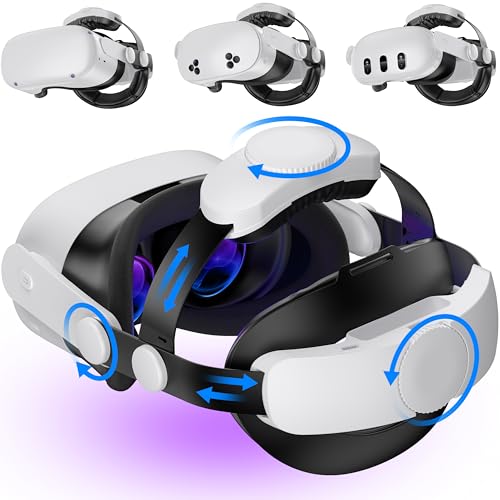
Comfort determines how long you will actually play. Most standalone headsets weigh around 500 to 600 grams, and much of that sits on the front of your face. An upgraded head strap with rear battery or counterweight spreads weight more evenly and reduces pressure. Check the interpupillary distance (IPD) adjustment range so the lenses line up with your eyes; good alignment improves clarity and reduces eye strain. Facial interfaces made of washable or silicone material are easier to keep clean.
Display Resolution and Refresh Rate
Higher resolution per eye reduces the "screen door" effect and makes text and distant objects sharper. Refresh rates of 90 to 120 Hz feel smoother and reduce motion discomfort compared with 72 Hz. Lens type matters too: pancake lenses, used in newer headsets, are thinner and sharper across the view than older Fresnel lenses, which can look blurry at the edges.
Tracking and Controllers
Inside out tracking uses cameras on the headset to track your head and controllers without external sensors, making setup simple. External base stations offer very precise tracking for enthusiasts but require mounting. Hand tracking lets you use your hands as controllers in supported apps. Check controller battery life and whether they use AA batteries or rechargeable packs.
Platform and Game Library
The game library is often the deciding factor. Standalone headsets have their own app stores with hundreds of games and apps, while PC VR headsets access large PC libraries through platforms like Steam. Console VR has its own exclusive catalog. Check that the games you want, such as rhythm games, shooters, fitness apps or flight sims, are available on the platform before buying.
Value and Subscriptions
Look beyond the headset price. Optional subscriptions can add monthly game catalogs or fitness classes, and accessories like comfort straps, charging docks and carrying cases add up. Bundles that include a game or accessories can offer good value. PC VR requires a gaming PC, which is a big hidden cost if you do not already own one.
Storage and Expandability
Standalone headsets come with fixed storage, commonly 128GB, 256GB or 512GB, with no memory card slot. Large games can take 10GB or more, so choose more storage if you plan to install many titles or record videos. PC VR headsets use your computer's storage instead.
Mixed Reality and Passthrough
Color passthrough lets you see your room through the headset's cameras, which helps with setup and safety and enables mixed reality games that place virtual objects on your furniture and walls. Higher quality passthrough makes it practical to keep the headset on while grabbing a drink or checking your phone.
Picking the Right Virtual Reality Headsets for Different Uses
Different users need different headsets. Here is which type works best for common needs.
Best Virtual Reality Headsets for PC
For PC gamers, a dedicated PC VR headset delivers the sharpest image and widest compatibility with demanding games, while a standalone headset with PC streaming offers wireless convenience and flexibility. Make sure your graphics card meets the headset's recommended specs, typically an RTX 3060 class GPU or better for smooth play.
Best Virtual Reality Headsets for Kids: Which Type Works Best
Most major headset makers set a minimum age, commonly 10 or 13 depending on the brand, so check the guidance first. For older kids, a standalone headset with parental controls, supervised accounts and time limits works best. Younger children are better suited to simple phone viewers for short sessions, or no VR at all, and should always be supervised.
Best Low Cost Virtual Reality Headsets: Which Type Works Best
The best low cost option for real VR gaming is an entry standalone headset such as the Quest 3S, which delivers full tracking and controllers for a few hundred dollars. Phone viewers cost far less but are limited to videos and simple apps. Refurbished standalone headsets are another way to save.
Best Virtual Reality Headsets for iPhone and Android: Which Type Works Best
Phone based VR viewers fit most iPhone and Android phones with screens around 4.7 to 7.2 inches and work with 360 degree video apps and simple VR apps. Standalone headsets also pair with phone apps for setup, casting and managing your library, so they work well alongside either platform.
Best Virtual Reality Headsets for Fitness
Standalone headsets are the best choice for VR fitness because they are wireless and support popular rhythm, boxing and workout apps. Add a washable silicone face cover and a secure strap, and keep plenty of clear space around you.
Best Virtual Reality Headsets for Older Adults and Beginners
Beginners of any age do best with a light standalone headset, a comfortable strap and seated experiences such as travel, relaxation and puzzle apps. Start with short sessions to get used to the feeling of VR, and choose apps that support seated play.
Best Virtual Reality Headsets for Watching Movies
For movies, choose a headset with sharp displays, good lenses and comfortable fit for long sessions. Standalone headsets offer virtual cinema apps and streaming services, letting you watch on a huge virtual screen. Phone viewers can play 3D and 360 degree videos at very low cost, with lower image quality.
Popular Types of VR Experiences
Knowing what you want to do in VR makes it easier to pick a headset. These are the most popular categories.
- Rhythm and music games: slicing blocks or punching targets to music is one of the easiest ways to start and a great workout.
- Action and shooters: immersive combat, puzzles and story games that use full body movement.
- Social and party games: playing with friends online in shared virtual spaces, from mini golf to tag style games.
- Fitness apps: guided boxing, dance and cardio classes with progress tracking.
- Simulation: flight, racing and space sims, which shine with PC VR and accessories like wheels and joysticks.
- Creativity and productivity: 3D painting, sculpting and virtual desktops with multiple giant screens.
- Travel, education and relaxation: virtual tours, museum visits, meditation and nature scenes, ideal for seated play.
Accessories Worth Buying
A few inexpensive accessories make a big difference in comfort and convenience.
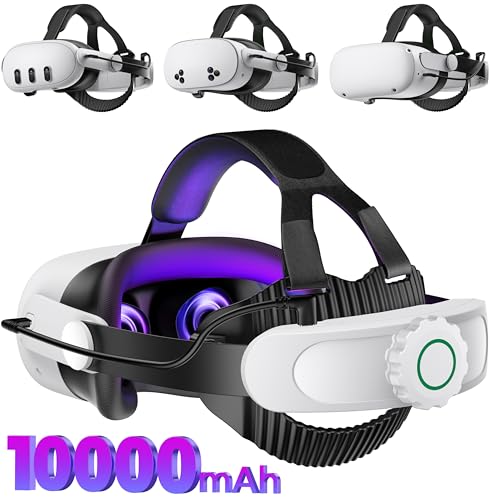
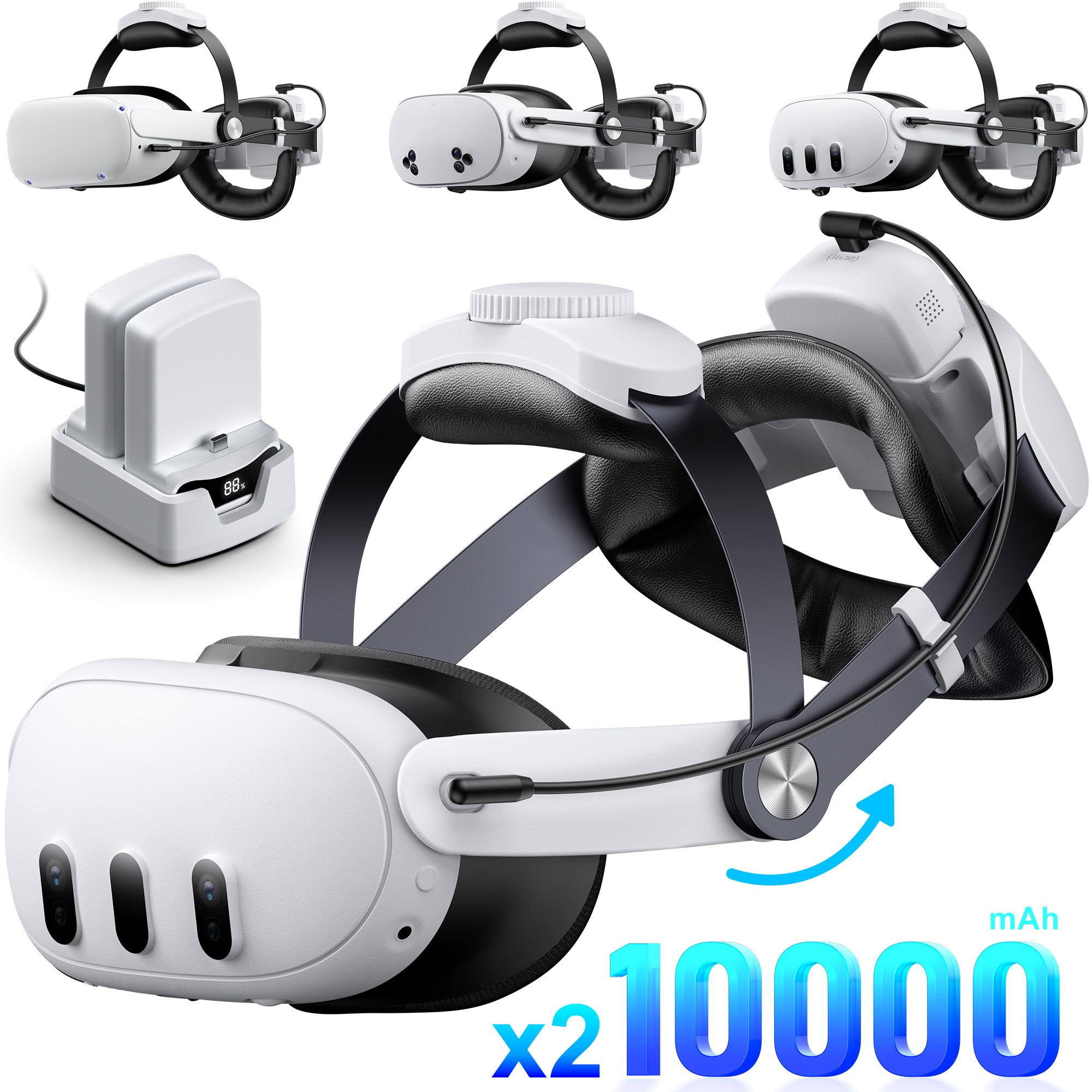
- Comfort or battery head strap: spreads weight, reduces face pressure and can add hours of playtime.
- Silicone or washable face cover: easier to clean after workouts and shared use.
- Charging dock: keeps the headset and controllers charged and ready.
- Prescription lens inserts: improve clarity for glasses wearers and protect the lenses.
- Carrying case: protects the headset and lenses during travel and storage.
- Controller grips: knuckle straps reduce the chance of throwing a controller during active games.
VR Headset Price Tiers
- Under $60: phone based viewers for 360 degree video and simple apps.
- $300 to $450: entry standalone headsets with full tracking, controllers and mixed reality.
- $450 to $700: higher end standalone headsets with sharper displays, pancake lenses and more storage.
- Over $700: premium PC VR and spatial computing headsets for enthusiasts and professionals.
Safety and Setup Tips
Clear a play area of at least 6.5 by 6.5 feet for room scale games, or set up a stationary boundary for seated play. Move furniture, pets and breakables out of the way, and use the headset's boundary system every time. Keep headsets out of direct sunlight, since lenses can focus sunlight onto the displays and damage them. Take breaks every 30 minutes at first, and stop if you feel dizzy, nauseated or experience eye strain.
Common VR Problems and Quick Fixes
Most VR issues are easy to fix with a few adjustments.
- Blurry image: move the headset up or down on your face to find the lens sweet spot, then adjust IPD and tighten the top strap.
- Tracking drift or lost controllers: improve room lighting, avoid direct sunlight and mirrors, and clean the tracking cameras.
- Fogged lenses: let the headset warm to room temperature before use, or use an anti fog face cover with ventilation.
- Choppy PC streaming: use a WiFi 6 or 6E router in the same room, connect the PC by Ethernet, or use a link cable.
- Face pressure and headaches: shift weight to the top strap, try a counterweighted strap and take regular breaks.
Keeping software updated also improves tracking, passthrough and battery life over time.
Tips to Get the Most From Your Virtual Reality Headset
Adjust the strap and IPD carefully before your first session for a clear, comfortable view. Start with comfortable, low motion games and teleport movement before trying smooth locomotion. Keep lenses clean with a dry microfiber cloth and never use liquids or paper towels. Charge controllers and the headset after each session, and update the software regularly for new features. A comfort strap with a battery extends playtime and balances weight.
Virtual Reality Headsets: Your Questions Answered
Is VR safe for kids?
VR can be safe for older children with supervision, time limits and age appropriate content. Most headset makers set minimum ages, commonly 10 to 13 depending on the brand, because younger children's vision is still developing. Use parental controls, keep sessions short and stop if a child feels dizzy or uncomfortable.
Can I wear glasses with it?
Yes, most headsets fit many glasses, often with an included spacer that adds room. Large frames may not fit. Prescription lens inserts that clip onto the headset lenses are a comfortable alternative and protect the headset lenses from scratches.
How long does the battery last?
Standalone headsets typically last about two to three hours per charge, depending on the game and brightness. Battery head straps and external battery packs can double playtime. PC VR headsets draw power from the PC or a wall adapter and are not limited by battery.
Do I need a gaming PC?
No, standalone headsets work entirely on their own. You need a gaming PC only for PC VR headsets or to play PC VR games through a standalone headset's PC link feature. For PC VR, a modern graphics card in the RTX 3060 class or better is recommended.
Can VR cause motion sickness?
Some people feel motion sickness in VR, especially in games with smooth movement while standing still. Higher refresh rates, teleport movement, comfort settings and short sessions help. Many people adapt within a few sessions.
Our Verdict
For most people, a standalone headset is the best way into VR, offering wireless play, mixed reality, a large game library and the option to connect to a PC later. PC VR headsets are the choice for enthusiasts with powerful gaming PCs, while phone based viewers are a low cost novelty for videos. Check comfort, display quality and the games you want, and the best virtual reality headsets will open up a new way to play, exercise and watch. Compare current models in the product table above, and see our best gaming headsets for audio upgrades.


