Anker
Anker USB C Hub, 5-in-1 USBC to HDMI Splitter with 4K Display
Disclosure: We may earn a commission when you buy through links on this page, at no extra cost to you. As an Amazon Associate I earn from qualifying purchases. Learn more
Highlights
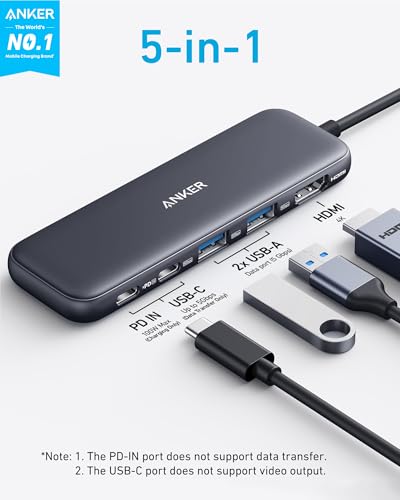
- 5-in-1 Connectivity: Equipped with a 4K HDMI port, a 5 Gbps USB-C data port, two 5 Gbps USB-A ports, and a USB C 100W PD-IN port. Note: The USB C 100W PD-IN port supports only charging and does not support data transfer devices such as headphones or speakers.
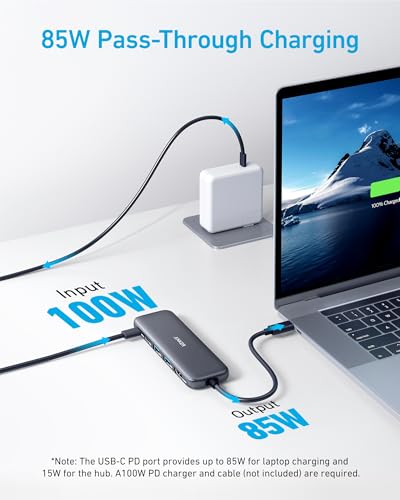
- Powerful Pass-Through Charging: Supports up to 85W pass-through charging so you can power up your laptop while you use the hub. Note: Pass-through charging requires a charger (not included). Note: To achieve full power for iPad, we recommend using a 45W wall charger.
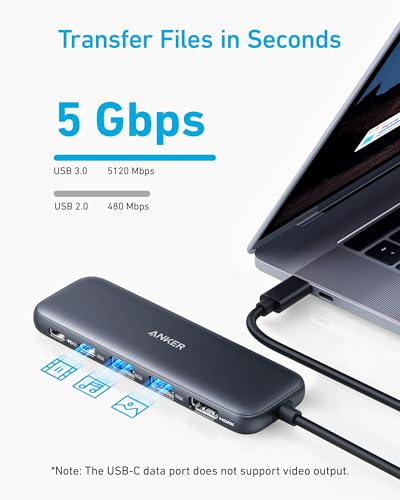
- Transfer Files in Seconds: Move files to and from your laptop at speeds of up to 5 Gbps via the USB-C and USB-A data ports. Note: The USB C 5Gbps Data port does not support video output.
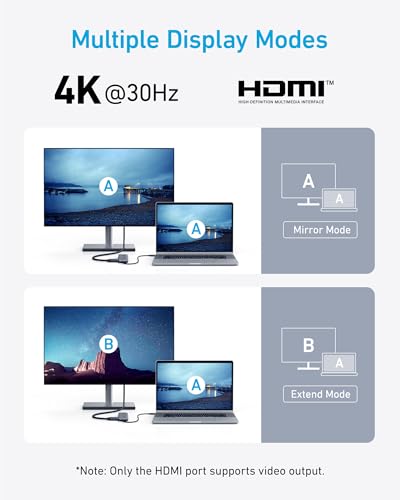
- HD Display: Connect to the HDMI port to stream or mirror content to an external monitor in resolutions of up to 4K@30Hz. Note: The USB-C ports do not support video output.
- What You Get: Anker 332 USB-C Hub (5-in-1), welcome guide, our worry-free 18-month warranty, and friendly customer service.
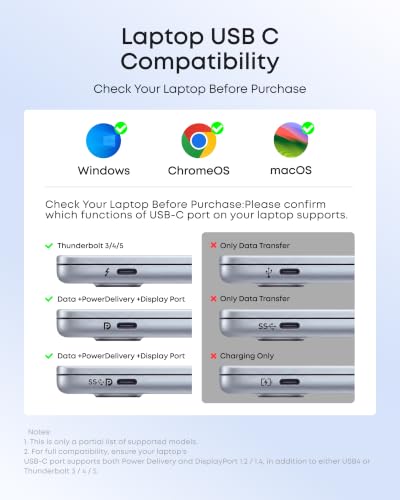
- Compatibility: Supports USB-C, USB4, and Thunderbolt connections. Compatible with MacBook (macOS 12 and newer), Windows 10 and 11, ChromeOS, and laptops equipped with DP Alt Mode and Power Delivery. Note: This device is not compatible with Linux.
Why You'll Love It
- Connect an external monitor with clear video output reaching up to 4K resolution at 30Hz
- Keep your laptop powered during use with up to 85W pass-through charging support
- Move files rapidly across devices with three separate 5 Gbps USB data connections
- Plug in legacy accessories easily using two standard USB-A data ports
- Expand a single connection on USB-C, USB4, or Thunderbolt compatible laptops
Pros
- +Supports up to 85W pass-through laptop charging
- +Includes three 5 Gbps USB data ports
- +Works with macOS, Windows, and ChromeOS
- +Backed by an 18-month warranty
Cons
- -HDMI output caps at 30Hz for 4K
- -USB-C ports do not support video output
- -Incompatible with Linux operating systems
Detailed Review
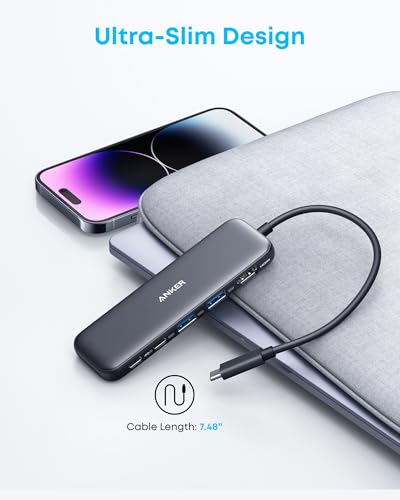
The Anker 332 USB-C Hub expands a single port on modern computers into five essential connections. It serves users who need to plug in external displays, standard USB peripherals, and flash drives while keeping their machine charged through a single station.
For everyday productivity, the hub includes a 4K HDMI port capable of streaming or mirroring displays at up to 30Hz. Data transfers happen quickly across one USB-C data port and two USB-A ports, all rated for speeds up to 5 Gbps. Power Delivery input allows up to 100W input to deliver up to 85W pass-through charging directly to your laptop while you work.
Compatibility spans USB-C, USB4, and Thunderbolt devices across Windows 10 and 11, macOS 12 and newer, and ChromeOS, provided the host laptop supports DP Alt Mode and Power Delivery. The package includes the hub, a welcome guide, customer service access, and an 18-month warranty.
There are clear operational limits to consider before buying. The USB-C ports handle only power or 5 Gbps data and cannot output video or run audio accessories like headphones. Additionally, the hub is not compatible with Linux systems, external power adapters are not included in the box, and full power on an iPad requires a separate 45W charger.
Verdict: The Anker 332 is a practical hub for everyday office tasks and home setups needing basic external screen mirroring and multi-device connections. It is a solid match for Windows, Mac, and Chromebook users who want reliable pass-through charging and quick file transfers without complex hardware.
Who Should Buy It
A great fit if you:
- Need to connect an external 4K monitor to a laptop using HDMI.
- Want to charge your laptop with up to 85W pass-through power while using accessories.
- Use regular USB-A flash drives, mice, or keyboards alongside newer USB-C data devices.
- Work on Windows 10 or 11, macOS 12+, or ChromeOS systems with DP Alt Mode.
Consider something else if you:
- Use a computer running the Linux operating system.
- Need high-refresh 60Hz video output at 4K resolution.
- Want to connect displays or headphones directly through USB-C ports.
FAQ
Can I connect a monitor through the USB-C ports?
No, video output is only supported through the dedicated 4K HDMI port. The USB-C ports on the hub are limited to 5 Gbps data transfer or 100W Power Delivery input.
Does this hub come with a wall charger?
No, pass-through charging requires your own external charger. To achieve full power when using an iPad, a 45W wall charger is recommended.
Which operating systems are compatible?
The hub works with macOS 12 and newer, Windows 10 and 11, and ChromeOS. It is not compatible with Linux.
Can I plug headphones into the 100W PD-IN port?
No, the 100W PD-IN port is strictly for charging input and does not support data transfer or audio devices such as speakers or headphones.
Photos

Product Details
| Brand | Anker |
| ASIN | B0BQLLB61B |