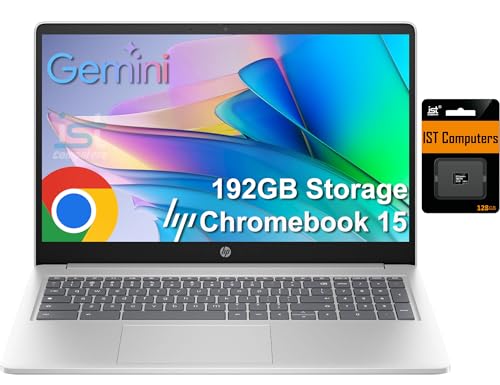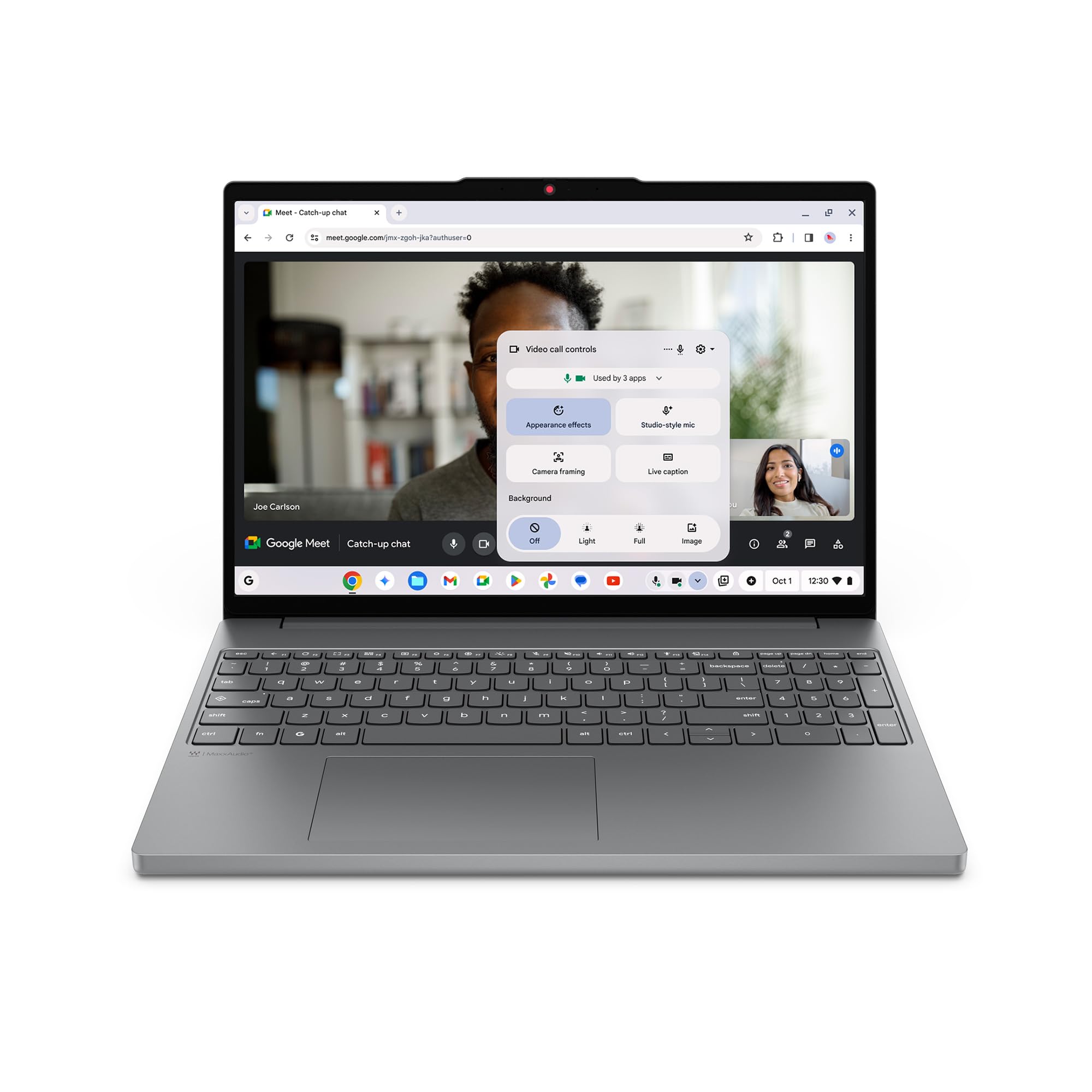
Lenovo Chromebook i - Everyday Laptop - Google Gemini - Intel® N150 CPU - 15.3" WUXGA IPS Display - 8GB RAM - 128GB Storage - Integrated Intel® Graphics - Luna Grey
Disclosure: We may earn a commission when you buy through links on this page, at no extra cost to you. As an Amazon Associate I earn from qualifying purchases. Learn more
Highlights
- SIZED FOR SPACE BUILT FOR SMARTS – The Lenovo Chromebook i brings you big-screen productivity without the bulk—in a spacious 15.3" 16:10 display that lets you see and do more. With Gemini built in, you can multitask, stream, and connect seamlessly.
- SEE MORE SCROLL LESS – Stay comfortable all day with a roomy display. The taller 16:10 ratio shows more of your work and entertainment while the bright 400-nit screen stays clear indoors or out.
- WON’T SLOW YOU DOWN – Skip the wait and start up in under 10 seconds. Chromebook delivers top-notch performance so you can get things done without disruptions. Stay focused and charged with 11 hours of battery life and automatic updates in the background.
- STAY CONNECTED WHEREVER LIFE TAKES YOU – The Lenovo Chromebook i 15" keeps you connected with dual USB-C, dual USB-A, and HDMI for monitors, drives, and accessories. Wi-Fi 6E delivers faster streaming, smoother video calls, and reliable browsing all day.
- BRILLIANT VIEWS AND IMMERSIVE AUDIO – See, hear and create your world in thrilling new ways. The vibrant WUXGA display brings incredible detail to everything you do. Audio tuned by Waves MaxxAudio provides immersive, balanced sound that pulls you deeper into every stream, game and playlist.
- LIGHT IN YOUR BAG AND STRONG ENOUGH TO TRAVEL –At just 3.44lbs, the Lenovo Chromebook i 15" is your all-day carry and built to last. It’s designed to meet the exacting military-grade durability standards, so it’s tough enough to handle daily bumps, sand and dust, and life on the go.
- PROTECTED FROM THE INSIDE OUT – Modern Chromebooks have never had a virus. Thanks to layers of built-in protection and a Google-designed H1 security chip, your security and privacy are covered. Worry less without any added costs or any hard-to-use anti-virus software.
- THE BEST OF GOOGLE IN A LAPTOP FORM – Chromebooks run ChromeOS, the fast, secure operating system from Google. Already use an Android phone? It’s a breeze to get started, with quick setup and the ability to seamlessly switch between screens.
Why You'll Love It
- The spacious 15.3-inch 16:10 screen gives documents, browsing and entertainment more vertical room
- A bright 400-nit WUXGA IPS display keeps content clear across everyday tasks
- Up to 11 hours of advertised battery life supports extended work and entertainment sessions
- Dual USB-C, dual USB-A and HDMI provide several ways to connect accessories and external monitors
- Built-in Gemini and ChromeOS bring Google's software experience and AI assistance into everyday computing
- At 3.44 pounds, the laptop combines a large display with a weight suited to carrying between locations
Pros
- +Large 15.3-inch WUXGA IPS display
- +8GB RAM and 128GB storage
- +Built-in Gemini
- +Wi-Fi 6E connectivity
- +Multiple USB ports and HDMI
Cons
- -Integrated graphics rather than dedicated graphics
- -ChromeOS instead of a traditional desktop operating system
- -15.3-inch screen may be bulky for compact bags
Detailed Review
This 15.3-inch Chromebook laptop is aimed at people who want a generous workspace for everyday computing without choosing a particularly heavy machine. Its large WUXGA display, 8GB of RAM and Intel N150 processor make it a practical combination for browsing, working with documents, streaming and staying connected. Built-in Gemini adds an AI component to the Google software experience, giving the machine another useful feature for people who already rely on Google's services.
The display is one of its main attractions. The 15.3-inch IPS panel uses a 16:10 aspect ratio, which provides more vertical viewing space for documents, webpages and other content. Its WUXGA resolution gives the screen a defined presentation, while the advertised 400-nit brightness is intended to keep content visible in different everyday lighting conditions. For someone who regularly has several pages or documents open, the extra screen space can make working more comfortable. It also gives movies, videos and other entertainment a larger viewing area.
Inside, the Intel N150 CPU works alongside 8GB of RAM and 128GB of storage. This configuration is directed toward everyday computing rather than a specialized workstation role. ChromeOS provides the operating environment, with automatic updates running in the background and built-in security features. The advertised startup time is under 10 seconds, while battery life is listed at up to 11 hours. Together, these features make the machine appealing to shoppers who value straightforward access to their laptop and want to spend less time dealing with routine system maintenance. Gemini is built in, adding an AI feature to the overall Google experience.
Connectivity is another useful part of the design. There are two USB-C ports, two USB-A ports and an HDMI connection, giving shoppers several options for connecting drives, accessories and monitors. Wi-Fi 6E supports wireless connectivity, while Waves MaxxAudio tuning is intended to provide balanced sound for video, music and other entertainment. The laptop weighs 3.44 pounds, and its design is described as meeting military-grade durability standards, including resistance to the everyday challenges of bumps, sand and dust. These details make it suitable for someone who wants a larger laptop that can still move between locations.
The main consideration is the balance between its Chromebook format and the buyer's expectations. ChromeOS is central to this machine, so shoppers should be comfortable with Google's operating environment rather than assume it offers the same experience as a traditional desktop laptop. Integrated Intel graphics also make this a general-purpose choice rather than a graphics-focused machine. Its 15.3-inch screen prioritizes workspace over a particularly compact footprint, and 128GB of storage calls for sensible management of saved files. Verdict: This Chromebook laptop is a worthwhile option for students, everyday users and people who want a large display, Google features and several connection options in one portable package. Shoppers who need a traditional desktop operating system, dedicated graphics or substantially more storage should consider a different type of laptop.
Specifications
- Processor: Intel N150 CPU
- Display: 15.3-inch WUXGA IPS
- Display ratio: 16:10
- Screen brightness: 400 nits
- Memory: 8GB RAM
- Storage: 128GB
- Graphics: Integrated Intel graphics
- Operating system: ChromeOS
- Battery life: Up to 11 hours
- Weight: 3.44 pounds
- Wireless connectivity: Wi-Fi 6E
- Ports: Two USB-C, two USB-A and HDMI
- Audio: Waves MaxxAudio tuning
- Additional feature: Built-in Google Gemini
Who Should Buy It
A great fit if you:
- Want a larger laptop screen for reading documents, browsing websites and keeping more content visible while working.
- Already use Google's services and would appreciate a laptop built around ChromeOS with Gemini included.
- Need a general-purpose computer for everyday tasks, online communication, streaming and document work.
- Prefer having several connection options for accessories, storage drives and an external monitor.
- Want a laptop with advertised battery life of up to 11 hours for work and entertainment away from a charging point.
Consider something else if you:
- Need a traditional desktop operating system, in which case a Windows or macOS laptop may suit your software preferences better.
- Prioritize graphics-focused work, in which case a laptop with dedicated graphics would be a more suitable alternative.
Before You Buy
Confirm on the listing:
- Check the complete physical dimensions and compare them with your desk, storage space and preferred carrying bag. The screen measures 15.3 inches, but the overall laptop footprint is what matters for fit.
- Confirm that ChromeOS supports the software and online services you intend to use, particularly if you depend on specific desktop applications.
- Check which accessories are included in the box, especially if you expect to need a charging accessory or other connections immediately.
- Review the exact storage configuration and your file storage needs to decide whether 128GB is suitable for your documents and downloaded content.
How to compare your options: Start with the display, memory, storage and processor, then consider battery life and connectivity. This model combines a 15.3-inch WUXGA IPS screen, 8GB RAM, 128GB storage and an Intel N150 CPU. Its dual USB-C, dual USB-A and HDMI ports are useful considerations if you connect several accessories. Also compare operating systems carefully, because ChromeOS should be a comfortable fit for the software you plan to use. Finally, consider whether the 3.44-pound weight and larger screen suit the way you intend to carry and use your laptop.
Getting the Most From It
Start by completing the ChromeOS setup and connecting the laptop to your preferred wireless network. If you already use an Android phone, the advertised quick setup and ability to switch between screens can make getting started more convenient. Take a little time to explore the available Google features, including built-in Gemini, so you understand which tools fit your everyday routine.
Make the most of the 16:10 display by arranging documents and browser windows around the additional vertical workspace. The larger screen is useful for reading, writing and keeping relevant content visible while working. Adjust your everyday workflow to suit the display rather than treating it simply as a larger screen for entertainment.
Use the available ports according to your accessories and workspace. USB-C and USB-A connections provide options for compatible drives and devices, while HDMI provides a connection option for an external monitor. Wi-Fi 6E can be used with a compatible wireless network.
Keep your files organized so the available storage remains useful for the content you actually need. Allow automatic updates to run as intended, and follow the manufacturer's care guidance for the laptop and its display. When carrying it, use a suitable bag and keep the laptop protected from unnecessary everyday bumps, dust and sand.
FAQ
Is this Chromebook suitable for everyday work?
Yes, it is designed around everyday computing. Its Intel N150 CPU, 8GB RAM, 128GB storage and ChromeOS provide the listed foundation for browsing, documents, communication and entertainment.
Does it have a touchscreen?
The listed display is a 15.3-inch WUXGA IPS screen. Touchscreen functionality is not stated, so check the exact listing configuration if touch input is important to you.
Can I connect an external monitor?
Yes, it includes an HDMI port for connecting a monitor. It also has two USB-C ports and two USB-A ports for other compatible accessories.
How long does the battery last?
The advertised battery life is up to 11 hours. Actual usage will depend on how you use the laptop, so treat this figure as the stated maximum rather than a guaranteed duration.
Does it include Gemini and automatic updates?
Yes, Gemini is built in, and ChromeOS supports automatic background updates. The laptop also includes a Google-designed H1 security chip and built-in security features, providing an integrated Google software and security experience.
Product Details
| ASIN | B0GJ6NZZX5 |