LG
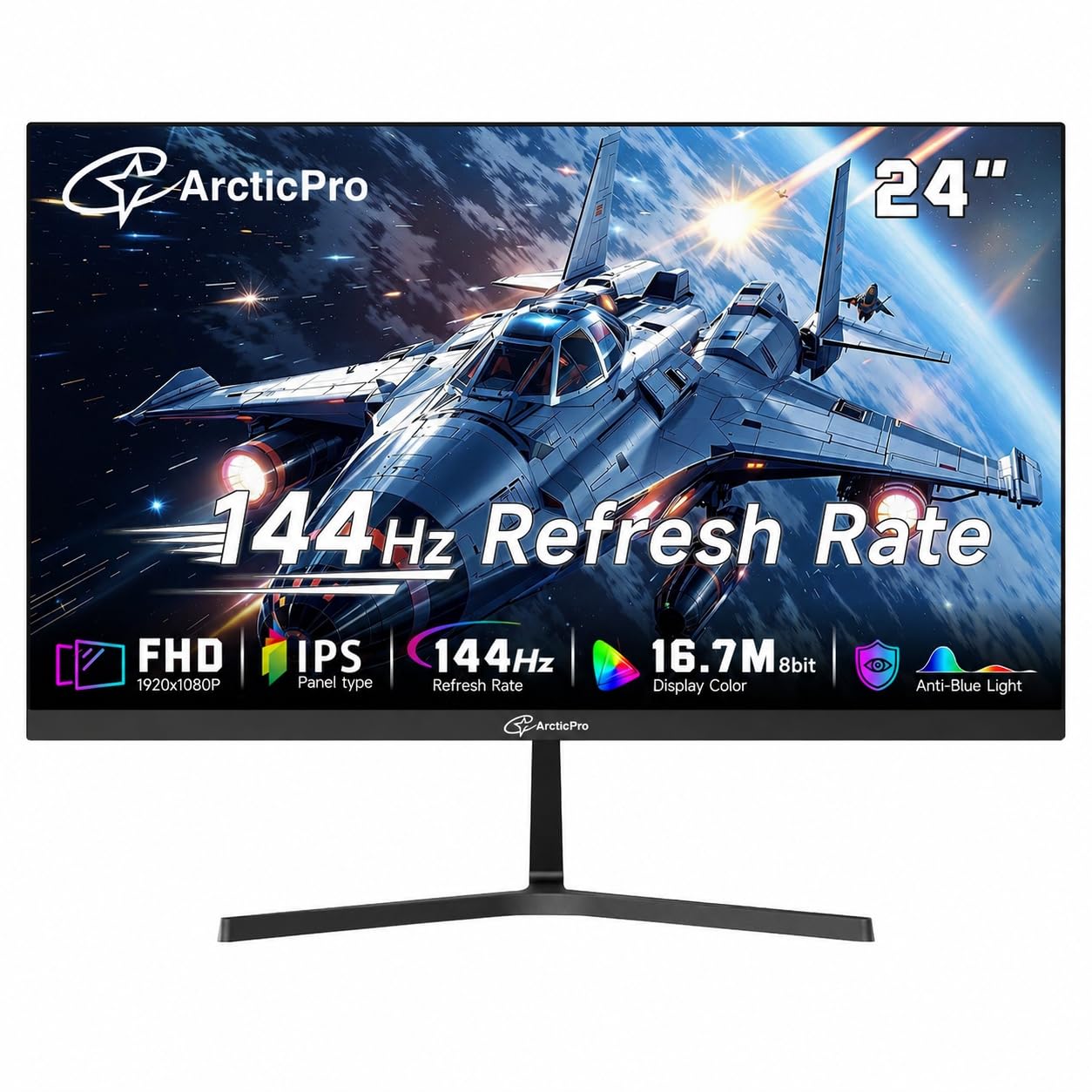
LG 24G411A-B 24-inch Ultragear Full HD (1920 x 1080) IPS Gaming Monitor, 144Hz (O/C), 1ms MBR, NVIDIA G-Sync Compatible, AMD FreeSync, HDR10, HDMI, DisplayPort, Slim Stand, Black
Disclosure: We may earn a commission when you buy through links on this page, at no extra cost to you. As an Amazon Associate I earn from qualifying purchases. Learn more
Highlights
- Vivid Color, Fast Response, Total Control - The 24" UltraGear FHD gaming monitor delivers vivid HDR10 color, ultra-smooth 120Hz speed, and 1ms MBR clarity. G-SYNC compatibility & FreeSync keep gameplay tear-free. The sleek, slim design keep you focused and in control.
- Vivid Color That Puts You in the Action - Step onto the battlefield with HDR10 visuals and up to 99% sRGB color gamut coverage. The IPS display delivers rich, vivid tones, so every explosion, shadow, and landscape appears exactly as the developers intended.
- 120Hz Native Speed (144Hz Overclock) - Enjoy fluid, crystal-clear gameplay with a 120Hz native refresh rate, boosted to 144Hz when overclocked. Minimized motion blur keeps every frame sharp, so you can stay locked in on the action.
- 1ms MBR: Fast-Paced Speed to Victory - 1ms Motion Blur Reduction (MBR) keeps gameplay smooth and sharp, cutting blur and ghosting so fast-moving action stays clear—helping you stay competitive when every millisecond counts.
- NVIDIA G-SYNC Compatible & AMD FreeSync - NVIDIA G-SYNC Compatible and AMD FreeSync deliver smooth, tear-free, low-latency gaming with high refresh rates—so every frame stays sharp.
- Dynamic Action Sync - Don’t miss a beat. Dynamic Action Sync helps you spot the action and strike fast by reducing input lag and boosting responsiveness.
- Never In the Dark with Black Stabilizer - Never get caught off guard. Black Stabilizer enhances visibility in low-light scenes so you can spot threats before they see you.
- Advantage of Accuracy with Crosshair - Crosshair offers an accuracy advantage with center-display crosshairs that provide enhanced vision and precision for increased accuracy in first-person shooter games.
- Customize Your Screen View with the Switch App - The Switch app transforms your screen into a multitasking hub for work, gaming, and streaming. Effortlessly split the screen into up to 6 sections, customize display layouts, or launch video calls with a single hotkey.
- Streamlined Style Meets Immersive View - See more screen and less distraction with the ultra-slim bezel and minimal stand. The sleek, floating-like design creates a clean, weightless look, while the seamless display feel pulls you deeper into the action. Tilt adjustable for comfort.
Why You'll Love It
- 144Hz refresh rate (overclockable from 120Hz) keeps fast action smooth and clear
- 1ms Motion Blur Reduction cuts ghosting for competitive edge in shooters
- IPS panel with HDR10 and 99% sRGB delivers accurate, vivid colors out of the box
- NVIDIA G-Sync Compatible and AMD FreeSync eliminate screen tearing without stutter
- Black Stabilizer brightens dark areas so you spot enemies hiding in shadows
- On-screen Crosshair overlay improves aim in first-person games without monitor mods
Pros
- +144Hz overclockable refresh rate
- +1ms MBR for blur-free motion
- +IPS panel with HDR10 color
- +G-Sync Compatible and FreeSync
- +Slim stand with tilt adjustment
Cons
- -Only 1080p resolution
- -1ms MBR may reduce brightness
- -Stand lacks height and swivel
Detailed Review
The LG 24G411A-B is a 24-inch Full HD IPS gaming monitor built for competitive play where fast motion and low lag matter more than pixel count. It targets PC and console gamers who want smooth, tear-free gameplay at a size that fits a desk or a dorm room without crowding out everything else. With a 144Hz refresh rate (overclocked from a 120Hz native rate), 1ms Motion Blur Reduction, and support for both NVIDIA G-Sync and AMD FreeSync, this monitor is designed to keep up with quick reflexes in shooters, racing games, and action titles.
The core strength here is the combination of speed and image quality. The IPS panel covers 99% of the sRGB color space and supports HDR10, so colors look punchy and accurate right out of the box. That matters for games with rich environments where you need to distinguish subtle shade differences, but it also makes the monitor usable for photo editing or casual creative work. The 144Hz refresh rate (overclockable from 120Hz in the monitor settings) makes motion look fluid, and the 1ms MBR mode cuts blur during fast camera pans. Keep in mind that MBR works by strobing the backlight, which can lower overall brightness, so you may prefer to turn it off in well-lit rooms or slower games.
LG includes several gaming-focused tools that work through the monitor's on-screen display. Black Stabilizer lifts shadow detail so you can see enemies hiding in dark corners without washing out the rest of the image. Dynamic Action Sync reduces input lag by processing frames faster, which helps in twitchy multiplayer matches. The Crosshair feature places a reticle overlay at the center of the screen, useful for games that lack a built-in crosshair or for hip-fire situations. The OnScreen Control app lets you split the screen into up to six sections for multitasking, which is handy if you also work or stream from this monitor.
The design is straightforward and low-distraction. The bezels are slim on three sides, and the stand has a small footprint with tilt adjustment. There is no height adjustment or swivel, so you will need to use a VESA mount (100x100mm) if you want a different position. Connectivity includes HDMI and DisplayPort, which is enough for most setups, but the listing does not specify the HDMI version or whether a cable is included, so you may need to supply your own DisplayPort cable to get the full 144Hz refresh rate on a PC. The monitor is not built for 4K or high-end HDR, and the 24-inch 1080p screen means pixel density is moderate, so text and icons will look fine but not as crisp as a higher-resolution panel.
Verdict: The LG 24G411A-B is a solid choice for competitive gamers who value high frame rates and responsive motion over resolution or premium HDR. It works well with both NVIDIA and AMD graphics cards, and the color quality is a step above basic TN gaming monitors. If you need a larger screen, higher resolution, or a stand with full ergonomic adjustments, look at other models. For a dedicated 24-inch 1080p gaming setup at a reasonable price, this monitor delivers where it counts.
Who Should Buy It
A great fit if you:
- Play fast-paced shooters or racing games where a 144Hz refresh rate and 1ms response give a clear competitive edge.
- Have an NVIDIA or AMD graphics card and want G-Sync or FreeSync to eliminate screen tearing without performance hits.
- Want a 24-inch monitor that fits a smaller desk or a shared space, with decent color for both gaming and everyday use.
- Prefer a monitor that includes practical gaming tools like a crosshair overlay and shadow boosting without extra software.
Consider something else if you:
- Need a monitor for professional photo or video editing that requires wide color gamut beyond sRGB or higher resolution than 1080p.
- Want a fully adjustable stand with height, swivel, and pivot adjustments for ergonomic setups.
- Play mostly single-player story games and would rather invest in a larger screen or 4K resolution than high refresh rates.
Before You Buy
Confirm on the listing:
- Check whether a DisplayPort or HDMI cable is included in the box. To reach 144Hz on a PC, you will likely need a DisplayPort connection, and the included cable may vary by seller.
- Measure your desk depth and the space where the monitor will sit. The stand has a slim footprint but does not swivel or raise, so plan your viewing distance and angle.
- Verify that your graphics card supports the refresh rate you want. Older HDMI versions may cap at 60Hz at 1080p, so confirm your GPU's output specs.
- If you plan to mount the monitor on an arm or wall, make sure you have a compatible 100x100mm VESA mount kit, as it is not included.
How to compare your options: The two most important specs for a gaming monitor at this price level are refresh rate and panel type. This LG offers 144Hz and IPS, which is a good balance for both speed and color. If you see a similar-priced monitor with a TN panel, the LG will have better viewing angles and color. If you see one with a higher refresh rate but lower color accuracy, decide which matters more for the games you play. Also compare connectivity: if you need USB ports or a USB-C input, this monitor does not have them, so check for those features on alternatives.
Getting the Most From It
To get the full 144Hz refresh rate, connect the monitor to your PC using a DisplayPort cable (if one was not included, you will need to buy one). Then go into your display settings and set the refresh rate to 144Hz. On the monitor itself, enable the Overclock option in the on-screen menu to boost from the native 120Hz.
If you notice screen tearing in games, turn on G-Sync or FreeSync from your graphics card control panel. For G-Sync, you may also need to enable it in the monitor's OSD. Use the Black Stabilizer feature in dark games to see into shadows without losing detail in bright areas, but dial it back in well-lit games to avoid a washed-out look.
The OnScreen Control app (downloadable from LG's website) lets you split the screen into sections for multitasking. If you use this monitor for work as well as gaming, set up a custom layout for your browser and documents. Keep the monitor clean with a soft, dry microfiber cloth; avoid using any cleaners that contain alcohol or ammonia, as they can damage the anti-glare coating.
FAQ
Does this monitor support 144Hz over HDMI?
The listing does not specify the HDMI version, but to reliably reach 144Hz at 1080p, you should use a DisplayPort connection. HDMI 2.0 can support 144Hz at 1080p, but older HDMI 1.4 ports may be limited to 120Hz or 60Hz. Check your graphics card's HDMI version and the cable that comes with the monitor.
Can I use this monitor with a console like PlayStation or Xbox?
Yes, the monitor works with consoles via HDMI, but the refresh rate will depend on the console's output. Most current consoles output 60Hz or 120Hz at 1080p, so you will get smooth gameplay but not the full 144Hz. Features like FreeSync may work over HDMI if your console supports it.
Does the monitor have built-in speakers?
The features list does not mention speakers, so you should plan to use external speakers or a headset for audio. The monitor has a headphone jack, but you will need to connect it to your PC or console for sound.
Is the monitor VESA mount compatible?
Yes, the monitor supports a 100x100mm VESA mount pattern, so you can attach it to an aftermarket monitor arm or wall mount. The VESA mount kit is not included.
What is the difference between 1ms MBR and a standard 1ms response time?
1ms MBR (Motion Blur Reduction) is a backlight strobing technique that reduces perceived motion blur, not the pixel response time. It can make fast motion look sharper, but it may also reduce overall brightness and cause flicker for some users. You can turn it on or off in the monitor's settings depending on your preference.
Product Details
| Brand | LG |
| ASIN | B0FLL354M2 |