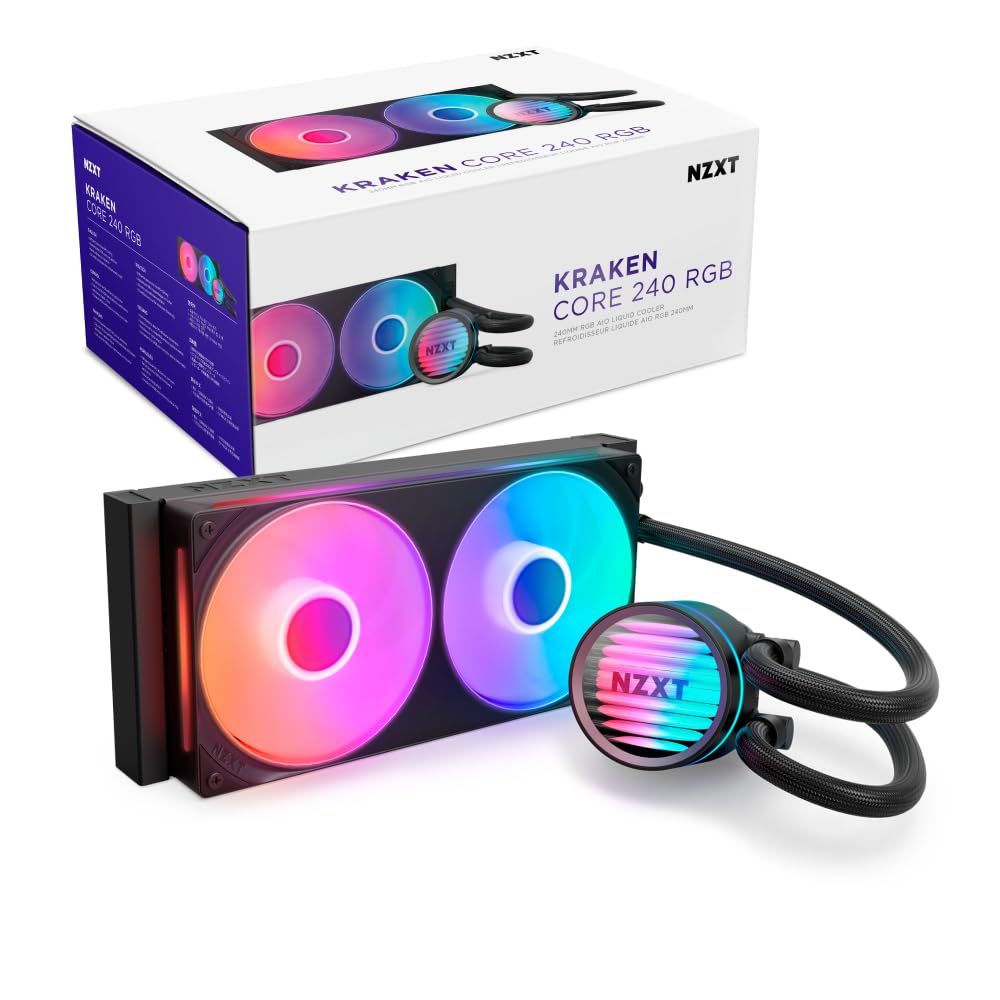
NZXT Kraken Elite 240 RGB - 240mm AIO CPU Cooler, LCD - Black
Disclosure: We may earn a commission when you buy through links on this page, at no extra cost to you. As an Amazon Associate I earn from qualifying purchases. Learn more
Highlights
- SUPERIOR COOLING: The custom-designed NZXT Turbine pump efficiently cools even the most heat-prone CPUs with its high flow rate and head pressure, resulting in a 10%* performance boost with less noise.
- BIGGER, BOLDER DISPLAY: Enjoy stunning visuals on the large 2.72-inch IPS LCD featuring crisp 640 x 640 resolution, smooth 60 Hz refresh rate, ultra-bright 690 cd/m² backlight, vibrant 24-bit color, and wide viewing angles.
- MORE PERSONAL THAN EVER: Display your favorite GIF or image, monitor real-time system performance, and integrate with Google Photos, Spotify, and YouTube. Sync the RGB LED ring with on-screen content and other RGB devices for a cohesive look.
- SIMPLE INSTALLATION: Get set up quickly with pre-applied thermal paste, a single breakout cable, and tool-free mounting brackets for the latest AMD (AM5, AM4) and Intel (LGA 1851/1700, 1200/115X) CPU sockets.
- VIBRANTLY COOL: The RGB Core single-frame fan on the radiator provides optimal airflow and vibrant lighting, along with a sleek, integrated design for easy connectivity and control.
Why You'll Love It
- Turbine pump combines high flow rate and head pressure for efficient CPU cooling
- Large square LCD displays custom images, GIFs, and live system performance
- Connects with Google Photos, Spotify, and YouTube for personalized screen content
- Pre-applied thermal paste and tool-free mounting brackets simplify installation
- Single breakout cable reduces connection complexity while keeping the design integrated
- RGB radiator fan and illuminated ring create coordinated lighting with screen content
Pros
- +Customizable 2.72-inch IPS LCD
- +Real-time system performance display
- +Google Photos and Spotify integration
- +Pre-applied thermal paste
- +AMD and Intel socket support
Cons
- -240mm radiator format limits size flexibility
Detailed Review
This 240mm AIO CPU cooler is designed for PC builders who want CPU cooling and a customizable display in one component. Its combination of a turbine pump, radiator fan, and integrated LCD gives it two distinct jobs: managing CPU heat and adding a personalized visual element to a computer build. Rather than treating the cooler as something that simply sits inside the system, this design makes the display part of the overall presentation. It is particularly appealing to builders who enjoy monitoring system information or displaying personal images alongside their PC's lighting.
The cooling system centers on a custom-designed NZXT Turbine pump. Its high flow rate and head pressure are intended to help manage heat from demanding CPUs. The seller also claims a 10% performance improvement with less noise, making cooling efficiency an important part of the product's appeal. For buyers choosing an AIO cooler, the pump is a central consideration because it is responsible for circulating coolant through the cooling system. Here, the emphasis is on combining efficient circulation with the visual features of the cooler.
The LCD is a major reason to consider this model. Its 2.72-inch IPS screen has a 640 x 640 resolution, a 60 Hz refresh rate, and a 690 cd/m² backlight. It also supports 24-bit color and wide viewing angles. You can use it to display a favorite GIF or image, or switch to real-time system performance information. Integration with Google Photos, Spotify, and YouTube adds further options for personalizing the display. The RGB LED ring can synchronize with the screen content and other RGB devices, helping the cooler become part of a coordinated lighting setup.
Installation is designed around reducing unnecessary setup steps. Pre-applied thermal paste removes the need to apply that material separately, while a single breakout cable simplifies connectivity. Tool-free mounting brackets support AMD AM5 and AM4 sockets, as well as Intel LGA 1851, 1700, 1200, and 115X sockets. The radiator uses an RGB Core single-frame fan, combining airflow and lighting in an integrated design intended to make connectivity and control easier.
The main trade-off is its 240mm format. Buyers who need a different radiator size should consider a cooler designed around their preferred configuration instead. The LCD and RGB features also make this a more visually focused choice than a straightforward cooling-only component. Verdict: This 240mm AIO CPU cooler is a strong option for builders who want customizable screen content, system monitoring, coordinated RGB lighting, and support for several AMD and Intel sockets. If your priority is a different radiator format or a simpler cooler without display-focused features, consider an alternative that better matches those requirements.
Specifications
- Product type: 240mm AIO CPU cooler
- Display: 2.72-inch IPS LCD
- Display resolution: 640 x 640
- Refresh rate: 60 Hz
- Display brightness: 690 cd/m²
- Color: 24-bit
- Pump: Custom-designed turbine pump
- Radiator fan: RGB Core single-frame fan
- AMD compatibility: AM5 and AM4
- Intel compatibility: LGA 1851, 1700, 1200, and 115X
- Installation features: Pre-applied thermal paste, single breakout cable, and tool-free mounting brackets
Who Should Buy It
A great fit if you:
- Are building a PC and want the CPU cooler to contribute to the overall appearance of your setup.
- Enjoy customizing your computer with personal images, animated GIFs, and coordinated RGB lighting.
- Prefer having real-time system performance information displayed directly on the cooler's LCD.
- Use an AMD or Intel processor with one of the supported sockets and want an AIO cooling solution.
- Want installation features such as pre-applied thermal paste and tool-free mounting brackets to simplify setup.
Consider something else if you:
- Need a radiator size other than 240mm and would benefit from a cooler designed around a different format.
- Prefer a basic cooling-focused component without an integrated display, personalized content, or synchronized RGB lighting.
Before You Buy
Confirm on the listing:
- Check your processor's exact socket designation against the supported AMD AM5 and AM4 or Intel LGA 1851, 1700, 1200, and 115X options.
- Measure the intended installation space and confirm that your PC configuration accommodates a 240mm radiator and its fan arrangement.
- Review the complete package contents to confirm which additional components, cables, or accessories are included beyond the features described.
- Check the required connections and software arrangements for using the LCD, RGB lighting, and integrations with Google Photos, Spotify, and YouTube.
How to compare your options: For an AIO CPU cooler, start with radiator format and processor socket compatibility, since these determine whether a particular model suits your build. Then compare the cooling system, display capabilities, and installation features. This model combines a turbine pump with a customizable high-resolution LCD, RGB lighting, and a single breakout cable. Decide whether those visual and monitoring features are worth prioritizing alongside your cooling requirements.
Getting the Most From It
Start by confirming your processor socket and the intended radiator space before beginning installation. Use the supplied tool-free mounting brackets for a supported socket, and take advantage of the pre-applied thermal paste as part of the installation process. Following the installation instructions for your particular configuration will help keep the setup organized.
Once the cooler is installed, explore the LCD's available personalization options. A favorite image or GIF can make the screen a visual feature, while real-time system performance information gives it a more practical role. Choose the display content that best suits how you want your PC to look and function.
If you use Google Photos, Spotify, or YouTube, explore the available integrations to make the display more personal. You can also coordinate the RGB LED ring with the screen content and other RGB devices for a consistent appearance.
For everyday care, follow the manufacturer's instructions for maintaining the cooler, display, and fan. Keep your chosen display content and lighting settings aligned with the rest of your setup, and consult the relevant software guidance if you change how the screen is used.
FAQ
What does the LCD display show?
It can show personal images, GIFs, and real-time system performance information. The screen also supports integrations with Google Photos, Spotify, and YouTube.
Will this cooler work with my AMD or Intel processor?
It supports AMD AM5 and AM4 sockets, plus Intel LGA 1851, 1700, 1200, and 115X sockets. Check your processor's exact socket before purchasing.
Does it come with thermal paste?
Yes, thermal paste is pre-applied. The cooler also features tool-free mounting brackets and a single breakout cable to simplify installation.
Can I synchronize the cooler's RGB lighting?
Yes, the RGB LED ring can synchronize with the LCD content and other RGB devices. This allows the cooler's lighting to coordinate with the rest of your PC setup.
What fan and radiator configuration does it use?
It uses a 240mm radiator with an RGB Core single-frame fan. The integrated design combines airflow and lighting with connectivity and control.
Product Details
| ASIN | B0DCFN8Q6G |