Samsung
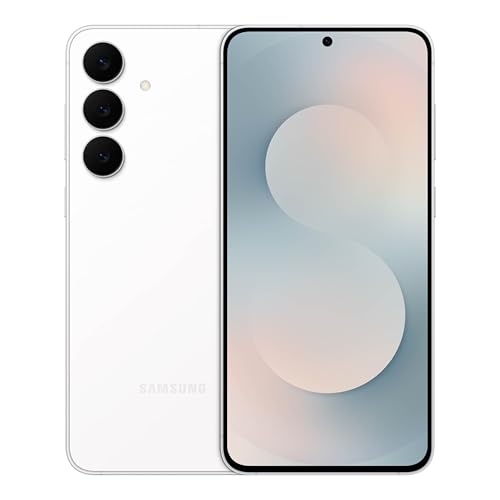
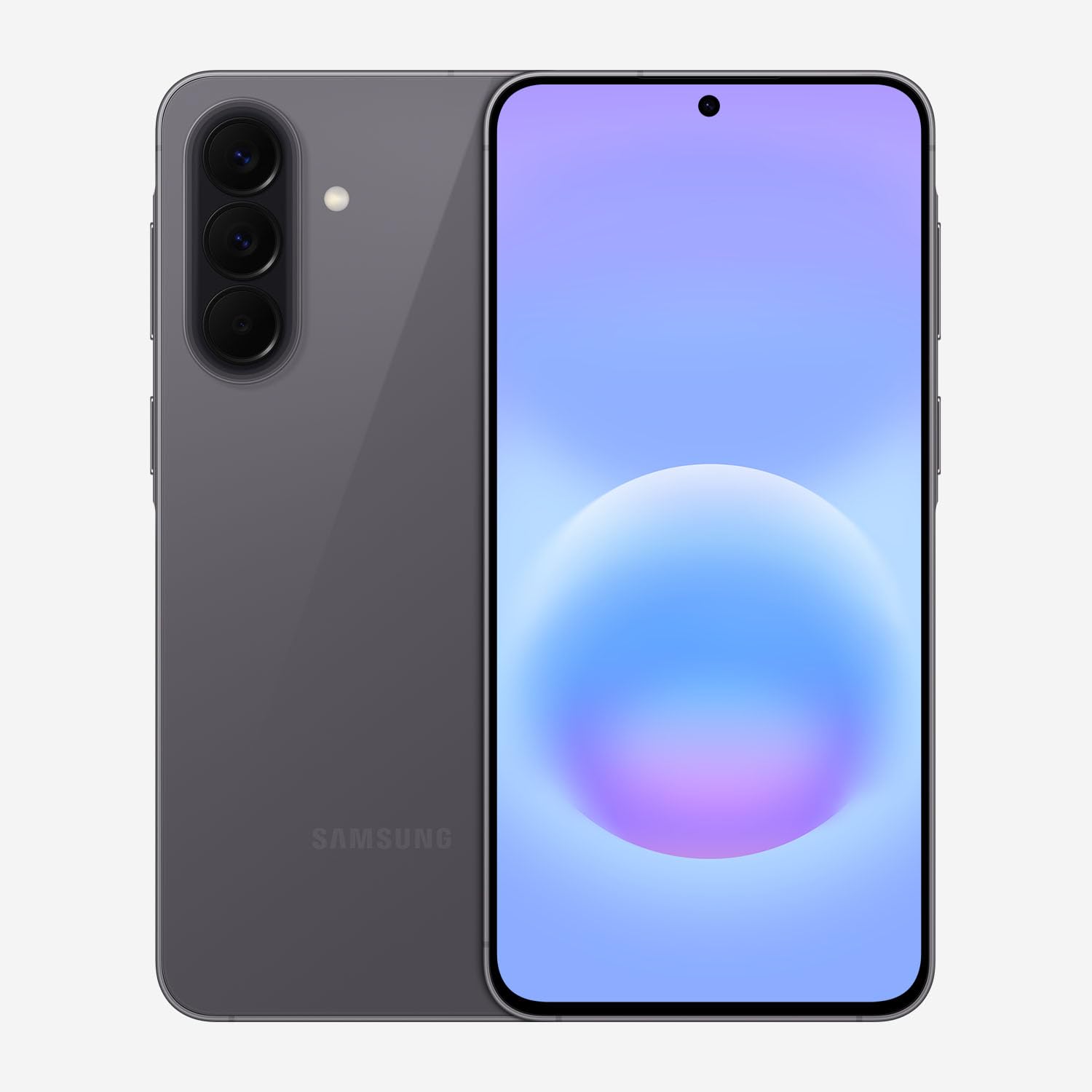
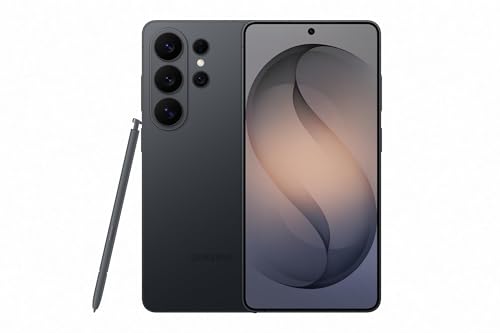
Samsung Galaxy S26 Ultra, Unlocked Android Smartphone, 256GB, Black | Privacy Display, Galaxy AI, AI Camera, Super Fast Charging 3.0, Durable Battery, 2026, US 1 Year Warranty
Disclosure: We may earn a commission when you buy through links on this page, at no extra cost to you. As an Amazon Associate I earn from qualifying purchases. Learn more
Highlights
- PRIVACY DISPLAY: Automatically hide your screen from those beside you. The built-in privacy display can be preset¹ to turn on when receiving notifications, typing passwords, or using specific apps
- TYPE IT IN. TRANSFORM IT FAST: Enhance any shot in seconds on your smartphone by using Photo Assist² with Galaxy AI.³ Add objects, restore details, or apply new styles by simply typing or tapping
- NIGHTS, CAPTURED CLEARLY: From gigs to city lights, record and capture moments after dark with clarity using Nightography so your photos and videos stay crisp and clear on your Samsung Galaxy
- MAKE IT. EDIT IT. SHARE IT: Turn everyday moments into something personal with creative tools built right into your mobile phone, whether it’s a special contact photo, custom wallpaper, an invitation or more⁴
- HELP THAT KEEPS UP: Stay in the moment while Now Nudge with Galaxy AI helps you respond faster and stay organized with smart suggestions⁵ that appear exactly when you need them on your phone
- FIT EVERYONE IN THE SHOT: Group selfies are easier on your Samsung phone with a wider front camera⁶ that captures more of the scene, so no one gets left out of the moment
- FAST. POWERFUL. AI-READY: Power through your day with AI-accelerated performance from our fastest, smoothest and most powerful Galaxy processor yet, built to keep up with everything you do
- CHARGE FAST. MOVE FASTER. Galaxy S26 Ultra is Super Fast Charging 3.0 ready⁷ – so you can get back to capturing, scrolling and steaming without missing a moment
- PAIR BEAUTIFUL SOUND: From small reverbs to subtle textures, catch new details with Hi-Res Audio⁸ when you pair your cell phone with Galaxy Buds4 Pro
- THE WALLET MADE FOR YOUR GALAXY: With Samsung Wallet, easily access your debit and credit cards⁹, membership cards, boarding passes¹⁰ and more. All securely stored in your phone
Why You'll Love It
- Keep private information less visible to nearby people with a screen feature that can activate for selected situations
- Edit photos by describing changes or selecting adjustments, including adding objects, restoring details, and changing styles
- Capture nighttime scenes with Nightography designed to keep photos and videos clear
- Get timely suggestions for replies and organization through Galaxy AI's Now Nudge feature
- Fit more friends into group selfies with a wider front camera
- Access payment cards, membership cards, and boarding passes through Samsung Wallet
Pros
- +Built in screen privacy controls
- +Text guided AI photo editing
- +Nighttime photo and video features
- +Wider front camera for group selfies
- +Samsung Wallet card access
Cons
- -AI editing may not suit shoppers who prefer manual photo adjustments
- -Privacy Display requires choosing appropriate activation settings
- -Fast charging benefits depend on compatible charging equipment
Detailed Review
The Samsung Galaxy S26 Ultra is an unlocked Android smartphone built for people who want more control over screen privacy, photography, and everyday tasks in one device. Its standout feature is Privacy Display, which can automatically hide the screen from people beside you under selected conditions. That makes it particularly relevant to shoppers who regularly handle private information on their phones or want greater control over who can see their screen. The combination of Galaxy AI tools, nighttime photography features, and built in creative options also gives it a clear appeal for people who take pictures and like personalizing what they share.
Privacy Display is more than a general privacy setting. The seller describes options to preset activation when notifications arrive, passwords are entered, or particular apps are used. This approach lets shoppers consider privacy as part of their normal phone routine rather than relying entirely on remembering to switch a feature on. The important practical consideration is choosing the situations that make sense for your own use. If you frequently switch between private tasks and ordinary browsing, think about which activities should trigger the display feature and whether its behavior suits your habits.
Photography is another major focus. Photo Assist uses Galaxy AI to help change images through typed instructions or selected adjustments, including adding objects, restoring details, and applying different styles. Nightography is intended for capturing photos and videos in darker settings, while the wider front camera is designed to include more people in group selfies. Together, these features suit someone who takes a variety of everyday pictures and wants creative editing options available directly on the phone. The creative tools extend beyond photographs, with options for making contact photos, custom wallpapers, and invitations.
Galaxy AI also supports everyday organization through Now Nudge, which offers suggestions intended to help with replies and staying organized. The phone uses Samsung's fastest and most powerful Galaxy processor, according to the seller, with AI focused performance as part of its design. Super Fast Charging 3.0 readiness addresses shoppers who want a faster charging option, and Samsung Wallet provides access to payment cards, membership cards, and boarding passes. Hi Res Audio is another advertised feature when the phone is paired with Galaxy Buds4 Pro, so shoppers already considering that audio combination may find the feature relevant.
The main trade off is that this phone's appeal depends heavily on whether you will use its specialized features. Privacy controls require suitable settings, AI editing is most relevant to people who want computer assisted creative changes, and the charging feature is useful only if your charging setup supports it. The 256GB configuration also calls for a realistic assessment of how much space you want for your content. Verdict: This unlocked Android smartphone is a strong candidate for people who value screen privacy, flexible photo editing, nighttime capture, and built in AI assistance. Shoppers who want a simpler phone with fewer creative tools or who do not need these specific features should compare more straightforward alternatives before deciding.
Who Should Buy It
A great fit if you:
- Regularly enter passwords, check notifications, or use selected apps around other people and want screen privacy controls.
- Take many photos and enjoy changing images with written instructions instead of making every edit manually.
- Often photograph evening events, city lights, or other darker scenes and want dedicated nighttime capture features.
- Take group selfies and want a wider front camera to include more people in the frame.
- Prefer having AI suggestions, creative personalization tools, and digital card access available on one phone.
Consider something else if you:
- Mostly make calls and send basic messages, and would rather choose a simpler smartphone without a strong focus on AI features.
- Prefer handling photographs entirely through manual editing, and would benefit more from a phone centered on your own established workflow.
Before You Buy
Confirm on the listing:
- Check that the unlocked version is suitable for your intended mobile service and that the phone will work with the network you plan to use.
- Confirm that the 256GB storage configuration fits your expected collection of photos, videos, apps, and other content.
- Check which charging equipment is included and whether your existing setup supports Super Fast Charging 3.0.
- Review the full package contents and the terms of the stated US one year warranty before ordering.
How to compare your options: Start with the features you will use regularly, rather than counting every advertised capability equally. Privacy Display, AI photo editing, Nightography, the wider front camera, and Now Nudge are the clearest reasons to consider this model. Then compare storage configurations, charging arrangements, and the camera or privacy functions available on the alternatives you are considering. If you already use Galaxy Buds4 Pro, consider whether Hi Res Audio matters to your listening routine. The right choice is the one whose practical features justify its place in your daily routine, not simply the one with the longest feature list.
Getting the Most From It
Start by reviewing Privacy Display settings and deciding which situations should trigger it. Consider notifications, password entry, and the apps you use for private tasks. Selecting appropriate presets can help the feature match your daily habits instead of leaving its behavior to chance.
Explore Photo Assist with images you already want to improve. Try describing a specific change or selecting an adjustment, then decide whether the result suits your intended use. For important pictures, keep your goal clear before editing so that changes to objects, details, or styles remain aligned with what you want to share.
Use Nightography when photographing darker scenes, and consider the wider front camera when arranging group selfies. Different situations call for different framing choices, so review the composition before capturing a moment you want to keep.
Review Now Nudge and the creative tools as part of setting up your everyday routine. Customize contact photos or wallpapers if personalization matters to you, and organize the cards you want to access through Samsung Wallet. If you plan to use Super Fast Charging 3.0, check the charging instructions and equipment requirements before relying on that capability.
FAQ
Is the Samsung Galaxy S26 Ultra unlocked?
Yes, the product is identified as an unlocked Android smartphone. Confirm that it is compatible with the mobile service and network you intend to use before purchasing.
How does Privacy Display work?
Privacy Display can hide the screen from people beside you and can be preset to activate for notifications, password entry, or selected apps. Review the available settings to decide which situations suit your needs.
Can I edit photos using AI?
Yes, Photo Assist with Galaxy AI supports changes through typed instructions or selected adjustments. The advertised editing options include adding objects, restoring details, and applying new styles.
What comes with the phone, and is a charger included?
The listing identifies the phone as a 256GB unlocked model, but it does not state the complete box contents. Check the package details for included charging equipment and any other accessories before ordering.
Can I use Samsung Wallet and Galaxy Buds4 Pro features?
Yes, Samsung Wallet provides access to payment cards, membership cards, and boarding passes, while Hi Res Audio is advertised when paired with Galaxy Buds4 Pro. Check the relevant setup details if either feature is important to your purchase.
Product Details
| Brand | Samsung |
| ASIN | B0G4SWDH8P |