Samsung
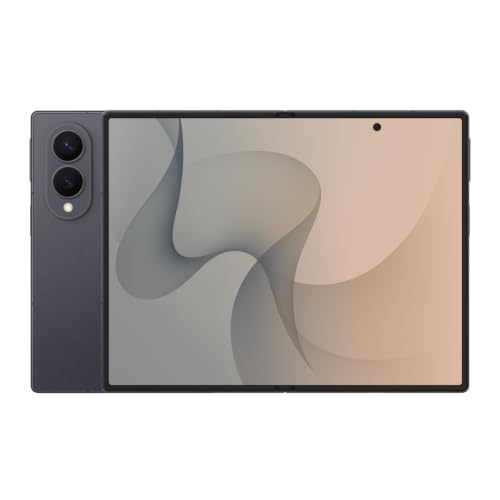
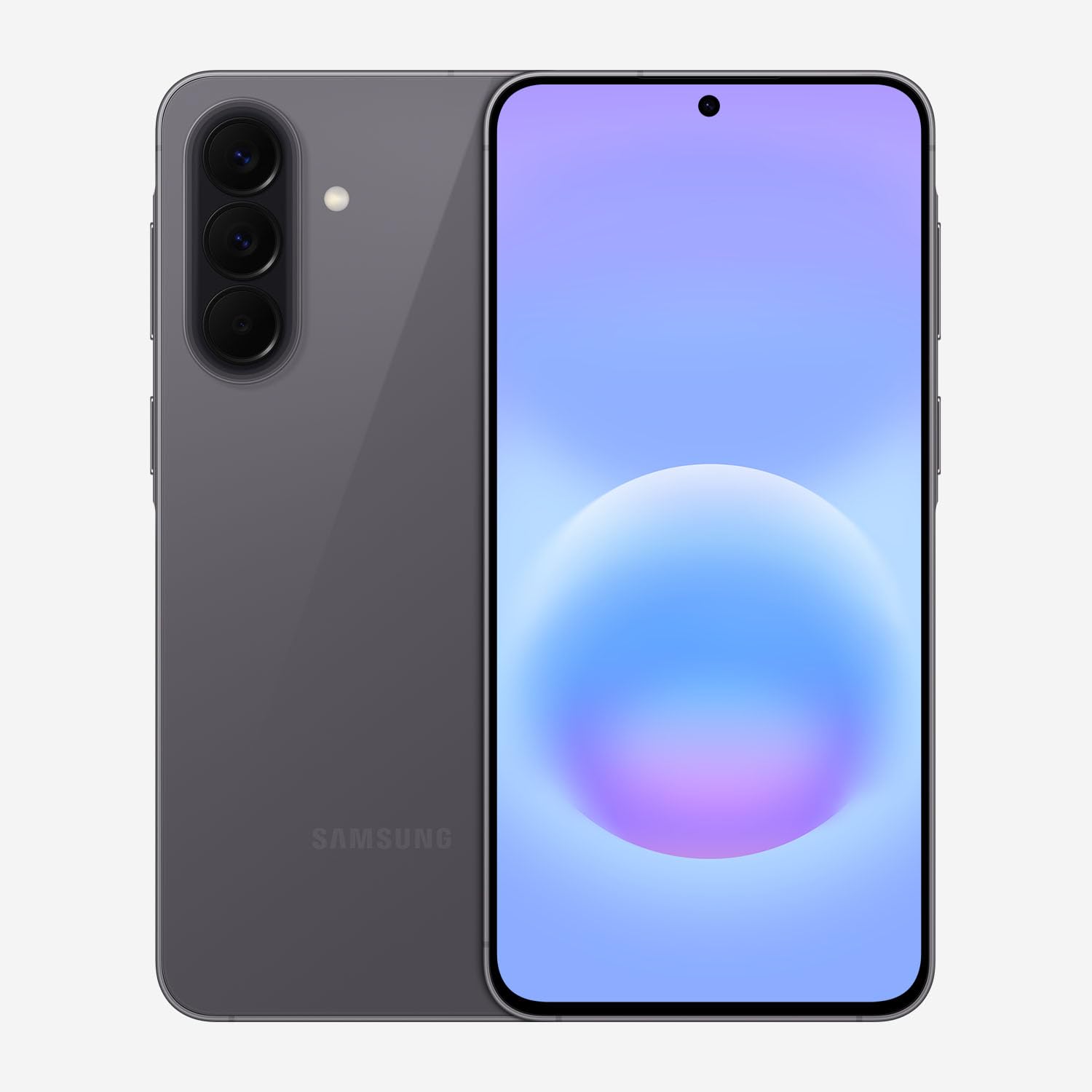
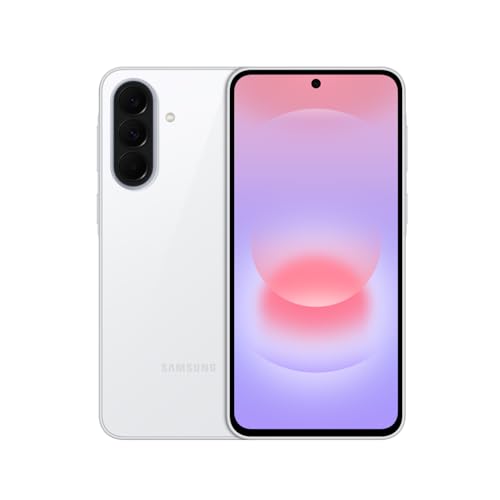
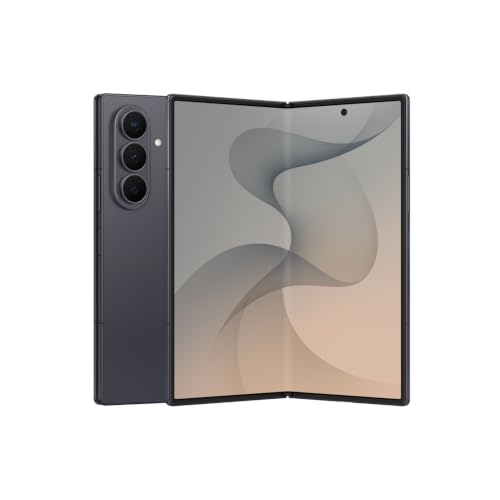
Samsung Galaxy Z Fold8 Ultra Unlocked Android Smartphone, 256GB Graphite | Customized Processor, 5000 mAh Battery, Side-By-Side Multitasking, 12 GB Memory, 200MP Camera, Now Nudge, Photo Assist
Disclosure: We may earn a commission when you buy through links on this page, at no extra cost to you. As an Amazon Associate I earn from qualifying purchases. Learn more
Highlights
- SPLIT THE VIEW. MULTITASK¹ TO THE MAX: Productivity never felt this powerful. Use up to three apps¹ at once on the expansive inner screen of Galaxy Z Fold8 Ultra. You’ll enjoy plenty of space to work, play, connect and more.
- MULTITASKING MADE SMARTER WITH AI: Stay one step ahead with AI² that suggests which apps you might need next. Then view those multiple windows side by side on the large screen of your Galaxy Z Fold8 Ultra.
- ANY SHOT, ALL THE DETAILS: Dive into the details of any image with our best camera on a foldable smartphone. Galaxy Z Fold8 Ultra boasts a 200MP camera — and an upgraded 50MP Ultra Wide lens — for both stunning wide shots and extreme close-ups.
- ELITE CHIPSET. FLUID GRAPHICS: Experience what’s possible with our most advanced Galaxy Z Series processor. From immersive gaming and speedy multitasking to the latest Galaxy AI³ features, the Snapdragon 8 Elite Gen 5 keeps everything running seamlessly.
- THE BATTERY YOU’VE BEEN WAITING FOR: It’s the battery you’ve been wanting in a foldable cell phone. Galaxy Z Fold8 Ultra packs a powerful ultra-sized⁴ battery in an ultra-slim design. Plus, with Super Fast Charging 2.0⁵, charge up faster than ever before.
- THE BRIGHTEST DISPLAY ON A GALAXY PHONE: Our brightest smartphone display⁶ provides you with a comfortable view, whether you’re inside or outside. Watch movies, play games and scroll with ease no matter where you are.
- EASILY OPEN AND EXPAND YOUR POTENTIAL: Unfold a whole new dimension of productivity. Effortlessly open Galaxy Z Fold8 Ultra and watch as it transforms from a premium bar smart phone into an expansive, tablet-like experience to maximize your multitasking.
- LOCK IN TO THE MOMENT: Bring on the bumps, jumps and chaos. Super Steady Video with Horizontal Lock⁷ keeps your footage perfectly upright for smooth, level footage every time.
- A DIGITAL WALLET IS ALREADY IN YOUR GALAXY: Streamline your life, starting with your wallet. Store payment cards⁸, boarding passes⁹, digital IDs¹⁰, and more. All easily accessible right on your phone with a swipe up.
- SWITCHING FROM IPHONE IS NOW EASIER THAN EVER: The excitement of finding your perfect foldable phone can also bring up anxiety about making the switch from iPhone. Bring over photos, contacts, alarms and passwords. Share files and encrypt messages in a way you’re used to.¹⁵ And do it all on Galaxy Z Fold8 Ultra.
Why You'll Love It
- Run up to three apps side by side on the expansive inner screen to keep work and communication together
- Get AI powered app suggestions that help you organize your next steps across multiple windows
- Capture detailed photos with the 200MP main camera and upgraded 50MP Ultra Wide lens
- Use the Snapdragon 8 Elite Gen 5 processor for gaming, multitasking, and Galaxy AI features
- Carry a 5000 mAh battery with Super Fast Charging 2.0 support in a foldable design
- Move from a smartphone view to a tablet like workspace by unfolding the inner display
Pros
- +Large inner screen for three app windows
- +200MP main camera and 50MP Ultra Wide lens
- +Snapdragon 8 Elite Gen 5 processor
- +5000 mAh battery capacity
- +AI assisted multitasking and photo editing
Cons
- -Foldable format may not suit every preference
- -Three window multitasking requires managing multiple apps
- -AI suggestions may not match every workflow
Detailed Review
The Samsung Galaxy Z Fold8 Ultra is a foldable Android smartphone best suited to people who want their phone to double as a workspace. Its defining feature is the expansive inner screen, which can display up to three apps at once. That layout gives work, communication, entertainment, and other activities room to share the screen instead of requiring a single app to occupy the entire view. Unfold it for a more tablet like experience, then return to its smartphone form when a smaller viewing area suits the task.
Multitasking is a central reason to consider this model. Samsung includes AI powered suggestions for apps you might need next, alongside the ability to arrange multiple windows side by side. This could be useful for someone who regularly moves between conversations, work tasks, and other apps during the same session. The benefit depends on your habits: if you often need several apps visible together, the layout has a clear purpose. If you generally use one app at a time, the extra workspace may matter less.
The camera system is another major attraction. A 200MP main camera is paired with an upgraded 50MP Ultra Wide lens, giving photography a prominent role alongside productivity. The listed features emphasize capturing detailed images, wide scenes, and extreme close ups. For video, Super Steady Video with Horizontal Lock is designed to keep footage level, which may appeal to people who record movement and want the horizon to remain upright. Photo Assist adds an AI related editing feature, making image work part of the phone's broader software offering.
Inside, the Snapdragon 8 Elite Gen 5 processor is intended to support gaming, fluid graphics, multitasking, and Galaxy AI features. The phone also combines a 5000 mAh battery with Super Fast Charging 2.0, addressing power needs within an ultra slim foldable design. Samsung describes the display as its brightest smartphone display, with viewing intended to remain comfortable indoors and outdoors. Digital wallet features can bring payment cards, boarding passes, digital IDs, and other stored items together on the phone.
The main trade off is the foldable approach itself. This phone is built around switching between a smartphone form and an expansive inner display, so its defining benefit is most relevant to people who want that flexibility. Its multiple windows and AI suggestions also add options to manage, which may be unnecessary for simpler phone routines. Verdict: Choose this foldable Android smartphone if you want a large working area, capable listed camera hardware, and AI assisted multitasking in one device. If you prefer a straightforward phone experience and rarely use several apps together, a conventional smartphone may be a better fit.
Who Should Buy It
A great fit if you:
- You regularly switch between messages, work tasks, and other apps and want several windows visible at the same time.
- You want one device that can open into a tablet like workspace while retaining a smartphone form for everyday use.
- You enjoy taking photographs and want a phone with a 200MP main camera and a 50MP Ultra Wide lens.
- You play games or use AI features and want a phone built around the Snapdragon 8 Elite Gen 5 processor.
- You prefer having payment cards, boarding passes, and digital IDs accessible through a digital wallet on your phone.
Consider something else if you:
- You usually open one app at a time and would rather choose a conventional smartphone with a simpler single screen layout.
- You do not expect to use a foldable screen and would prefer a phone focused on straightforward everyday tasks.
Before You Buy
Confirm on the listing:
- Check the exact model and configuration, including the 256GB storage option, 12GB memory, and Graphite finish, before placing your order.
- Review the complete package contents and confirm whether any charging accessories or other items you expect are included.
- Check compatibility with your current mobile service, existing devices, and the apps you rely on, especially if you are switching from an iPhone.
- Review the available charging details and device care guidance so you understand the requirements for your intended routine.
How to compare your options: Start with how much you value an expansive inner display and the ability to use three apps together. Then weigh the camera configuration, processor, battery capacity, and AI features against the activities you actually do on your phone. Storage and memory are also worth checking against your intended apps and files. The best fit is the device whose working layout and capabilities you will use regularly, rather than one whose extra features simply sound appealing.
Getting the Most From It
Start by setting up the phone around the activities you do most often. Arrange your frequently used apps so that the inner screen's side by side windows support your routine, whether that means keeping communication visible while working or switching between related tasks. Experiment with the available window arrangements and keep the layout focused on what you need.
Pay attention to the AI app suggestions as you establish your routine. Treat them as prompts to help organize your next steps, then choose the apps and arrangement that suit your work. For photography, explore the main camera and Ultra Wide lens for different compositions, and review Photo Assist when you want to work with your images.
For video, consider using Super Steady Video with Horizontal Lock when keeping footage level is important to the shot. Explore the display for reading, gaming, and entertainment in different environments, and adjust your chosen tasks to the available screen space.
Make the battery and digital wallet part of your setup planning. Learn the charging options described in the device instructions, and add supported wallet items according to their setup guidance. If you are moving from an iPhone, follow Samsung's transfer instructions for photos, contacts, alarms, and passwords, then review your messaging and file sharing preferences.
FAQ
Can the Samsung Galaxy Z Fold8 Ultra run multiple apps at once?
Yes, its inner screen supports up to three apps at once. AI can also suggest apps you might need next, helping you organize a multiwindow layout.
What camera specifications does it have?
It has a 200MP main camera and an upgraded 50MP Ultra Wide lens. The listed video features include Super Steady Video with Horizontal Lock, and Photo Assist supports AI related image editing.
How much storage and memory does this model have?
This configuration has 256GB of storage and 12GB of memory. Check that these capacities suit the apps and files you intend to keep on the device.
Can I switch from an iPhone?
Yes, the listed switching features cover transferring photos, contacts, alarms, and passwords. Samsung also describes options for sharing files and encrypting messages, so review the setup instructions for the transition.
What comes in the box, and which charging accessories work with it?
The product information identifies a 5000 mAh battery and Super Fast Charging 2.0 support, but does not specify the full package contents or accessory requirements. Check the current listing for included items and charging compatibility before buying.
Product Details
| Brand | Samsung |
| ASIN | B0H12KX1X4 |