Sony
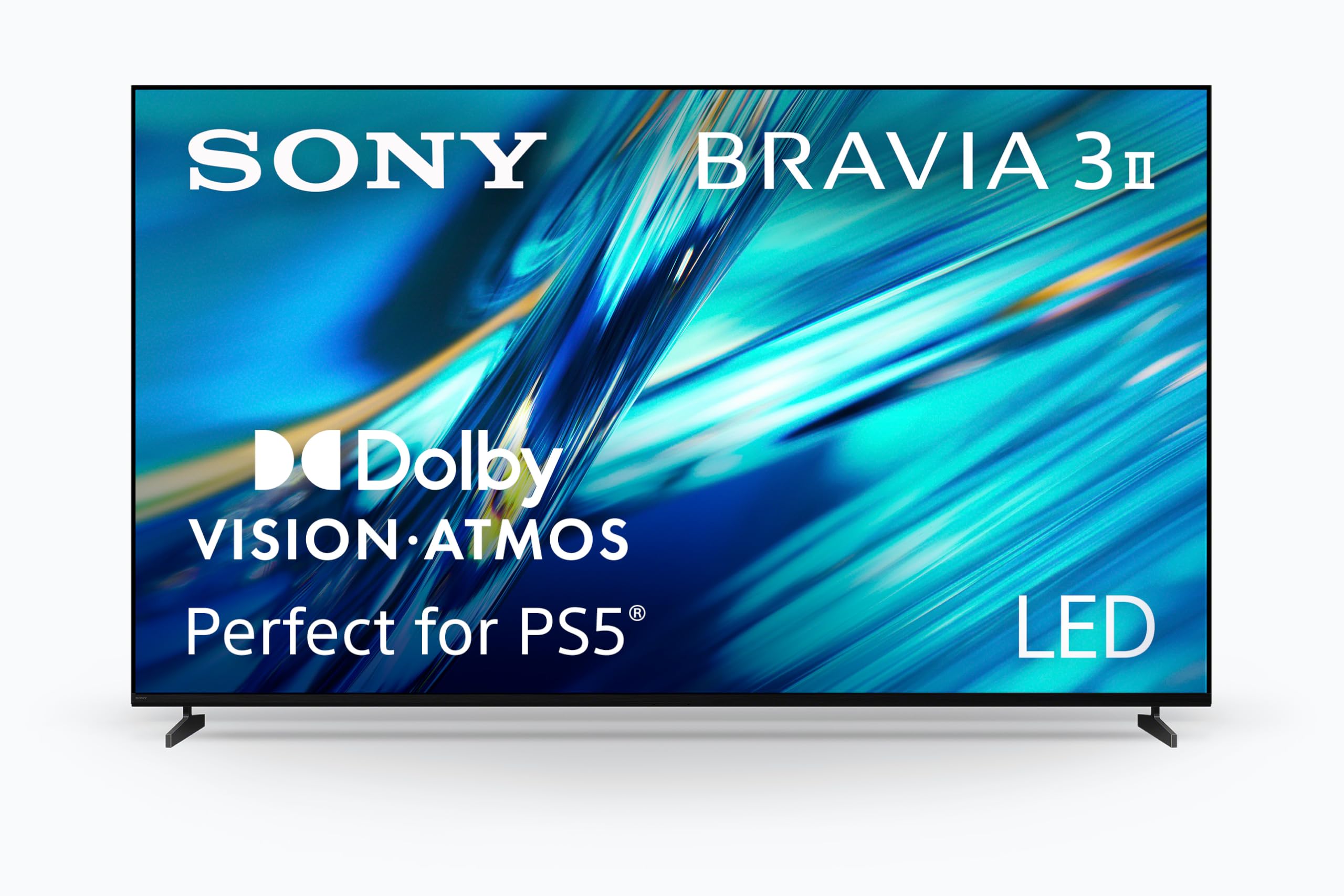
Sony 65 Inch BRAVIA 7 Mini LED QLED 4K HDR Smart Google TV (K-65XR70) | XR Processor with AI Technology, Dolby Vision/Atmos, PS5 Features, XR Backlight Master Drive, 4K movie credits included
Disclosure: We may earn a commission when you buy through links on this page, at no extra cost to you. As an Amazon Associate I earn from qualifying purchases. Learn more
Highlights
- MINI LED BRIGHTNESS AND CONTRAST: Thousands of Mini LEDs are precisely controlled by XR Backlight Master Drive to deliver authentic contrast and our brightest ever 4K TV.
- BILLIONS OF REAL-WORLD QLED COLORS: Access billions of accurate real-world colors with QLED technology and XR Triluminos Pro.
- POWERFUL TV PROCESSING: XR Processor intelligently enhances every scene in real-time boosting color, contrast, and clarity.
- YOUR FAVORITE STREAMING APPS IN ONE PLACE: Get access to all your favorite streaming apps, including Netflix, Prime Video, Disney+, YouTube, the Apple TV app, Crunchyroll, and many more with Google TV. Easily stream to your TV with support for AirPlay 2 and Chromecast built-in. And with Google Assistant, use your voice to search and ask questions.
- MOVIES INCLUDED WITH THE BRAVIA TV: Enjoy streaming high-bitrate, high-quality 4K UHD movies included with the SONY PICTURES CORE app (formerly BRAVIA CORE). Get 5 credits to redeem on latest release movies and 12 months subscription on hundreds of classics.
- STUDIO CALIBRATED PICTURE: Get picture quality just as the creator’s intended with studio calibrated picture modes specially designed for Netflix, Prime Video, and SONY PICTURES CORE (formerly BRAVIA CORE).
- PERFECT FOR PLAYSTATION 5: Take your PS5 gaming to the next level with exclusive features – Auto HDR Tone Mapping and Auto Genre Picture Mode – that optimizes picture quality for gaming and streaming. Game Menu puts all your gaming picture settings and exclusive assist features in one place.
- MORE IMMERSIVE EXPERIENCE: Get a truly cinematic viewing experience with support for Dolby Vision and Atmos, IMAX Enhanced, and DTS:X.
- CRYSTAL CLEAR PICTURE: Upscale all your HD and digital content and bring back lost detail with XR Clear Image.
Why You'll Love It
- Precisely controlled Mini LEDs help create detailed contrast and bright highlights across 4K content
- QLED color technology and XR Triluminos Pro reproduce a broad range of lifelike colors
- XR processing enhances color, contrast, and clarity while XR Clear Image improves HD content
- Google TV brings popular streaming apps together, with AirPlay 2 and Chromecast built in
- PS5 features automatically adjust picture settings for supported gaming and streaming situations
- Sony Pictures Core includes five movie credits and a 12 month subscription to a classics library
Pros
- +Mini LED backlight with precise contrast control
- +QLED color with XR Triluminos Pro
- +Google TV with AirPlay 2 and Chromecast
- +Dedicated PlayStation 5 picture features
- +Included Sony Pictures Core movie benefits
Cons
- -65 inch screen requires suitable room space
- -Several picture processing features may need preference based adjustments
- -Included movie benefits depend on redeeming credits and using the designated app
Detailed Review
The Sony BRAVIA 7 65 inch 4K smart TV is aimed at viewers who want detailed picture processing, strong contrast control, and convenient access to streaming and gaming features in one screen. Its Mini LED backlight, QLED color technology, and XR processor work together to shape the picture, while Google TV provides a central place for entertainment apps. That combination makes it worth considering for a household that watches movies, streams shows, and plays games rather than using the television for just one purpose.
The backlight is a central part of the design. Sony's XR Backlight Master Drive controls thousands of Mini LEDs to manage brightness and contrast across the picture. For a viewer, that means the television is designed to make bright elements and darker portions of a scene easier to distinguish. QLED technology and XR Triluminos Pro complement the backlight by reproducing a broad range of colors. The XR processor then enhances color, contrast, and clarity in real time, while XR Clear Image works to upscale HD and digital content and recover detail. These features are relevant if your viewing habits include a mix of 4K movies, streaming programs, and older or lower resolution material.
Google TV makes the entertainment side straightforward to navigate by bringing supported apps together. The listed services include Netflix, Prime Video, Disney+, YouTube, the Apple TV app, and Crunchyroll. AirPlay 2 and Chromecast built in provide additional ways to stream to the screen, and Google Assistant supports voice searches and questions. Movie fans also receive access to Sony Pictures Core, with five credits for redeeming newer release movies and a 12 month subscription covering hundreds of classics. Studio calibrated picture modes for Netflix, Prime Video, and Sony Pictures Core provide another option for viewers who want content presented using modes designed for those services.
Gaming and cinematic formats round out the feature set. Dedicated PS5 features include Auto HDR Tone Mapping and Auto Genre Picture Mode, while the Game Menu gathers gaming picture settings and assist features in one place. Dolby Vision, Dolby Atmos, IMAX Enhanced, and DTS:X support a more immersive movie presentation. The trade off is that this feature rich approach may be more than a casual viewer needs, particularly if streaming and basic television viewing are the main priorities. Buyers should also make sure a 65 inch screen suits their intended space and decide which picture adjustments and entertainment features they will actually use.
Verdict: Choose this 65 inch Mini LED 4K TV if you want contrast focused picture technology, a broad selection of streaming options, and dedicated PS5 features alongside cinematic format support. If your priority is simply watching occasional programs without using advanced picture, gaming, or streaming functions, a more straightforward television may better match your needs.
Who Should Buy It
A great fit if you:
- Watch a varied mix of movies, streaming series, and HD programs and want picture processing designed to enhance different types of content.
- Already use a PS5 and want dedicated picture features that adjust supported gaming and streaming presentation automatically.
- Prefer accessing streaming apps, voice search, and compatible casting options through one television interface.
- Enjoy movie formats such as Dolby Vision and Atmos, IMAX Enhanced, or DTS:X and want support for them on your screen.
- Would make use of included movie credits and a subscription to a library of classic films through Sony Pictures Core.
Consider something else if you:
- Mostly watch basic television and do not need advanced picture processing, in which case a simpler smart TV may suit you better.
- Have limited room for a 65 inch screen, in which case a smaller television would be a more practical alternative.
Before You Buy
Confirm on the listing:
- Measure the intended viewing area and check the television's exact dimensions, including the space available for its placement.
- Check what is included in the box and review any placement or installation requirements before deciding where the screen will go.
- Confirm compatibility with the devices you already use, especially if you plan to use AirPlay 2, Chromecast, Google Assistant, or PS5 features.
- Review the current Sony Pictures Core terms to understand how the five movie credits and 12 month subscription are redeemed and accessed.
How to compare your options: Start with screen size, picture technology, streaming access, and the types of content you watch most. This model combines Mini LED backlight control, QLED color, XR image processing, and HD upscaling, making those features important comparison points. If gaming matters, compare the specific console features offered; if movies dominate your viewing, look at supported picture and audio formats and the included entertainment benefits. Give more weight to features you will use regularly than to a long list of functions that may remain unused.
Getting the Most From It
Start by choosing a suitable location for the screen and checking the placement instructions provided with the television. Review the setup guidance before connecting your preferred entertainment devices or adjusting picture settings. A clear setup makes it easier to decide which built in features belong in your everyday routine.
Explore Google TV and arrange your viewing around the streaming apps you use. If you regularly stream from compatible devices, try AirPlay 2 or Chromecast built in as appropriate. Google Assistant offers voice based searching, which can be useful when you would rather ask for content than browse through apps manually.
For picture quality, begin with the studio calibrated modes available for Netflix, Prime Video, and Sony Pictures Core when watching content from those services. If you use a PS5, explore Auto HDR Tone Mapping, Auto Genre Picture Mode, and the Game Menu to understand the available gaming adjustments. XR Clear Image and the XR processor also support the television's handling of HD and digital content.
Make use of Sony Pictures Core if its movie selection appeals to you. Review the redemption details for the included credits and subscription, and keep the relevant account and app information accessible. For ongoing care, follow the television's supplied instructions rather than assuming a particular cleaning method or maintenance routine.
FAQ
What streaming apps can I use?
Google TV provides access to services including Netflix, Prime Video, Disney+, YouTube, the Apple TV app, and Crunchyroll. Supported app access makes it possible to bring several entertainment services together.
Does this television have features for PS5?
Yes, it includes Auto HDR Tone Mapping, Auto Genre Picture Mode, and a Game Menu. These features are designed to help manage picture settings and gaming assistance.
Are movies included with the television?
Yes, Sony Pictures Core includes five credits to redeem on newer release movies and a 12 month subscription covering hundreds of classics. Check the redemption terms before relying on these benefits.
Can I stream from another device?
Yes, AirPlay 2 and Chromecast are built in. Google Assistant also supports voice searches and questions.
What should I check before setting it up?
Confirm the exact dimensions, placement requirements, and included accessories on the listing. The television supports several streaming and gaming features, so checking compatibility with your existing devices can help you plan how to use them.
Product Details
| Brand | Sony |
| ASIN | B0CVQ4FQJ9 |