
Sapphire Nitro+ RX 9070 XT Review for 2026: Premium RDNA 4 Card
Disclosure: We may earn a commission when you buy through links on this page, at no extra cost to you. As an Amazon Associate I earn from qualifying purchases. Learn more

Sapphire Nitro+ RX 9070 XT review of the 16GB RDNA 4 card: cooling, size, power checks and how it compares with cheaper models.
This Sapphire Nitro+ RX 9070 XT review is for buyers who wanted a high-end Radeon such as the RX 7900 XTX and now find that card sold out new. The current AMD flagship family is the RX 9070 XT, and the Nitro+ is the premium Sapphire version of it, with a large cooler and 16GB of GDDR6 on the RDNA 4 architecture.
The table above lists this card beside other RX 9070 XT and RX 9070 models, so you can compare price and cooler designs before you choose.




Why the RX 9070 XT Replaces the RX 7900 XTX
The RX 7900 XTX was a 24GB RDNA 3 card, and new stock has dried up. The RX 9070 XT is the newer generation and the one AMD partners are building today. It has less memory than the older flagship, with 16GB against 24GB, but a newer architecture, newer display outputs and a design aimed at modern games and upscaling.
If your work needs the largest possible memory pool, such as large textures or heavy creative tasks, the old 24GB figure matters. For gaming at 1440p and 4K, 16GB is a comfortable amount for current titles, and it is the amount most RX 9070 XT cards carry.
What the Nitro+ Adds
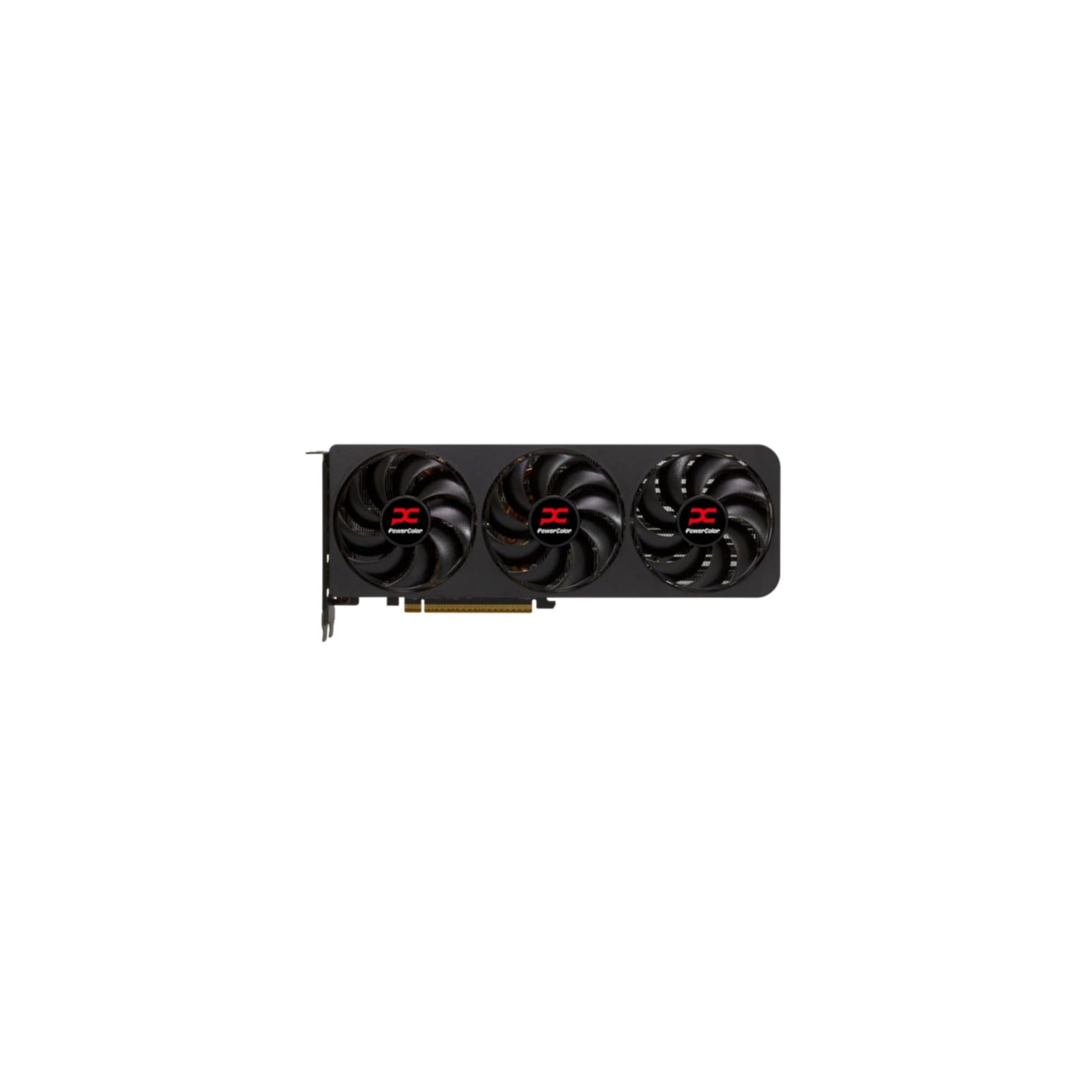
The listing names the card as the Sapphire Nitro+ AMD Radeon RX 9070 XT Gaming OC with 16GB GDDR6. Nitro+ is Sapphire's top tier, and the OC in the name means it ships with a factory overclock. In practice, that means a bigger cooler, a heavier card and a higher price than the Pulse model in the table.
- Cooling: a large triple-fan cooler usually keeps temperatures and noise down under long sessions.
- Build: the card is heavy, so a support bracket is a sensible extra in a vertical or travelling PC.
- Price: it sits near the top of the RX 9070 XT range, so it only makes sense if you value quiet running.
Performance You Can Expect
Expect strong 1440p results at high settings and good 4K results with upscaling enabled. FSR is AMD's upscaling feature, and it helps close the gap at 4K. Ray tracing is much better on RDNA 4 than on earlier Radeon cards, though it is still a place where some rival cards lead. If you play mostly rasterized games, the card is excellent value for the money.
The difference between this card and a cheaper RX 9070 XT is usually small in frame rates. A factory overclock gives a few percent at most, so most of what you pay for is cooling and build quality.
Power, Size and Case Fit
Before ordering, measure the free length and slot space in your case. Premium cards are long and thick, and some take up more than two slots. Check the power connectors on the listing and confirm your power supply has enough cables and wattage for a high-end card, as AMD and Sapphire both publish recommended power supply sizes on their pages.
The card uses PCIe 5.0 in the RX 9070 XT family, and it works in older PCIe slots as well with little loss in most games. A compact case may force you toward a shorter model such as the Pulse.
Nitro+ vs Cheaper RX 9070 XT Cards
Cheaper RX 9070 XT models give almost the same frame rates, which makes the choice about noise, looks and price. The Pulse in the table is a dual-fan option that costs less, while models from ASRock, ASUS, XFX and PowerColor sit between the two. If you do not mind a little fan noise, a cheaper card is the better value.
Choose the Nitro+ if you want a quiet PC, you leave your computer on a desk where you can hear it, or you plan to keep the card for several years.
Driver and Software Notes
AMD's Adrenalin software handles drivers, tuning and recording. Sapphire adds its own utility for fan and lighting control. Update the graphics driver after installing the card and check the motherboard BIOS if the system does not display at first.
Sapphire Nitro+ RX 9070 XT Review: Who It Suits
This card suits a gamer building a 1440p or 4K system around AMD, who wants low noise and does not mind paying extra for it. It does not suit a small case, a small budget or a creative workflow that depends on 24GB of memory. Compare the cheaper cards before you commit, because the same GPU is available at several price points.
For a wider look at other brands, read our AMD Radeon RX 9070 XT review and the best graphics card guide.
Upgrading From an RX 7900 XTX or Older Radeon Card
If you already own a 7900 XTX, the move to a 9070 XT is not an automatic win, because you lose memory capacity and gain features instead of raw speed. Upgrading makes more sense for owners of older cards, such as the RX 6000 series or a GTX or early RTX card, where the jump in speed and features is large.
Plan the swap carefully. Uninstall the old graphics driver cleanly, remove the old card, seat the new one fully in the slot and connect every power cable the card needs. After the first boot, install the current driver, enable resizable BAR in the motherboard settings if it is off, and check temperatures during a long game session.
Keep the old card's box and the new card's packaging until you are sure everything works, since the return window is your safety net.
FAQs
Is the RX 9070 XT better than the RX 7900 XTX?
It uses a newer architecture and is the model sold new today, but it has 16GB of memory against the 24GB of the older card.
Does the Nitro+ come overclocked?
The listing says Gaming OC, which means it has a factory overclock.
How much memory does it have?
The listing shows 16GB of GDDR6.
Do I need a new power supply?
Not always, but check your power supply wattage and connectors against the card page before you order.
Final Verdict
This Sapphire Nitro+ RX 9070 XT review comes down to cooling and build over raw speed. It is a strong card for a modern gaming PC and the sensible replacement for a 7900 XTX shopper. Check your case size and power supply, compare the cheaper models in the table, and then decide how much quiet operation is worth to you.
Stock changes often with graphics cards, so look over the listing once more before you buy.


