
8BitDo Ultimate 2C Alternatives: Comparable Controllers in 2026
Disclosure: We may earn a commission when you buy through links on this page, at no extra cost to you. As an Amazon Associate I earn from qualifying purchases. Learn more

8bitdo ultimate 2c alternative controllers: budget gamepads with Hall Effect sticks, wireless options and what to weigh before buying.
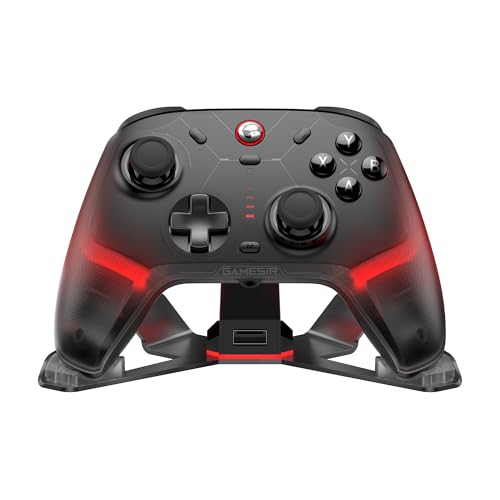
A good 8bitdo ultimate 2c alternative has to beat a hard target: Hall Effect sticks, Hall triggers and a 1000Hz connection at a very low price. Many budget pads miss one of those, which is why the 2C became popular, but several rivals match it or add features like trigger locks and a dock. The product table right after this introduction lists wireless and wired controllers in the same price range.
This guide explains what to look for at a low price, which compromises are acceptable and which are not, and how to compare similar pads.




The Bar the 2C Sets
The 2C offers Hall Effect joysticks and Hall triggers, a 1000Hz polling rate over 2.4G wireless and wired, extra L4 and R4 bumpers, on-controller button mapping and turbo. The listing also mentions wear-resistant metal rings around the sticks. That is a generous list for a pad at its price.
A rival needs to match most of it. If a controller at the same price has older potentiometer sticks, it is a step backward, since those wear and drift sooner. If it has Hall sticks but a lower polling rate, think about whether you play games where that matters.
- Must-have: Hall Effect or similar sticks.
- Nice to have: analog Hall triggers, back buttons, 1000Hz polling.
- Bonus: a dock, trigger locks, app support.
Budget Wireless Pads
Wireless pads with Hall sticks now start at around the same price as the 2C. Several makers offer 2.4G dongles, Bluetooth and wired modes in one body, with two back buttons, microswitch face buttons or a mechanical D-pad. Trigger stops are another popular feature at this price, since they let you shorten the pull for faster fire.
When comparing, read the connection list carefully. A pad that works on PC, Switch and Android is more versatile, and a dongle gives lower latency on PC than Bluetooth. Some include a simple dock or a carry case, which adds value.
Wired Pads
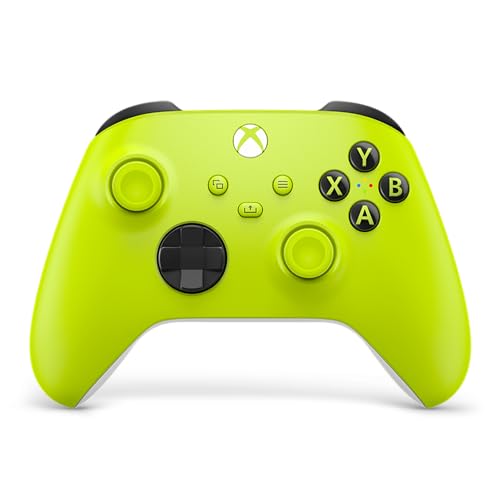
If you game at a desk, a wired pad is a dependable alternative. There is no battery to degrade, no pairing and no latency worries. Wired Xbox-style controllers with Hall sticks and Hall triggers are available at a low price, with extras such as a headphone jack and back keys.
Check the platform line. Some wired pads work on Xbox consoles and PC, while others work on PC only. A pad labeled for Xbox may need a specific mode on Windows, though plug-and-play is common.
Classic Budget Gamepads
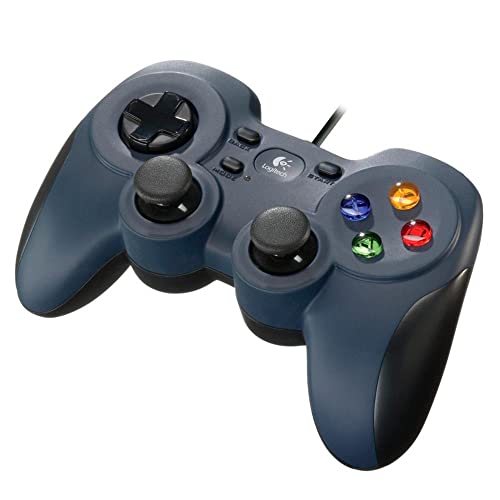
Older, simple gamepads cost less than the 2C and still serve basic needs. They use older stick technology, have no back buttons and offer limited customization, but they work with most PC games with no setup. They suit children, casual play and secondary pads for guests.
Think of them as a stopgap rather than a long-term purchase. If you play often, a Hall-based pad is worth the small extra cost, because stick drift on cheap pads shows up within months for heavy users.
Features That Are Easy to Overpay For
Lighting, bundled cases and flashy shells do not improve play. Motion control matters only in games that support it. Extra paddles help competitive players and are ignored by casual ones. Pay for sticks, triggers, connection quality and comfort first, and treat the rest as bonuses.
Software is another factor. A pad with a good app lets you adjust dead zones and map buttons, which extends its usefulness. A pad with no software relies on defaults, which is fine for many users.
Where to Compare Further
Our best PC controller guide covers options at every budget. For a step up from the 2C within the same family, read our 8BitDo Ultimate 2 review. If you want a premium console-style option, the DualSense Edge review shows the other end of the market.
A Short Buying Checklist
Before you click buy, run through a few quick checks. Confirm the platform: PC, Switch, Android, Xbox or several. Confirm the sensor type on the sticks and triggers, since this decides how long the pad stays accurate. Confirm the connection: 2.4G, Bluetooth or wired, and which suits your setup.
Then check the extras you actually want: back buttons, trigger stops, vibration, a dock and software. Finally, check the return window. Controllers are personal, and a pad that looks great on paper may not fit your hands, so a fair return policy is worth having.
Common Mistakes With Low-Priced Pads
The first mistake is buying purely by price and ending up with a pad that drifts within months. The second is ignoring the platform line, which leads to a pad that will not connect to your device. The third is overlooking comfort, since a pad that is small or uneven in feel can tire your hands in long sessions.
A fourth mistake is trusting unclear brand names with no warranty. Stick with makers that publish support pages, firmware updates and clear terms. A small premium for a known brand usually pays for itself in reliability.
Using the Same Pad Across Devices
Many players want one controller for PC, a handheld and a phone. Bluetooth makes this possible, though pairing takes a moment each time you switch. Some pads remember several devices, and a mode switch on the body changes the connection quickly. If you move often between devices, look for a pad with a clear mode switch and good pairing support.
On PC, Steam Input can make nearly any pad work with nearly any game, and lets you remap buttons at the system level. That reduces the risk that a game will not recognize a lesser-known pad.
8bitdo ultimate 2c alternative: How to Choose
Pick a wireless pad if you
- Play on the couch or move between devices.
- Want Hall sticks, 1000Hz and back buttons.
- Are happy to charge occasionally.
Pick a wired pad if you
- Play at a desk and want zero latency worries.
- Prefer to save money and skip batteries.
- Use an Xbox-style layout.
FAQ
What is the best budget alternative?
Choose a pad with Hall Effect sticks and a 2.4G or wired connection at a similar price, and check comfort reviews.
Are cheap controllers prone to drift?
Models with older sticks often are. Hall Effect sticks are designed to avoid it.
Do I need back buttons?
Not for casual play, but they help in shooters and action games.
Is wired better than wireless?
Wired is simpler and cheaper, and wireless is more flexible. Pick based on where you play.
Finding an 8bitdo ultimate 2c alternative comes down to sticks, connection and comfort: pick Hall Effect sensors first, then decide between wired simplicity and wireless freedom.


