
Anker Vertical Mouse Review for 2026: Is It Worth Buying?
Disclosure: We may earn a commission when you buy through links on this page, at no extra cost to you. As an Amazon Associate I earn from qualifying purchases. Learn more

An honest anker vertical mouse review: comfort, fit, features and limits of Anker's wired and wireless ergonomic mice for desk work.
Wrist and forearm strain from a flat mouse is common among people who spend all day at a desk, and a vertical design is the usual remedy. This Anker vertical mouse review looks at what Anker's ergonomic range offers, who it suits, and how it compares with the better-known vertical models from Logitech and others.
The product table above lists Anker's wired and wireless vertical mice next to rivals at several price levels. Use it to check current prices, then read on for the trade-offs that matter more than the price.



Why a Vertical Mouse Feels Different
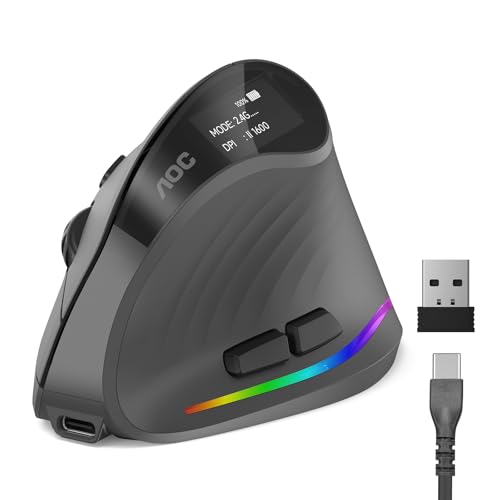
A conventional mouse forces your forearm to twist so the palm faces down. A vertical mouse stands the hand on its edge, close to a handshake position, which removes much of that twist. Many users feel the difference within a day, although the adjustment period is real: your pointer control will feel clumsy for the first few sessions.
Nobody should treat any mouse as a medical device. If you have pain, numbness or a diagnosed condition, talk to your doctor or an occupational therapist about your workstation, and use the mouse as one part of a broader setup that includes breaks.
Anker's Wireless and Wired Options
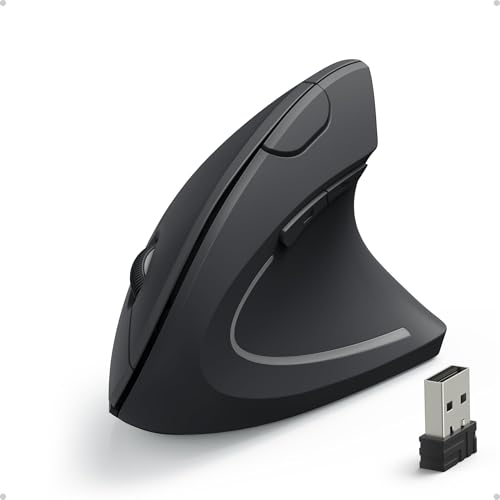
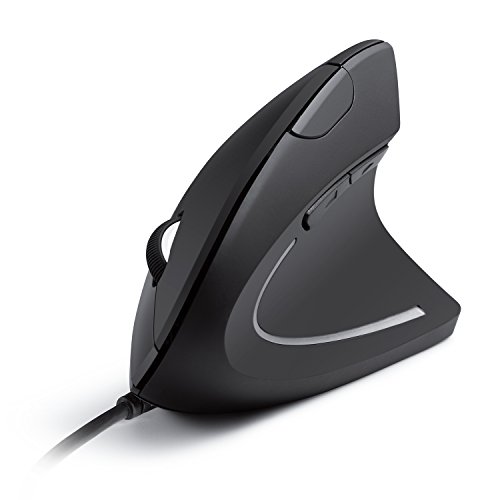
Anker sells a 2.4 GHz wireless vertical mouse with a USB receiver and a simpler wired vertical model. The wireless version is the one most buyers choose because it clears cable clutter, while the wired one costs less and never needs a battery or charge.
Both are plain, no-frills tools. You get a comfortable grip, a few buttons and an adjustable pointer speed, but not the extra scroll wheels, multi-device pairing and app control found on premium models.
Fit and Grip
Vertical mice are shaped for one hand. Anker's popular wireless model is designed for the right hand, so left-handed users should look at the table for a left-hand option or a different brand. Hand size matters too: a large hand may overhang a compact shell, while a small hand can struggle to reach the side buttons.
When the mouse arrives, hold it in a relaxed grip with the whole hand supported. If your fingertips stretch to reach the buttons, return it while you still can.
Pointer Speed and Daily Work
For spreadsheets, documents and browsing, the sensor on an entry-level vertical mouse is perfectly adequate. Raise the pointer speed a notch to cut how far your wrist travels, which is part of the ergonomic benefit.
Design, photo and video editors may notice the limits of a budget sensor, and anyone who plays fast shooters will find a gaming mouse far more precise. This is an office tool, not an esports tool.
Anker Vertical Mouse Pros and Cons
The strengths are a low price, a comfortable shape for long document sessions, simple setup through a USB receiver, and a name with decent after-sale support. The weaknesses are a basic feature set, a plastic feel compared with premium rivals, and right-hand-only shaping on the best-known model.
How It Compares With Other Vertical Mice
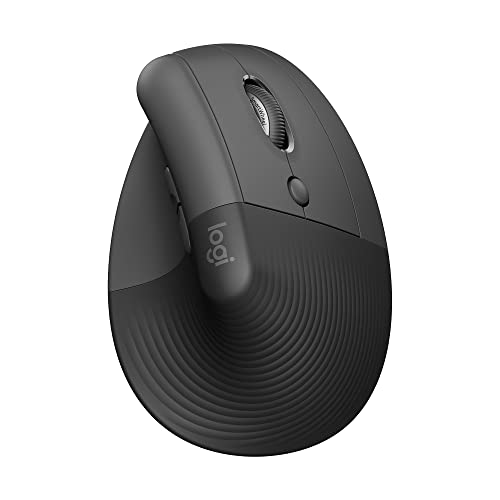
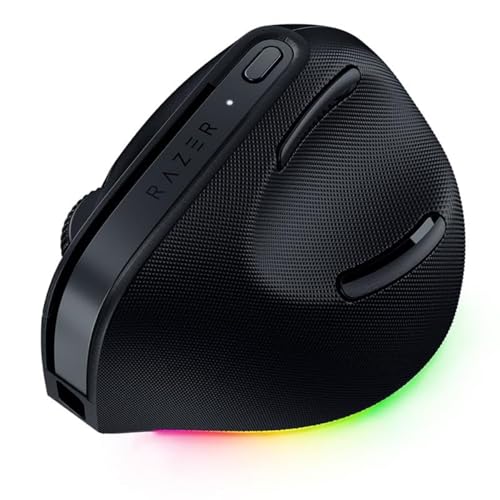
Logitech's Lift and MX Vertical lines cost more but add quieter clicks, better materials, Bluetooth and multi-device switching. Cheaper brands such as Lekvey and ProtoArc undercut Anker on price, so the choice often comes down to which feels better in your hand and which brand you trust for support.
If you are comparing standard office mice too, our best mouse page and the Logitech MX Master 3S review show what you gain at the premium end. The Apple Magic Mouse review covers a very different flat design for Mac users.
Setting Up Your Desk Around It
A vertical mouse helps most when the rest of the desk is set up well. Keep the mouse close to the keyboard, let your elbow rest at your side rather than reaching out, and use a mouse mat with a smooth surface so the hand glides without effort.
Take short breaks, shake out your hands now and then, and swap hands occasionally if your work allows. A good mouse reduces strain but cannot cancel hours without a pause.
Battery, Receiver and Connections
The wireless Anker model talks to the computer through a small USB receiver instead of Bluetooth, which keeps pairing trivial: plug it in and move the mouse. That is convenient for a desktop and awkward for a thin laptop that has only USB-C ports, where you may need a small adapter or a Bluetooth mouse instead.
Keep the receiver in the port while travelling, because losing it usually means losing the mouse. Wired buyers avoid the problem completely and also get zero lag, which some users value for precise cursor work.
Who Should Skip It
If you need to switch between a laptop and a desktop with a single button, want a thumb wheel for horizontal scrolling or need a left-handed shape, a budget vertical mouse is the wrong tool. The same goes for gamers, who should look at proper gaming mice with high-precision sensors and low-latency wireless.
People with very small hands should also try a smaller vertical model or a trackball. Comfort is personal, and the best ergonomic mouse is the one you will actually use for hours.
Buying Tips and Return Policy
Because comfort cannot be judged from a photo, buy from a seller with an easy return policy and use the mouse for a full workday before deciding. Compare the price of the wired and wireless versions, and check whether your version needs batteries or charging before you plan your desk.
Read buyer comments for the left-hand and right-hand notes, and watch for lookalike listings that borrow Anker's name but are sold by unknown sellers.
FAQs
Is the Anker vertical mouse good for carpal tunnel?
No mouse can promise to treat a medical condition. Many people find a vertical grip more comfortable, but ask your doctor if you have symptoms.
Does it work on a Mac?
Mice that use a USB receiver generally work on Macs, though a laptop with only USB-C ports may need an adapter. Check the listing for compatibility notes before ordering.
Does the wireless model need charging?
Check the product page for whether your version uses replaceable batteries or an internal rechargeable cell, because Anker and its rivals use both approaches.
How long does it take to get used to it?
Expect a few days of slightly awkward aiming. Most people adapt within a week or two, and a return window protects you if it never feels right.
Final Verdict
Our Anker vertical mouse review verdict: it is a sensible, affordable way to try a vertical shape without spending premium money, and it suits office work well. If you want multi-device switching, a left-hand option or a more refined feel, step up to the models in the table. Choose by hand fit first and price second. If anything in this anker vertical mouse review still leaves you unsure, the return window is your safety net.
Prices and availability can change, so check the product page before ordering.


