
Asus ProArt PA278QV Review for 2026: 27-Inch Color Monitor
Disclosure: We may earn a commission when you buy through links on this page, at no extra cost to you. As an Amazon Associate I earn from qualifying purchases. Learn more
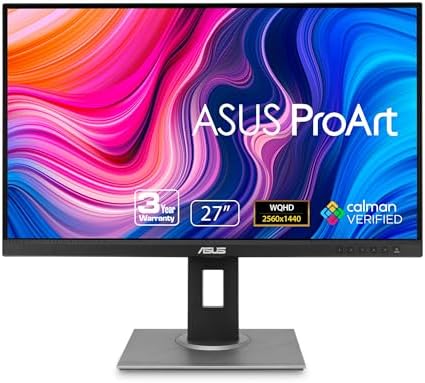
This asus proart pa278qv review covers the 27 inch 1440p IPS monitor: sRGB coverage, Calman verification, ports, stand and warranty.
Color accuracy used to cost a fortune, and this asus proart pa278qv review shows how far an affordable 27 inch monitor can go. The PA278QV is a 1440p IPS display factory calibrated for accuracy, sold for around $215 with a full ergonomic stand and a long warranty. It targets photographers, video editors and designers who want trustworthy colors without a premium price.
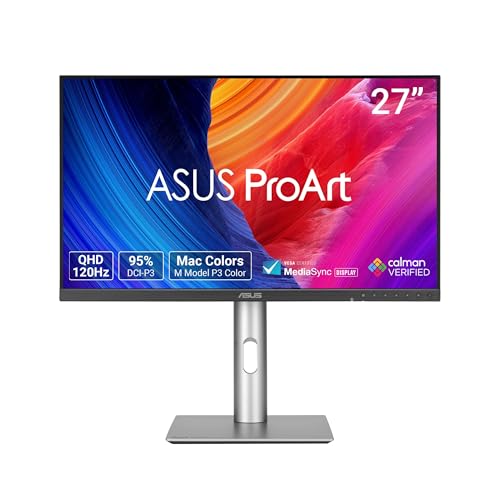
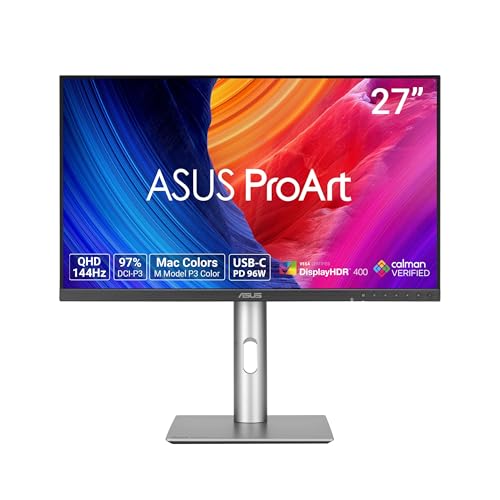
The product table lists the PA278QV with its ProArt siblings and a few gaming oriented 27 inch monitors, so you can compare price and features.



Asus Proart Pa278qv Review: The Panel
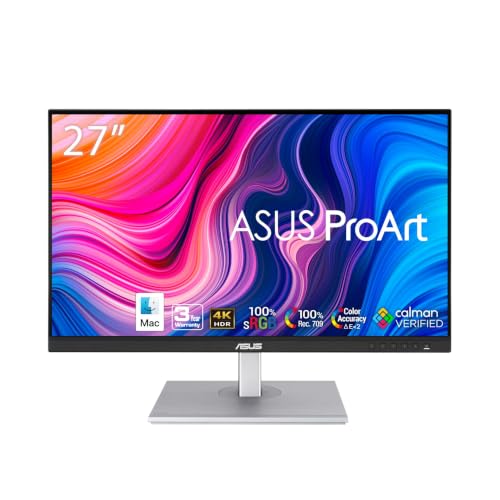
The listing describes a 27 inch WQHD display with 2560 by 1440 resolution on an IPS panel. Color coverage is 100 percent sRGB and 100 percent Rec. 709, which are the standards for web images and video. The monitor is Calman Verified with a Delta E under 2, which means ASUS checks accuracy at the factory.
Delta E measures how far a displayed color is from the target. A value below 2 is hard for most people to distinguish by eye, so the picture looks true right out of the box. A hardware calibrator can improve it further if your work demands it.
Ports and Ergonomics
Connections include DisplayPort, HDMI, DVI D and Mini DisplayPort, plus a built in USB hub. That variety covers desktops, older machines and laptops with adapters. There is no USB C input on this model, so a laptop with only USB C needs an adapter or a different monitor from the family.
The stand adjusts for tilt, pivot, swivel and height. Pivot lets you rotate the screen to portrait mode, which is excellent for reading long documents and editing vertical photos. Flicker free backlighting and a blue light filter reduce strain during long sessions.
Presets and Palette
ProArt Preset gives quick modes for different tasks, such as sRGB, Rec. 709 and others. ProArt Palette lets you adjust color, brightness and black levels in detail. These tools matter if you switch between photo and video work.
Everyday and Gaming Use
The monitor is built for creators, not for fast gaming. The listing does not advertise a high refresh rate, so competitive players should look at gaming monitors at similar prices. For casual games, video and office work, the sharp 1440p image is a pleasure.
The anti glare coating reduces reflections in bright rooms. Watch movies in a dim room for the best result, since this is an office grade panel rather than an HDR display.
Warranty and Value
The listing mentions a three year warranty plus two more years if you register online, for a total of five. That is generous for a monitor in this price band. It also signals confidence in the display.
At around $215 the PA278QV costs a little more than a basic 27 inch 1440p monitor but gives you factory calibration and a flexible stand. If you do not need color accuracy, a cheaper gaming monitor with a higher refresh rate may serve you better.
Setting Up for Color Work
Start with the sRGB preset for web and photo work, and switch to Rec. 709 when you edit video. Keep the brightness at a level that matches your room, since a screen that is too bright hides shadow detail. Avoid strong lighting behind the monitor, which also hurts perceived contrast.
If you print your photos, a hardware calibrator is still worth buying. Factory calibration is a strong starting point, but panels drift slightly over time, and a calibrator keeps the numbers honest. Run it every month or two for consistent prints.
Working with a wide desk
A 27 inch screen at this resolution leaves room for editing software and its panels. Place the top edge of the screen at or just below eye level, and sit about an arm's length away. Use the pivot feature when you read long documents or write code.
Who Should Skip It
Competitive gamers should skip it, because the monitor is not built around a fast refresh rate. People who need USB C power delivery for a laptop should look at the CV models. Anyone who works in HDR or needs a wide gamut for print production might prefer a higher end display.
Casual users who only browse and stream will not see much benefit from the calibration, and a cheaper monitor serves them just as well. The PA278QV earns its price for people who care about accurate color.
ProArt Family Options
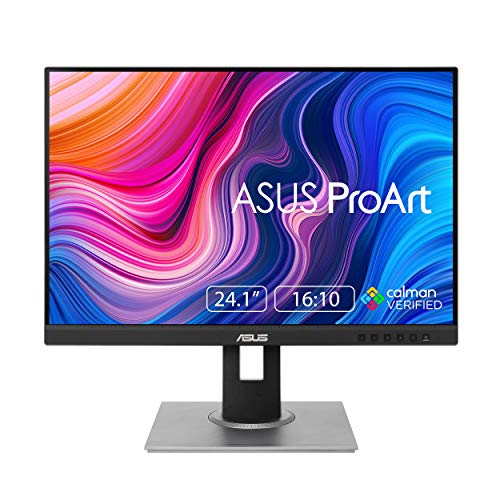
ASUS offers many ProArt models. The PA278CV adds USB C connectivity, the PA248QV is a 24 inch 16:10 screen and the PA279CV moves to 4K. Pick based on your ports, desk size and resolution needs.
- Need USB C and laptop charging: look at the CV models.
- Want a taller screen: the 16:10 model gives more vertical space.
- Edit high resolution photos: consider the 4K version.
For rival picks, read the Dell S2725QC review and the Apple Studio Display review, or browse the best computer monitor guide.
Cables and Compatibility
Use DisplayPort for the best connection to a desktop graphics card, and HDMI when you share the monitor with a console or a laptop. The USB hub on the monitor needs its upstream cable connected to the computer to work. Keep the cables short and tidy, and use the stand's cable clip.
Frequently Asked Questions
Is the ASUS ProArt PA278QV good for photo editing?
Yes, the 100 percent sRGB coverage and factory calibration suit photo work.
Does it have USB C?
No, the listing names DisplayPort, HDMI, DVI D and Mini DisplayPort.
What resolution is it?
2560 by 1440, also called QHD or WQHD, on a 27 inch panel.
How long is the warranty?
Three years plus two more with online registration, per the listing.
Is it good for gaming?
It works for casual play, but it is aimed at creators and does not advertise a high refresh rate.
Final Verdict
This asus proart pa278qv review sums up an excellent value for color work: accurate colors, a flexible stand and a five year warranty for around $215. Gamers and USB C laptop owners should look at other models in the product table. If accurate color matters to you, the PA278QV is hard to beat at its price.
Prices and availability can change, so check the product page before ordering.


