
Asus ROG Flow Z13 Review for 2026: 13-Inch Gaming 2 in 1
Disclosure: We may earn a commission when you buy through links on this page, at no extra cost to you. As an Amazon Associate I earn from qualifying purchases. Learn more

This asus rog flow z13 review covers the 13 inch 2 in 1: 180 Hz touchscreen, Ryzen AI Max+ power, memory options, battery and price.
A gaming tablet that behaves like a laptop sounds like a gimmick until you see the hardware, and this asus rog flow z13 review explains why the Z13 is more than that. The Flow Z13 is a 13 inch 2 in 1 with a detachable keyboard, a kickstand and a processor whose graphics rival midrange gaming laptops. Newer configurations cost around $2,700 to $3,300, so it is a premium device with a very specific audience.
The product table lists Z13 configurations beside other gaming laptops, so you can compare price and power.
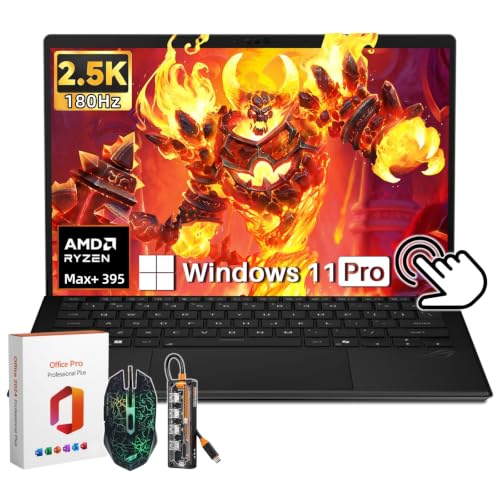
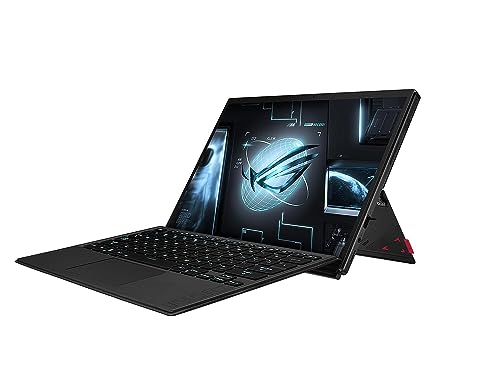


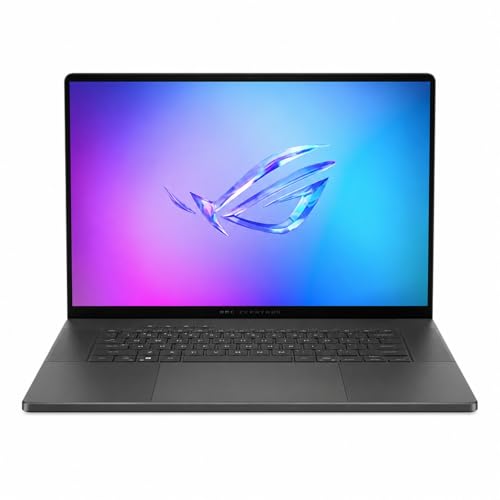
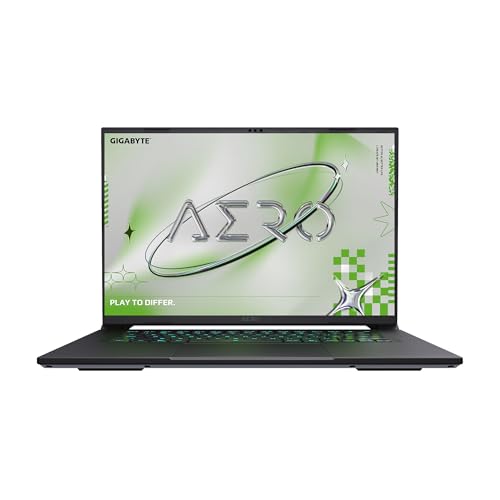


Asus Rog Flow Z13 Review: Design and Display
The Z13 is a tablet first. The 13 inch screen is a 16:10 touchscreen with a 2.5K WQXGA resolution, a 180 Hz refresh rate and 100 percent DCI-P3 color coverage, according to the listing. A 170 degree kickstand holds the tablet at the angle you want, and the keyboard cover attaches magnetically with a larger touchpad.
The body is thin and light for a gaming device, and the listing mentions a stainless steel vapor chamber with liquid metal for cooling. That helps keep a fanned design quiet at moderate loads, though heavy gaming will still raise fan noise.
Performance and Memory
The latest Z13 uses an AMD Ryzen AI Max+ 395 processor with 16 cores and RDNA 3.5 integrated graphics, with options up to 128 GB of fast LPDDR5X memory. Because the memory is shared between the processor and graphics, a large pool helps with both games and AI workloads. The listing quotes up to 50 TOPS from the neural engine.
Integrated graphics this strong can run many modern games at good settings, but they are not a match for a large laptop with a dedicated graphics card. The appeal is the combination of portability and power in one thin body.
Older Z13 versions
The earlier Z13 from the previous generation is cheaper, at about $1,750 in the table. It has a less capable processor and graphics, and its price makes it attractive for buyers who want the form factor without the premium. Check the configuration details before you buy.
Battery, Ports and Everyday Use
The listing quotes up to 10 hours of battery life, which is a best case for light use. Gaming drains the battery in a couple of hours, so keep the charger handy. Ports include two USB4 Type C, HDMI 2.1 and a memory card slot, which cover docks, displays and storage.
Because it is a tablet with a keyboard cover, the typing position is lower than on a normal laptop. Use it on a table, not a lap, for long typing sessions. The kickstand makes it easy to place on a desk or tray table.
Using It as a Tablet and as a Desktop
In tablet mode the Z13 is a Windows slate with a high refresh screen, good for reading, sketching and media. Add the keyboard and it becomes a compact laptop in seconds. Dock it with a monitor through USB4 or HDMI, and it turns into a small desktop with the same power.
That versatility is the real selling point. A single device replaces a tablet, an ultraportable and a modest gaming PC. The cost is that none of those roles gets the absolute best hardware.
Cooling, Noise and Weight
A thin body with strong silicon needs good cooling, and ASUS uses a vapor chamber and liquid metal to move heat away. Under heavy gaming the fans spin up and the chassis warms near the vents. Use it on a hard surface so the air intake stays clear.
Weight is far lower than a standard gaming laptop, which makes the Z13 easy to carry. A charger and the keyboard cover add to the bag, so weigh the whole kit before a long trip, and keep the charger rated for the full power the system needs.
Accessories to add
A good sleeve protects the screen, and a pen helps for drawing and notes. A compact USB C dock gives you a bigger display and wired network at a desk. Choose accessories sold for the Z13 because the body is a unique shape.
Who Should Buy It
Creators, travelers and gamers who want one device for sketching, writing, editing and playing are the target. It is also a fit for people who value a small body and strong graphics at the same time. The price asks for a clear reason to buy it.
If you want the best gaming performance per dollar, a standard gaming laptop is better. If you prefer a conventional keyboard and a large screen, the 14 and 16 inch ROG models are easier choices.
Price and Alternatives
Top configurations cost more than many full size gaming laptops with dedicated graphics. The premium pays for the thin body, the touchscreen and the unusual shape. Compare price and power in the product table before you decide.
Our best gaming laptop guide covers the broad market, and the ASUS ROG Zephyrus G14 review and ASUS ROG Strix G16 review show conventional options. The ASUS ROG Flow Z13 alternative guide compares other directions.
Frequently Asked Questions
Is the ROG Flow Z13 a tablet or a laptop?
Both. It is a tablet with a detachable keyboard and kickstand that runs full Windows.
How much memory does it have?
Configurations vary, up to 128 GB of shared memory on the top model.
Can it play modern games?
Yes, at good settings with its integrated graphics, though it does not match a laptop with a dedicated card.
How long does the battery last?
The listing quotes up to 10 hours for light use. Gaming drains it faster.
Is it good for drawing?
The touchscreen and color coverage suit sketching and photo work, and a pen can be added.
Final Verdict
This asus rog flow z13 review concludes that the Z13 is a unique, powerful 2 in 1 for buyers who value portability. It is expensive, so compare configurations in the product table and think about whether a normal gaming laptop would serve you better. If the form factor fits how you work, it is hard to match.
Prices and availability can change, so check the product page before ordering.


