
ASUS ROG Strix XG27ACS Review for 2026: 27-Inch 1440p 180Hz Monitor
Disclosure: We may earn a commission when you buy through links on this page, at no extra cost to you. As an Amazon Associate I earn from qualifying purchases. Learn more

This asus rog strix xg27acs review covers the 27-inch 1440p Fast IPS panel, 180Hz refresh, USB-C hub and HDR claims, and who the monitor is a good fit for.
The ASUS ROG Strix XG27ACS sits in the sweet spot of PC gaming monitors: a 27-inch 1440p screen, a fast refresh rate and a USB-C port that can double as a hub. This asus rog strix xg27acs review walks through what the monitor does well, where its limits are, and which kind of buyer it fits.
Retail listings usually call it the ROG XG27ACS, and the Strix name is the product family. Knowing that helps when you search, because several similar ROG monitors share almost the same name and differ only in a few letters.



Panel, Resolution and Refresh Rate
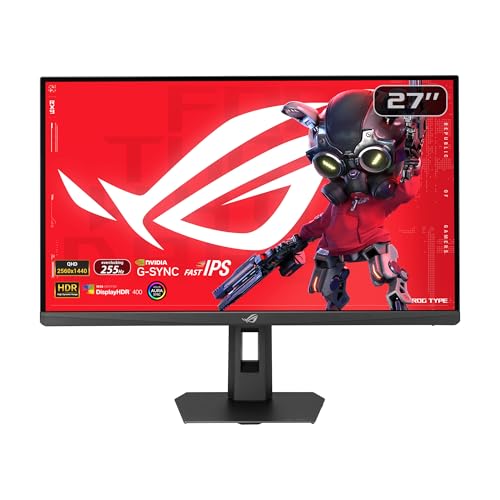
The XG27ACS uses a 27-inch Fast IPS panel with a 2560 x 1440 resolution and a 180Hz refresh rate. ASUS quotes a 1ms response time (gray to gray). At 27 inches, 1440p gives a sharp image without demanding the graphics power of 4K, which is why it remains the most popular size and resolution for gaming desks.
A 180Hz ceiling is high enough to feel clearly smoother than a 60Hz or 75Hz screen, and it is easy to reach with a mid-range graphics card in most games. Competitive players who want 240Hz or more will look at faster models, but most people notice little difference above this level in everyday play.
Motion Clarity and Adaptive Sync
Motion handling is where gaming monitors separate themselves. The XG27ACS supports ASUS ELMB Sync, which runs the Extreme Low Motion Blur feature together with variable refresh rate. That means you can reduce ghosting and avoid tearing at the same time, something many monitors cannot do together.
The product description also lists G-SYNC compatibility and FreeSync support. In practice that means smooth, tear-free frames with both NVIDIA and AMD graphics cards. Turn adaptive sync on in your graphics driver and the monitor settings, and cap your frame rate slightly below the maximum for the cleanest result.
HDR, Color and Everyday Work
The monitor carries DisplayHDR 400 certification and quotes 133 percent sRGB coverage. DisplayHDR 400 is the entry rung of HDR on a monitor, so treat it as a modest improvement rather than a cinema experience. The wide color range does help games and video look richer than a standard office panel.
For desk work, 1440p at 27 inches gives plenty of room for two windows side by side. Text is crisp, and the DisplayWidget Center software lets you change monitor settings with a mouse instead of the on-screen buttons, which is a small but real daily convenience.
USB-C and Connectivity
The most useful extra is the USB Type-C port. It carries a DisplayPort video signal and works as a USB hub, so a laptop can connect with a single cable while mice, keyboards and drives plug into the monitor. If you game on a desktop and work on a laptop, this removes a lot of cable swapping.
ASUS also markets the monitor for console use. Check the exact refresh and resolution modes your console supports before you buy, since consoles often cap at 120Hz even on a faster screen.
Who Should Buy the XG27ACS
This monitor suits someone stepping up from a 1080p screen who wants a clear quality jump without spending flagship money. It is a good match for a desktop with a mid-range graphics card, and for a laptop user who wants one-cable docking.
It is less ideal for viewers who want deep blacks and top-tier HDR, since OLED monitors do that better, or for players who want the highest possible refresh rate. If you are comparing other 27-inch options, our AOC Q27G3XMN review and Samsung Odyssey G5 review cover alternatives, and the best gaming monitor guide shows the wider field.
Setup Tips for Best Results
- Use a DisplayPort cable for the full refresh rate from a PC graphics card.
- Set the refresh rate to the maximum in the operating system display settings, not only in games.
- Enable adaptive sync in the graphics driver, then confirm it in the monitor menu.
- Use the USB-C port with a cable rated for video, since charge-only cables will not work.
How It Compares With Similar ROG Monitors
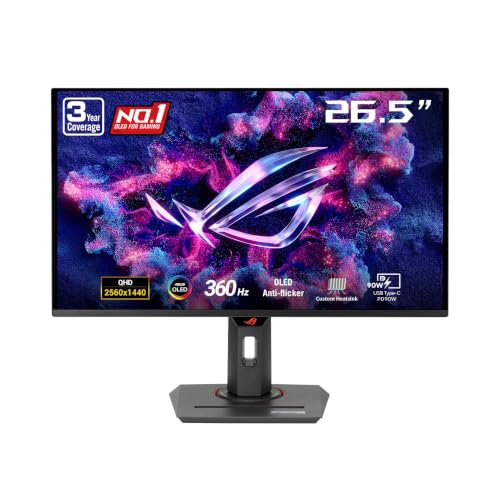
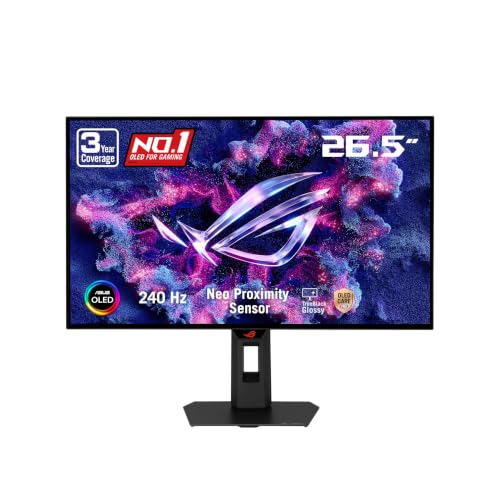
ASUS sells many 27-inch ROG monitors with near-identical names, so compare the full model code. The XG27AQMR is a Fast IPS screen with a much higher refresh rate, aimed at players who put speed above everything else. The XG27ACDNG is a QD-OLED model with deeper blacks and a very high refresh rate, and it costs noticeably more.
The XG27ACS sits below those models on price and above plain budget monitors on features. Its calling cards are the USB-C hub, the ELMB Sync motion feature and a sensible 1440p resolution, rather than record-setting numbers. That balance is why it works as a first serious gaming monitor.
Fast IPS Compared With VA and OLED
Fast IPS panels keep the wide viewing angles and accurate colors of ordinary IPS, with faster pixel response. They do not match OLED for contrast, but they avoid burn-in worries and stay bright in a lit room. VA panels offer deeper blacks than IPS yet can smear dark scenes in fast games, which is the reason many competitive players still choose Fast IPS.
If you play in a bright room or leave windows and browser tabs open all day, a Fast IPS monitor is the lower-risk choice. If you play mostly in the dark and want cinematic contrast, an OLED model is worth the premium.
Console and Laptop Use
The monitor is promoted for PS5 and Xbox, and the HDMI input works for that. A console will usually send 1440p at up to 120Hz where supported, so you will not use the whole 180Hz range there. For laptops, the USB-C port is the easier route: one cable handles video, data and the wired peripherals you connect to the monitor.
Frequently Asked Questions
Is the ASUS ROG Strix XG27ACS good for gaming?
Yes. A 27-inch 1440p panel with 180Hz refresh, 1ms response and variable refresh rate is a strong all-round gaming specification for most players.
Does it have USB-C?
Yes. The USB Type-C port carries a DisplayPort video signal and also works as a USB hub, so one cable can connect a laptop to the screen and its peripherals.
Is it good for consoles?
ASUS markets it for PS5 and Xbox use. Check which resolution and refresh modes your console supports, because console output is often limited compared with a PC.
Is HDR on this monitor worth using?
DisplayHDR 400 is a basic level of HDR. It brightens highlights somewhat, but do not expect the contrast of an OLED or a Mini LED display.
Final Verdict
The XG27ACS is a well-rounded 1440p monitor with fast motion handling and a genuinely useful USB-C hub. For most players and for hybrid work and gaming desks, this asus rog strix xg27acs review concludes it is a safe, sensible choice. Check the current listing for the exact model name and warranty before you order.


