
ASUS vs TP Link Router: Which Is Better in 2026?
Disclosure: We may earn a commission when you buy through links on this page, at no extra cost to you. As an Amazon Associate I earn from qualifying purchases. Learn more

ASUS vs TP Link Router: ASUS gives you control and gaming tools, TP-Link gives you easier mesh setup and lower prices.
The asus vs tp link router question usually comes down to one trade: ASUS gives you more control and more gaming features, while TP-Link gives you simpler setup and lower prices at the same Wi-Fi generation. Neither brand is the safe pick for everyone, so it helps to know which of those two things matters more in your home.
This guide compares the two brands on speed, mesh options, software, security extras, ports and price. Use the product table to see current models from both brands side by side, then use the sections below to decide which way to lean.


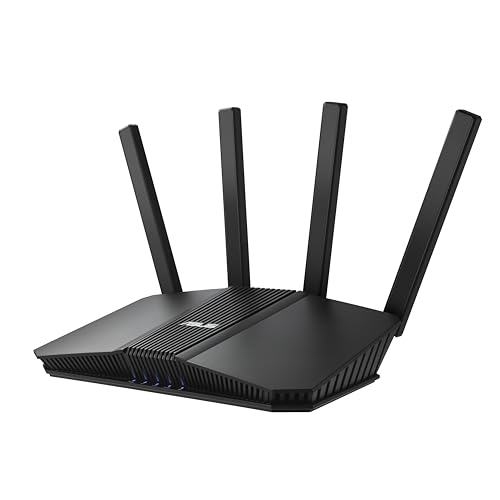



ASUS vs TP Link Router: The Short Version
Choose ASUS when you like to tweak settings, want a gaming router with traffic prioritization, or plan to use a fast wired connection such as 10G. Choose TP-Link when you want a router that sets itself up from a phone app, covers a large house with a Deco mesh kit, or simply costs less for the same Wi-Fi generation.
Both brands sell Wi-Fi 6, Wi-Fi 6E and Wi-Fi 7 routers, so the generation on the box is not what separates them. The difference shows up in the extras around the radio: the admin interface, the mesh system, the security tools and the port layout.
Speed, Range and Wi-Fi Generation
What the headline numbers mean
Router names carry a big total such as BE9300 or AXE5400. That figure adds the maximum speed of every band together, and no single device ever gets it. What you actually feel is the speed of one band, the quality of your signal and how many devices share the air at the same time.
Where each brand leans
TP-Link tri-band Wi-Fi 7 routers such as the Archer BE550 class put a 2.5G WAN port and four 2.5G LAN ports on a mid-priced box and use six internal antennas. ASUS counters with models like the RT-BE88U, which adds two 10G ports and a quad-core processor aimed at busy networks with many wired devices.
In a typical apartment or mid-size home, a good single router from either brand will cover the space. In a larger or multi-floor house, the better question is whether you want a mesh kit, and that is where the two brands differ most.
Mesh Systems: AiMesh vs Deco
ASUS uses AiMesh, which lets you pair compatible ASUS routers into one network. The advantage is flexibility: you can start with one router and later add an older or cheaper ASUS model as a satellite, and you can wire the nodes together with Ethernet for a stronger backhaul.
TP-Link sells ready-made Deco kits that you buy as a pack of two or three. They are built for people who do not want to think about nodes: you plug them in, follow the app, and the system picks channels for you. Deco kits also exist with PoE variants for ceiling mounting, which suits a wired home or small office.
If you already own an ASUS router, AiMesh is the cheaper way to grow. If you are starting fresh in a large home and want the least setup effort, a Deco kit is easier to live with.
Software, Security and Parental Controls
ASUS routers expose a deep admin page. You get detailed port forwarding, VPN server and client options, guest networks, and traffic rules that experienced users like. ASUS also bundles AiProtection and parental controls without a subscription on many models, which is worth confirming on the exact listing before you buy.
TP-Link keeps the interface simpler and moves most day to day tasks into the Tether or Deco app. Parental controls and basic security are there, but some of the more advanced network protection tools on TP-Link models are tied to a subscription tier, so read the product page for what is included free.
A practical rule: if you enjoy opening a browser to change a setting, ASUS will feel rich. If you want to change a Wi-Fi password from your couch and never touch the router again, TP-Link will feel easier.
Gaming Features and Ports
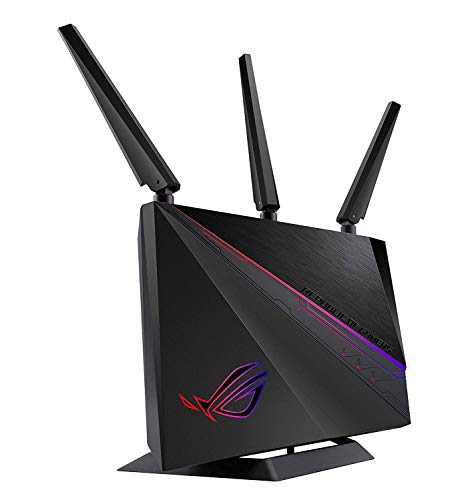
Both brands make gaming routers. The ASUS ROG line adds a Game Boost style prioritization, a dedicated gaming port and styling that matches a gaming desk. TP-Link answers with the Archer GXE series, which pairs Wi-Fi 6E or Wi-Fi 7 with gaming oriented traffic tools at a lower price.
For online play, wiring your console or PC with Ethernet matters more than the router brand. Look at how many multi-gig ports a model has, whether it has a USB port for tethering or storage, and whether the WAN port is fast enough for your internet plan.
Price and Value
TP-Link usually reaches a given Wi-Fi generation at a lower price, and Deco kits are often cheaper than comparable ASUS mesh packs. ASUS charges more for the same radio class but often includes a faster processor, more multi-gig ports and the richer admin tools in the box.
Think about what you will use. Paying for 10G ports only pays off if your modem, your switch and your internet plan can use them. If they cannot, the lower priced TP-Link model gives you the same everyday Wi-Fi experience for less.
Who Should Pick Which
Pick ASUS if
You run a home server, a VPN, or a wired gaming setup, you like detailed controls, or you want to expand with AiMesh over time. ASUS also suits people who want security tools included without a monthly fee.
Pick TP-Link if
You want the simplest setup, a mesh kit for a bigger home, or the lowest price for Wi-Fi 6E or Wi-Fi 7. TP-Link is also an easy choice for rental apartments where you just need strong, steady Wi-Fi.
Models Worth Reading About Next
If you lean toward ASUS, read our asus rt be88u review for a 10G Wi-Fi 7 model, the asus rt be86u review for a gaming-focused one and the asus rt ax86u pro review for a Wi-Fi 6 option that is still very capable. For a wider comparison, see the best gaming router guide.
Whichever brand you pick, check that the WAN port matches your internet plan and that the router supports the Wi-Fi generation of your newest devices, since those two details decide how fast the network feels.
FAQ
Is ASUS better than TP-Link for gaming?
ASUS has the stronger gaming lineup, with ROG routers that add prioritization tools and fast wired ports. TP-Link has gaming models too, and for most players a wired connection to either brand will matter more than the logo.
Which brand is easier to set up?
TP-Link is usually easier, because the Deco and Tether apps walk you through setup in a few taps. ASUS also has an app, but its full feature set lives in the web admin page, which takes longer to learn.
Can I mix ASUS and TP-Link routers in one mesh?
No. AiMesh works only between compatible ASUS routers, and Deco works only with Deco units. You can run a second router as a plain access point over Ethernet, but you lose the seamless roaming.
Do I need Wi-Fi 7 for either brand?
Not unless your devices support it. A Wi-Fi 6E router from either brand is plenty for most homes today, and Wi-Fi 7 is the better buy if you want the router to stay useful as new phones and laptops arrive.
Final Verdict
If you want control, gaming tools and room to grow, the ASUS side of the asus vs tp link router debate is the better fit. If you want easy setup, whole-home mesh and a lower price, TP-Link wins. Match the choice to how much time you want to spend managing your network, then use the product table above to compare current models.
Prices and availability can change, so check the product page before ordering.


