
BenQ RD280U Review for 2026: A 3:2 Monitor Built for Coding
Disclosure: We may earn a commission when you buy through links on this page, at no extra cost to you. As an Amazon Associate I earn from qualifying purchases. Learn more

A benq rd280u review for developers: taller 3:2 screen, Nano Matte panel, coding modes, USB-C and KVM, and monitors to compare.
The RD280U is a monitor for programmers, with a tall 3:2 screen and features aimed at long hours of reading and writing code. This benq rd280u review explains what makes the screen different, how it behaves day to day, and who should buy it.
You will find notes on aspect ratio, the Nano Matte panel, coding modes, USB-C and KVM, ergonomics, and alternatives. The product table near the top lists related BenQ models for a price check.
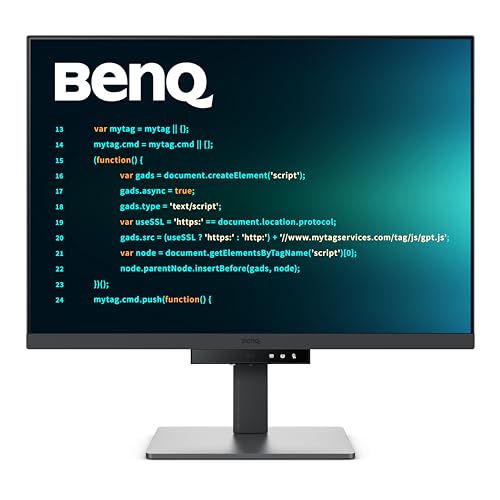


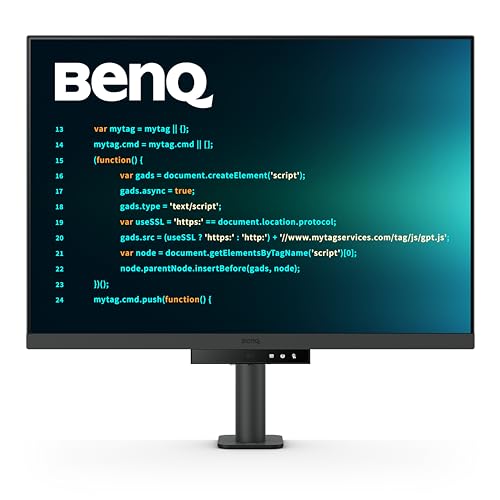


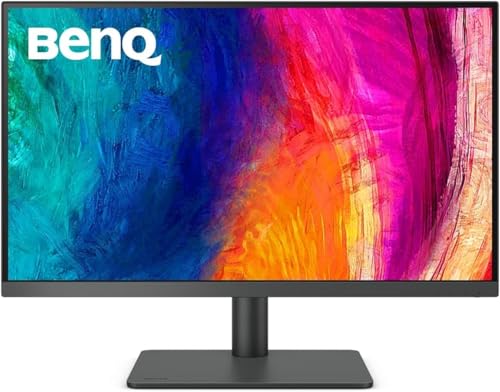
BenQ RD280U Review: The 3:2 Screen
The listing describes a 28.2 inch 4K panel with a 3840 by 2560 resolution in a 3:2 ratio. That is taller than a typical 16:9 monitor, so you see more lines of code and more of a document without scrolling.
The extra height helps with long files, terminal windows, and documentation. Side by side windows still fit comfortably, and a taller screen suits reading and writing more than watching widescreen video.
Nano Matte Panel and Coding Modes
A Nano Matte panel reduces glare and reflections, which helps when the monitor faces a window or an overhead light. The matte surface can look slightly less punchy than a glossy panel, though text stays crisp.
Coding modes adjust the color and contrast to help separate syntax colors in an editor, and they are meant to make code easier to scan. Try them in your editor and keep what helps. Many people use them for dark themes and light themes alike.
MoonHalo Backlight and Eye Comfort
A backlight called MoonHalo provides soft ambient light behind the monitor, reducing the contrast between a bright screen and a dark room. The listing also mentions Night Hours Protection and Brightness Intelligence Gen2, which adjust the screen to the room.
These features make long evening sessions more comfortable. They are not a cure for eye strain, so take regular breaks and follow the 20 minute rule of looking away from the screen.
USB-C, KVM, and Desk Setup
The monitor lists 90W USB-C power delivery, a KVM switch, and a VESA mount. A single cable can drive the display, charge a laptop, and connect the keyboard and mouse. With the KVM switch you can share peripherals between a work laptop and a personal machine.
The stand is designed for ergonomic adjustment. Set the top edge at eye level and keep the screen at arm's length for comfortable viewing.
Who Should Buy the RD280U
- Programmers and writers who work with long documents.
- Developers who switch between a work laptop and a desktop.
- Anyone who wants a sharp, glare reducing monitor.
It is less ideal for gaming, video watching, or color critical design. For a color focused alternative, see our BenQ PD2705U review, and for other options the Dell S2725QC review, the Apple Studio Display review, and the best computer monitor guide.
Sizes and Variants
BenQ also sells a larger 32 inch programming monitor in a 16:9 shape, and versions with extra ergonomic arms. Check the model letters in the listing to confirm you are comparing the right version, since similar names can differ in stand and features.
A 28 inch 3:2 screen fits most desks. Make sure you have the depth for the stand, or plan to use a monitor arm.
Setup Tips for Developers
Adjust the scaling in your operating system until text feels comfortable without squinting. Many developers use fractional scaling on macOS or Windows to balance sharpness and size. Choose a font with clear letter shapes, and try coding mode with your preferred theme.
Place the monitor to avoid reflections, and use the backlight for evening work. Clean the matte surface gently with a microfiber cloth.
A Typical Coding Day on the RD280U
Open an editor on one half of the screen and a terminal or browser on the other, and the 3:2 shape leaves room for both without cramped windows. Documentation, a task list, and chat can sit above or below. Because the screen is tall, you scroll less, which reduces the small interruptions that break focus.
In the evening, switch on the backlight and let night mode warm the colors. Many developers notice the matte surface keeps reflections from lamps in check, so they can work comfortably without drawing the curtains.
Warranty and Value Questions
Look at the warranty term and the return policy, and note the stand and cable that come in the box. A specialized monitor costs more than a basic office screen, so ask whether you will use the tall shape, the coding modes, and the docking features every day. If so, the premium is easy to justify, because the screen is the tool you look at for most of the working day.
If you are unsure, try a tall 3:2 layout on your current monitor by arranging windows vertically for a week, and see whether the extra height actually helps.
Questions to Ask Before You Order
Do you work with long documents or code files that benefit from a taller screen? Does your computer drive a 4K display at a comfortable refresh rate? Do you need USB-C docking and a KVM switch, or would a simpler display do? A short list of answers tells you whether this specialized monitor earns its price on your desk.
Also consider the room: if your desk faces a window, the matte panel and the backlight are worth more to you than if the screen sits in a dim corner.
Fonts, Themes, and Working Habits
A sharp 4K panel makes small fonts readable, so you can raise the amount of code on screen without squinting. Try a font designed for programming, and set the line height to give a little breathing room. Many developers adopt a dark theme in the evening and a light theme in the morning, and the coding modes work with both.
Whatever you choose, keep the screen at a comfortable distance, take regular breaks, and adjust the brightness to match the room.
FAQs
Is 3:2 good for programming?
Yes, the taller screen shows more lines of code and more of each document.
Does it support USB-C charging?
The listing mentions 90W USB-C power delivery.
Is the matte surface a problem for color?
It lowers glare and slightly softens contrast, which is fine for coding but less ideal for color grading.
Can I use it with a Mac?
Yes, USB-C and scaling work well on macOS.
For long coding sessions with less glare and more visible lines, this benq rd280u review finds a very focused monitor, and the table above lists other BenQ models for comparison. Prices and availability can change, so check the product page before ordering.


