
Best 1080p 60hz Monitors: Simple Screens for Everyday Use (2026)
Disclosure: We may earn a commission when you buy through links on this page, at no extra cost to you. As an Amazon Associate I earn from qualifying purchases. Learn more

Office, study and home use: how to choose the best 1080p 60hz monitors by size, panel, stand and ports, from desktop and portable to touch models.
For most office desks, school work, video and everyday browsing, a 60Hz monitor at 1080p is all the screen you need. The best 1080p 60hz monitors are sharp enough for text, comfortable for long days and priced low enough to buy two, whether you want a full-size desktop panel, a portable travel screen or a touchscreen.
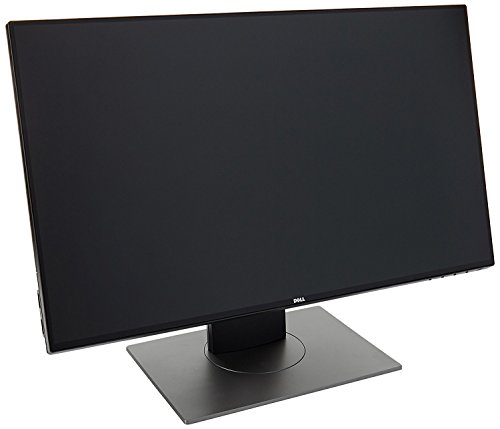
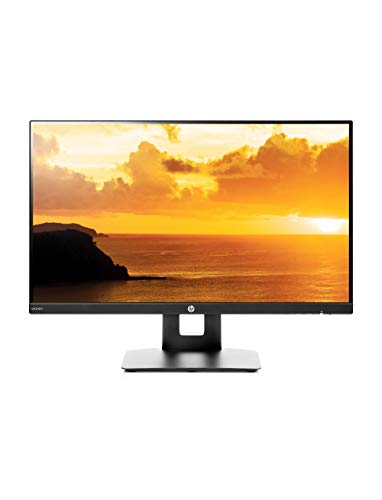
This guide looks at what matters when speed is not the goal: panel type, size, comfort, ports and the extras that make a basic monitor pleasant to use. The product table includes desktop, portable and touch models to compare with the points below.




Who Is 60Hz Enough For?
Sixty refreshes per second is the standard for video, spreadsheets, web pages and most office software. It is also enough for console games that run at 60 frames per second, and for casual PC gaming. You would only notice a limit if you play fast shooters or want very smooth scrolling, in which case a higher refresh rate is worth considering.
Because 60Hz panels are simpler, they tend to be cheaper, and manufacturers spend the savings on better stands, better coatings or a larger size.
Panel Types for Office and Home Use
- IPS panels have wide viewing angles and consistent color across the screen, which suits shared viewing and photo work.
- VA panels have strong contrast, so dark scenes in movies look rich, and they are common on curved screens.
- TN panels are cheap and quick, but color shifts when you view them from the side.
Choosing the Size
A 22 or 24 inch screen is comfortable for a standard desk and looks sharp at 1080p. A 27 inch screen gives you more room for windows, but the picture is a bit softer at the same resolution. A 32 inch screen at 1080p is better suited to a TV-like distance than to a close desk. For portable use, 15.6 inches is the common size and fits in a laptop bag.
Portable Monitors
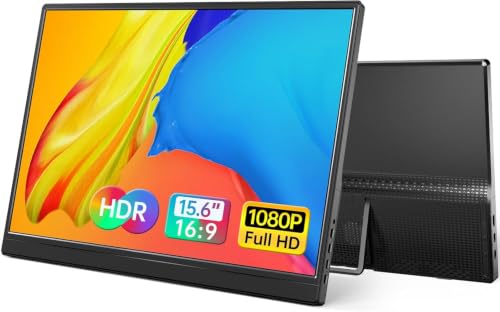
A portable 60Hz monitor suits people who work from a laptop. It plugs into one USB-C port for video and power, folds into a slim case and sets up in a minute. Check your laptop's USB-C capabilities before buying, and look for an included stand or cover. Built-in speakers are handy for calls but modest in quality.
Touchscreen and Specialty Monitors
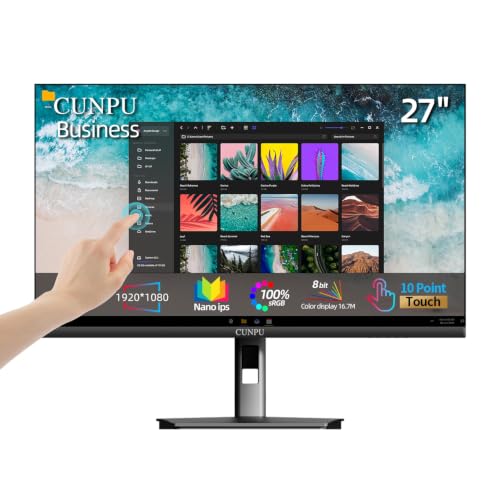
A touchscreen monitor lets you tap and swipe in kiosk, retail or creative setups. It needs a USB connection for the touch signal as well as a video cable. Most office users do not need it, but it can be a useful pointing tool for presentations or note-taking with a stylus.
Ports and Cables
HDMI covers most uses, and DisplayPort suits desktop PCs. Older monitors and some budget models still offer VGA, which is useful for old computers but gives a softer picture. A USB-C input with power delivery lets a single cable charge a laptop and carry video. If you use two screens, check that your graphics card has enough outputs.
Comfort for Long Hours
Look for a flicker-free backlight and a low blue light setting. Adjustable height and tilt reduce neck strain, and a pivot stand allows portrait mode for coding or reading long documents. A matte surface cuts glare from windows. Place the top edge of the screen at or just below eye level and an arm's length away.
Picking the Best 1080p 60hz Monitors
List your tasks, then set the size and the type. For a home office, a 24 inch IPS panel with a height-adjustable stand is a safe pick. For a traveler, a portable screen with a cover and USB-C is the pick. For a large shared screen in a hallway or kitchen, a bigger curved or flat screen can do the job. Prices run from about $40 for compact portable models to around $200 for premium desktop designs with sturdy stands.
When you want more speed later, compare best 1080p 144hz monitors or the broader guide best 1080p monitors.
Color, Brightness and Coatings
Basic monitors vary a lot in brightness and color. For office work, a moderate brightness with a matte coating is easier on the eyes than a glossy, very bright panel. If you view photos, look for an sRGB coverage figure in the listing and use the monitor's sRGB or standard mode. Glossy screens look vivid in a dark room but reflect lamps and windows, so match the finish to your room.
Using a 60Hz Monitor With Consoles and Streaming Boxes
A 60Hz monitor with HDMI works well for a console, a streaming stick or a set-top box in a bedroom or kitchen. Some models include speakers, which saves a cable and a desk accessory. Check that the monitor supports the signal your device sends, and be aware that built-in speakers on budget monitors are modest, so headphones or a small speaker will improve the sound.
Setup Tips
After you plug in, set the resolution to the native 1920 by 1080 and the refresh rate to 60Hz in your display settings. Turn down brightness to a comfortable level for your room, and use the monitor's standard or sRGB mode for accurate color. Use the stand's cable clip to keep the desk clear.
Return Window Checks
Look at a white page and a black page for dead pixels, and try each input you plan to use. For a portable monitor, check that the cable and the stand cover are in the box and that your laptop supplies enough power.
Frequently Asked Questions
Is 60Hz bad for eyes?
No. For most office work it is fine. Eye comfort depends more on brightness, distance, breaks and glare than on the refresh rate.
Can I game on a 60Hz monitor?
Yes, especially for single-player and console games. Fast competitive players may prefer a higher refresh rate.
Is a curved screen better for office work?
It can feel immersive on large screens, but a flat panel is easier for lines, spreadsheets and design work.
Do portable monitors need their own power?
Most draw power from the USB-C port of the laptop, though some use a separate adapter. Check what your laptop can supply.
Final Thoughts
Start with the size and the panel type, then check the ports and the stand. The best 1080p 60hz monitors are the ones that make long days comfortable and cost little, leaving more of your budget for a good chair or a better keyboard. Prices and availability can change, so check the product page before ordering.


