Best 10G Routers: Routers With 10 Gigabit Ports for 2026
Disclosure: We may earn a commission when you buy through links on this page, at no extra cost to you. As an Amazon Associate I earn from qualifying purchases. Learn more

Buying one of the best 10g routers only pays off with the right modem, cables and devices. Port types, Wi-Fi limits and wiring explained in plain terms.
A router with a 10 gigabit port is useful when something else in your network can actually move that much data: a multi-gig fiber plan, a network storage box, a workstation with a fast network card or a switch that joins them. This guide to the best 10g routers explains what the port does, what it does not do, and how to avoid paying for speed you cannot use.
The table above lists routers with 10G connectivity. Read the checklist below first, because the wrong cable or modem will cap you at a fraction of the advertised speed.




What a 10G Port Really Does
A 10 gigabit Ethernet port can carry ten times the traffic of a standard gigabit port. On a router it appears as a WAN port that connects to a fast modem or optical terminal, as a LAN port that feeds a switch, a server or a computer, or sometimes as a flexible port that can be set either way.
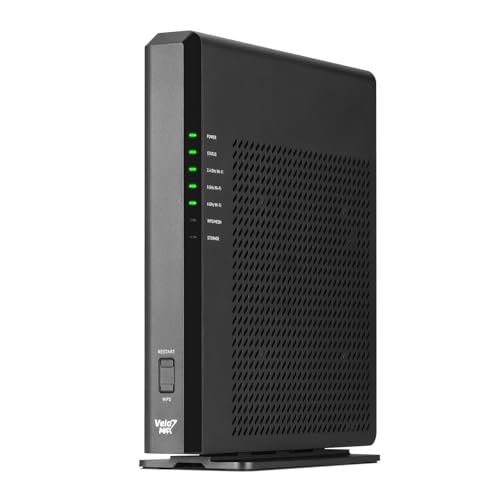
Wi-Fi does not run at 10 gigabits. Wireless speeds printed on a box, such as combined figures across several bands, are theoretical sums that no single device reaches. The 10G port is about wired traffic: internet from your provider, backups to a storage server, large video files moving between machines.
Who Needs a 10G Router
- Households on multi-gig fiber plans who want to use more than a gigabit from one device.
- Photo and video editors who move large files to a network drive.
- Home lab users with a server, a NAS and a few fast computers.
- Small offices that want a fast uplink between a router and a switch.
If your internet plan is a gigabit or less and you mostly stream and browse, a router with 2.5 gigabit ports will serve you for less money and complexity.
How to Choose the Best 10G Routers
Port Type: Copper or SFP+
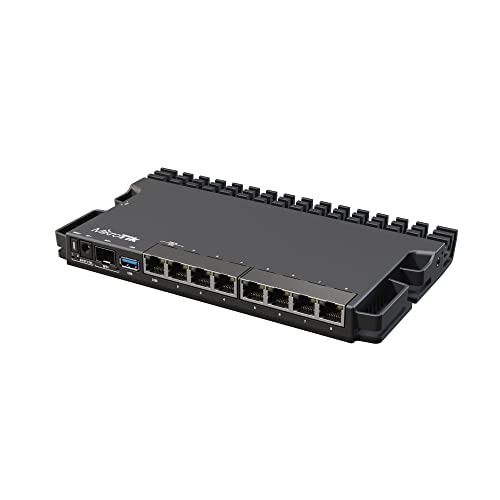
Some 10G ports use ordinary copper with RJ45 plugs, while others use an SFP+ cage that accepts a module or a direct-attach cable. Copper is convenient because your existing cable plugs in, but it runs hotter and demands better cabling. SFP+ is efficient and flexible but you must buy a matching module, and it suits fiber or short direct-attach runs. Check which type each model uses and match it to your modem, switch or server.
How Many 10G Ports
A single 10G port is enough if you only need one fast uplink. Two give you a fast WAN and a fast LAN at the same time, which matters if your internet and your storage both exceed a gigabit. Count the devices you plan to connect.
Wi-Fi Standard and Coverage
Many 10G routers also include current Wi-Fi 7 radios. Coverage depends on your home layout, wall materials and the position of the router, not on the speed rating. In a larger house, a router plus wired access points or a mesh system can work better than a single powerful unit in a corner.
Software and Control
Look for clear controls for guest networks, parental limits, quality of service and VPN. Some units run on a vendor app, others expose a full web interface or open firmware. Business-style routers can be powerful but may need more setup knowledge.
Cooling and Placement
High-performance routers get warm. Give them airflow and do not stack them inside a closed cabinet. A router with a fan needs a place where noise will not bother you.
Cables and Other Gear You Need
Use Cat6a or better for copper 10G runs over longer distances, and check the length limit for your cable type. Connect the router to a switch that has ports at the same speed, or the fast link will stop at the switch. Your computer needs a 10G network card or adapter to benefit, and many laptops only have gigabit or 2.5 gigabit ports.
Confirm with your internet provider which speeds your modem or terminal outputs. Some multi-gig plans arrive on an RJ45 port, some on fiber that needs a media converter or an SFP+ module.
Gaming and Streaming on a 10G Router
Online games care about delay, not raw throughput, so a faster port will not lower your ping by itself. What helps gamers is good traffic prioritization, a wired connection to the console or PC and a router that does not slow down when several people stream at once. Routers sold as gaming models often include these controls, so read how the traffic rules work rather than relying on the label.
Mesh, Access Points and Whole-Home Coverage
If your house is large, consider running Ethernet to a second access point and letting the 10G router handle the wired backbone. A wired backhaul avoids the speed loss that wireless mesh links suffer, and it lets the router focus on routing instead of relaying signals.
Getting the Most From Your Setup
Update the firmware before you configure anything, change the default password and place the router centrally. Use wired connections for the machines that need speed and keep Wi-Fi for phones and tablets. Run a wired speed check from a fast computer to confirm that the link negotiated the speed you expect.
10G Routers: Your Questions Answered
Do I need a 10G router for gigabit internet?
No. A gigabit plan is fully served by a normal gigabit WAN port. A faster port helps only when your plan, your devices or your storage go beyond that speed.
Will my Wi-Fi reach 10 gigabits?
No. Wireless speed figures are combined theoretical numbers across several bands. Real transfers depend on the device, distance and walls, and they stay well below the wired limit.
Can I use my old Ethernet cable?
For a gigabit link yes, but 10G over copper needs a cable rated for it and a limited length. Use Cat6a or better and check the maker's distance guidance.
Is SFP+ better than copper?
Each has advantages. SFP+ runs cooler and is flexible with fiber, while copper is simpler because the same RJ45 cable plugs in. Choose the type that matches the rest of your gear.
Final Thoughts
A fast port is only one link in the chain, so list your modem, switch, cables and computers before you pick a model. The best 10g routers are the ones whose ports, cooling and software fit the network you already have or plan to build. Compare the models in the table above and plan your cabling before you order.